

Introduction
Confluent changed how Kafka data reaches the people who query it this month. On November 4, 2026, the IBM-owned company introduced its Streamhouse architecture and made Lightning Tables generally available on AWS. Lightning Tables store Kafka streams as tables applications can query directly. The launch blurs a line data teams have drawn for years, between streaming data and warehouse data.
So, which data integration techniques does a team actually need? Most teams need two or three, chosen by data freshness and volume first, then by what the team can maintain.
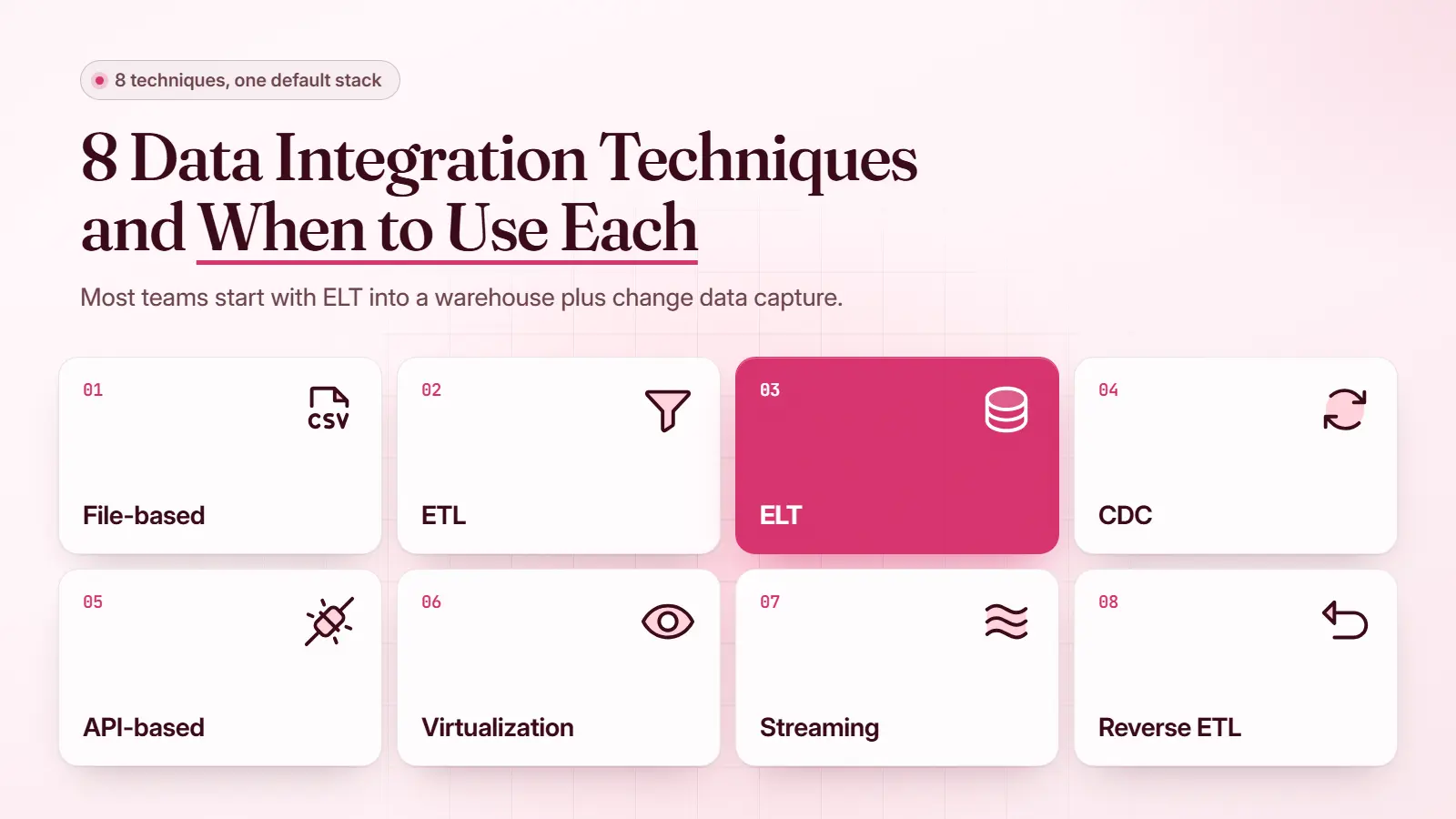
This article explains the eight data integration techniques, when to use and avoid each one, and the default stack most teams should start with.
What Are Data Integration Techniques?
Data integration techniques are the methods teams use to move data between systems or combine it into one view. ETL, ELT, change data capture, APIs, and streaming are the best-known examples. Each technique trades data freshness against build effort and running cost, so most production stacks run two or three side by side.
Guides also call them “data integration methods,” “types of data integration,” or “types of data integration approaches,” and the data integration types below cover the same set.
The wider data integration process, from source systems to reports, is covered in the guide to data integration and how it works.
Data Integration Techniques Compared at a Glance
The eight techniques differ most in how fresh the data arrives and what the pipeline costs to build and run. Cost appears as a relative rating, because real spend depends on volume and tooling. The table rates all eight against each other.
|
Technique |
Data Freshness |
Build Complexity |
Running Cost |
Best For |
|---|---|---|---|---|
|
Manual and File-Based |
Hours to days |
Low |
Low |
Infrequent or partner feeds |
|
ETL |
Hours |
Medium |
Medium |
Cleaned data for fixed reports |
|
ELT |
Minutes to hours |
Low to medium |
Medium, tied to warehouse compute |
Analytics in a cloud warehouse |
|
CDC and Replication |
Seconds to minutes |
Medium |
Medium |
Copies that track a live database |
|
API-Based |
Seconds |
Medium to high |
Medium to high |
App-to-app syncs and SaaS sources |
|
Virtualization and Federation |
Live at query time |
Medium |
Low storage, high query load |
Occasional cross-source queries |
|
Streaming |
Milliseconds to seconds |
High |
High |
Event-driven decisions |
|
Reverse ETL |
Minutes to hours |
Low to medium |
Low to medium |
Warehouse data inside business apps |
The pattern holds across every row: fresher data costs more to build and more to run.
1. Manual and File-Based Integration
Manual and file-based integration moves data as files, exported by hand or dropped on a schedule into storage such as Amazon S3 or an SFTP server. The receiving system picks up each file and loads it. It is the oldest technique on the list and still the safest way to share data with a partner.
Manual exports turn into a staff cost as sources grow. In one data integration example, a Data Prism client’s marketing reporting pulled from six or more sources and took three employees a full workday until automation replaced it.
Use It When
Use file-based integration when the data changes daily or less often, and a partner needs it. A scheduled file drop keeps the partner out of production, because the partner never touches the source database. In a Reddit debate over feeding a third-party tool, most data engineers preferred an S3 drop to sharing database credentials.
Avoid It When
Avoid file drops when a decision depends on data from the last hour. Files also hide quality problems, so a malformed export can go unnoticed for a full cycle. Teams rebuilding the same spreadsheet every week are usually looking at data silos, which a scheduled pipeline fixes better than more exports.
2. ETL (Extract, Transform, Load)
ETL extracts data from source systems and transforms it on a separate server before loading it into a data warehouse. Because the transform runs first, only clean, shaped data reaches the target. ETL is built for batch processing and dates from the on-premises era.
Long-standing ETL platforms include Informatica and Talend, and the guide to ETL tools compares current options.
Use It When
Use ETL when data must be cleaned or masked before it lands anywhere. Regulated fields such as card numbers are the common case, because the raw values never reach the warehouse. ETL also fits fixed nightly reports whose logic rarely changes.
Avoid It When
Avoid ETL when analysts keep asking new questions of the same raw data. Every change to the transform means rebuilding the job and reloading history. Clock-based schedules are a second weak point, since a nightly job fails quietly when an upstream file arrives late.
Jobs triggered by the file’s arrival, with a test on every load, are the usual fix in modern pipeline development.
3. ELT (Extract, Load, Transform)
ELT loads raw data into a cloud warehouse first and transforms it there with SQL. The warehouse’s own compute does the heavy work, so no separate transformation server is needed. ELT spread as Snowflake, BigQuery, and Redshift made warehouse compute easy to scale.

A typical ELT transform is a SQL model that runs after the raw load, as in this hypothetical example:
create or replace table analytics.orders as
select
id as order_id,
customer_id,
cast(amount as numeric(12, 2)) as amount_usd
from raw.shop_orders
where status <> 'test';Use It When
Use ELT when the team already has a cloud warehouse and analysts who write SQL. Raw data stays available, so a new question needs only a new SQL model. ELT also handles semi-structured sources such as JSON event logs, because the warehouse parses them after loading.
Avoid It When
Avoid ELT when raw data may not legally sit in the warehouse, even briefly. Personal data under strict retention rules is the usual blocker. Costs can also climb without warning, because every model rerun bills warehouse compute.
Incremental models and auto-suspend settings keep the spend in check, and both are data warehousing choices made before the first load.
4. Change Data Capture and Replication
Change data capture (CDC) reads a database’s transaction log and sends each insert, update, and delete to another system as it happens. Data replication uses the same feed to keep a full copy of a table in sync. CDC avoids heavy batch queries against production, so the source database barely notices it.
Debezium, the open-source CDC project, reads the MySQL binlog and the PostgreSQL logical replication stream through Kafka Connect. Each change arrives as an event, shown here as a simplified hypothetical update:
{
"op": "u",
"before": { "id": 1042, "status": "pending" },
"after": { "id": 1042, "status": "shipped" }
}
Use It When
Use CDC when a warehouse or search index must stay within seconds or minutes of a live database. CDC also suits migrations, since the new system keeps receiving changes while the old one stays in service. This method is how a zero-downtime migration cuts over without freezing writes.
Avoid It When
Avoid CDC when the source won’t grant log access, which is common with managed SaaS applications. Schema changes are the main risk, because a renamed column can stall the feed until someone updates the mapping. Small tables that rarely change don’t justify the setup.
5. API-Based Integration
API-based integration connects applications through their REST or GraphQL endpoints and webhooks. One system calls another’s API, or receives a push when an event occurs. APIs are the only route into most SaaS tools, which rarely expose their databases.
Connecting a CRM to an ERP usually means API integration, since neither vendor offers database access. Middleware can route calls between many systems, though few teams need it early.
Use It When
Use APIs when two applications must act on each other’s data within seconds. Order fulfillment and lead routing are typical cases. Webhooks keep the cost down, because the source pushes each change and nothing has to poll for it.
Avoid It When
Avoid APIs for bulk loads and full history. Rate limits slow large extracts, and every provider change or deprecation lands on the team that built the connection. Engineers in the same Reddit debate warned that a push integration also needs retry logic and a queue for failed messages.
6. Data Virtualization and Federation
Data virtualization leaves data where it lives and gives users one virtual layer to query across sources. Data federation is the narrower form, a virtual database that splits each query across sources and merges the results. Neither one copies data, so nothing is stored twice.
Virtualization often appears in a wider data architecture plan as a fast way to expose sources before any pipeline exists.
Use It When
Use virtualization for occasional queries across systems whose data can’t be copied. It also works as a prototype, so analysts can test which joins matter before anyone builds a pipeline. Setup is fast because no data moves.
Avoid It When
Avoid virtualization for dashboards that many people refresh all day. Every query hits the source systems, so heavy reporting slows the applications that run the business. Query speed is also capped by the slowest source in each join.
7. Streaming Integration
Streaming integration moves each event the moment it happens, through a platform such as Apache Kafka or Amazon Kinesis. Producers write events to a stream, and consumers act on them within milliseconds or seconds. Streaming is the purest form of real-time data integration.
Most teams still land the events in a warehouse for history, the route most cloud integration setups take.
Use It When
Use streaming when a decision loses value within seconds. Payment fraud scoring is the classic case, since a late answer arrives after the money has moved. Sensor alerts on a factory line follow the same logic.
Avoid It When
Avoid streaming when the business reads the data once a day. A Kafka cluster needs engineers who understand partitions and consumer lag, and the skill set is expensive. Most dashboards gain nothing from instant freshness.
8. Reverse ETL
Reverse ETL copies modeled data from the warehouse back into business tools such as a CRM or an ad platform. The warehouse becomes the source instead of the destination. Sales teams then see metrics like customer lifetime value inside the tools they already use.
Reverse ETL only works once data analytics models are trusted, because a wrong score pushed into a CRM reaches every rep who opens the record.
Use It When
Use reverse ETL when a calculated metric lives only in the warehouse and a frontline team needs it. Lead scores, churn risk, and product usage are the usual fields. Reps then act on the numbers without switching to a dashboard mid-call.
Avoid It When
Avoid reverse ETL when the warehouse refreshes too slowly for the action. A churn flag updated nightly suits an account review, but not an in-app offer. Two-way syncs are a trap too, because edits made in the CRM can be overwritten on the next run.
How to Choose a Data Integration Technique
Choosing a data integration technique starts with data freshness, then narrows by volume, team skills, and running cost. Most choices settle on the first two questions. A decision table at the end maps common situations to a starting point. Larger teams repeat the choice for each layer of their integration architecture.
How Fresh Does the Data Need to Be?
Data freshness decides the technique family before anything else. Daily reports run fine on file drops, ETL, or ELT. Minutes point to CDC, and seconds point to streaming or APIs. Asking each report owner for the oldest data they could accept gets the real answer quickly.

How Much Data and How Many Sources?
Source count shapes the stack more than raw volume does. A handful of large databases suits CDC or ELT, while dozens of SaaS apps need managed connectors. The 2026 MuleSoft Connectivity Benchmark put the average enterprise at 957 apps, up from 897 a year earlier, and only 27% of them are integrated.

What Can Your Team Run?
Team skills decide whether a technique survives its first year. A two-person data team can run ELT with managed connectors, but a self-hosted Kafka cluster needs dedicated engineers. A 2025 Fivetran survey found that 67% of centralized enterprises spend over 80% of their engineering resources maintaining data pipelines.
Most of this upkeep comes from schema changes and messy edge cases, the data integration challenges behind most integration failures, even when every connector works.
What Will It Cost to Run?
Running cost follows freshness and volume. Batch ELT costs little at rest, while streaming bills continuously. The table below pairs common situations with the technique to try first.
|
Situation |
Start With |
Add Later |
|---|---|---|
|
Nightly finance and sales reports |
ELT |
CDC for faster refresh |
|
Partner needs a daily extract |
File drop to S3 or SFTP |
API if they need live data |
|
Warehouse must mirror a production database |
CDC |
Replication for a full copy |
|
CRM and ERP must update each other |
API-based integration |
Middleware as systems multiply |
|
Fraud or sensor alerts within seconds |
Streaming |
ELT for history |
|
One-off query across systems |
Virtualization |
ELT if the query becomes a dashboard |
|
Sales team needs warehouse scores |
Reverse ETL |
None |
Most rows end in a second technique, because real stacks grow by combining methods.
The Default Stack for Most Teams
The default stack for most teams is ELT into a cloud warehouse, plus CDC on the production databases that need fresher data. This pairing serves analytics and near-real-time reporting from one storage layer. Other data integration methods join only when a specific need appears.
Pipeline design matters too. Data Prism’s rebuild of the Scout platform cut execution time from 84 hours to 2 hours on more than 200 million records, and infrastructure cost fell from about $4,000 a month to $40.

Streaming joins the stack when a decision can’t wait for the next CDC sync, and APIs join when two applications must act on each other in real time. For a company with one database and a few SaaS tools, even this stack is overkill. A managed ELT connector into a small warehouse will carry the reporting until needs grow.
Where Data Fabric, Data Mesh, and AI Fit
Data fabric, data mesh, and AI-assisted integration often appear on technique lists, but they sit one level above the techniques. A data fabric connects sources through shared metadata and governance. A data mesh gives each business domain ownership of its own data products.
Both still move data with the eight techniques above, and AI tools work inside them by suggesting schema mappings. Choosing among these designs is an architecture decision, which the guide to data lake layers covers.

Everything above assumes the sources and freshness needs are already known, and most teams discover both mid-project. Mapping each source to a technique and sizing its running cost before building is the first job for Data Prism’s integration consultants.
Book a Free 30-Minute Meeting
Discover how our services can support your goals — no strings attached. Schedule your free 30-minute consultation today and let's explore the possibilities.
Book a Free Call

