

Introduction
Nearly 80% of enterprises say data access challenges are holding back their AI efforts, according to a 2026 Cloudera survey. The survey covered 1,270 IT leaders at large enterprises, and the problem behind this number is easy to recognize.
Sales figures live in a CRM, finances in an ERP, marketing in half a dozen SaaS tools, and years of history in a legacy database nobody wants to touch. Each system works fine on its own, but together they produce conflicting reports, manual exports, and slow decisions.
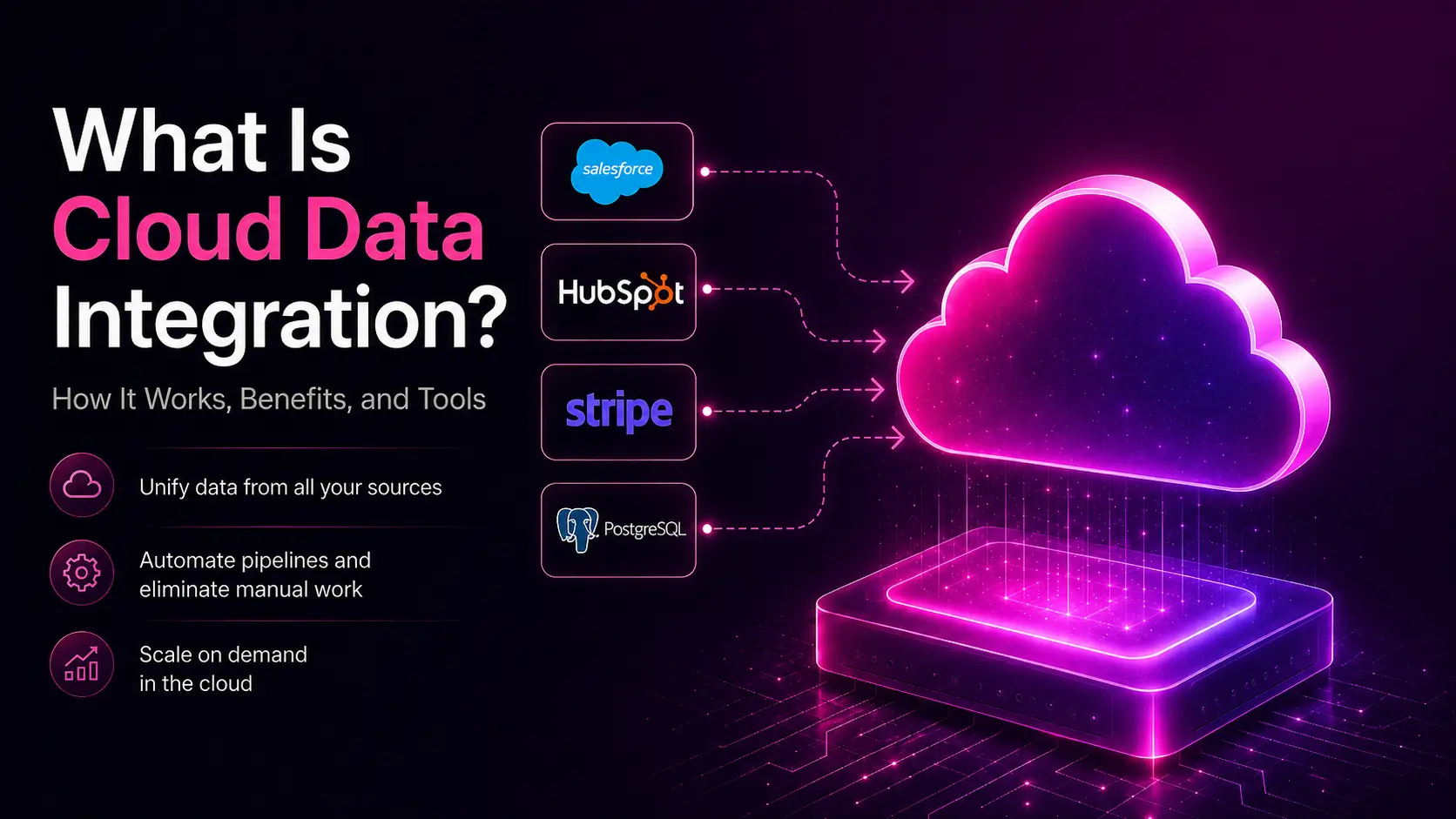
Cloud data integration brings data from all these systems onto a single cloud platform. As a result, every team works from the same accurate information. This article explains what cloud data integration is, how it works, and how to choose the right tools and services for your business.
What is Cloud Data Integration?
Cloud data integration is the process of combining data from different sources, such as SaaS applications, databases, and files, into one unified view using cloud-based platforms and services. The work of connecting, moving, and transforming the data runs in the cloud, rather than on your own servers.
A practical example will make things a lot easier to understand. A retailer uses Shopify for orders, QuickBooks for accounting, and Klaviyo for email marketing. Each of these tools captures one part of the customer story. A cloud data integration platform pulls records from all three, matches customers across systems, and loads the result into a cloud data warehouse, such as Snowflake or BigQuery. After this, a single dashboard can answer questions that no single tool could, such as which email campaigns drive repeat purchases.
One distinction hides inside this example. Copying data from one place to another is data movement. Integration also reconciles meaning, formats, and business rules across systems.
How Does Cloud Data Integration Work?
Cloud data integration works in three basic steps:
- Extract data from source systems.
- Transform it into a consistent format.
- Load it into a destination such as a data warehouse or data lake.
Most platforms run these steps as automated pipelines, either on a schedule or in response to events.
The order of these steps gives the two main patterns their names. ETL transforms data before loading it, which suits strict compliance rules. ELT loads raw data first and transforms it inside the warehouse. This pattern has become the default on cloud platforms because warehouse compute is cheap to scale. A separate guide to ETL for data migration walks through the transform step in detail.
Before any transform runs, connectors and APIs handle the extraction. A connector is essentially some prebuilt code that knows how to pull data from one specific system, such as Salesforce or PostgreSQL, through its API. Good platforms ship hundreds of connectors, so most sources need configuration rather than custom code.
Two more pieces keep everything running, synchronization and orchestration. Synchronization keeps records matched across systems after the first load. It can also be done in near real time where the business needs it. On the other hand, orchestration schedules the pipelines, manages the order they run in, and retries failures. This coordination work is the part teams underestimate, and it is where managed data pipeline development pays off.
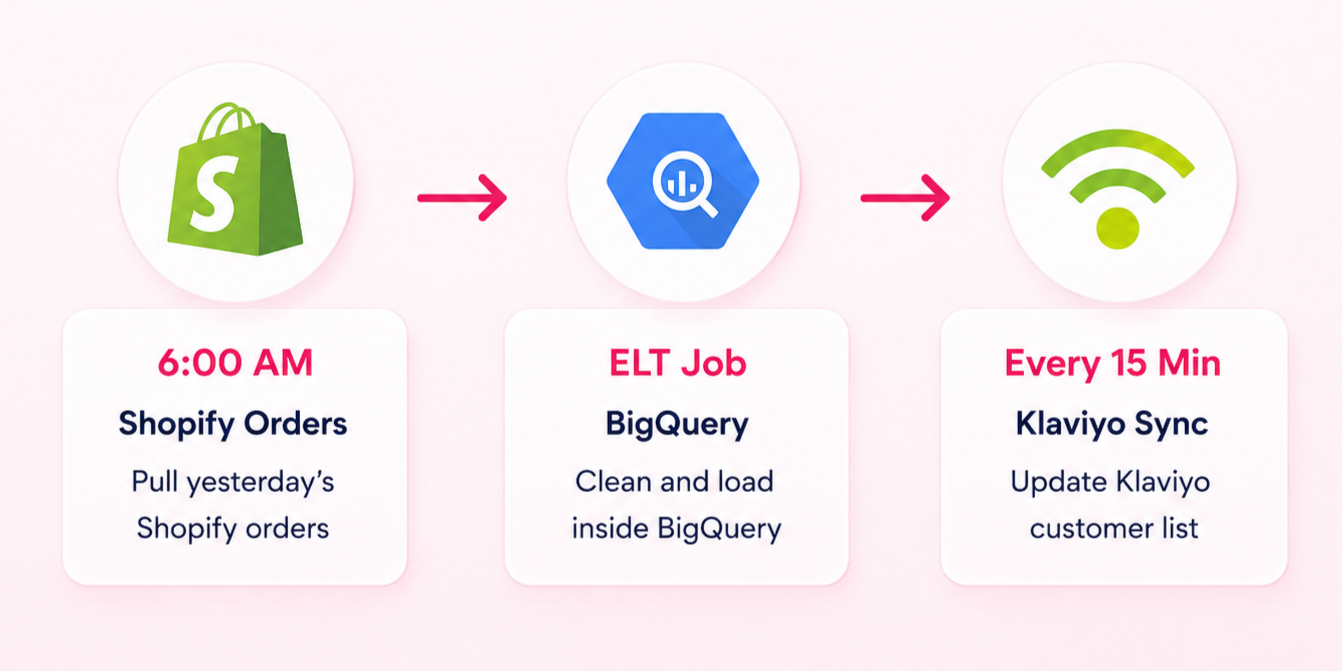
The retailer’s version is simple. A pipeline pulls yesterday’s Shopify orders at 6 a.m., an ELT job cleans them inside BigQuery, and a sync updates Klaviyo’s customer list every 15 minutes. Nobody exports a CSV.
Why is Cloud Data Integration Important?
Cloud data integration matters because disconnected data costs real money. A lot of business data now lives in the cloud by default, and the number is ever-increasing. Fortune Business Insights values the data integration market at $21.49 billion in 2026 and projects $54.26 billion by 2034, a 12.28% annual growth rate.
The value shows up quite clearly in a few places. Integrated data scales with demand, because cloud platforms add compute when volumes spike and release it afterward. It is accessible, since any authorized team can query one warehouse instead of requesting exports. Automation replaces the manual copy-paste work that fills analyst calendars, and data quality improves because validation runs in one pipeline instead of 10 spreadsheets. All these things result in quicker decisions since dashboards show numbers in near real-time, not last month’s export.
There’s also a cost to waiting. In Confluent’s 2026 Data Streaming Report, 72% of the 4,625 IT leaders surveyed said missing real-time data infrastructure is blocking their efforts to scale AI. Nearly half of the same group reported delayed or abandoned agentic AI projects. Disconnected data slows down everything built on top of it, including every AI initiative on the 2026 roadmap.
Cloud Data Integration vs Traditional Data Integration
Data integration in the cloud differs from the traditional approach in terms of working and payment models. Traditional integration runs on servers you buy, license, and maintain, with capacity planned years ahead. Cloud-based data integration runs on managed infrastructure that scales on demand and bills on usage.
This one difference cascades into setup time, maintenance, and how quickly new sources get added.
|
Aspect |
Traditional Data Integration |
Cloud Data Integration |
|---|---|---|
|
Infrastructure |
On-premises servers you buy and maintain |
Managed cloud infrastructure |
|
Setup time |
Months, including hardware procurement |
Days to weeks |
|
Scaling |
Fixed capacity, planned upfront |
Elastic, grows and shrinks with demand |
|
Cost model |
Large upfront licenses and hardware |
Subscription or usage-based pricing |
|
Maintenance |
In-house patching and upgrades |
Handled by the provider |
|
Connectors |
Custom code for most sources |
Hundreds of prebuilt connectors |
|
Real-time support |
Batch-oriented, with real-time costly to add |
Streaming and near real-time built in |
Traditional integration still fits some cases, though. Heavily regulated data with strict residency rules, or systems that never leave a private network, can justify on-premises tools. Most other workloads have moved, and the surrounding infrastructure moved with them. 73% of organizations now run hybrid environments, according to Flexera’s 2026 State of the Cloud Report.
What Are Cloud Data Integration Tools?
Cloud data integration tools are managed platforms that connect data sources, run transformations, and monitor pipelines without needing you to build the infrastructure yourself. This category is growing fast, and Precedence Research proves this fact. It says that the integration platform as a service (iPaaS) market is at $23.36 billion in 2026, and it’s heading towards a projected $292.9 billion by 2035.
The tools used fall into these categories, rather than one long vendor list.
- Managed ETL and ELT platforms: Fivetran, Airbyte, and Matillion load data into warehouses through prebuilt connectors. Their whole job is getting data in, not transforming it downstream.
- iPaaS platforms: Boomi, Workato, and MuleSoft connect applications and automate the workflows between them. The data movement here serves the process, not the warehouse.
- Cloud-native tools: AWS Glue, Azure Data Factory, and Google Cloud Dataflow come from the cloud providers themselves, so each one integrates tightly with its home cloud's storage and compute.
- Streaming platforms: Confluent's managed Kafka handles event data that has to move in real time. Batch tools can't serve this use case, which is why streaming sits in its own category.
Capabilities matter more than category labels. Whichever type you evaluate, never forget to check these same five things.
- Connector coverage: Count the sources and destinations you actually use, not the total the vendor advertises. A catalogue of 500 connectors means nothing if your CRM isn't on it.
- ETL and ELT support: Some tools only load raw data, while others transform it before or after landing. Pick the one that matches where your transformations live.
- Version-controlled transformations: Transformation logic should sit in Git, not in a drag-and-drop canvas nobody can review. Without version control, a broken change is hard to trace and harder to roll back.
- Monitoring with alerts: A failed sync you find out about three days later has already corrupted your dashboards. The tool should tell you the moment a pipeline breaks.
- Security certifications: Match the certifications to your compliance needs, whether that's SOC 2, HIPAA, or GDPR. A missing certification can rule a tool out before price ever enters the conversation.
What Does a Cloud-Based Data Integration Architecture Look Like?
A cloud-based data integration architecture has four layers:
- Sources: Systems where data originates
- Integration: Processes that move and transform data
- Storage: The cloud environment where data is stored
- Consumption: Tools and applications that use the data
Data flows through these layers in this order: Sources → Integration → Storage → Consumption.
Sources are wherever data starts. This includes SaaS applications, transactional databases, files, APIs, and event streams. The integration layer sits on top of them, pulling data through connectors, transforming it, and orchestrating the pipelines.
Storage is where the integrated data lands. For example, a data warehouse such as Snowflake, BigQuery, or Redshift holds structured data for analytics. Similarly, a data lake holds raw and semi-structured data at lower cost. Consumption is everything that uses the result. BI dashboards, applications reading the warehouse through APIs, and increasingly the AI models trained on it.
For the retailer from earlier, the picture stays small but complete. Shopify, QuickBooks, and Klaviyo are the sources, a managed ELT tool is the integration layer, BigQuery is the storage, and a Looker dashboard is the consumption. Enterprise versions add more boxes, not different ones.
Common Cloud Data Integration Use Cases
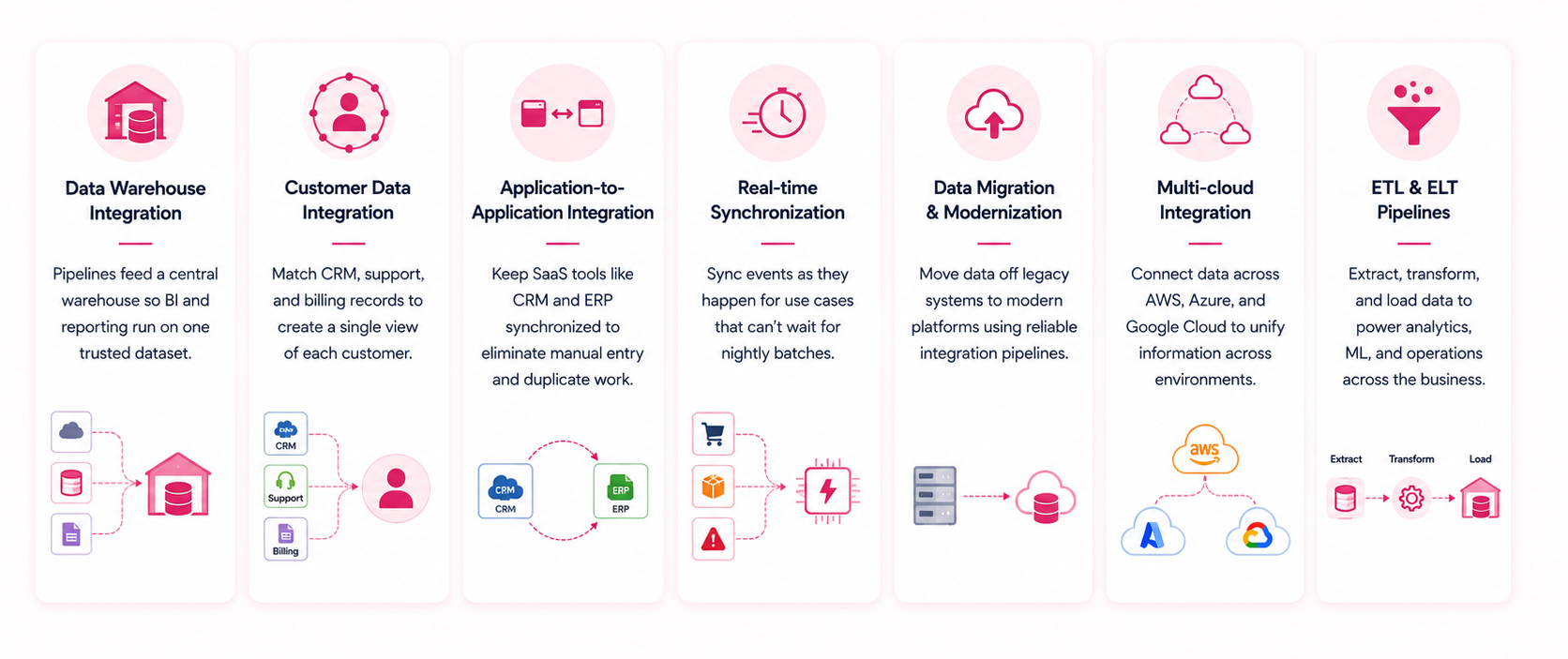
Most cloud data integration projects fall into a handful of patterns. Data warehouse integration is probably the most common one. This is where pipelines feed a central warehouse so business intelligence and reporting run on one trusted dataset. Customer data integration is a close second, matching CRM, support, and billing records into a single view of each customer.
Application-to-application work is another large group. SaaS integration keeps tools like a CRM and an ERP synchronized, so an order created in one appears in the other without manual entry. Real-time synchronization extends this to events that cannot wait for a nightly batch, such as inventory levels or fraud signals.
The remaining patterns are about relocation. Migration projects use integration pipelines to move data off legacy systems. Dedicated data migration services exist because that move rarely survives first contact with real-world data quality.
Lastly, multi-cloud integration connects data across AWS, Azure, and Google Cloud when acquisitions or team preferences leave a company on more than one. ETL and ELT pipelines underpin all of it.
Benefits of Cloud Data Integration
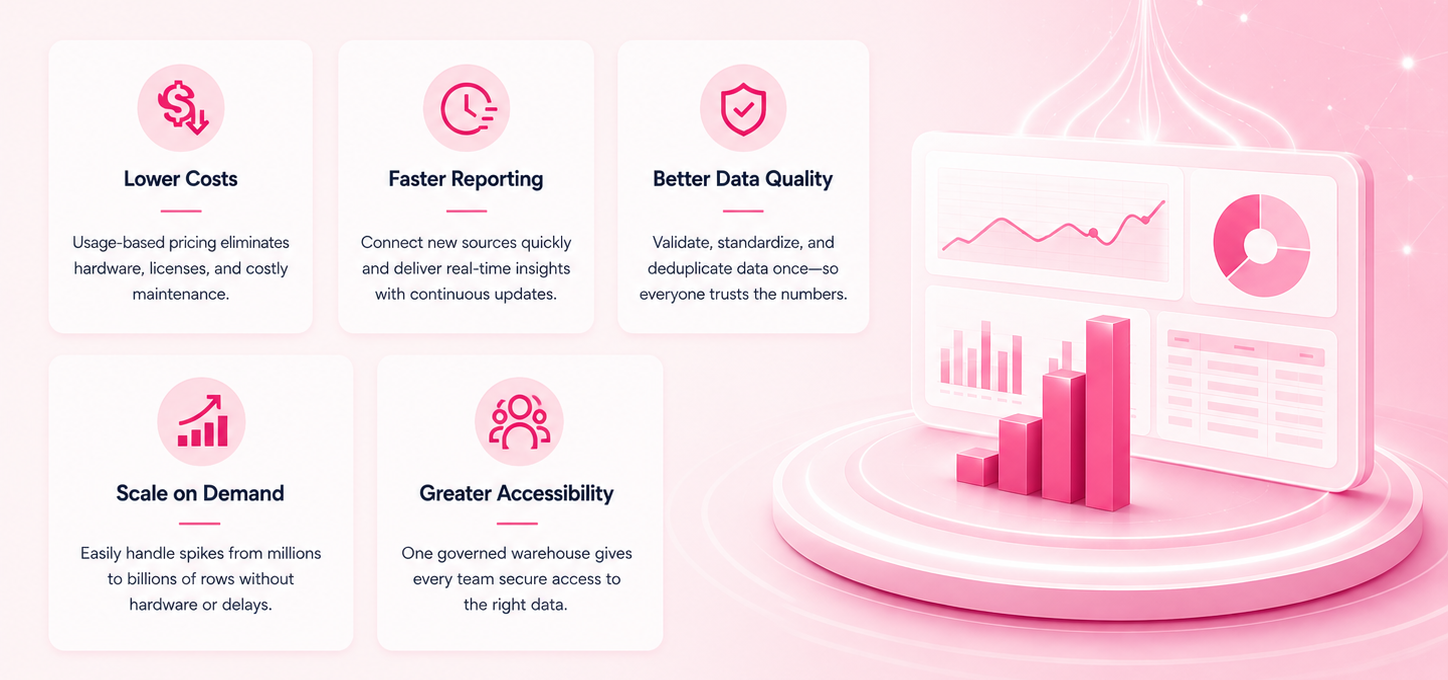
The main benefits are lower costs, faster reporting, better data quality, and room to scale. Each one traces back to removing manual work and duplicate systems. Cost drops because usage-based pricing replaces hardware and licenses, and engineers stop maintaining brittle custom scripts.
Speed improves on two fronts. New sources connect in days instead of months, and reports refresh continuously. Data quality rises because validation, deduplication, and standardization run once, for everyone.
Then there’s scale. A cloud pipeline that handles 1 million rows a day can handle 100 million during a holiday spike without a hardware order. This cannot be matched by on-premises tools without buying peak capacity upfront.
Accessibility completes the list, because one governed warehouse means finance, marketing, and operations argue about strategy instead of about whose numbers are right.
Challenges of Cloud Data Integration
Cloud data integration has genuine challenges, and pretending otherwise is how projects get stuck. Seven issues come up in almost every project.
Data Quality
Data quality is the most common challenge. Integration exposes every inconsistency the source systems were hiding. NOTE: Cleaning things up is business work as much as technical work.
Security and Compliance
Security needs grow the moment data starts moving between clouds. Transfers need encryption, access needs role-based controls, and regulations, such as GDPR and HIPAA, decide where certain data may live at all.
Governance
It is the ongoing version of the compliance problem. Someone has to decide who owns each dataset and which definition of 'revenue' wins. This decision outlives any single project.
Legacy Systems and API Limits
Legacy systems often lack modern APIs, so extracting from them takes custom work. SaaS APIs create the opposite problem by imposing rate limits that slow large syncs.
Complex Transformations
Complex transformations take serious engineering. Matching customers across systems without a shared ID is the classic example, and no prebuilt connector solves it.
Monitoring
It has to be built in from the start, because pipelines fail silently without it. A sync that breaks unnoticed for a week costs more than one that alerts the team within the hour.
Cost Control
It is something that everyone wants, but no one acts on it. The same Flexera report found that organizations waste 29% of their cloud spend, and poorly designed pipelines that rescan full tables daily are a reliable contributor.
REMEMBER: Usage-based pricing punishes sloppy design as efficiently as it rewards good design.
Best Practices for Cloud Data Integration
Good cloud data integration projects share a few habits.
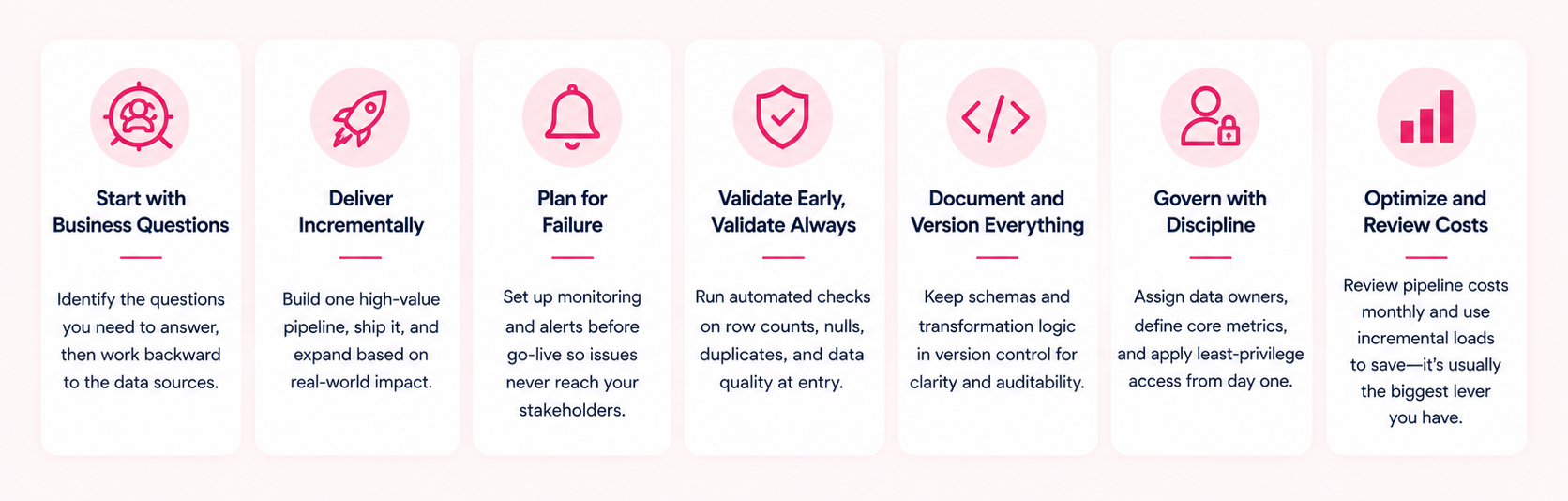
Start with the business questions. Then, work backward to the sources they need, because integrating everything at once rarely gets finished. Pick one high-value pipeline, ship it, and expand from there.
Failure planning is the second habit. Set up monitoring and alerting before the first pipeline goes live. This ensures that a silent failure never reaches a board deck. Validate data at the point of entry with automated checks on row counts, nulls, and duplicates. Document schemas and transformation logic in version control, since the person who built a pipeline is rarely the person debugging it two years later.
Governance is the third, and it works best when it is boring and early. Assign an owner to every dataset, agree on shared definitions for core metrics before building dashboards, and apply least-privilege access from the start. Finally, review pipeline costs monthly, because switching full refreshes to incremental loads is usually the single biggest saving available.
How Do You Choose a Cloud Data Integration Tool?
Choose a tool by testing it against your actual sources and volumes, not by comparing feature matrices. A two-week proof of concept with your three ugliest data sources tells you more than any analyst report. Run that trial against a short checklist.
- Connector quality matters more than the connector count. So, test the handful you'll actually use and check whether you can build your own when one is missing.
- Loading raw data and transforming it inside the warehouse is how most teams work now. The tool should be able to do this and still let you clean a source up before it lands.
- Run your peak volume through the trial, then ask what happens to speed and cost at 10 times that.
- Alerts and a pipeline health view should come as a standard. This is important because you don't want a customer to be the one who tells you a load failed.
- Price the tool at the volumes you expect in two years. Also, watch for row-based pricing that climbs with every new row.
- Analysts should be able to fix a routine pipeline without filing an engineering ticket.
- The tool should fit the warehouse and cloud platform you already run.
When Should You Consider Cloud Data Integration Services?
Consider professional help when the project’s complexity or stakes outgrow your team’s spare capacity. Tools handle the plumbing, but expertise decides the architecture. A wrong architecture gets expensive later. These three situations usually justify getting outside help for cloud data integration services.
- A cloud migration lands without an integration strategy: Moving the data turns out to be a different project from making it usable. Teams discover this after the lift-and-shift, not before it.
- The existing setup reaches a breaking point: Point-to-point connections fail weekly, and each new source takes months to add. The maintenance work grows faster than the pipeline count.
- Leadership stops trusting the numbers: The dashboards disagree with each other, so decisions quietly slide back to gut feel. Once that happens, every report gets second-guessed regardless of whether it's right.
If none of these apply, an internal team with a good managed tool is often enough. We’ve written honestly about when you actually need data integration consulting, including the cases where you don’t.
Getting Started With Cloud Data Integration
Cloud data integration turns scattered systems into one reliable source of answers. However, the path to this is more incremental than most vendors admit. Define the business questions, test a tool against the checklist above, ship one pipeline, and expand from what works. The market numbers show the shift is already underway, and the survey numbers show why so many teams still struggle.
Most teams don’t discover how tangled their data actually is until the first pipeline runs. If you want a second pair of eyes on your plan, our data integration consulting team offers a free consultation to assess your sources, architecture, and tooling options.
Book a Free 30-Minute Meeting
Discover how our services can support your goals — no strings attached. Schedule your free 30-minute consultation today and let's explore the possibilities.
Book a Free Call