

ETL Tools in 2026: Which Platform Fits Your Migration?

Usman AshrafJul 8, 2026
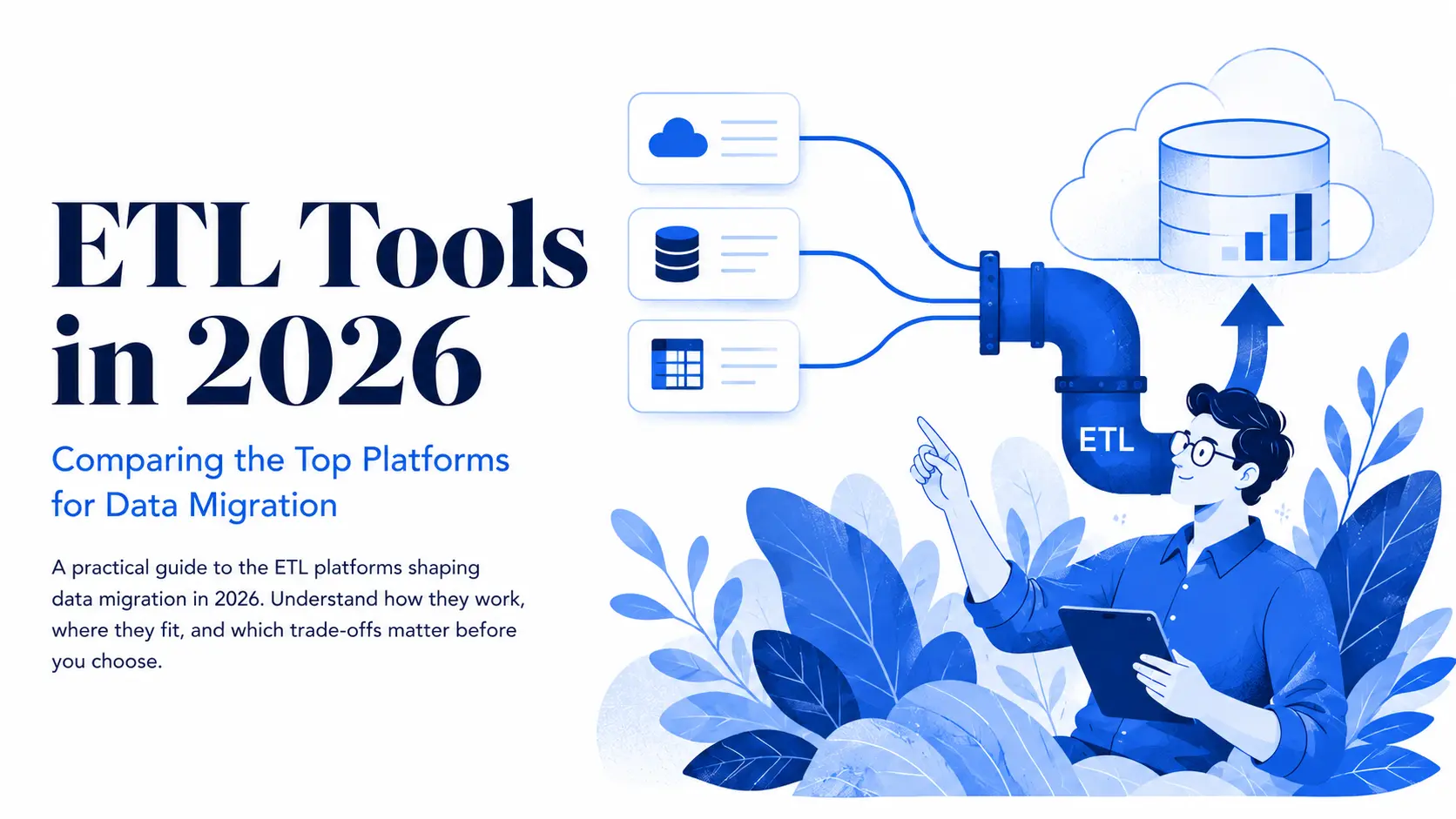
Illustration of ETL tools connecting cloud, database, and spreadsheet sources to a cloud data warehouse in 2026.

Introduction

Imagine a mid-sized retailer at the end of a quarter. The finance team uses NetSuite; sales relies on Salesforce; marketing works with HubSpot and Google Ads; and the warehouse still uses an old SQL Server from twelve years ago. Three analysts waste a week each month trying to combine CSV exports in Excel to produce a single revenue number for the board.

Then, the CFO decides to switch to a cloud data warehouse. During the first test, revenue in the board report doubles because historical orders are loaded twice. This happened due to handwritten scripts and misplaced trust. A consistent, well-monitored data pipeline could have avoided these errors, giving the team more confidence in their data.

This guide reviews the best data migration platforms for 2026, including Fivetran, Airbyte, and Informatica. It explains each platform's strengths and limitations, highlights common cost pitfalls, and helps you choose the right solution to keep your data migration projects on track.

What is an ETL Tool, and How Does the Process Work?

ETL stands for Extract, Transform, Load. It is a process that pulls raw data from databases, cloud apps, files, and APIs, cleans it, and stores it in a target like a data warehouse. The demand for ETL tools is rising. The market is expected to grow by 16.8% in one year, reaching $6.71 billion by 2026 (The Business Research Company).

Before dedicated ETL tools, engineers created the data processing logic by hand using SQL and Python for each project. Today, modern platforms offer reusable connectors, scheduling, error handling, and pipeline monitoring. This means that if an extraction fails, it alerts someone instead of letting errors go unnoticed.

Fragmentation in data systems explains why ETL tools are necessary. The average enterprise uses around 900 applications but has integrated only about 28% of them. Different systems often have different definitions for terms like “customer” or “completed order,” so businesses need to manually verify information until they standardize definitions in one data warehouse.

How the ETL Process Works

Extract pulls data out of the source systems into a staging area that holds raw copies, so errors can be caught before they spread downstream. There are three ways to do it:

  • Change notifications (event-driven): the source system pushes updates whenever data changes.
  • Incremental extraction: scheduled jobs retrieve only records added or modified since the last run, cutting processing time and transfer volume.
  • Full extraction: copies everything from the source. Safest, but resource-heavy, so it’s usually reserved for initial loads and smaller tables.

Transform applies business rules to the raw data: cleaning it, removing duplicates, and standardising formats. It can also join data from different sources or calculate derived values. During a migration, this is the stage where the old structure maps to the new one, so it carries the testing burden; a mapping error here is what doubles revenue in a board report.

Load writes the transformed data to the destination. A full load lands everything on day one; incremental loads keep source and target in sync on a schedule or in near real-time, which lets the old system keep running while the new one catches up.

What Types of ETL Tools Are Available?

There are over 50 ETL tools on the market, falling into five categories. The category tells you two things before you read a single feature list: how the tool charges, and who carries the operational load.

  1. Enterprise suites (Informatica, IBM DataStage, Oracle Data Integrator, Talend) offer strong governance, data quality, and lineage tracking, at the price of higher costs and longer setup.
  2. Managed cloud ELT platforms (Fivetran, Stitch, Hevo, Matillion) are subscription services that run the infrastructure for you. They set up quickly, need minimal maintenance, and charge by usage.
  3. Open-source and code-first frameworks (Airbyte, Meltano, DLT, Apache NiFi) cost nothing to licence, but your team pays in engineering time: deploying, scaling, updating, and troubleshooting are yours.
  4. Cloud-native services (AWS Glue, Azure Data Factory, Google Cloud Dataflow) work best inside their own cloud, bill by usage, and assume you're staying put.
  5. Custom builds (Python with Airflow or Dagster) suit unique requirements or very large scale, but they burn engineering hours on solved problems; nobody should hand-code a Salesforce-to-Snowflake feed when ready-made connectors exist.
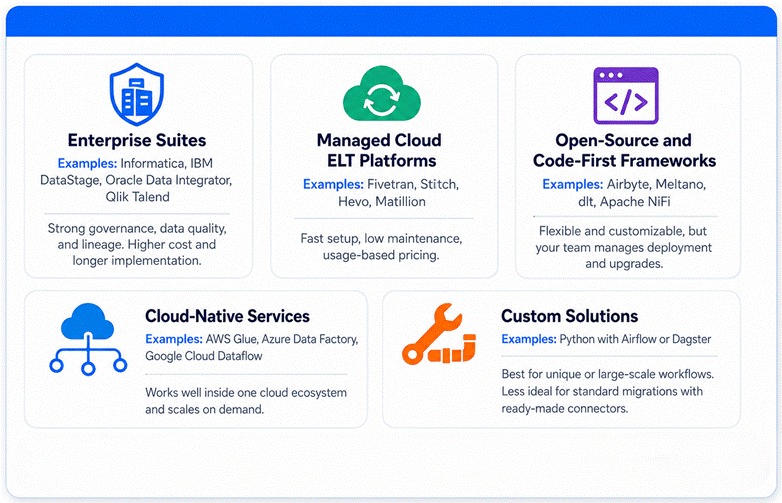
Five ETL tool categories compared by platforms, strengths, costs, deployment needs, and use cases.

How Do the Leading ETL Tools Compare?

Tools sort into three pricing tiers. Open-source tools cost nothing to licence but demand real engineering time. Mid-market platforms run between $99 and $299 per month. Enterprise suites start around $500 per month and can pass $6,000 a year (Weld pricing analysis). Here’s how the main tools compare

Tool

Category

Strongest at

Weakest at

Fivetran

Managed ELT

Hands-off connectors, automatic schema handling

Unpredictable MAR-based bills, little pre-load transformation

Airbyte

Open source

600+ connectors, self-hosted control

Connector quality varies, you run the infrastructure

Qlik Talend

Enterprise suite

Data quality and governance in regulated industries

Opaque pricing, open-source edition discontinued

Informatica

Enterprise suite

Fortune 500 governance, lineage, and scale

Cost and implementation weight for smaller teams

AWS Glue

Cloud-native

Serverless Spark jobs inside AWS

Steep learning curve, AWS lock-in

Azure Data Factory

Cloud-native

Orchestration across Microsoft estates

Weak outside the Azure ecosystem

Matillion

Managed ELT

Visual transformations pushed to the warehouse

Credit-based costs tied to warehouse compute

Stitch

Managed ELT

Cheap, fast ingestion for simple needs

Minimal transformation, capped ambition

Hevo

Managed ELT

No-code pipelines for non-engineers

Smaller connector library, limited complex logic

Fivetran

Fivetran is ideal for teams needing help with data ingestion. It automatically handles schema changes and incremental updates, saving costs during migration. A key development is its merger with dbt Labs in June 2026, combining both services for over 100,000 data teams.

The good news is that the billing structure remained unchanged. Fivetran switched to per-connector pricing based on Monthly Active Rows in 2025. However, a single active Salesforce or HubSpot connector can significantly impact the invoice. One thing that the users still note is the lack of an on-premise option.

Airbyte

Airbyte is the open-source counterweight. It offers over 600 connectors and full control over deployment, but the free license is not a free tool. You will need to budget 1-5 engineering hours a week for upgrades, broken connectors, and scaling. This (at loaded rates) can cost more than the managed platform you were avoiding. It earns its place when data can't leave your network, not when the goal is a smaller invoice.

Qlik Talend

Enterprise suites are best when audit trails matter more than speed, and both of them changed hands recently.

Qlik Talend combines integration with profiling and validation features, which are very valuable for regulated industries. Qlik bought Talend for $2.4 billion in 2023 and ended the free Open Studio edition in 2024. This removed the on-ramp thousands of teams had used and raised the entry price for everyone else.

Informatica

Informatica still provides the deepest data lineage and governance available, but it's no longer independent. Salesforce completed its $8 billion acquisition in November 2025 and is folding it into the Agentforce platform alongside MuleSoft. For Salesforce-centric shops, that's a tighter fit than ever. For everyone else, it's a roadmap now steered by a CRM vendor's AI strategy, which is worth weighing before a multi-year commitment.

AWS Glue and Azure Data Factory

Among the hyperscalers, AWS Glue gives you serverless Spark and a data catalog, and Azure Data Factory does the equivalent for Microsoft estates. Both are excellent inside their own cloud and awkward outside it. This becomes quite significant when 89% of organizations run more than one cloud (Flexera State of the Cloud).

Matillion

Matillion pushes visual transformations down to the warehouse, and bills in credits tied to compute. It is efficient for Snowflake and BigQuery workloads and spiky under heavy use.

Stitch and Hevo

Stitch and Hevo cover the simpler end. Usage-based ingestion starting near $100 and $239 per month, respectively. They are fast to set up and can be limited once your transformation needs grow.

One pattern is worth mentioning here before you make your choice. In roughly eighteen months, Talend lost its free edition, Informatica went to Salesforce, Meltano was acquired, and Fivetran absorbed dbt. The pool of neutral, independent vendors is shrinking, which makes the lock-in questions later in this guide less hypothetical than they used to be.

Where Do ETL Tools Fall Short?

Pricing of these tools can be a tricky subject for businesses. Vendors charge based on things like rows, events, compute hours, credits, or flat tiers, and costs can increase as your usage grows. When you migrate data, your monthly bill can often multiply, so it's wise to estimate 3 to 5 times your current volume before making a commitment. 

If you plan to use Snowflake, our guide on estimating Snowflake costs can help you understand how to calculate the compute side of those expenses.

Transformation depth is the second gap. Fivetran and Stitch move data effectively, but they don't reshape it much. Teams often add dbt Fusion and dbt Core for business logic, which means another invoice and another risk of problems.

Lock-in is the third concern. Tools from major cloud providers tie you to one cloud. Even neutral vendors can bind you with their own connectors and transformation methods. Switching ETL tools can turn into a costly migration project, a factor rarely mentioned during sales discussions.

Connector counts can be misleading. A list of 600 connectors sounds impressive, but the quality is often in the top 50. Community-built connectors for niche systems tend to break more often and get repaired more slowly. If you depend on a specific ERP, test that exact connector during the trial.
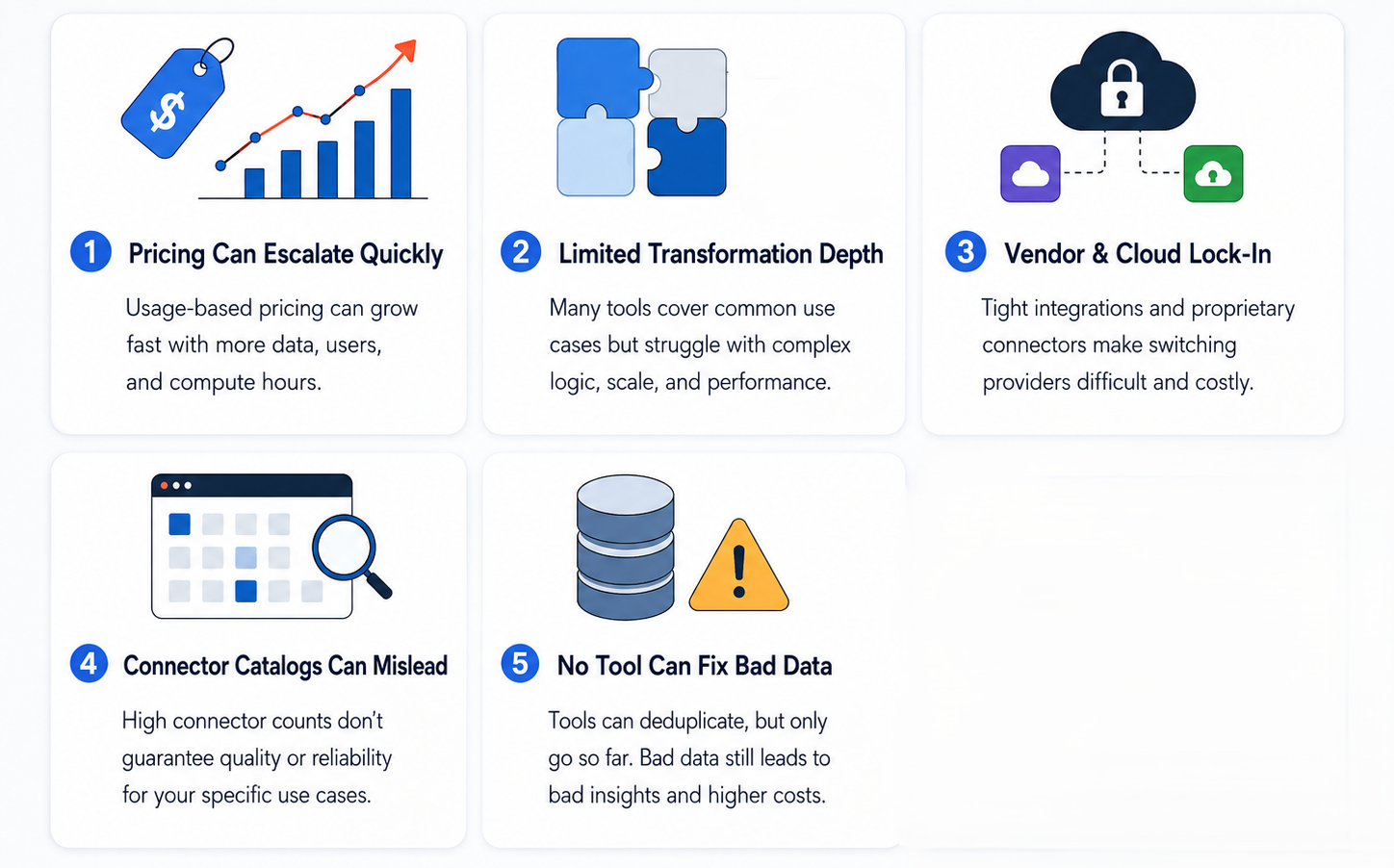
Five ETL tool limitations: rising costs, limited transformations, vendor lock-in, unreliable connectors, and poor data quality.

None of these tools can fix bad data. While deduplication features help, profiling, ownership, and cleanup need human effort. Skipping this step leads to paying for unreliable data in a better warehouse.

At Data Prism, we’ve noticed that data migrations usually don’t fail during the extract or load stages. They often fail due to wrong assumptions about source data cleanliness, hidden dependencies in downstream reports, and unplanned reconciliation time. Hence, understanding why cloud data migrations fail is crucial, even with skilled engineers. Tools can reduce technical risks, but they can't replace necessary discovery work.

How to Choose the Right Tool for Migration

When choosing a migration tool, focus on four key factors (and in this order).

  1. Your team. If your engineers can manage servers and tools, free self-hosted options can save money. If your team is small, a managed tool is usually easier.
  2. Your data. Make a list of every system you need to move data from. Make sure the tool supports all of them. If it doesn't, it may not work for you.
  3. Security. If your data must stay on your network or be protected before it's sent, choose a tool that supports this feature.
  4. Your budget. Don't just look at the starting price. A more expensive plan with a fixed monthly cost can end up cheaper than a low-cost plan that charges more as your data grows.

Next, test your top two tools for two weeks. Use your real data, especially the messiest and hardest table. Demos use clean data, but your real data will not.

Not sure whether to do this yourself or hire a consultant? Our CTO's guide to data migration consulting can help you make this decision.

Not Sure Which Tool Fits Your Stack?

If you're unsure, talk to someone with migration experience before you choose a tool. A short review can help you spot pricing or setup problems before they become expensive. If your plan already looks good, they can confirm it and suggest small improvements if needed.

Book a Free 30-Minute Meeting

Discover how our services can support your goals — no strings attached. Schedule your free 30-minute consultation today and let's explore the possibilities.

Book a Free Call

Frequently Asked Questions

Sometimes. Tools like Airbyte, Meltano, and DLT are free to use, but someone still has to set them up and keep them running. If you have a skilled engineer and it's a one-time job, they're a good choice. If your team is small or you're in a hurry, paying for a managed tool is often cheaper overall.

This happens a lot. Fivetran charges based on how much data each connector moves. Before switching to another tool, clean things up first. Turn off data you don't need, remove tables no one uses, and sync less often. That can lower your bill by 20–40%. If it's still too expensive, the problem is Fivetran's pricing, and another tool may be a better fit.

The software is free, but people still have to fix it, update it, and keep it running. It costs time and money. Only run it yourself if you need to keep data on your own network or already have engineers with time to manage it. If you're choosing it just to save money, add up all the costs first. It may end up costing more.

If it's a small, one-time job, writing your own script is fine. But for bigger projects, use a migration tool because you'll need to practice the move several times, and tools help prevent mistakes. Also, make sure to check the old database carefully because they often have hidden issues.

Demos are easy because they use perfect data. Test the tool with your real, messy data instead. Try your hardest data first. If it breaks during the trial, it will probably keep breaking after you buy it.

Book Consultation