

Introduction
The analytics engineering ecosystem has been shaped for years by one tool: dbt Core.
It defined a new way of building data pipelines — modular SQL, version-controlled transformations, in-warehouse processing, and a shared engineering mindset across analytics teams.
For thousands of companies, dbt Core became the backbone of their analytics stack.
A data teams, warehouses, and business needs have evolved, many organizations have started hitting hard limitations that dbt Core was originally designed to address at scale:
- Inconsistent metrics across dashboards — Finance shows one number, BI shows another.
- Slow development cycles — Python-based parsing and large DAGs can lead sluggish feedback loops.
- Governance challenges — hard to consistently enforce access, approvals, ownership, and auditability.
- Tooling overload — separate systems for orchestration, lineage, scheduling, and metrics.
- Multi-team collisions — developers overwriting each other’s work without isolation.
- Limited lineage visibility — dbt docs is helpful, but not enterprise-grade.
- Limited cost intelligence — expensive queries go unnoticed until warehouse bills arrive.
These aren’t “nice-to-have” issues — they’re real blockers for teams operating at scale.
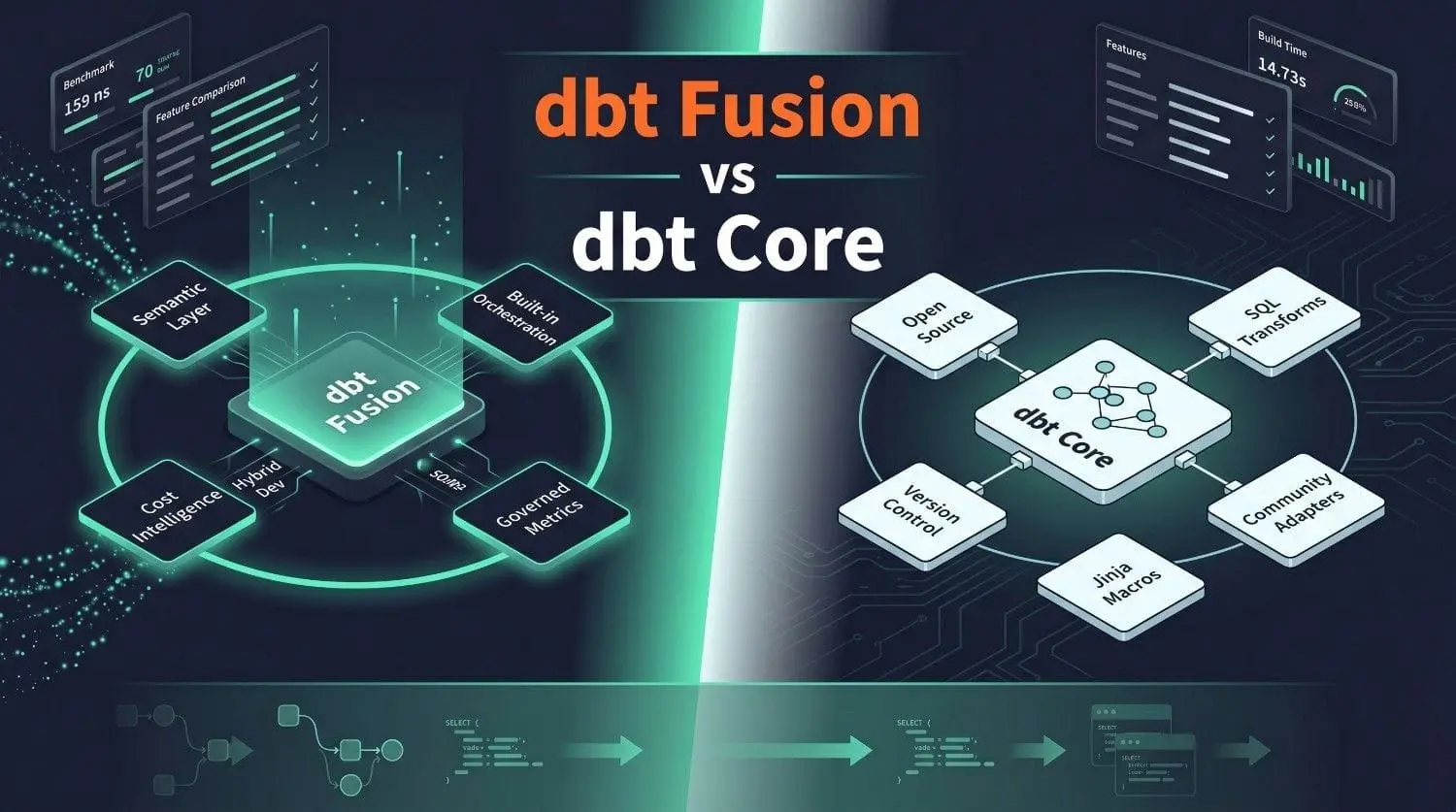
To address them, dbt Labs introduced dbt Fusion — a next-generation, Rust-powered transformation engine built on a metadata-first architecture.
Fusion doesn’t just “add features” on top of Core. It rethinks how analytics engineering should work in 2025 and beyond:
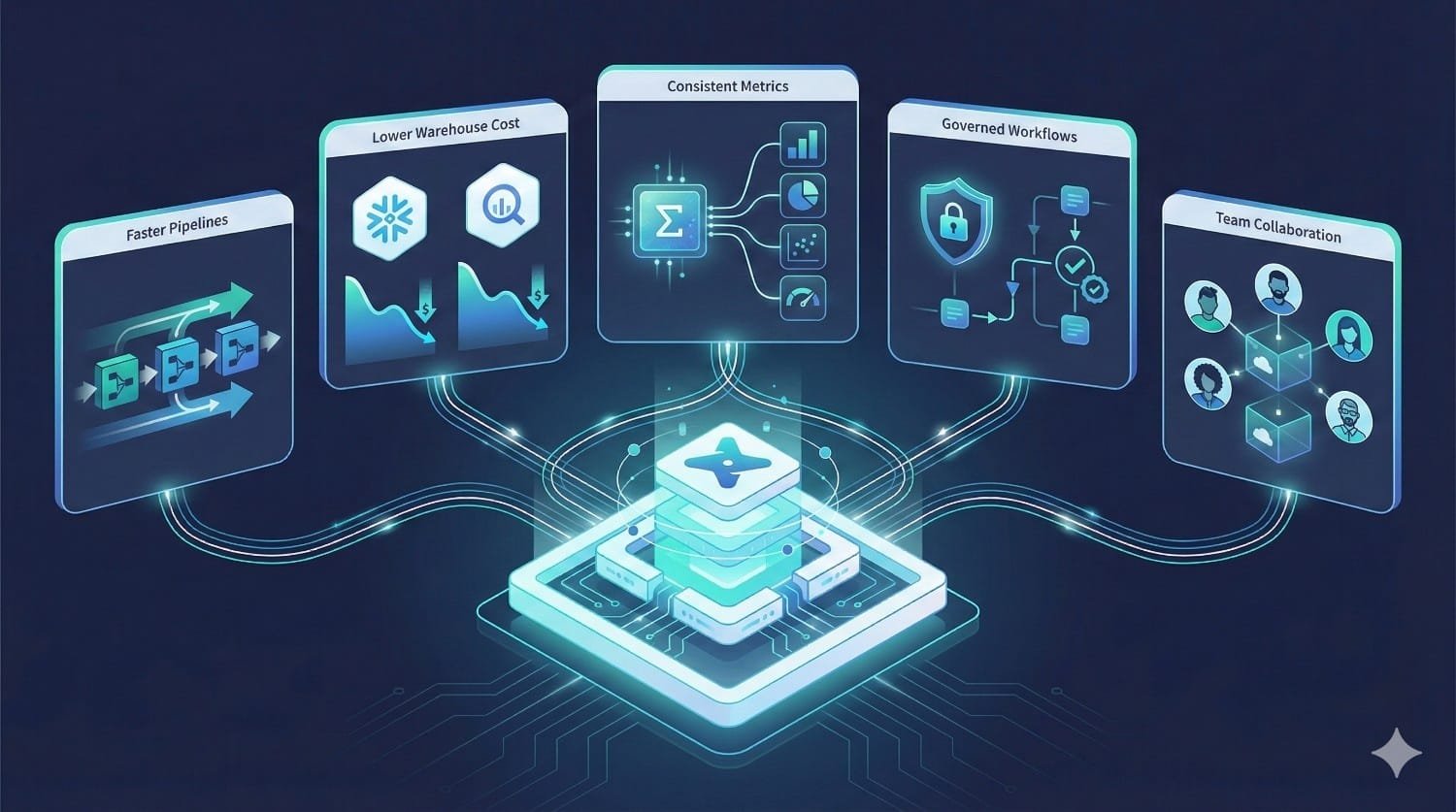
- Faster Rust compilation instead of Python
- Stronger governance and access control
- Universal semantic layer for consistent metrics
- Metadata-aware execution that reduces orchestration overhead
- Hybrid IDE (local + cloud)
- Isolated environments for safer collaboration
This article gives you a practical, no-marketing fluff comparison of dbt Core vs dbt Fusion — what’s different, what actually matters, and whether your team should switch.
If you’re an analytics engineer, data engineer, BI developer, or head of data evaluating modern data stacks — this guide will clarify exactly when dbt Fusion makes sense, and when dbt Core is still enough.
What Is dbt Core? (Quick Refresher)
Before comparing dbt Fusion vs dbt Core, it’s important to understand what dbt Core actually is — and what it isn’t.
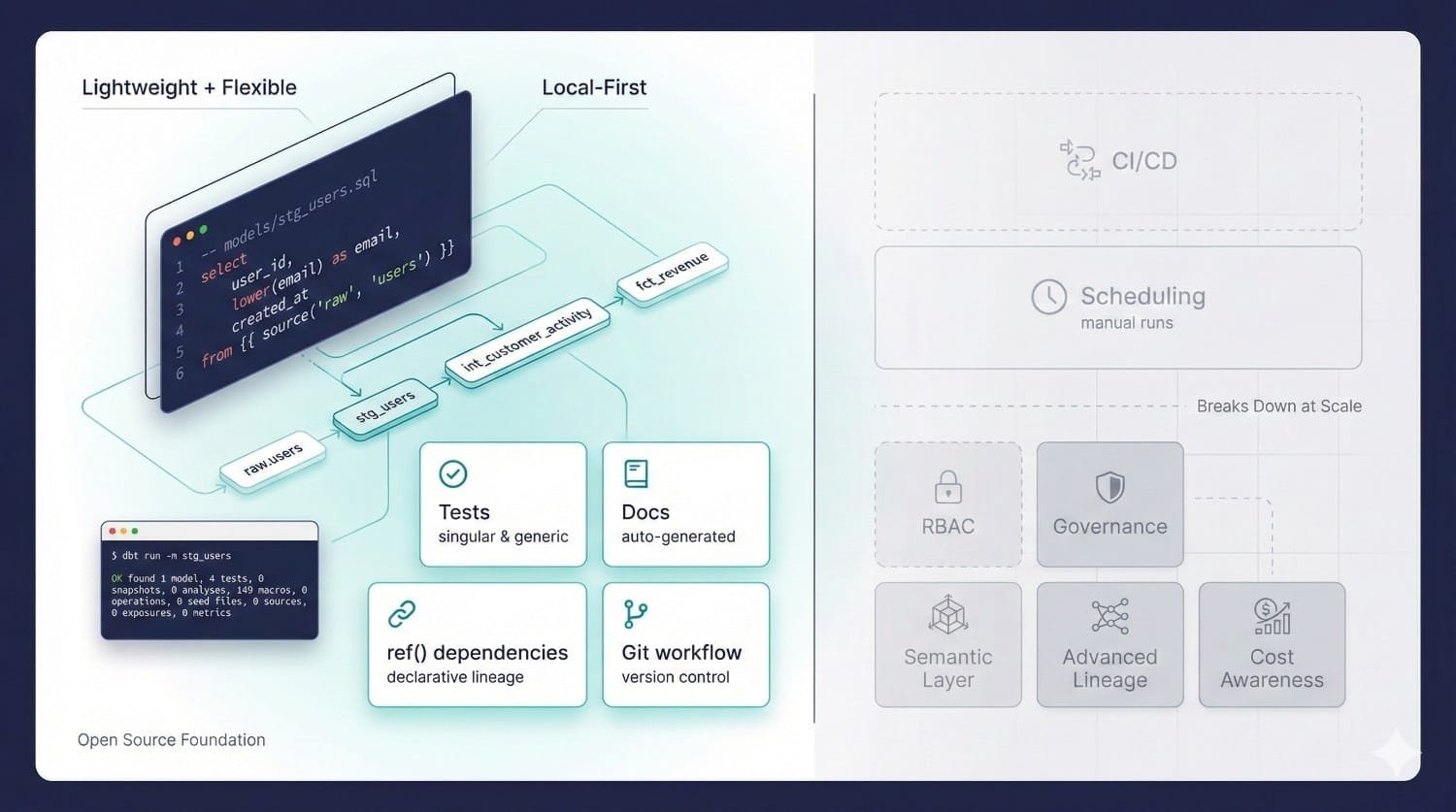
dbt Core is the open-source foundation of the dbt ecosystem.
It transformed the analytics world by giving data teams a simple but powerful framework for building data models using SQL.
With dbt Core, you can:
Write SQL transformations
Core compiles your SQL into warehouse-native SQL and materializes models as tables, views, or incremental structures.
Build dependency graphs (DAGs)
You manage your pipeline through relationships (ref()) rather than tangled SQL scripts.
Add tests
Basic data quality checks using schema tests (unique, not null, accepted values) and custom tests.
Generate documentation
dbt docs produces a browsable site showing lineage and model details.
Run models from the CLI
Models are typically developed locally via the terminal and executed either locally or through external orchestration.
Use Git for version control
Core doesn’t enforce any workflow, but you can combine dbt with Git to manage changes.
Why Teams Love dbt Core
dbt Core is popular because it’s:
Lightweight
No heavy orchestration engine. No rigid UI. Just SQL + configuration.
Flexible
You choose your:
- orchestrator
- scheduler
- CI/CD
- dev environment
- warehouse strategy
Appealing to control-oriented engineers
Core appeals to teams who want to build exactly the workflow they want instead of adopting a managed platform.
Open-source and portable
Core runs outside proprietary platforms and connects directly to your warehouse.
For small teams or single-analyst setups, Core is often more than enough.
dbt Core Breaks Down at Scale
As soon as a team grows past a few contributors, bottlenecks appear.
dbt Core does not include:
CI/CD pipelines
You must configure GitHub Actions, GitLab CI, or another tool manually.
Scheduling
You need Airflow, Prefect, Dagster, or another orchestrator.
Access control / RBAC
Anyone can edit anything unless you enforce Git rules yourself.
Enterprise governance
No audit logs, approvals, ownership, or role separation.
Advanced lineage
dbt docs are helpful but not enterprise-grade.
Metric standardization
The old metric system is deprecated — Core offers no unified semantic layer.
Multi-environment support
You manually configure dev, staging, and prod — often with fragile YAML switching.
Collaboration workflow
Developers can overwrite each other’s work, and local development environments drift quickly.
The Bottom Line
dbt Core is fantastic for:
- early-stage teams
- small DAGs
- single analysts
- engineering-heavy teams who like full control
- local-only workflows
- custom-built pipelines
But once you start scaling your:
- team
- data volume
- BI surface area
- governance needs
- cross-team collaboration
Core becomes harder and harder to manage. This is exactly why dbt Fusion exists.
What Is dbt Fusion?
dbt Fusion is dbt Labs’s next-generation transformation platform, designed to solve the modern challenges that dbt Core alone can’t handle as teams, pipelines, and data stacks grow.
It’s not just an upgrade.
It’s a unified analytics engineering platform that brings together transformation, orchestration, metrics, governance, cost awareness, and development workflows into one cohesive system.
While dbt Core is still the engine that compiles SQL and runs your models, dbt Fusion adds the full platform around it.
What dbt Fusion Includes?
dbt Fusion bundles the tools that data teams usually have to stitch together manually:
A New Rust-Based Engine (Fusion Engine)
Significantly faster model parsing, dependency graph generation, and compile-time checks compared to Python.
This alone removes one of the biggest bottlenecks in large dbt Core projects.
Hybrid IDE (Local + Cloud)
Develop locally or in the cloud, both environments stay consistent.
Fusion lets you switch between your laptop and browser without breaking anything.
Universal Semantic Layer
Define metrics once and reuse them across:
- Looker
- Sigma
- Hex
- Tableau
- Power BI
- Mode
This solves metric drift — one of the biggest problems in modern analytics.
Built-In Orchestration
Fusion includes a native scheduler and metadata-aware orchestrator.
No need for Airflow, Prefect, or GitHub Actions (unless you want them).
RBAC + Governance
Role-based access, approvals, audit logs, and ownership — all built in.
Perfect for large or regulated teams.
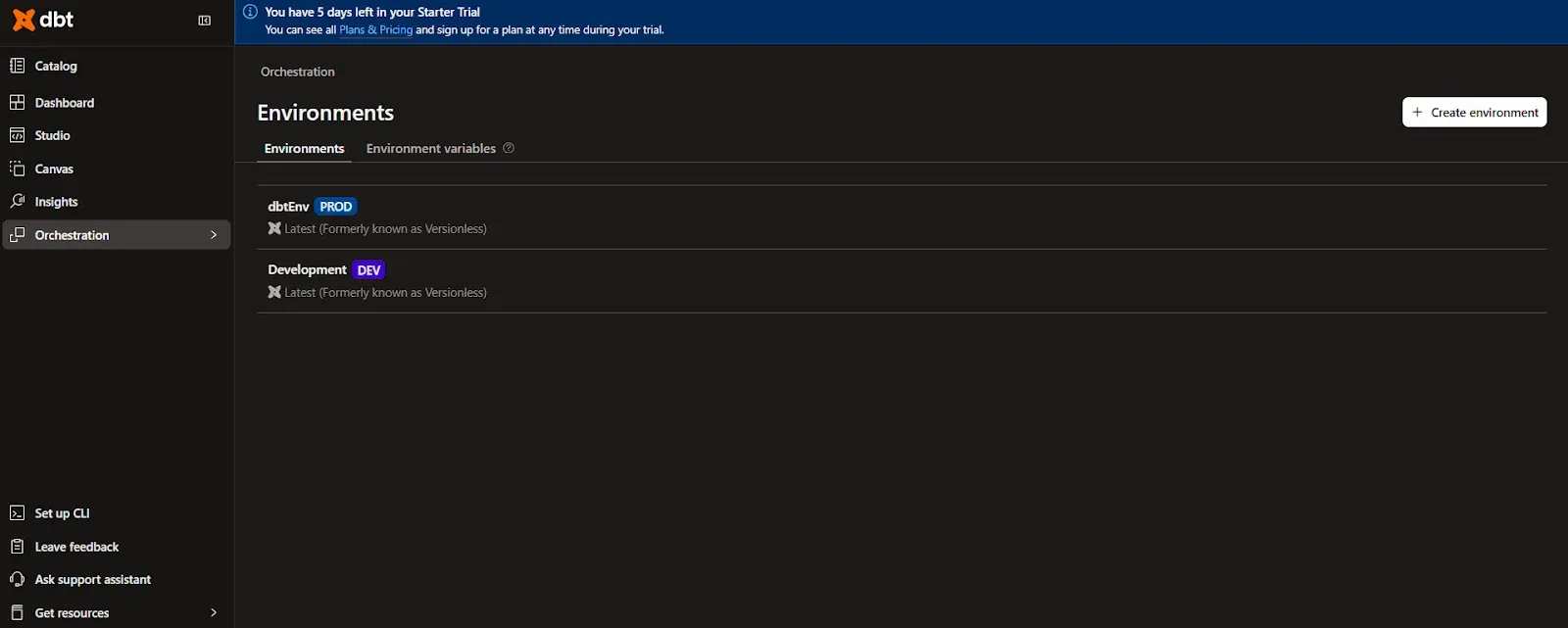
Versioned Environments
Separate dev, staging, and production environments with isolated credentials and controlled access.
Metadata-Aware Development
Fusion “understands” your project — every test, model, metric, and dependency becomes metadata.
This enables impact analysis, automated lineage, and safer deployments.
Live SQL Previews
Instant preview of model outputs using real warehouse data — no need to run the full DAG.
Enterprise Observability
Centralized logs, lineage, run-history, and downstream impact views.
dbt Fusion Is NOT a Replacement for dbt Core
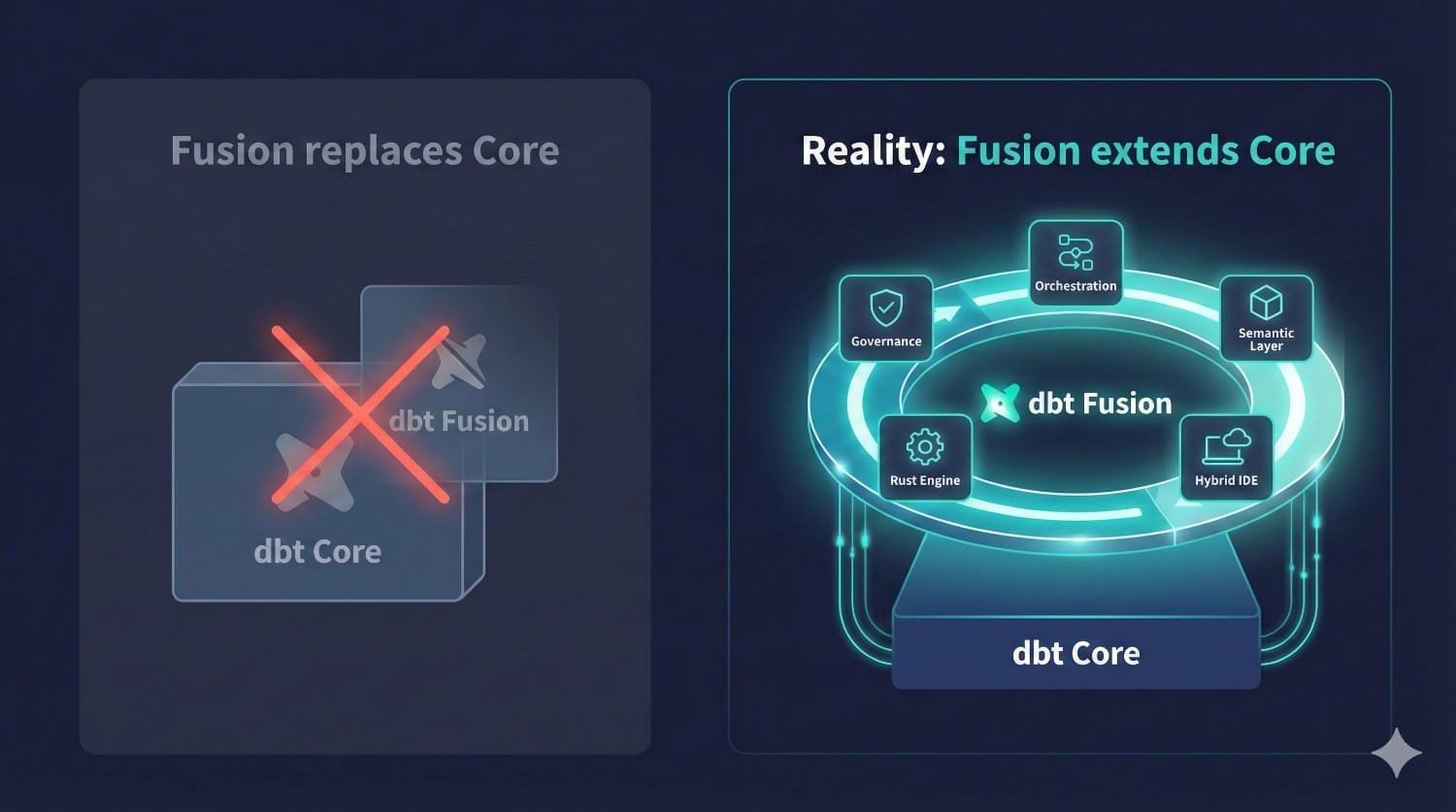
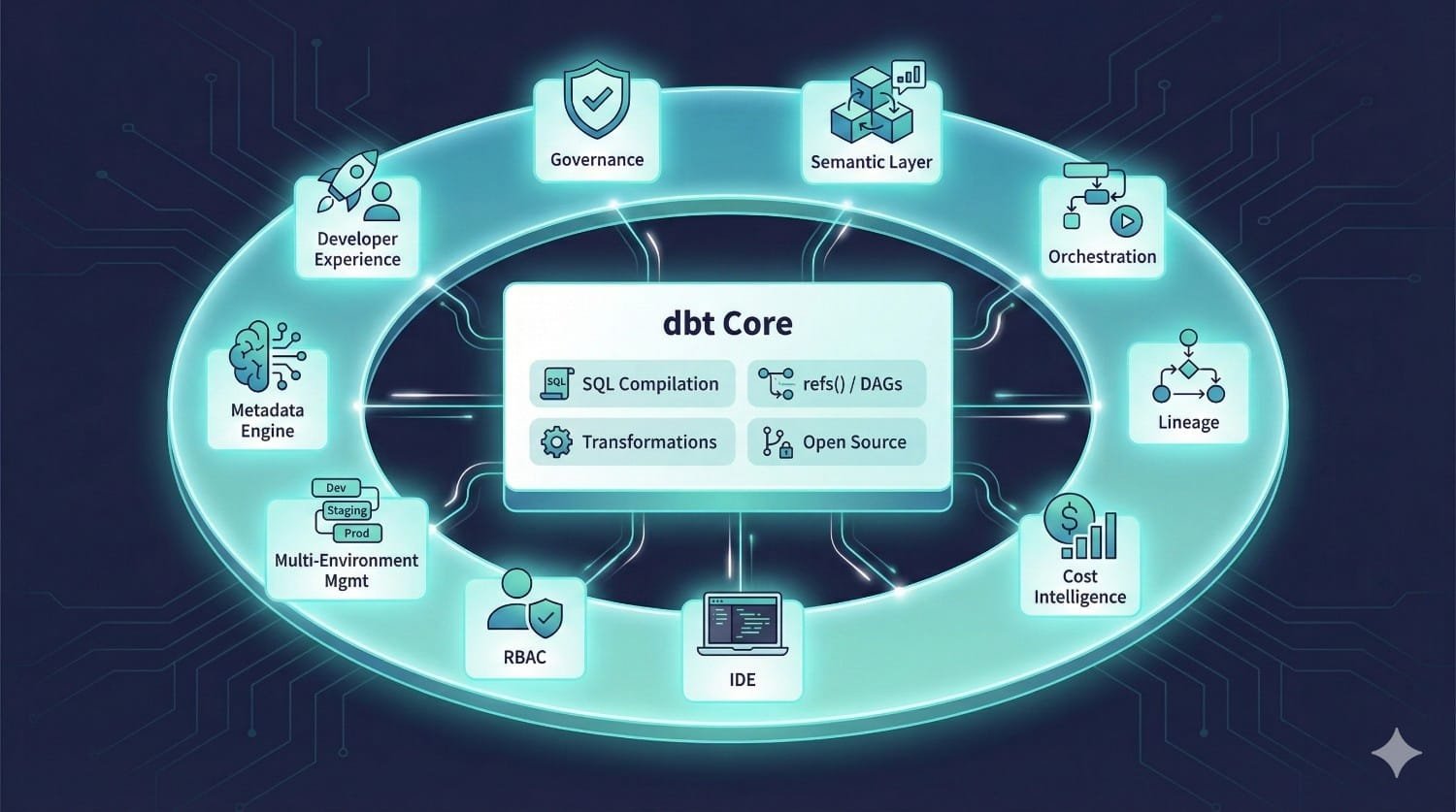
dbt Core continues to:
- compile SQL
- manage refs() / DAGs
- run transformations
- remain open-source
dbt Fusion simply extends Core with everything around it:
- governance
- semantic layer
- orchestration
- lineage
- IDE
- RBAC
- multi-environment management
- metadata engine
- developer experience enhancements
Instead of stitching together five separate tools, Fusion gives data teams one integrated system built for scale.
Why dbt Fusion Exists?
dbt Fusion vs dbt Core: Side-by-Side Comparison
dbt Fusion isn’t “dbt Core with a few extra features.”
It represents a fundamental architectural shift designed for scale, governance, speed, and operational reliability.
Below is a detailed comparison that shows exactly how each platform performs across critical areas.
1. Engine & Performance
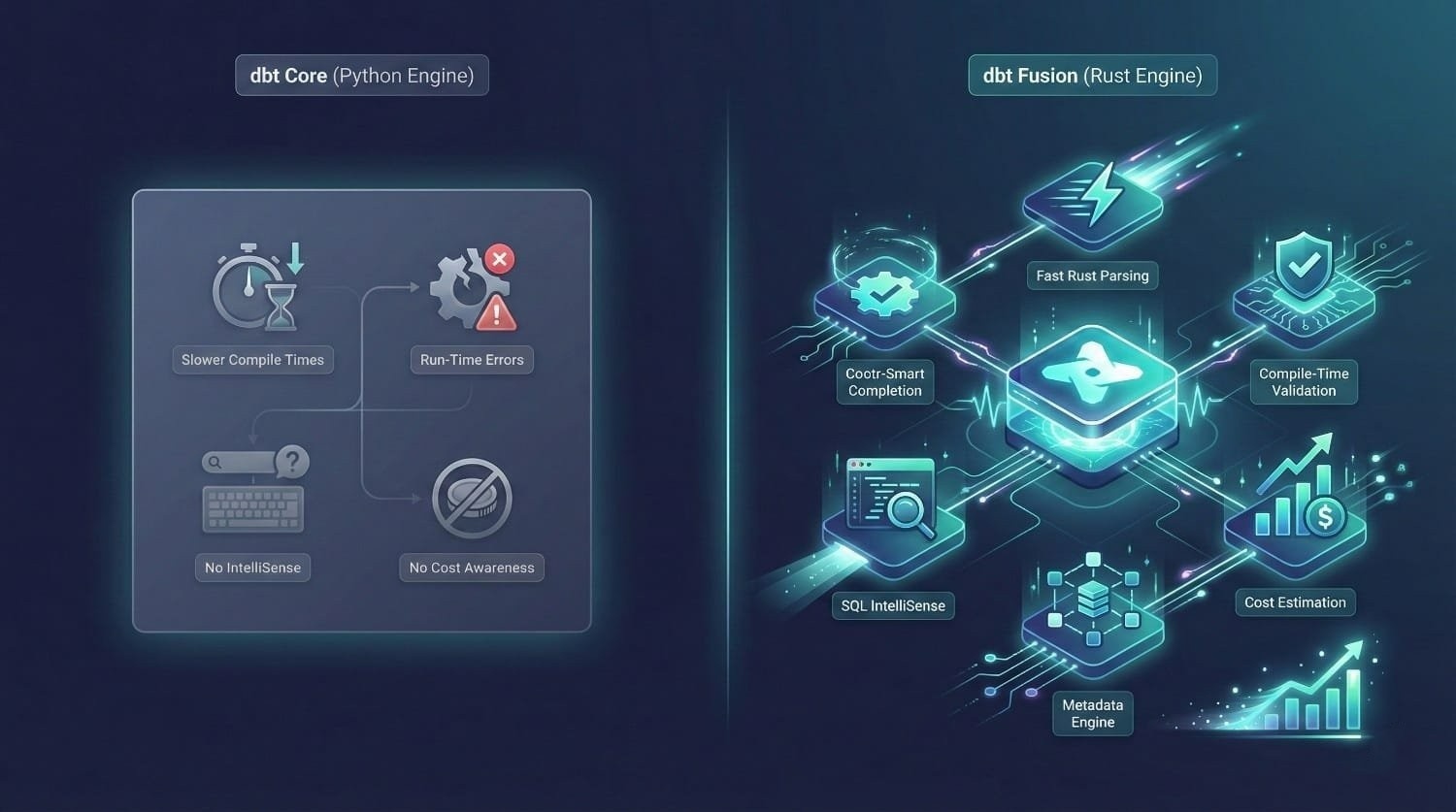
dbt Core vs dbt Fusion (Engine-Level Differences)
|
Category |
dbt Core |
dbt Fusion |
|---|---|---|
|
Engine |
Python-based |
Rust-based Fusion Engine |
|
Compile Time |
Slower, especially with large DAGs |
Extremely fast — Rust parsing + metadata engine |
|
Error Detection |
Run-time errors |
Compile-time validation |
|
SQL IntelliSense |
No |
Yes |
Verdict: Fusion wins decisively
The Rust engine is not a small upgrade — it eliminates two of Core’s biggest issues:
- slow parsing on large projects
- run-time model failures that should’ve been caught earlier
Fusion gives data teams faster iteration, fewer surprises, and a dramatically safer development workflow.
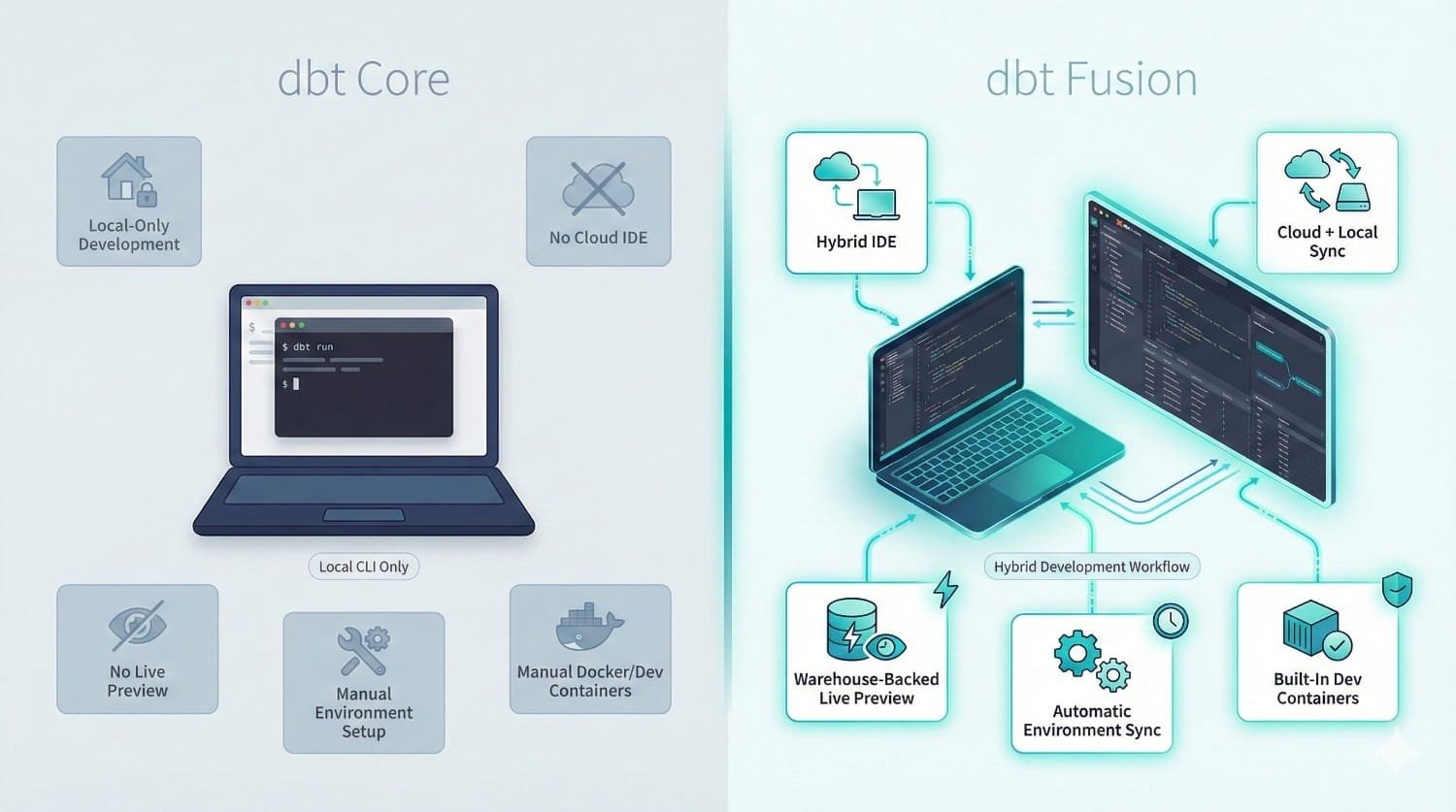
2. Development Environment
|
Feature |
dbt Core |
dbt Fusion |
|---|---|---|
|
CLI Local Dev |
Yes |
Yes |
|
Cloud IDE |
No |
Yes |
|
Hybrid IDE (local ↔ cloud) |
No |
Yes |
|
Live Previews |
No |
Warehouse-backed previews |
|
Environment Sync |
Manual setup |
Automatic syncing |
|
Dev Containers |
Manual Docker setup |
Built-in support |
Why it matters
Fusion’s hybrid IDE solves real-world problems:
- onboarding new developers is instant
- no more “it works on my machine”
- consistent environments across teams
- faster debugging and previewing queries
- safer collaboration (no accidental overwrites)
dbt Fusion drastically improves the day-to-day experience for analytics engineers and data analysts.
3. Governance & Security
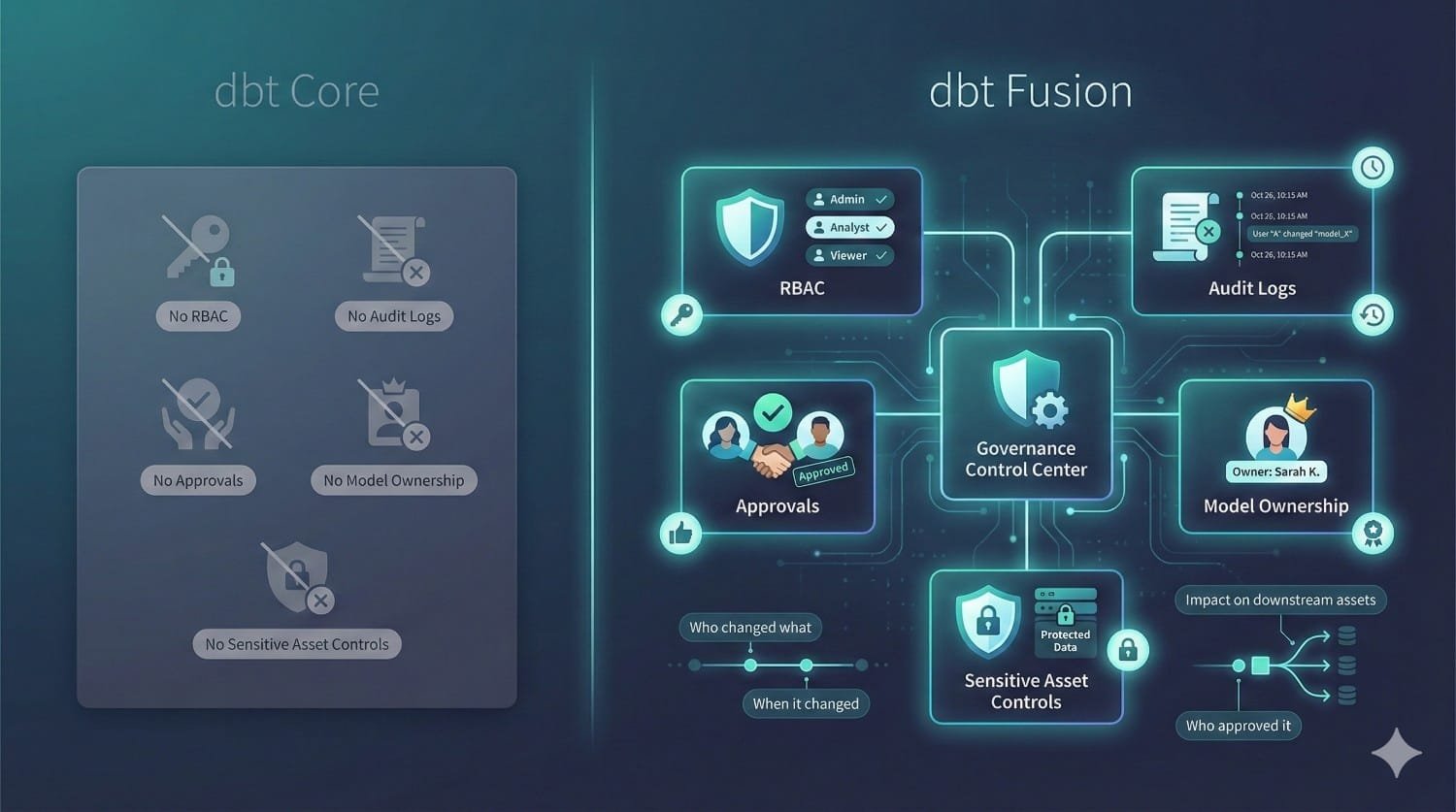
|
Feature |
dbt Core |
dbt Fusion |
|---|---|---|
|
RBAC (Role-Based Access Control) |
None |
Built-in |
|
Audit Logs |
No |
Yes |
|
Deployment Approvals |
No |
Yes |
|
Model Ownership |
No |
Native |
|
Sensitive Asset Controls |
No |
Yes |
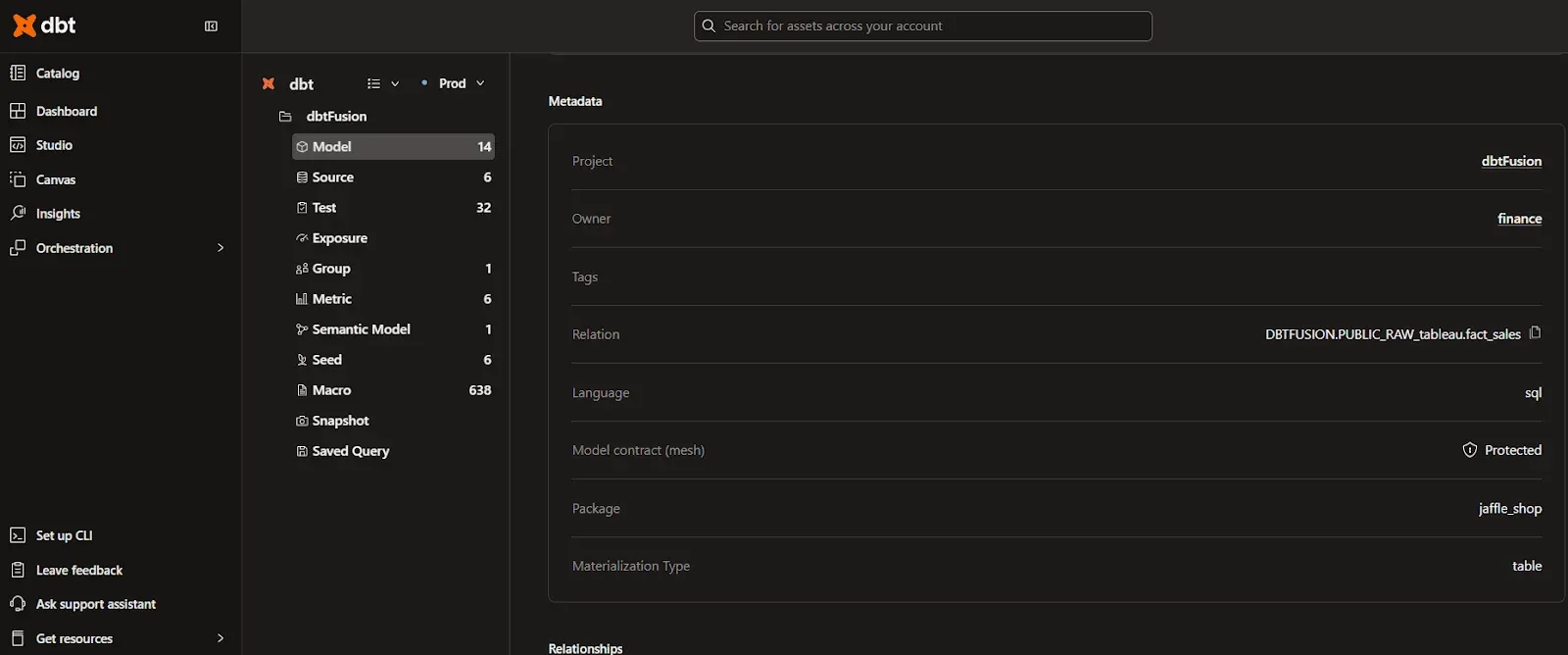
Why it matters
For finance, healthcare, insurance, logistics, and banking — governance is non-negotiable.
Fusion provides:
- who changed what
- when it changed
- who approved it
- which downstream assets were impacted
dbt Core cannot deliver this without building a massive glue system around it.
4. Semantic Layer & Metrics
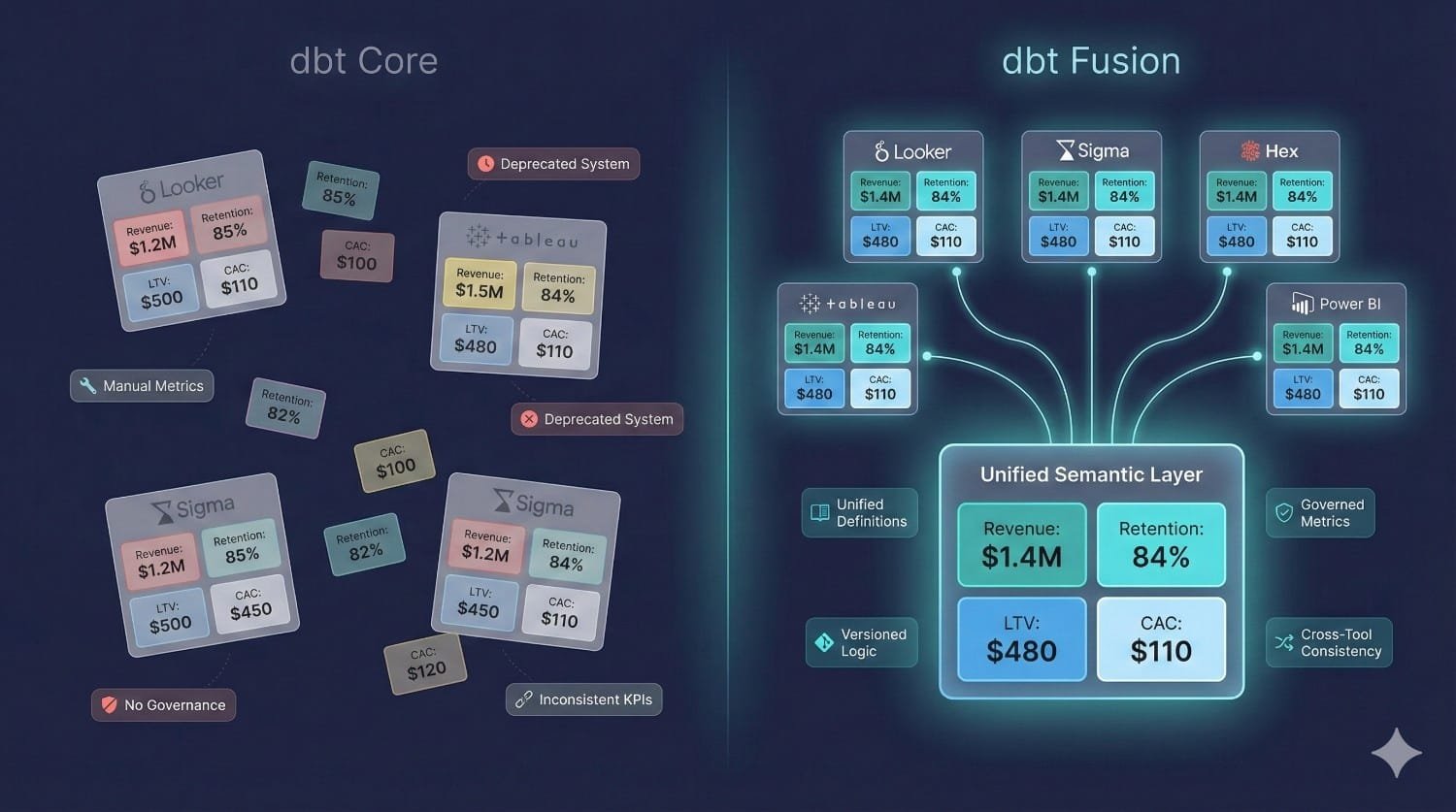
|
Feature |
dbt Core |
dbt Fusion |
|---|---|---|
|
Metric Definitions |
Manual; deprecated |
Unified, governed, versioned |
|
BI Integrations |
Limited |
Looker, Sigma, Hex, Tableau, Power BI |
|
Metric Governance |
No |
Yes |
|
Cross-Tool Consistency |
No |
Guaranteed |
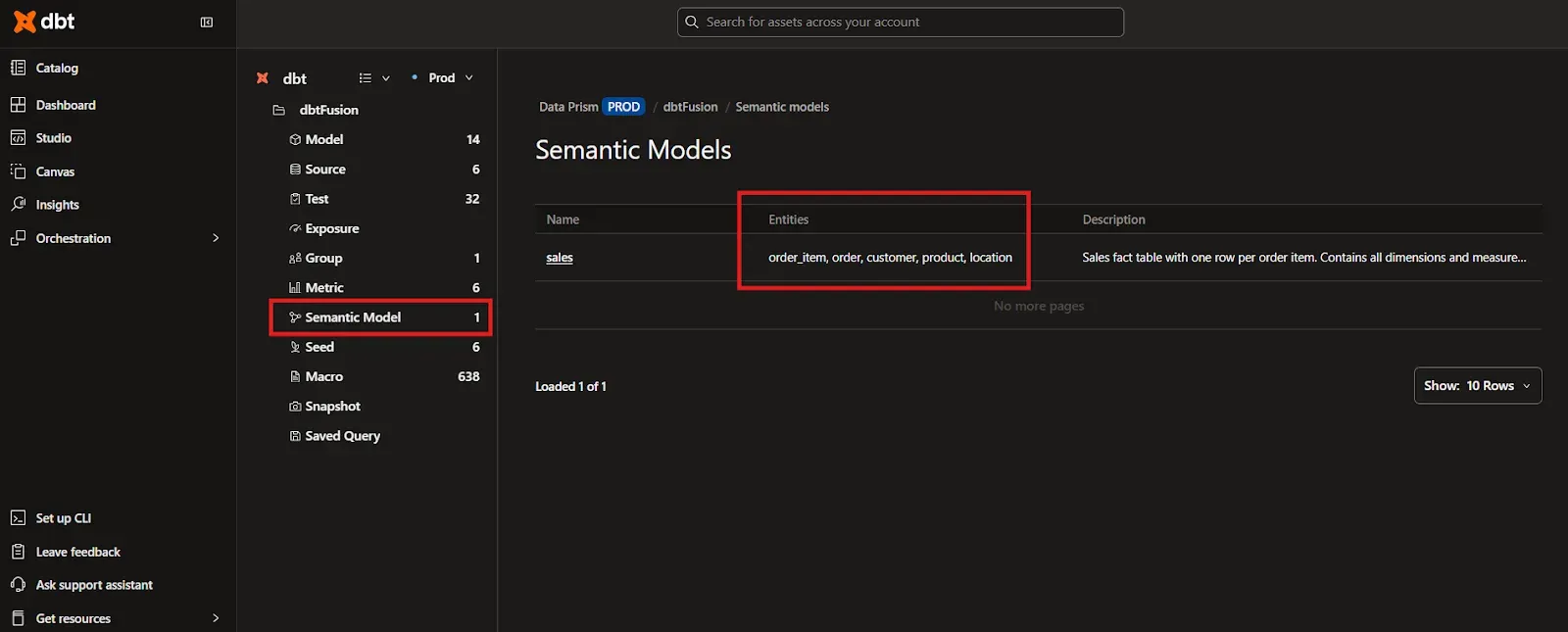
Why it matters
In most organizations, the same KPIs (revenue, retention, LTV, cancellations) appear in five different tools, all with different SQL.
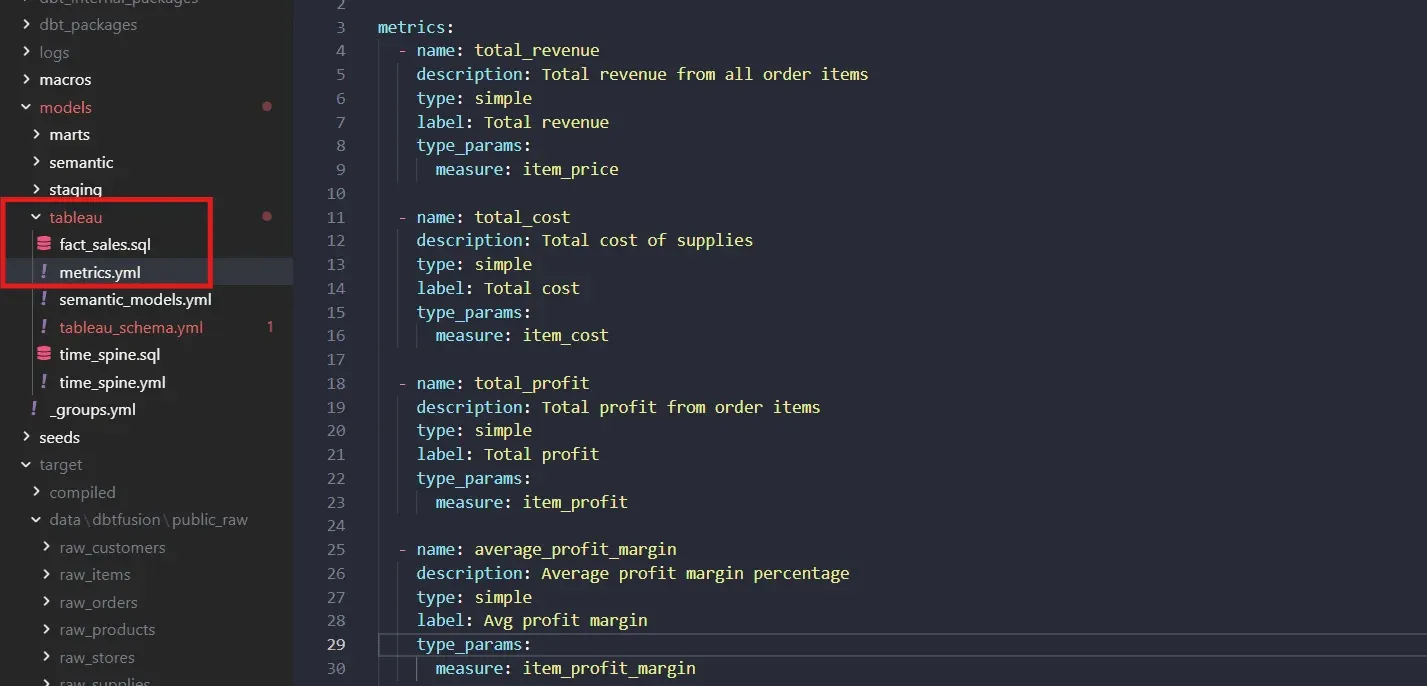
Fusion solves metric drift permanently.
Define once → reuse everywhere → dashboards match.
5. CI/CD & Orchestration
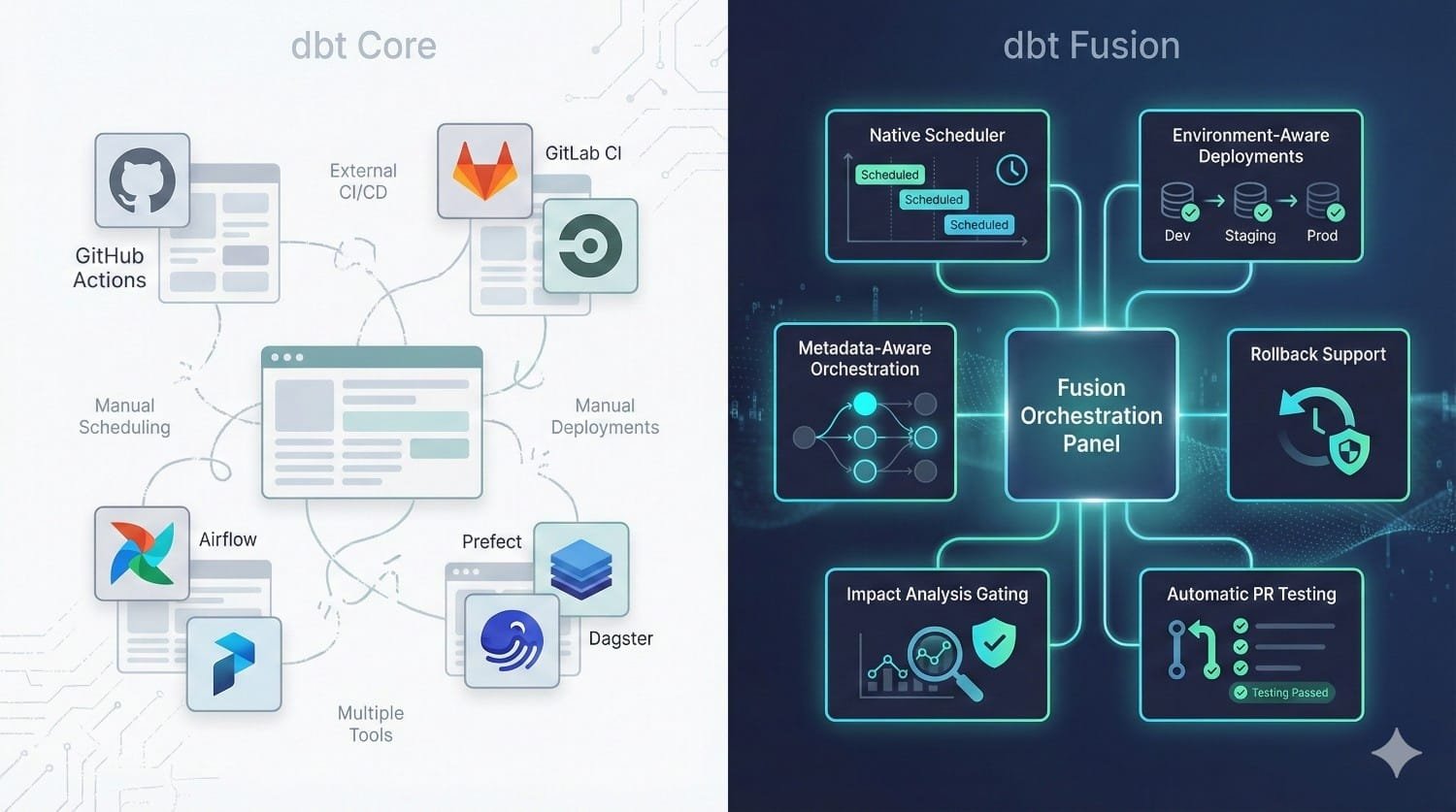
dbt Core requires external tools:
- GitHub Actions
- GitLab CI
- CircleCI
- Airflow
- Prefect
- Dagster
Teams must manually wire CI/CD, scheduling, and deployments.
dbt Fusion includes native:
- scheduling
- environment-aware deployments
- metadata-aware orchestration
- rollback support
- impact analysis gating
- automatic PR testing
Why it matters
Fusion removes 3–5 tools from your stack instantly.
Simpler architecture → fewer bugs → lower costs → fewer moving parts to maintain.
6. Collaboration & Multi-Team Support
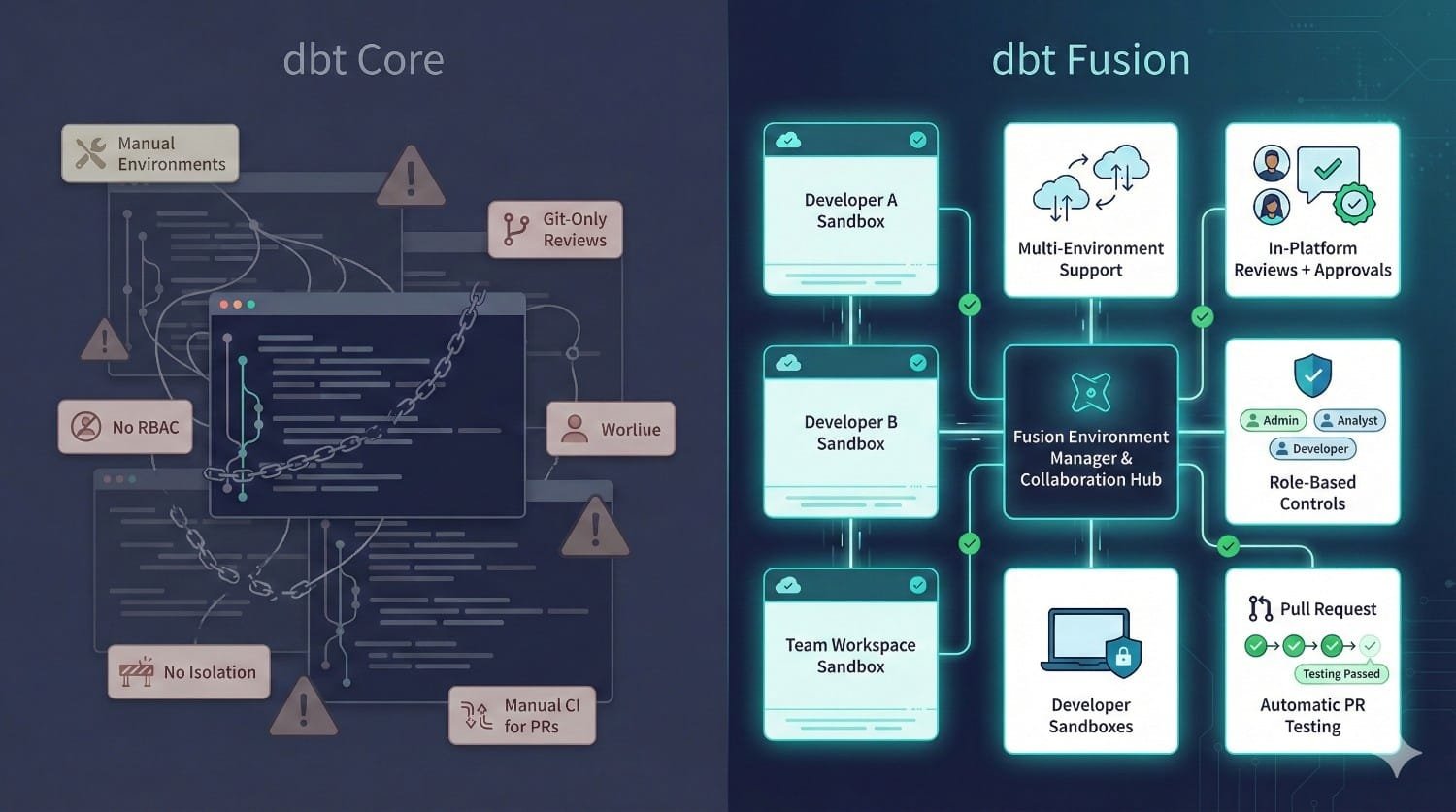
|
Feature |
dbt Core |
dbt Fusion |
|---|---|---|
|
Staging environments |
Manual YAML hacks |
Native multi-environment support |
|
Review workflows |
Git only |
In-platform reviews + approvals |
|
Role-based controls |
No |
Yes |
|
Isolation per developer |
None |
Developer sandboxes |
|
Branch-level PR testing |
Manual CI setup |
Automatic |
Why it matters
When your team grows past 10 contributors, dbt Core becomes fragile.
Fusion prevents:
- overwriting each other’s work
- drift between environments
- conflicting metric definitions
- “who owns this?” confusion
- broken production deployments
Fusion is built for organizations with 10–200+ analytics engineers.
Summary Table: dbt Fusion vs dbt Core
dbt Fusion vs dbt Core: When Should You Use Each?
Clear, honest guidance for modern data teams.
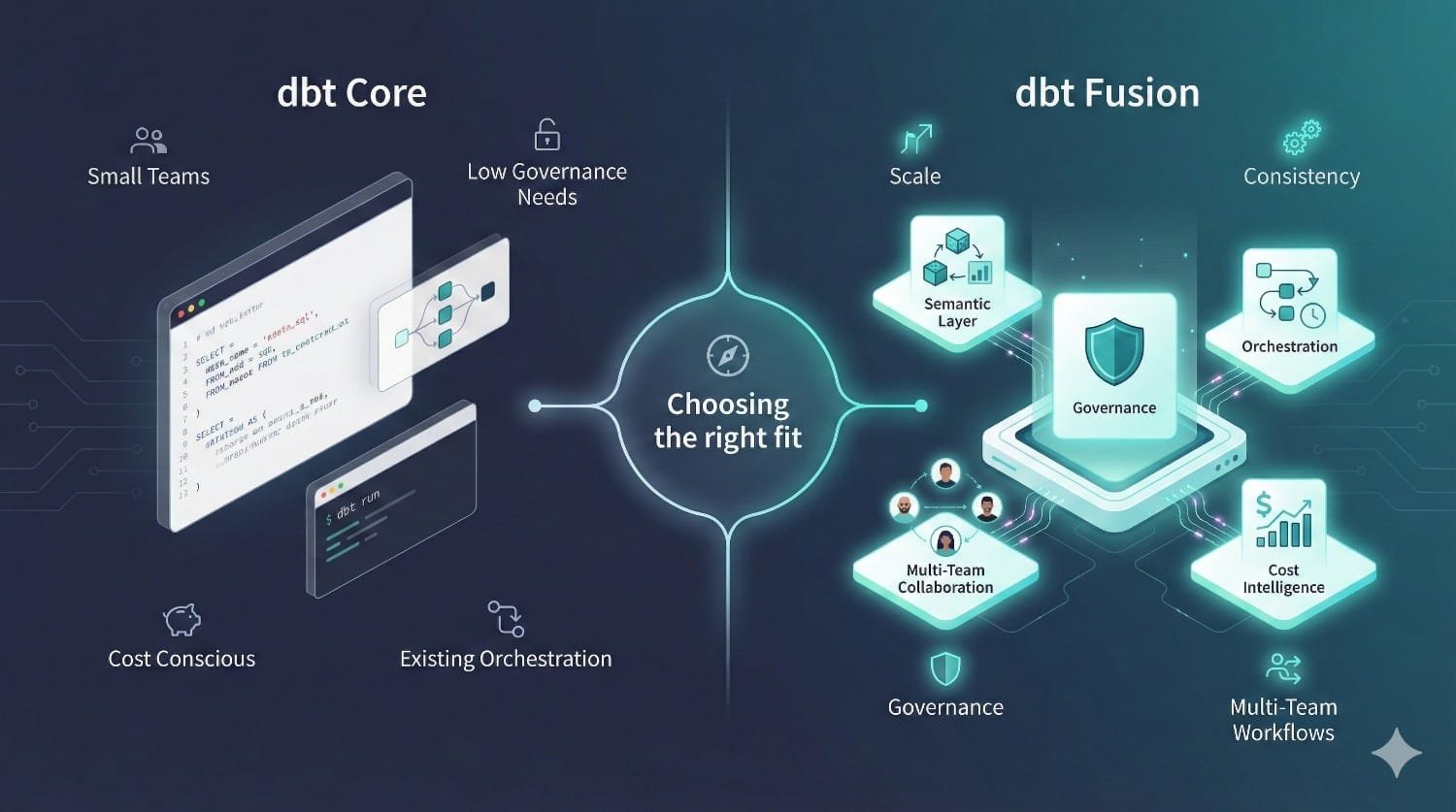
Choosing between dbt Core and dbt Fusion isn’t about which tool is “better” — it’s about choosing the right fit for your team size, governance requirements, warehouse cost profile, and analytics maturity.
Below is a no-BS breakdown of when dbt Core is enough and when dbt Fusion becomes the obvious choice.
When dbt Core Is Enough
dbt Core is still a fantastic choice for smaller or engineering-driven teams.
It shines when simplicity and flexibility matter more than enterprise features.
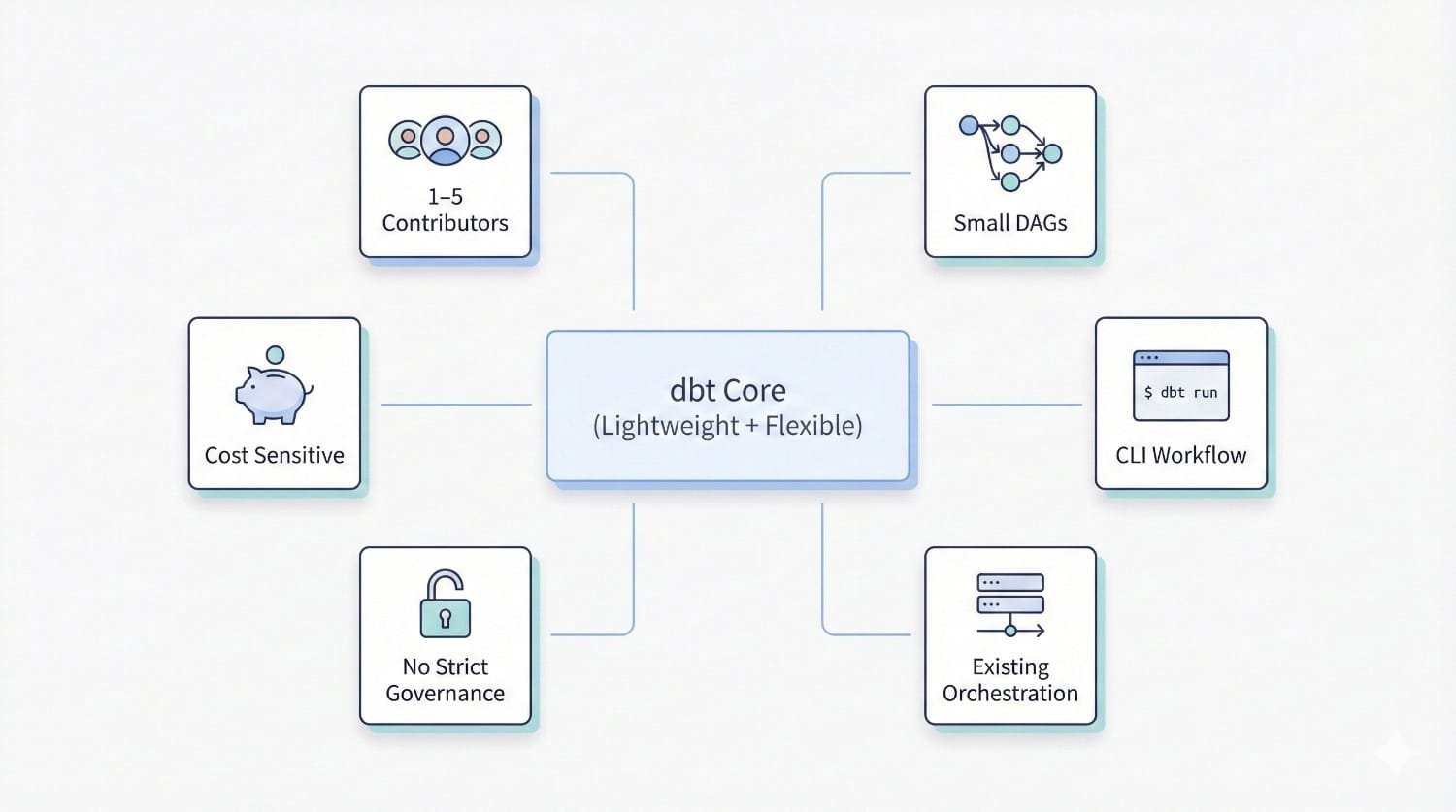
You should choose dbt Core if your team:
- Has small teams to collaborate easily without needing RBAC, approvals, or isolated environments.
- Has fewer models like DAGs compile fast in Python.
- Is comfortable using the CLI
- Already has orchestration in place
- Doesn’t require strict governance
- Is okay with building your own CI/CD
- Is cost sensitive
Core is perfect for:
- early-stage startups
- solo analytics engineers
- small product analytics teams
- academic/research data groups
- engineering-heavy teams that prefer control
- cost-conscious organizations
If your current workflow “just works,” Core may still be the right choice.
When dbt Fusion Is the Better Fit
dbt Fusion shines when scale, governance, and collaboration become priorities.
If your team has grown beyond what Core can comfortably support, Fusion removes the pain.
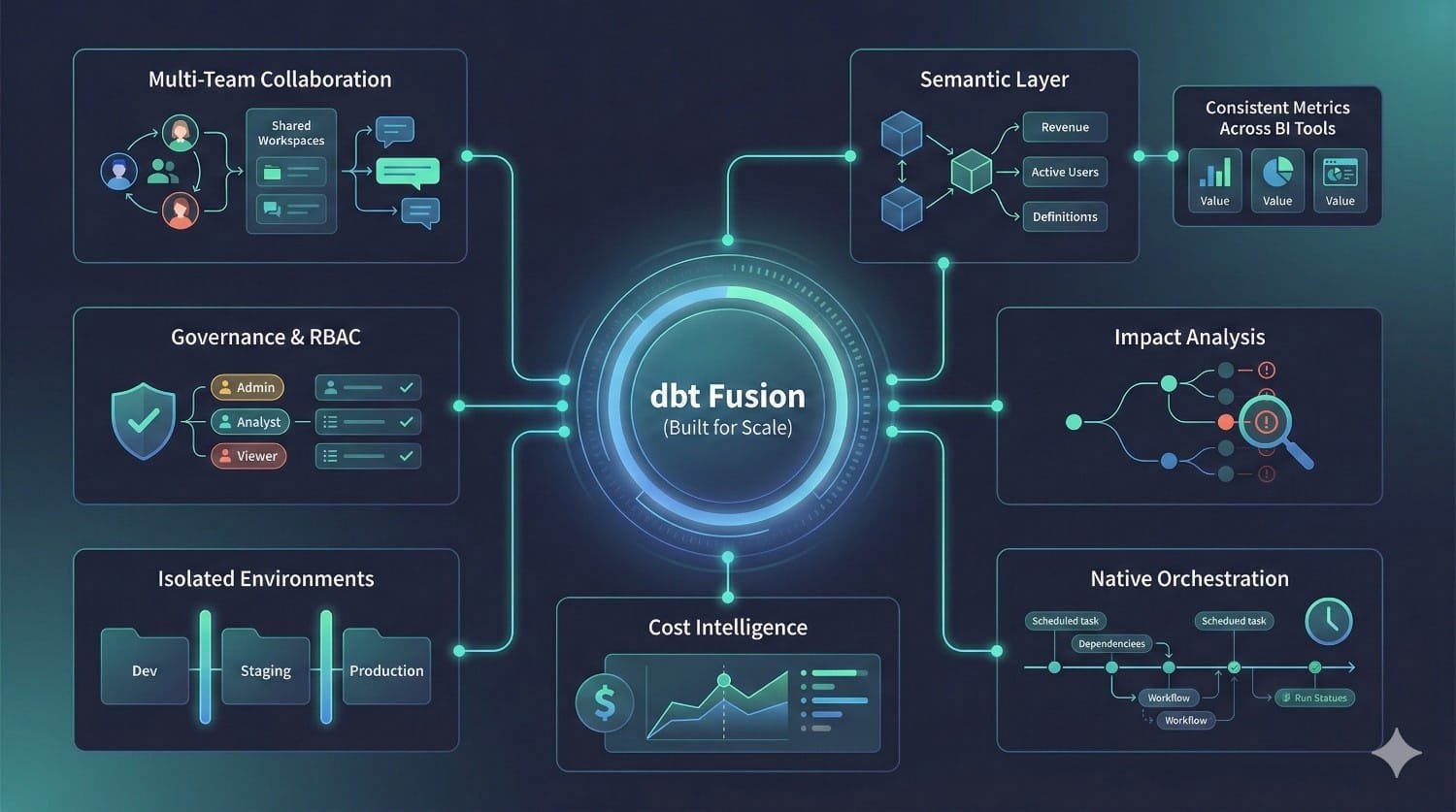
You should choose dbt Fusion if your organization:
Has multiple analytics teams or >10 contributors
Core becomes fragile with multi-team contributions.
Fusion’s isolated environments, staging, and approvals solve this.
Needs consistent metrics across BI tools
Fusion’s semantic layer ensures metrics match across:
- Looker
- Tableau
- Sigma
- Hex
- Power BI
- Mode
No more “Finance vs Marketing vs BI” KPI conflicts.
Supports real-time, near–real-time, or event-driven pipelines
Fusion’s metadata-aware orchestrator handles complex and frequent runs more safely.
Requires governance, RBAC, audit logs, or compliance
Industries like finance, healthcare, insurance, logistics, and banking rely on this.
Needs approval workflows for production changes
Fusion provides required reviews and guardrails out-of-the-box.
Operates in regulated industries
Fusion’s built-in governance is simply non-negotiable for regulated sectors.
Struggles with inconsistent definitions
Fusion unifies business logic across modeling + BI layers.
Wants to reduce tool sprawl
Fusion replaces the need for:
- schedulers
- orchestrators
- metric layers
- lineage tools
- governance platforms
- dbt Cloud features
The result: fewer tools, simpler maintenance, lower operational overhead.
Wants to control warehouse cost more proactively
Fusion’s cost estimation helps catch expensive Snowflake or BigQuery queries before they run.
Fusion is ideal for:
- mid-size to enterprise organizations
- companies with multiple data domains
- teams supporting many BI dashboards
- regulated industries
- fast-growing startups scaling from 5 → 20 → 50+ contributors
- organizations with complex pipelines or hundreds of models
If your data stack is growing in complexity — Fusion is the future-proof answer.
The Bottom Line
Here’s the simplest way to think about it:
- Choose dbt Core if your team is small, flexible, and cost-conscious.
- Choose dbt Fusion if you need scale, governance, consistency, and speed.
dbt Core gives you power.
dbt Fusion gives you power and structure.
As your organization grows, the cost saved through faster development, consistent metrics, and fewer production failures will often outweigh Fusion’s licensing cost.
Real-World Scenarios (Use Case Illustrations)
Concrete examples of when dbt Fusion delivers immediate, measurable value.
dbt Fusion isn’t just a nicer IDE or a faster engine — it solves operational challenges that dbt Core simply can’t handle as organizations grow.
These real-world scenarios illustrate the difference clearly.
Scenario 1: Scaling from 5 → 25 Analytics Engineers
What Usually Happens with dbt Core
A team starts with 3–5 engineers and everything feels smooth.
But as the team grows to 15… then 25… the workflow breaks:
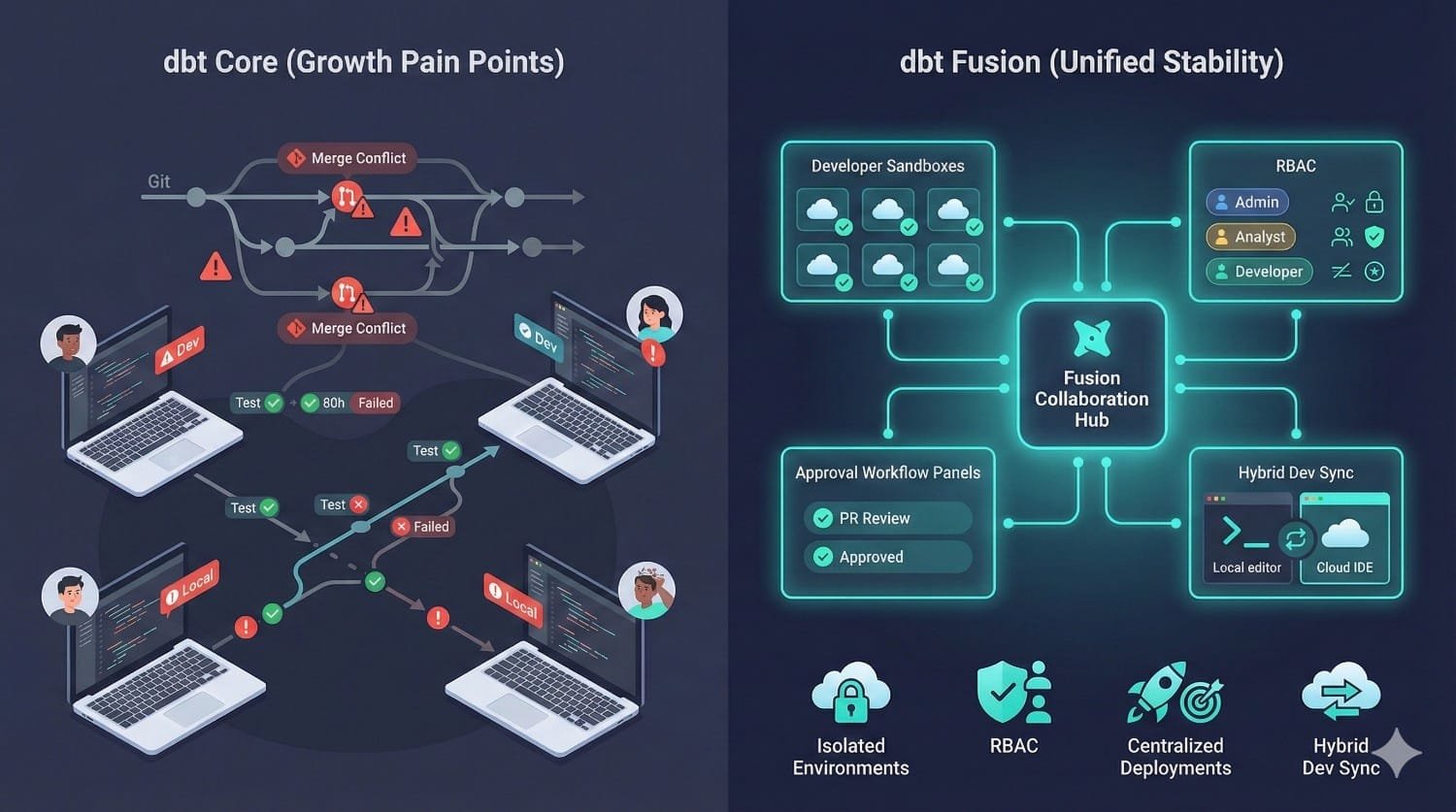
Pain Points with Core:
1. Branching Conflicts
Multiple teams touching the same models → merge conflicts → broken DAGs → lost productivity.
2. Inconsistent Test Coverage
Different engineers add tests differently, some forget, others bypass CI because it’s slow or inconsistent.
3. Unsynchronized Dev Environments
Each laptop becomes a different version of reality: different packages, adapters, credentials, Python versions, profiles, and environment variables.
4. Fragile CI/CD
Homegrown CI (GitHub Actions / GitLab CI) becomes messy and hard to maintain as contributors increase.
5. No Isolation
One engineer’s local work can break someone else’s if they accidentally run the wrong command on the wrong environment.
How dbt Fusion Solves This
dbt Fusion is specifically built for multi-team scaling.
1. Isolated Developer Sandboxes
Every engineer gets their own environment — no more “you overwrote my table.”
2. Role-Based Access Control
Finance models, marketing models, and product models can each have their own owners and permissions.
3. Centralized Deployment Workflows
Approvals, checks, and tests run automatically before hitting production.
4. Consistent Hybrid Environments
Fusion ensures the cloud IDE and local dev environments stay in sync — no dependency drift.
Outcome
Teams can scale from 5 → 25 → 100 contributors without constant firefighting, merge conflicts, or broken pipelines.
Scenario 2: Finance / Healthcare Environment (Heavy Governance Requirements)
Industries like finance, healthcare, insurance, or government must comply with:
- SOC 2
- SOX
- HIPAA
- GDPR
- PCI DSS
- Internal audit requirements
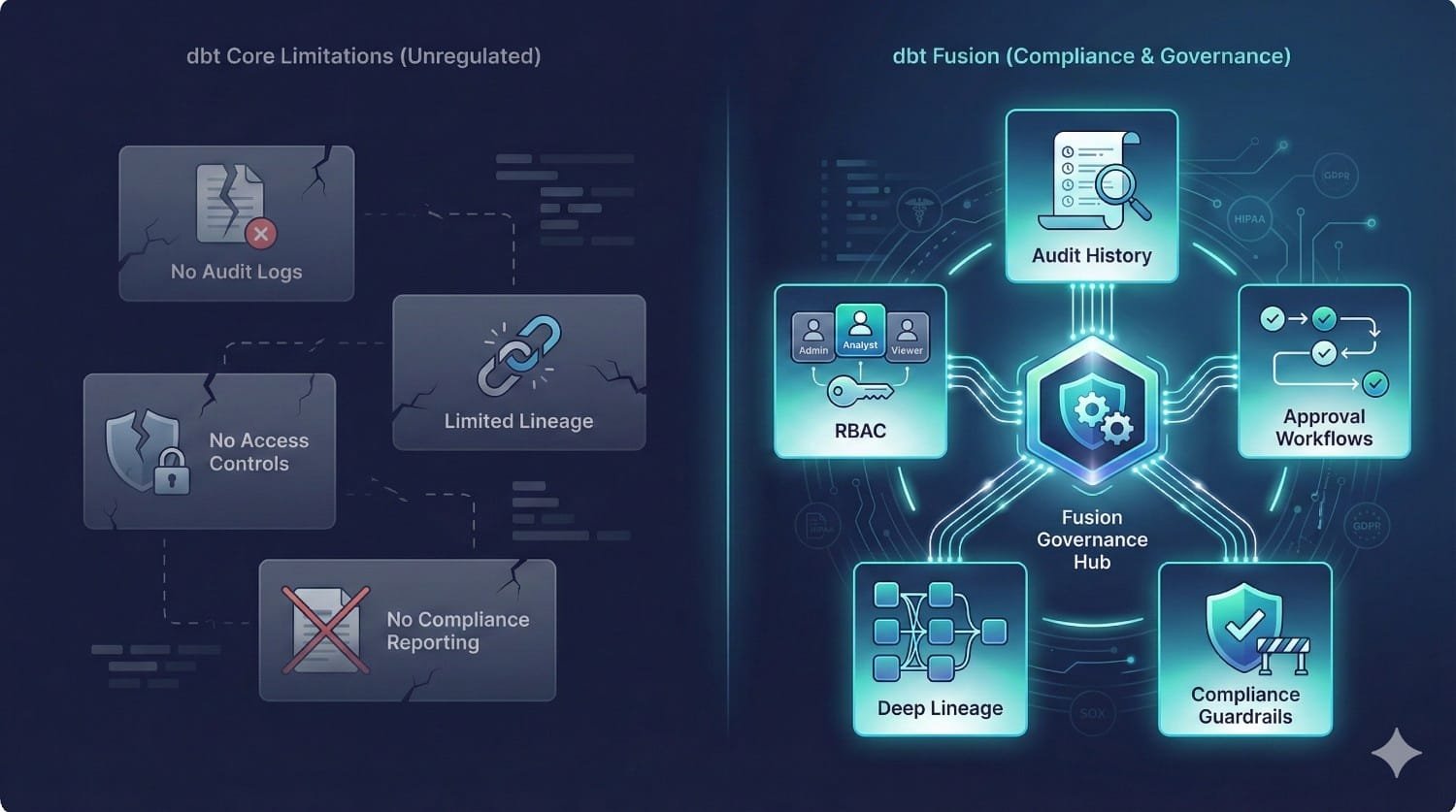
dbt Core isn’t designed for this.
Pain Points with Core:
1. No Audit Logs
There is no built-in record of:
- who changed a model
- who deployed it
- when it ran
- who approved it
Auditors hate this.
2. Lack of Compliance-Ready Reporting
Core can’t generate artifact-level logs or trace model lineage through BI tools.
3. Limited Lineage Visibility
dbt docs is helpful — but not sufficient when regulators demand traceability.
4. No Access Controls
Anyone with repo access can modify or deploy anything.
This is unacceptable in regulated sectors.
How dbt Fusion Solves This
1. Full Audit History
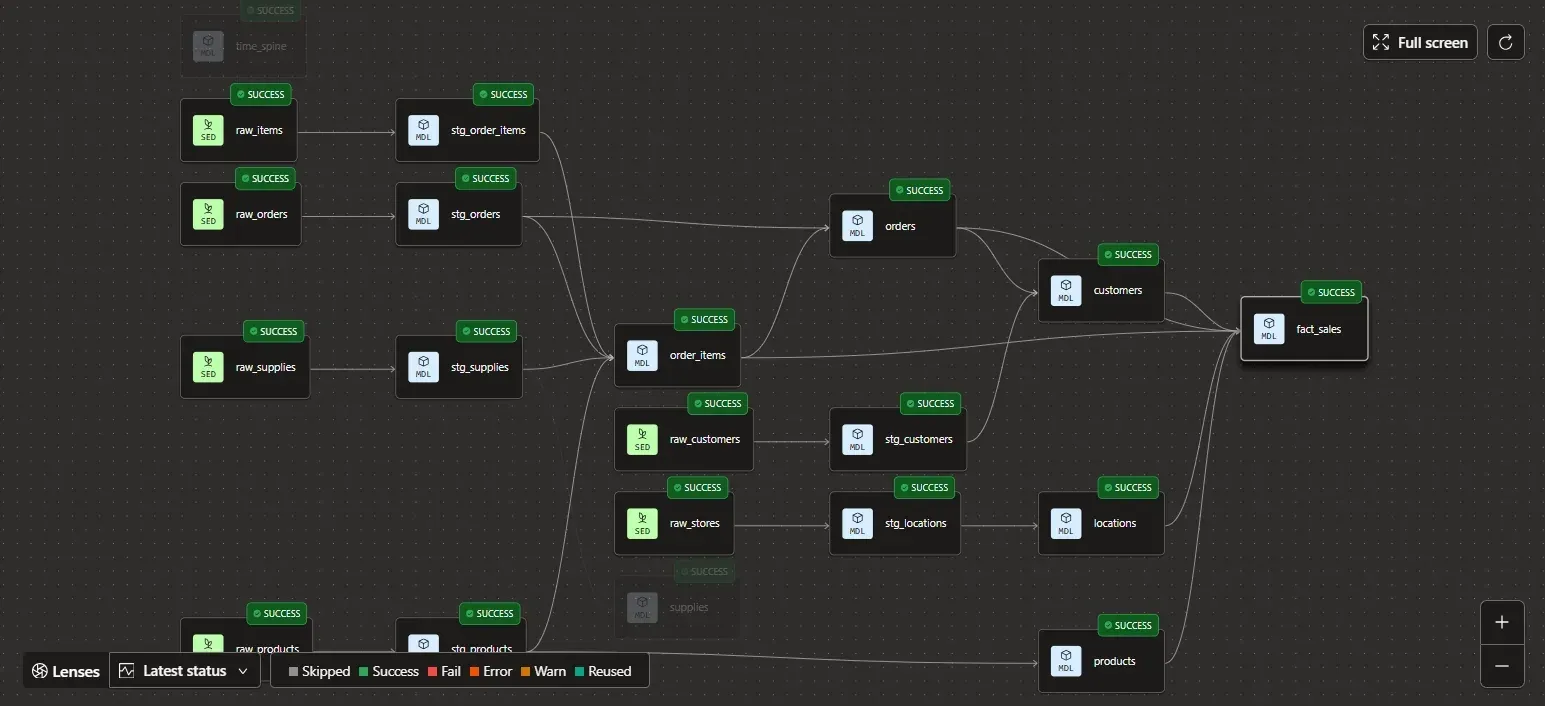
Every change, run, approval, and environment action is logged automatically.
2. Deep Lineage Tracking
Fusion understands how data flows:
source → staging → marts → metrics → dashboards
This is essential for compliance.
3. Controlled Access
Role-based access means:
- some users can edit
- some can approve
- others can only view
4. Deployment Guardrails
Models cannot go to production without:
- approvals
- tests passing
- impact checks
- semantic checks
Outcome
Fusion enables data teams to meet compliance standards without building custom tooling or manual audit processes.
Scenario 3: Multi-BI Tool Ecosystem (Metric Drift Problem)
Many organizations use more than one BI tool:
- Looker
- Tableau
- Sigma
- Power BI
- Hex
- Mode
And this creates a massive hidden problem:
metric drift — the same KPI showing different values across dashboards.
Pain Points with Core:
1. Metric Drift
“Revenue” looks different in BI Tool A vs BI Tool B because each team writes their own SQL.
2. Duplicated Logic
The logic for “active users,” “churn,” or “MRR” is manually copied into 6+ places.
3. Cross-Team Confusion
Marketing says one number.
Finance says another number.
BI reports a third.
Executives lose trust in the dashboards.
4. No Central Metric Layer
dbt Core’s older metrics system was deprecated — there is no unified semantic layer.
How dbt Fusion Solves This
1. One Semantic Definition
The KPI logic is defined once inside dbt Fusion.
2. Multiple BI Tool Integrations
The same definition is used in:
- Looker
- Sigma
- Hex
- Tableau
- Power BI
- Mode
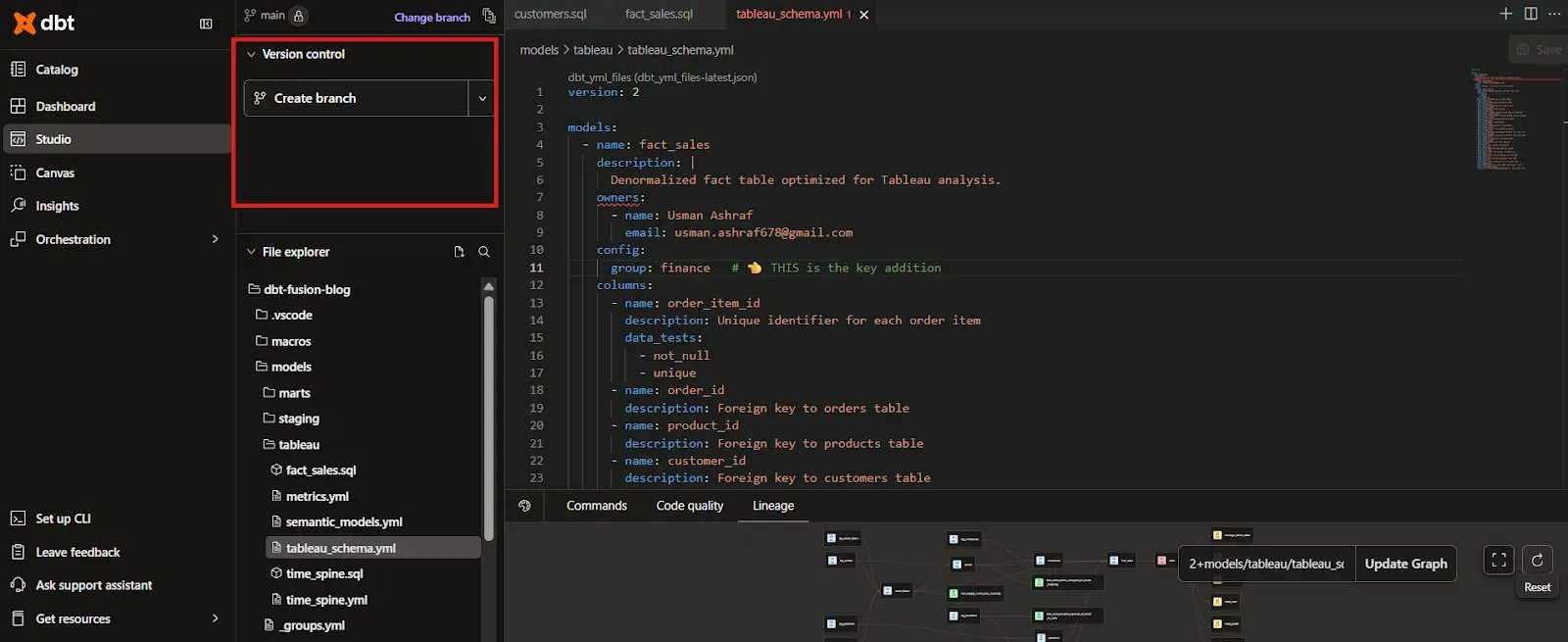
Versioned & Governed
Changes to metrics require review + approval.
Lineage Insights
You can see which dashboards use which metric definitions.
Outcome
Dashboards finally match.
Stakeholders stop arguing over numbers.
Business decisions improve because data is consistent.
Migration Guide: dbt Core → dbt Fusion (High-Level)
A practical, realistic roadmap for teams switching from Core to Fusion.
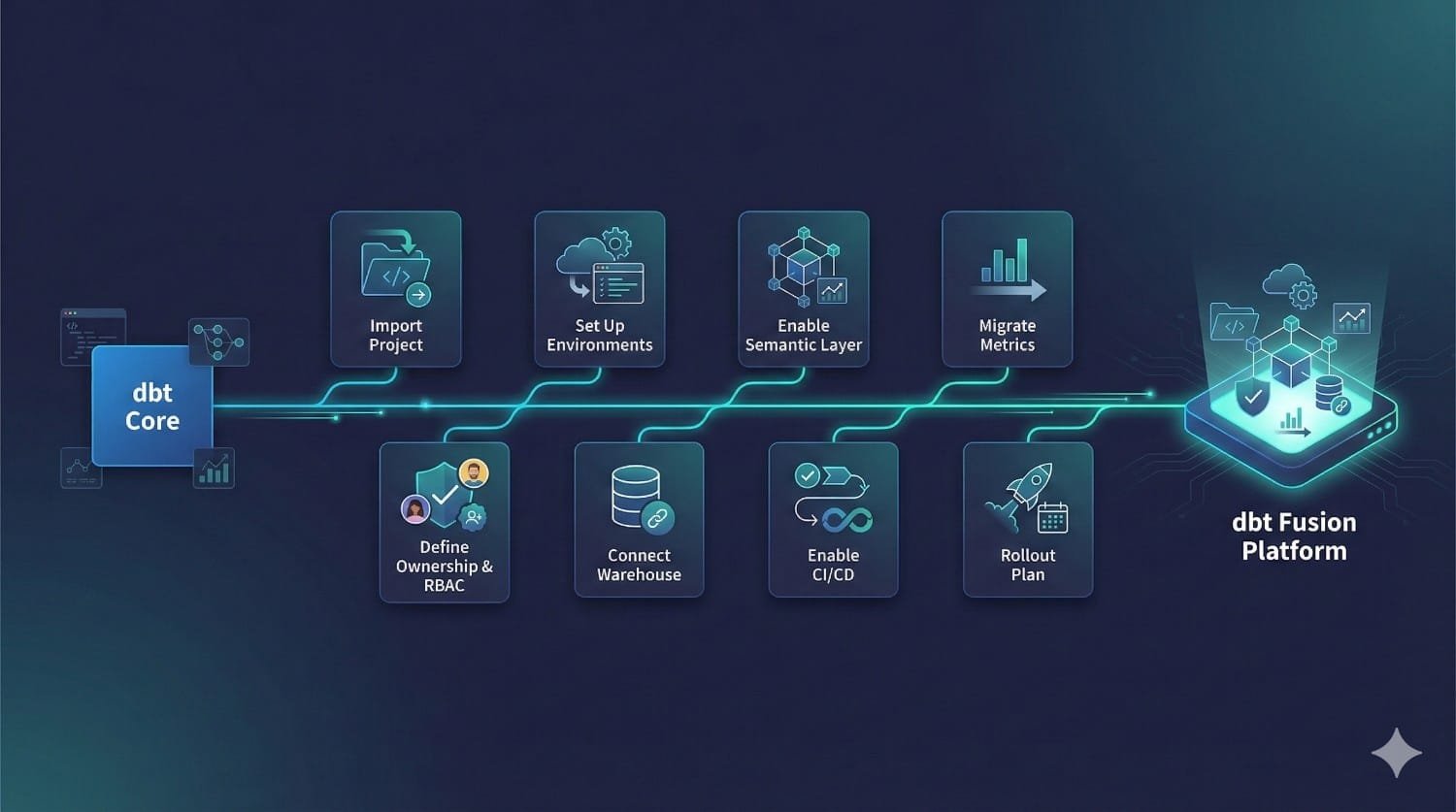
Migrating from dbt Core to dbt Fusion is far easier than most teams expect.
Because Fusion builds on top of dbt Core’s structure, you don’t need to rewrite your models or rebuild your DAG — you’re mostly enabling new layers (governance, orchestration, semantic layer, RBAC, etc.) on top of your existing project.
Below is a high-level migration path used by engineering teams, consultants, and enterprise orgs.
1. Import Your Existing dbt Core Project
Fusion supports direct import.
What happens here:
- Bring in your
models/, macros/, tests/, and directory structure. - Fusion reads your version of
dbt_project.yml, refs, sources, deps, and DAG.
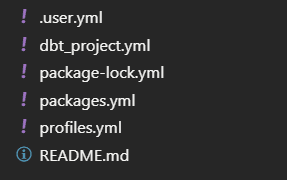
Why this matters:
You don’t start from scratch.
Your entire Core project becomes Fusion-ready immediately.
2. Configure Staging + Production Environments
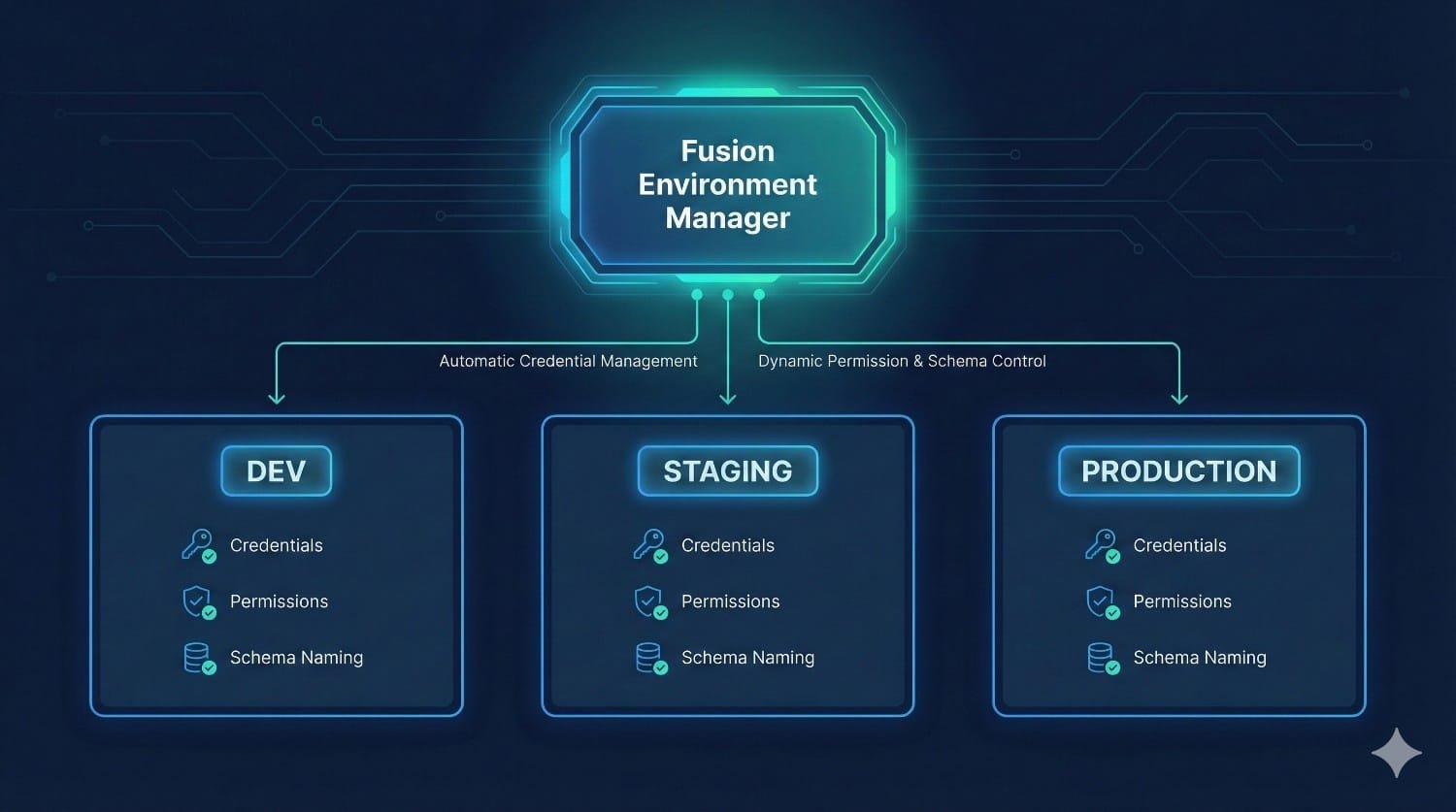
Fusion introduces versioned, isolated environments.
Typical setup:
- DEV (per developer)
- STAGING (shared testing env)
- PRODUCTION (locked, governed)
Fusion automatically manages:
- credentials
- permissions
- schema naming
- warehouse configurations
Why this matters:
No more YAML juggling.
No more risk of running the wrong models on prod.
3. Enable the Semantic Layer
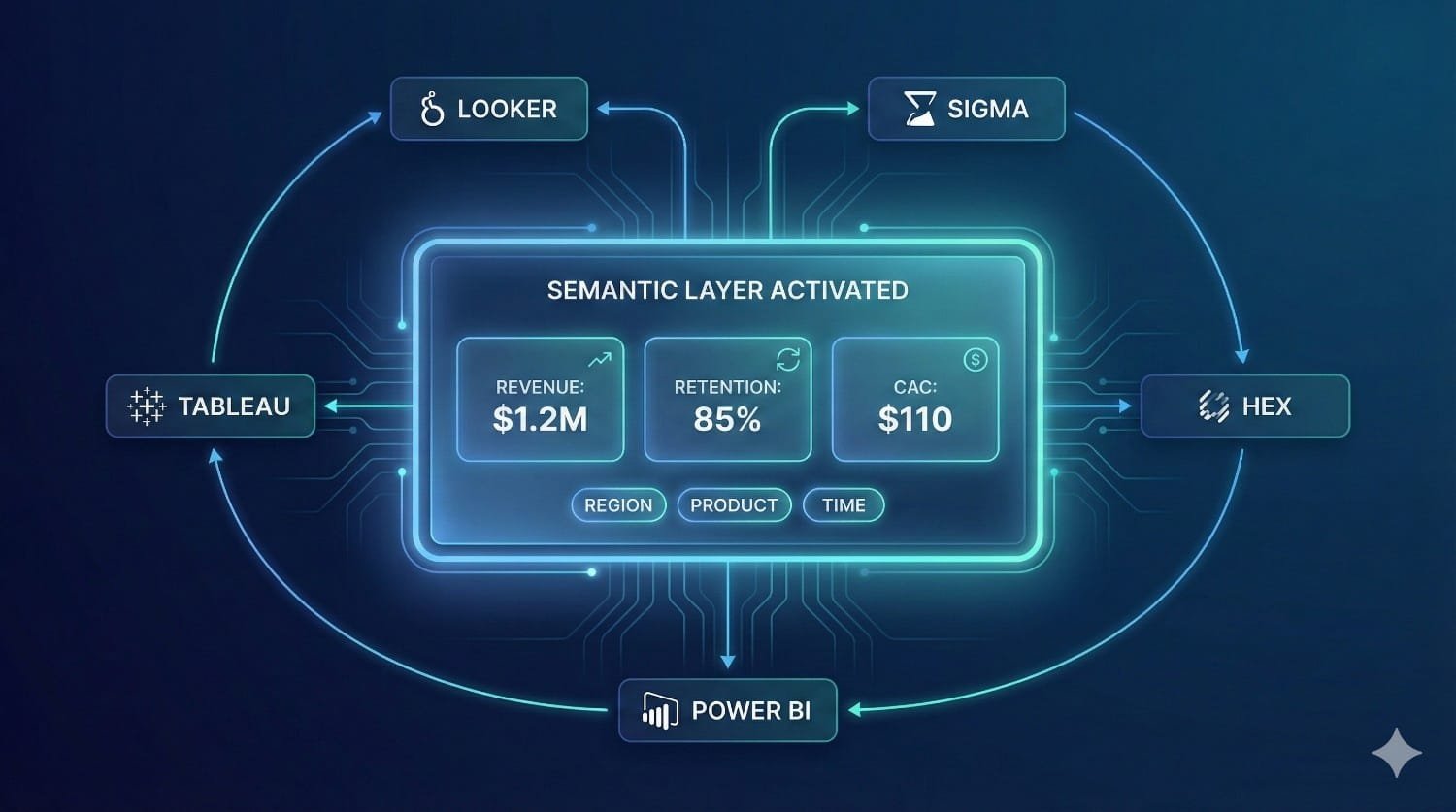
Turn on Fusion’s semantic layer module.
What you do:
- Define metrics
- Define dimensions
- Map business logic into semantic entities
- Version governance rules
- Connect BI tools (Looker, Sigma, Hex, etc.)
Why this matters:
You get consistent, governed metrics across all dashboards.
4. Migrate Metrics (If Applicable)
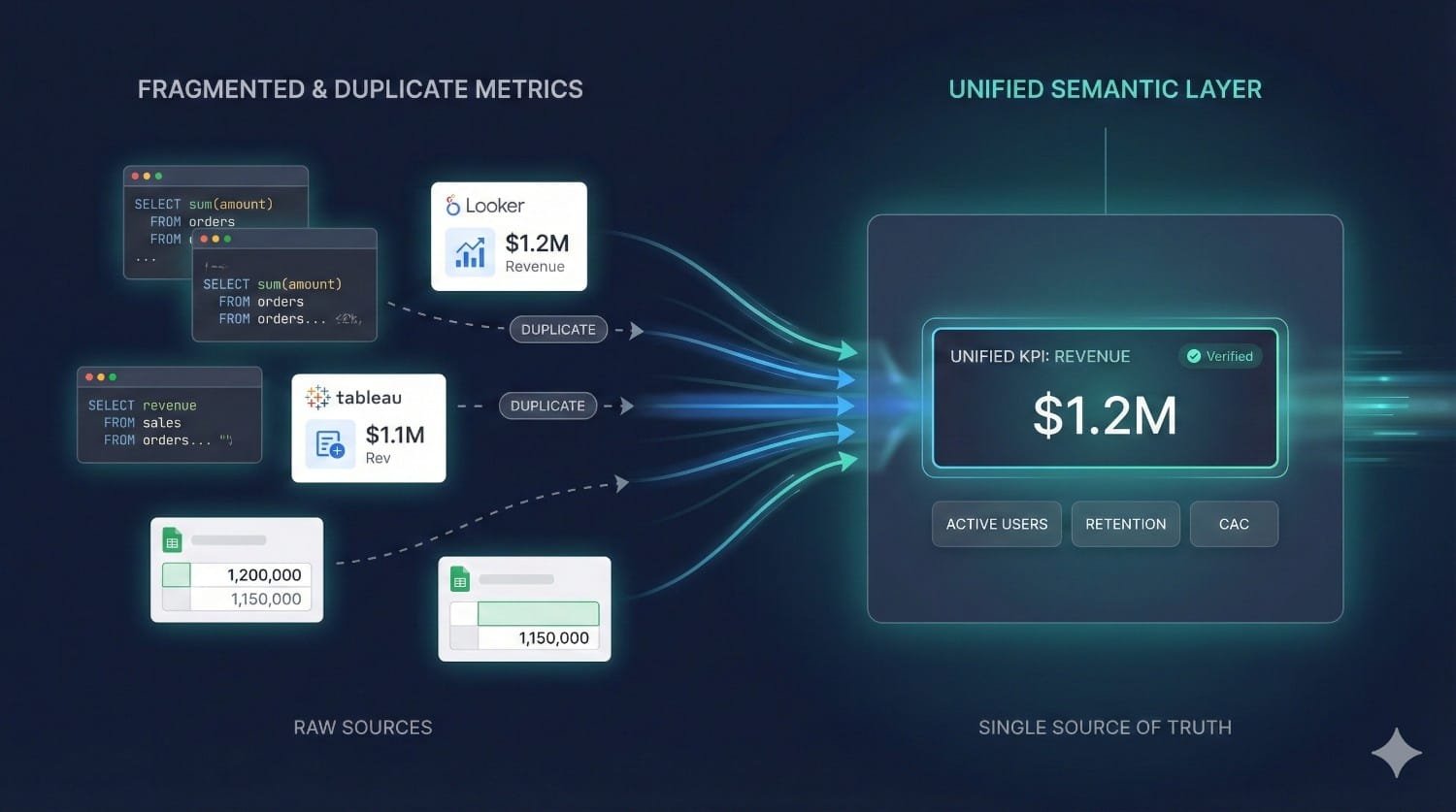
If your team currently defines metrics in:
- Looker
- Tableau calculations
- SQL snippets
- spreadsheets
- dashboards
- code comments
Fusion will centralize them.
Migration typically involves:
- consolidating duplicates
- agreeing on definitions with Finance, Product, Growth, BI
- cleaning up naming conventions
- documenting KPI formulas
Why this matters:
You eliminate metric drift permanently.
5. Define Model Ownership and RBAC
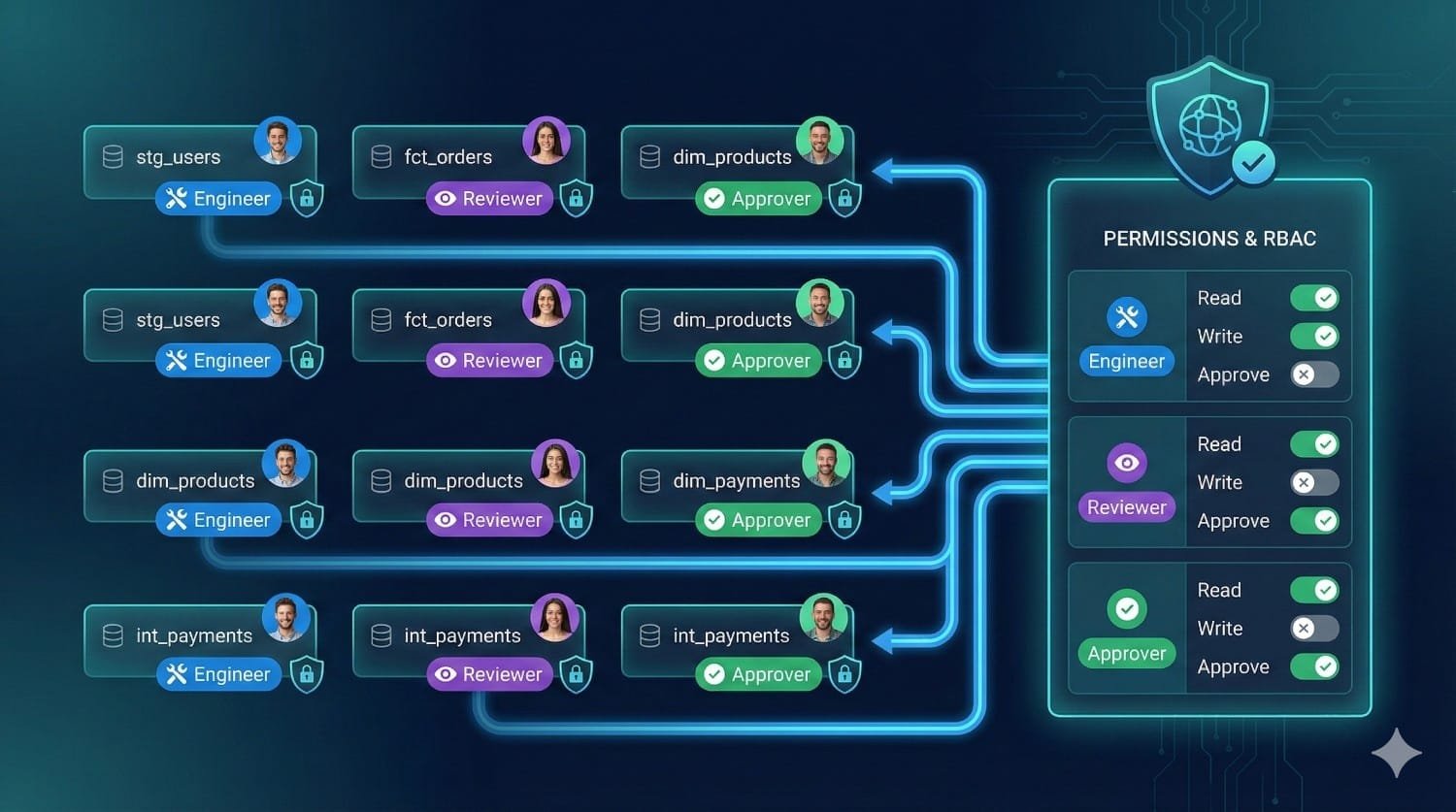
This step adds governance and structure.
Set:
- per-model owners
- read/write permissions
- approval workflows
- who can deploy to production
- who can edit semantic definitions
- who can change environments
Fusion includes a full RBAC system that dbt Core lacks.
Why this matters:
Perfect for multi-team orgs, compliance-heavy industries, and growing workloads.
6. Connect Your Warehouse (Snowflake, BigQuery, Redshift)
Fusion uses the same adapters you used in Core — but now benefits from:
- incremental improvements
- faster compile-time
- metadata-aware DAG execution
What you configure:
- connection profiles
- warehouse size
- role permissions
- schemas per environment
Why this matters:
Fusion’s metadata engine can predict warehouse cost before queries run.
7. Enable CI/CD Workflows
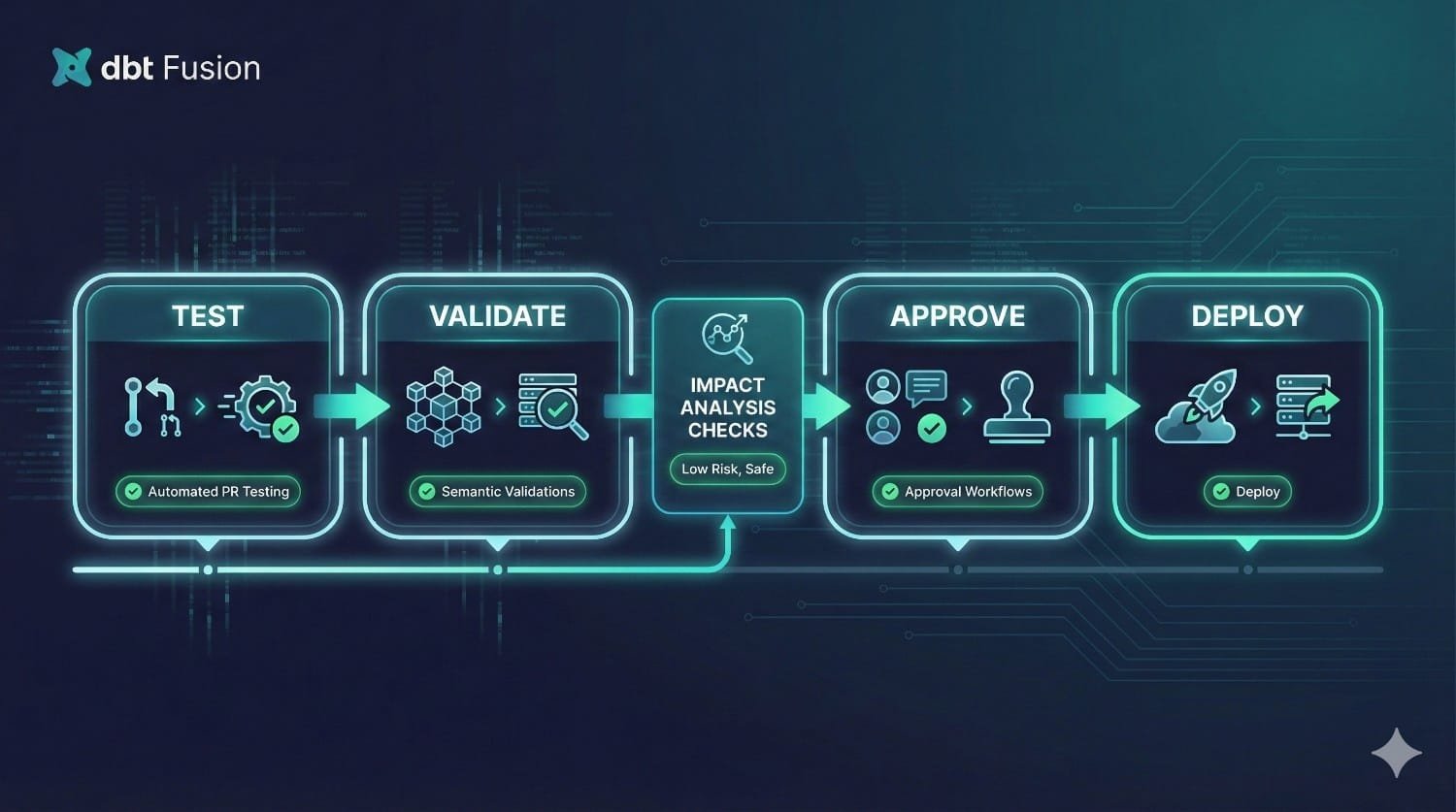
Fusion includes native CI/CD and orchestration, but you can integrate with:
- GitHub Actions
- GitLab CI
- Azure DevOps
Add:
- PR tests
- semantic validations
- environment-specific approvals
- impact analysis
- rollback logic
Why this matters:
No more custom YAML pipelines struggling to maintain alignment across contributors.
8. Roll Out to Teams in Phases
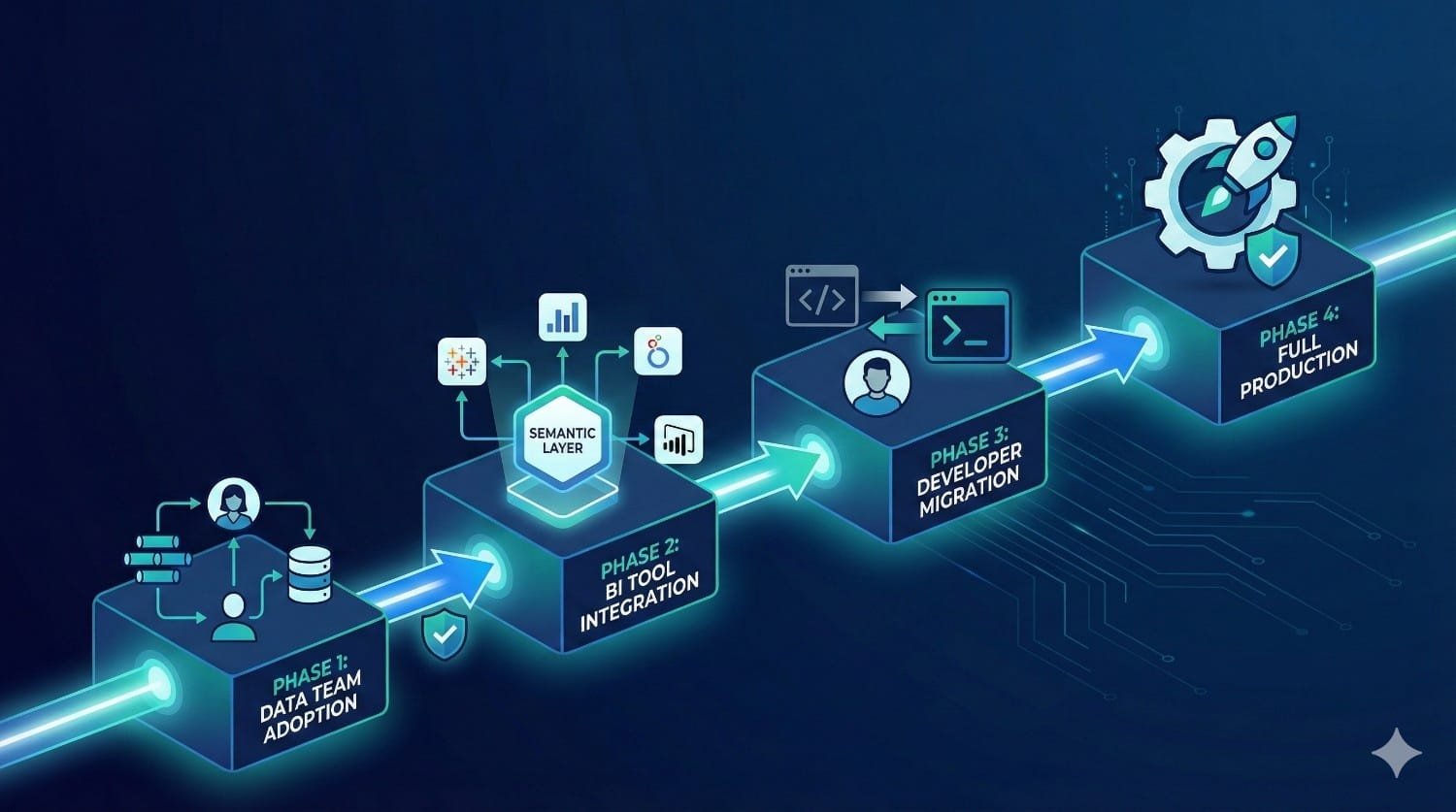
A full cut-over in one day is possible — but not recommended.
Typical rollout plan:
Phase 1: Data team only
Validate models, semantic layer, environments, and CI/CD.
Phase 2: Early BI adopters
Connect Looker, Sigma, Hex, or Tableau to the semantic layer.
Phase 3: Full analytics org
Developers migrate to hybrid IDE workflow.
Phase 4: Exec dashboards & production pipelines
All BI dashboards use Fusion metrics.
CI/CD + orchestration managesthe full DAG.
Why phased migration works:
- fewer production risks
- better stakeholder buy-in
- easier training
- controlled rollout of governance features
How Long Does Migration Take? (Realistic Timeline)
Common Misconceptions About dbt Fusion (Cleared Up)
Let’s clear the confusion and address the myths head-on.
Despite the buzz around dbt Fusion, many teams still misunderstand what it actually is and what it isn’t.
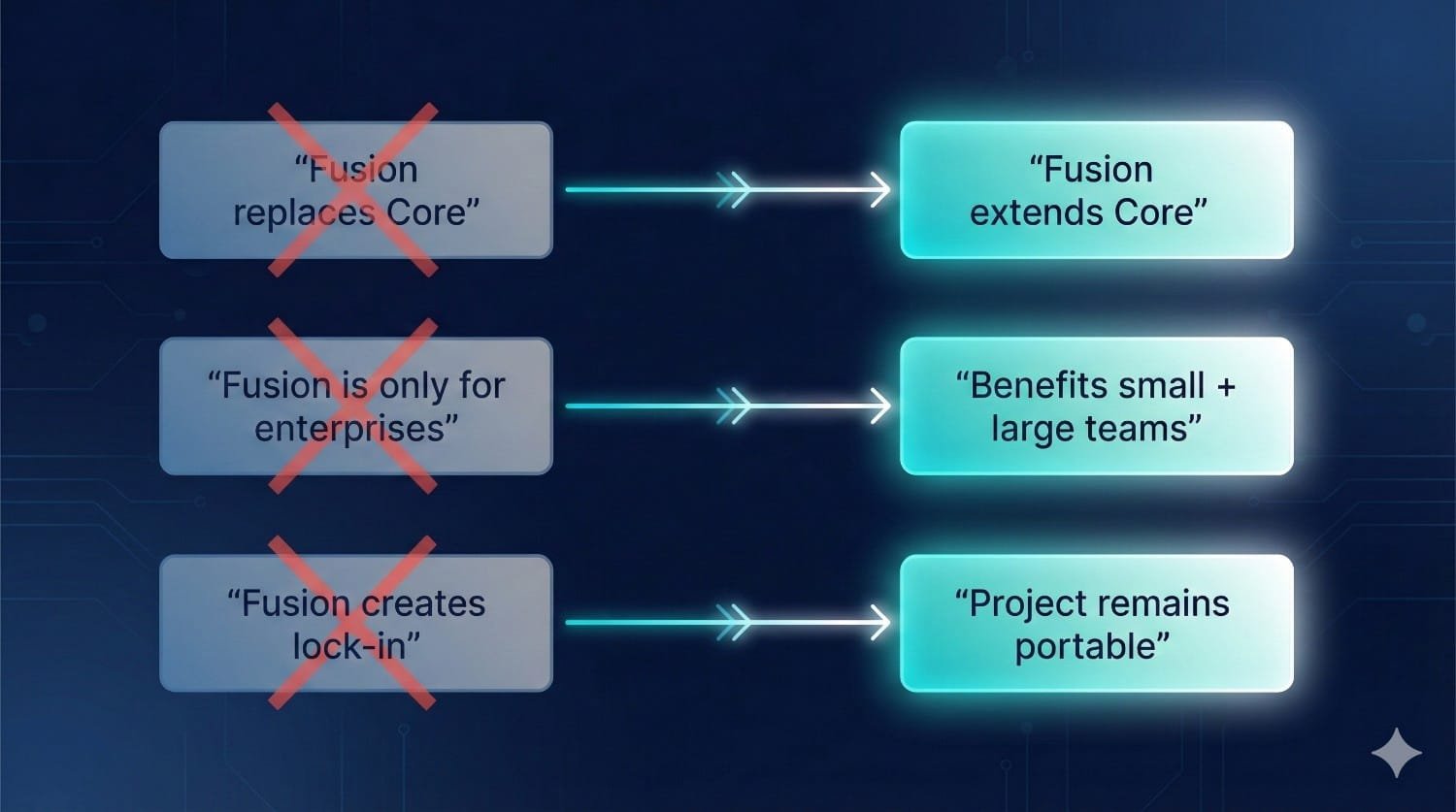
Here are the most common misconceptions, explained in simple, accurate terms.
Misconception #1: “dbt Fusion replaces dbt Core.”
Reality: dbt Fusion extends dbt Core, it doesn’t replace it.
dbt Core is still:
- open-source
- fully supported
- the engine that compiles SQL
- the foundation of all dbt transformations
dbt Fusion adds:
- a metadata engine
- a faster Rust compiler
- orchestration
- governance
- semantic layer
- hybrid IDE
- observability tools
Think of Fusion as:
dbt Core + enterprise platform around it, not a replacement, but an upgrade path.
Your dbt project continues to work exactly the same way at its core.
Misconception #2: “Fusion is only for large enterprises.”
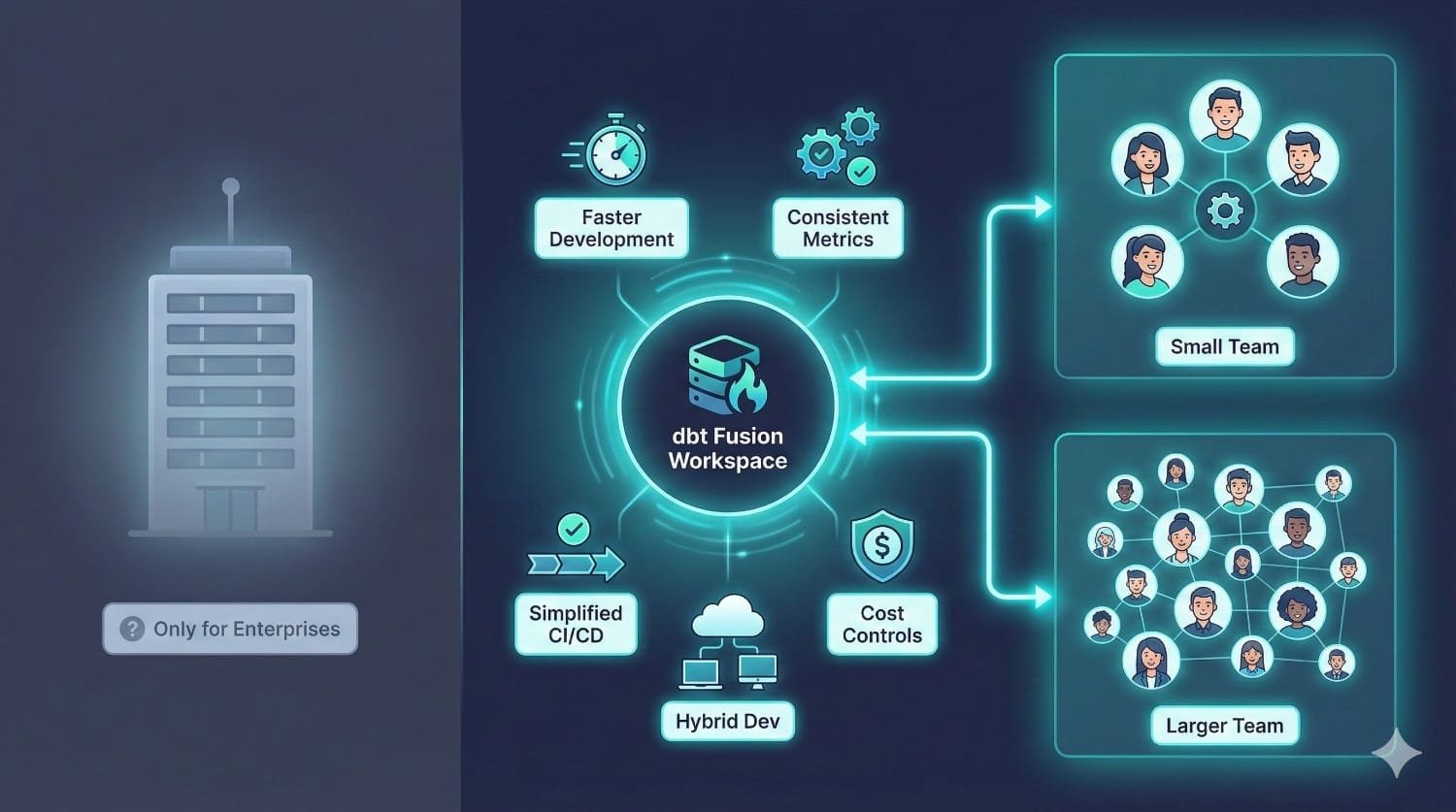
Reality: Fusion helps even small teams (5–10 people).
While Fusion shines at scale, many of its benefits matter even for smaller analytics teams:
- faster development
- fewer broken models
- simplified CI/CD
- consistent metrics
- hybrid cloud/local dev
- clean onboarding
If you have more than 3 to 5 contributors, Fusion’s guardrails and collaboration tools start paying off immediately.
Misconception #3: “Fusion creates vendor lock-in.”
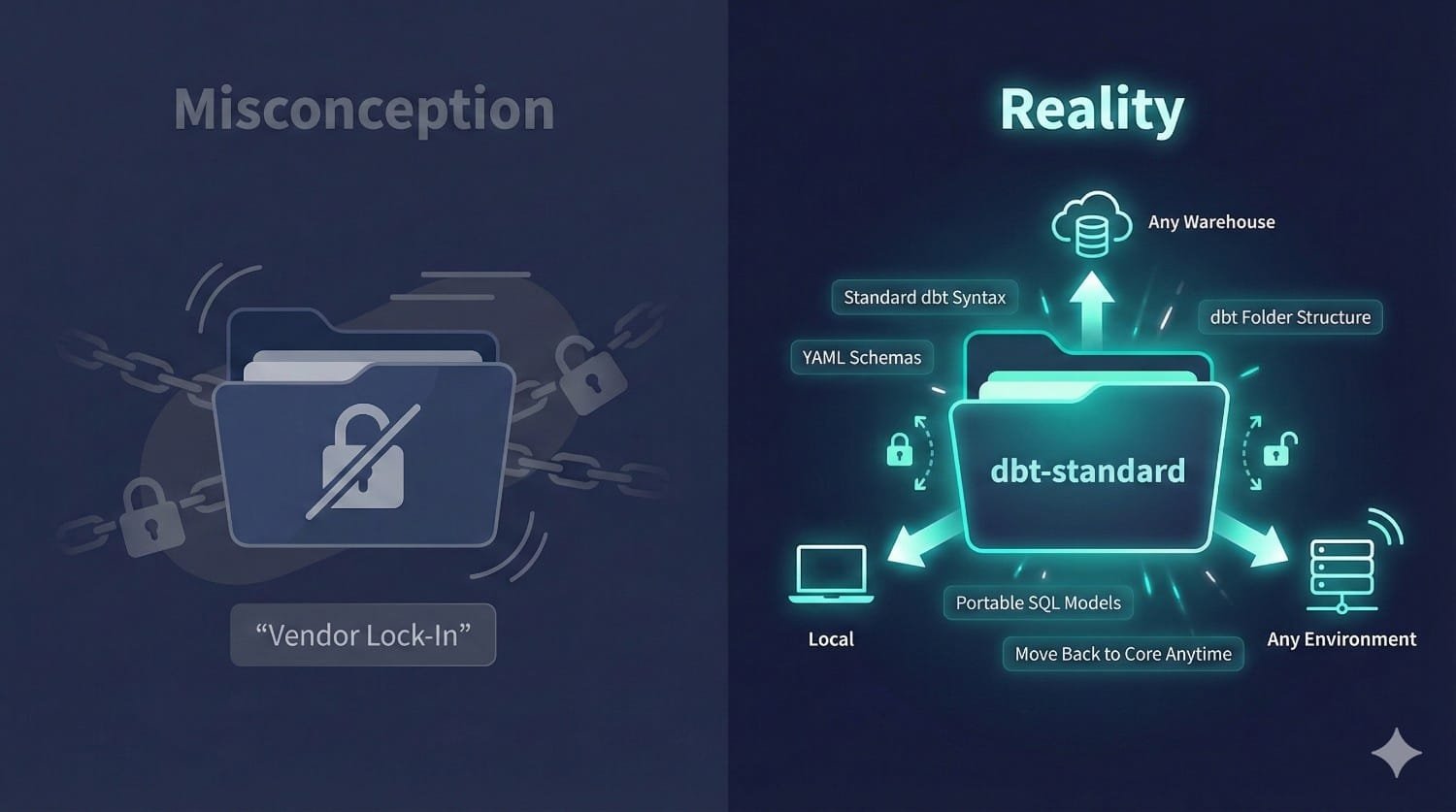
Reality: Your project remains fully dbt-standard and portable.
Fusion does not lock your SQL, models, or logic into any proprietary system.
Your project still follows:
- standard dbt folder structure
- dbt SQL syntax
- dbt YAML schema definitions
- dbt tests and documentation
- dbt incremental strategies
This means you can:
- move back to dbt Core anytime
- run your project locally
- export all definitions
- migrate warehouses without rewriting dbt logic
Fusion adds a platform around your dbt project — it doesn’t take ownership of it.
Quick Summary of Misconceptions
Final Verdict: dbt Fusion or dbt Core?
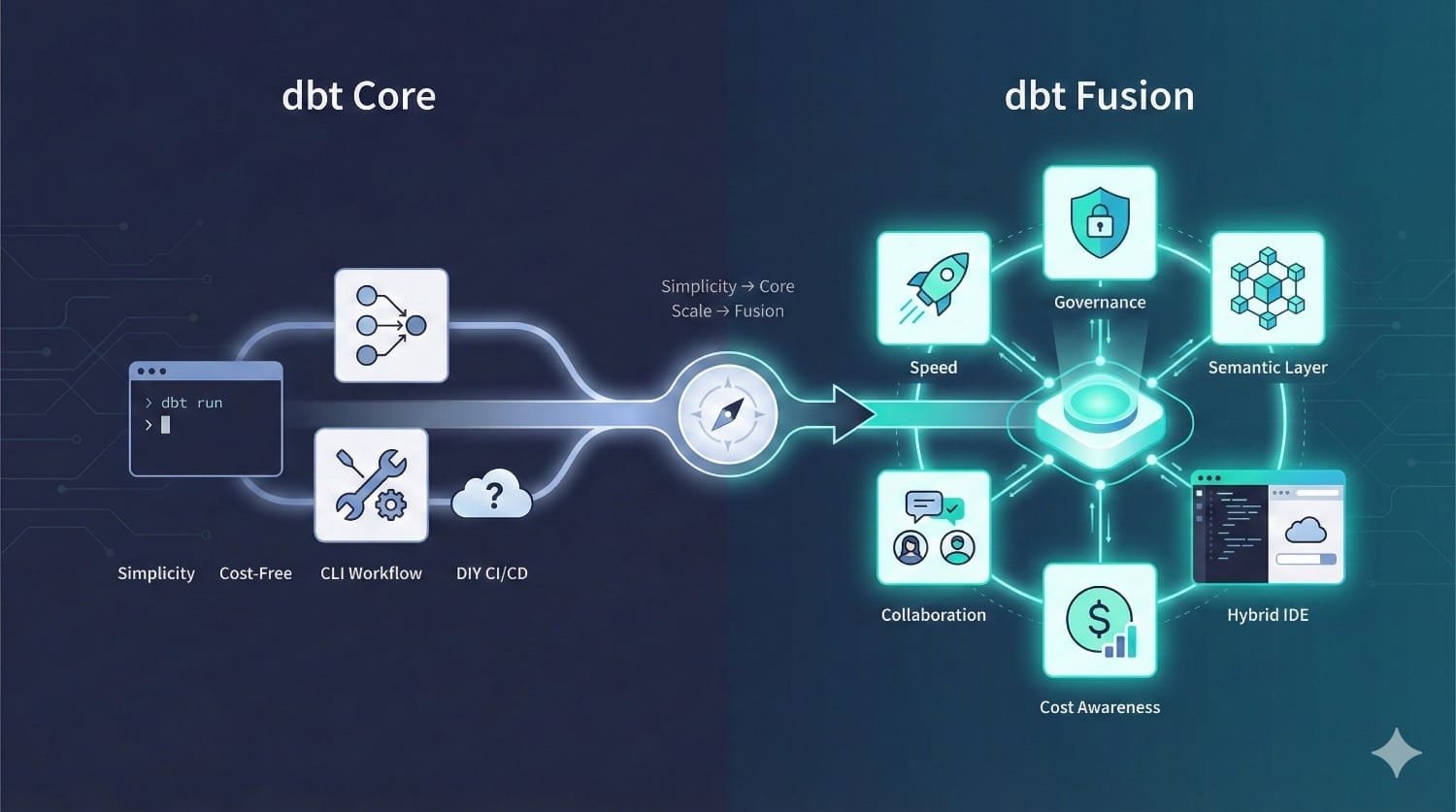
Choosing between dbt Core and dbt Fusion ultimately comes down to one question:
Do you need simplicity — or do you need scale?
Here’s the honest breakdown.
Use dbt Core if you want:
✔ Simplicity
A lightweight, CLI-first workflow without extra layers.
✔ Cost-Free Tooling
No licensing fees and full control over your environment.
✔ Total Flexibility
You decide your CI/CD, scheduling, and orchestration stack.
✔ DIY Everything
You’re comfortable stitching together tools like Airflow, GitHub Actions, Prefect, or Dagster.
dbt Core is perfect for startups, solo developers, and small teams that want maximum control with minimal cost.
Use dbt Fusion if you want:
✔ Speed
Faster compilation, live previews, and real-time validation driven by the Rust Fusion Engine.
✔ Governance
Full RBAC, audit logs, model ownership, and controlled access.
✔ Unified, Trusted Metrics
One semantic definition used across all BI tools — eliminating metric drift.
✔ Better Collaboration
Isolated dev environments, staging lanes, PR approvals, and environment sync.
✔ Fewer Broken Pipelines
Compile-time guarantees and lineage-aware orchestration catch issues before production.
✔ Enterprise-Grade Workflows
Hybrid IDE, auditability, cost awareness, and metadata-driven deployments.
Fusion is built for multi-team organizations that care about reliability, scalability, and consistency across the entire analytics lifecycle
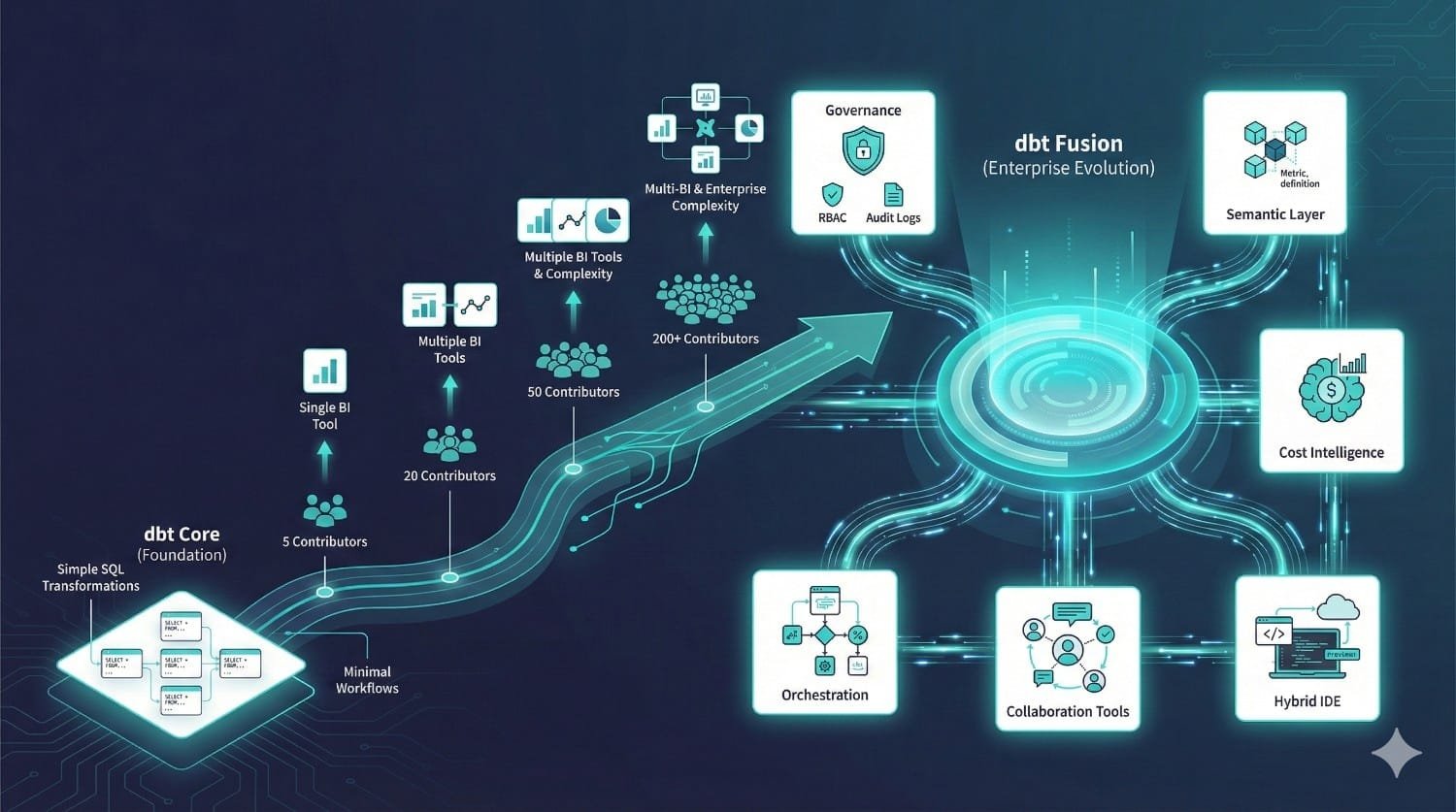
dbt Core isn’t going anywhere — it will continue to be the open-source foundation of dbt.
But as teams grow from:
- 5 → 20 → 50 → 200 contributors
- one BI tool → multi-BI ecosystems
- small pipelines → complex transformations
Fusion becomes the natural evolution of the analytics engineering workflow.
Fusion doesn’t replace Core — it builds on Core to deliver the speed, governance, and collaboration modern teams need.
For most mid-size and enterprise organizations, Fusion will become the standard.
How DataPrism Supports Your dbt Fusion Journey
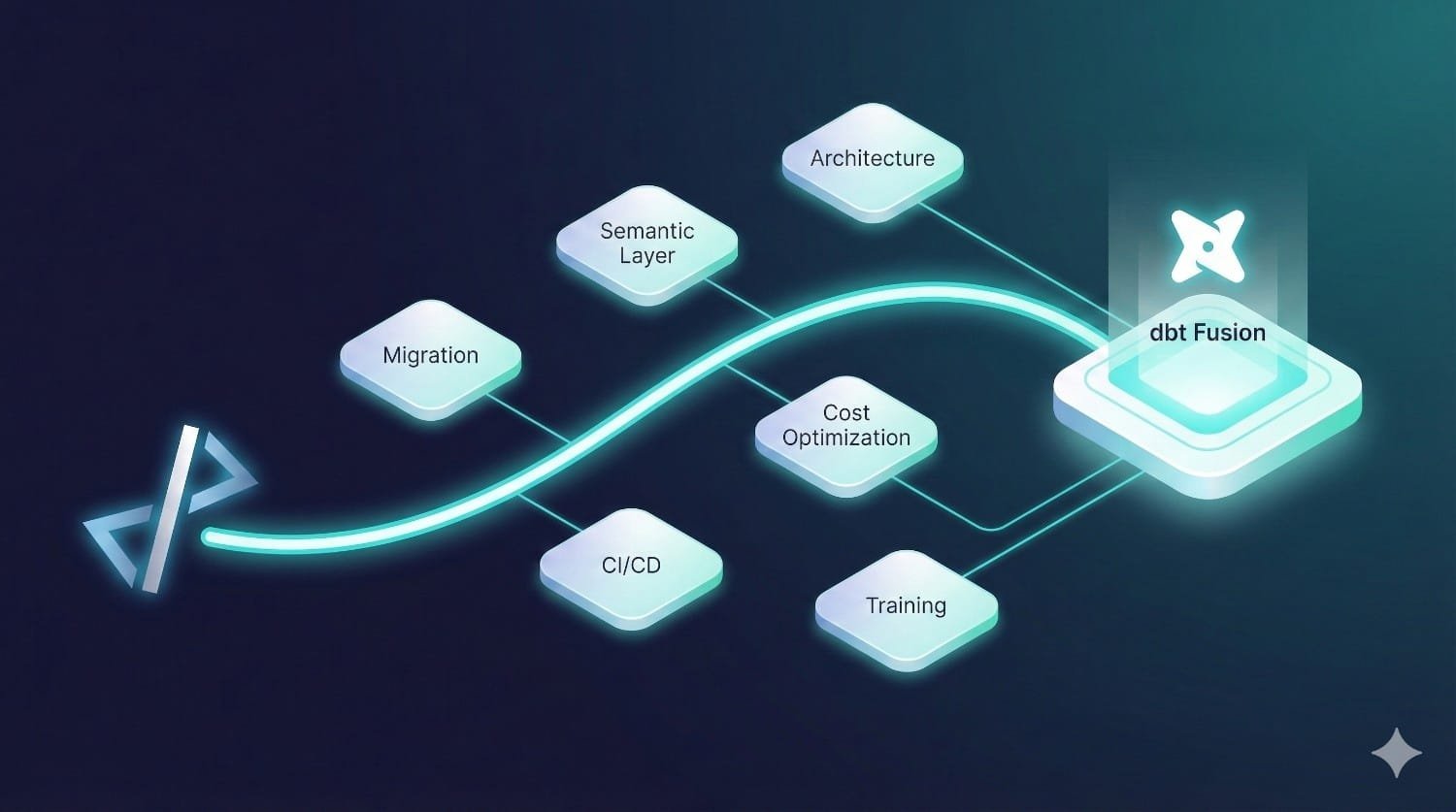
Implementing dbt Fusion is not just a tooling upgrade — it’s a modern analytics transformation.
At DataPrism, we help organizations adopt dbt Fusion with confidence, speed, and engineering excellence.
Here’s how we support your end-to-end journey:
1. Migrate dbt Core → dbt Fusion Smoothly
We assess your existing dbt Core project, identify compatibility gaps, and execute a clean migration without disrupting production workloads.
2. Build a Robust Semantic Layer
From metric definitions to business logic modeling, we help you design a consistent layer that works across Looker, Sigma, Tableau, Power BI, and internal analytics.
3. Design Modern Data Architectures
We architect scalable, warehouse-optimized pipelines across Snowflake, BigQuery, and Redshift — aligned with dbt Fusion’s metadata-first workflows.
4. Implement Production-Grade CI/CD for Analytics
We set up Git-native workflows, approvals, environment versioning, PR testing, and staging lanes tailored to your team structure.
5. Train and Upskill Your Team on dbt Fusion
Hands-on training for analytics engineers, BI teams, and data leaders — covering Fusion’s engine, governance, metrics, and modern development patterns.
Conclusion
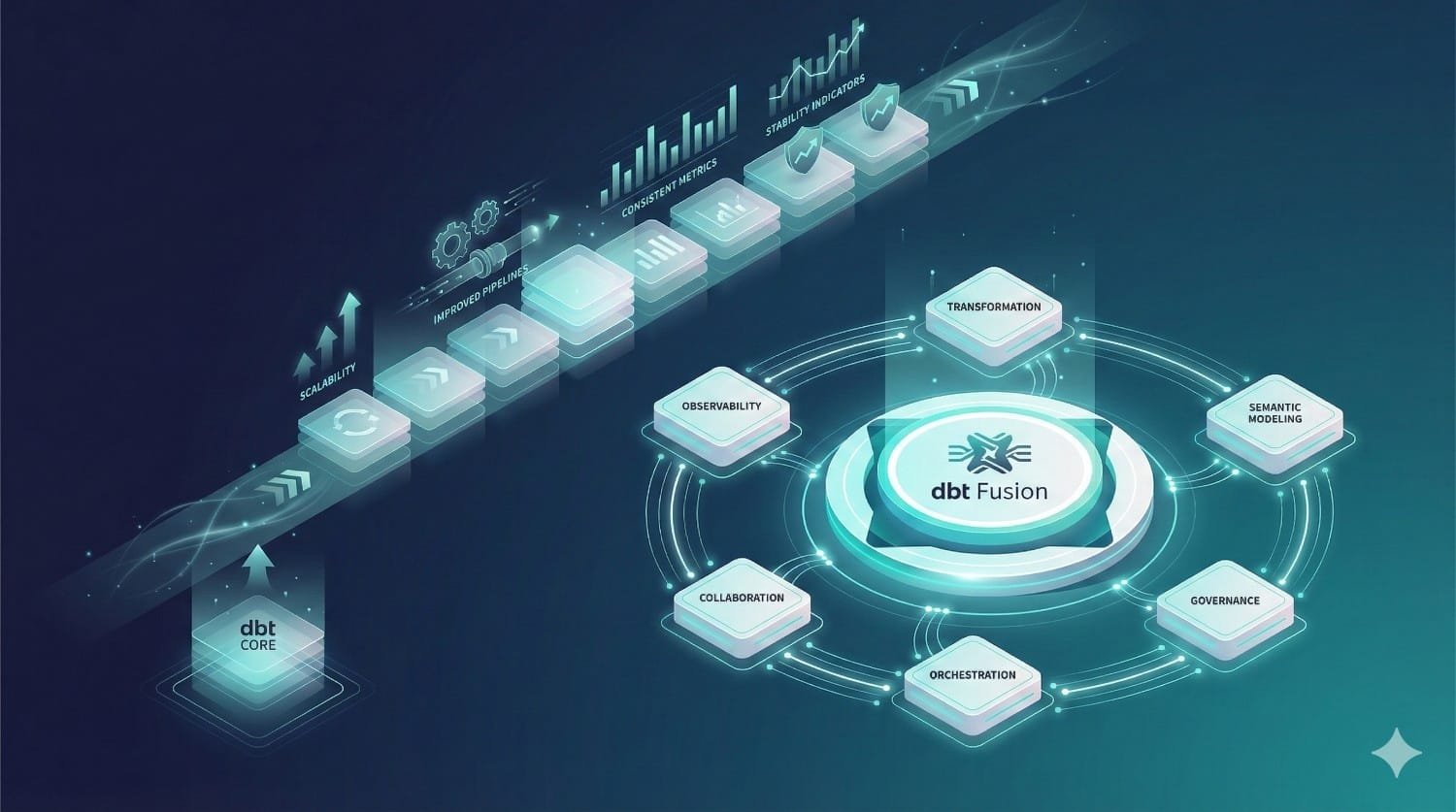
dbt Fusion isn’t just an incremental improvement — it’s a shift in how modern data teams work.
By unifying:
- transformation logic
- semantic modeling
- governance
- orchestration
- collaboration
- and observability
…into a single, metadata-driven platform, dbt Fusion closes long-standing gaps between engineering, analytics, and BI teams.
If your organization wants:
- cleaner pipelines
- trusted, universal metrics
- fewer production failures
- faster development cycles
- governed self-service analytics
…then dbt Fusion is the future-proof path forward.
dbt Core will continue to thrive for small, simple workflows — but for teams that need scale, speed, and consistency, Fusion becomes the obvious choice.
Book a Free 30-Minute Meeting
Discover how our services can support your goals — no strings attached. Schedule your free 30-minute consultation today and let's explore the possibilities.
Book a Free Call