

Introduction
On November 12, 2026, Exchange Online went down for Microsoft 365 customers around the world. Microsoft’s preliminary post-incident report put the Exchange Online outage at 23 hours and 50 minutes and traced it to a defect in the networking gateway in front of Microsoft 365. Every system that relied on Exchange in real time had to wait for it.
Live dependency is the dividing line between data integration and application integration. Application integration moves transactions between apps as they happen, so a failure can stop a process. Data integration moves data into one place for analysis, so a failure delays a report. Many companies need both.
This article explains how the two differ, what breaks in each, and how to scope the right project.
Data Integration vs Application Integration: The Short Answer
Data integration and application integration solve different problems. Data integration gathers records from many systems into one place so teams can analyze them. Application integration connects working apps so a transaction in one triggers an action in another. The table compares the two on the points buyers ask about first.
|
Factor |
Data Integration |
Application Integration |
|---|---|---|
|
Goal |
One trusted data set for reporting |
Apps that finish a process together |
|
Timing |
Scheduled batches or near real time |
Event by event, in seconds |
|
Data Volume |
Whole tables, often millions of rows |
One record or message at a time |
|
Typical Tools |
ETL and ELT tools, warehouses |
APIs, webhooks, message queues |
|
Who Owns It |
Data engineering or analytics team |
Software or IT operations team |
|
How It Fails |
Reports arrive late or wrong |
Updates get lost or duplicated |
Every other row follows from the goal.
What is Data Integration?
Data integration is the practice of combining data from separate systems into one consistent store, usually a data warehouse, so every team reports from the same numbers. It extracts records from sources such as a CRM, an ERP, and ad platforms, cleans them, and loads them on a schedule or as they change. The data integration guide covers the full process.
The output is a data set, not an action. Finance reads it to report revenue by channel, and the source apps stay unchanged.
What is Application Integration?
Application integration is the practice of connecting working software, so apps share data and trigger each other as business events happen. When a customer places an order in an online store, the integration creates the sales order in the ERP and updates stock in the warehouse system. Each event moves through on its own, usually in seconds.
The output is a finished process, not a separate copy of the data for analysis.
Enterprise Application Integration (EAI)
Enterprise application integration is the larger-scale version of the same idea, where a central hub connects many business apps instead of wiring each pair directly. The hub translates formats and routes messages between systems. Larger companies adopted it once direct links became hard to track.
Direct links work for two or three apps. With 10 apps, connecting every pair takes up to 45 separate links. A hub or message bus cuts the count to one connection per app.

The hub model is moving to the cloud. Microsoft’s BizTalk migration guide points customers of its on-premises integration server to Azure Logic Apps Standard.
Five Differences That Matter
The five differences that matter most are purpose, timing, data shape, skills, and how success is measured. Each one changes who builds the project and what it costs to run. Purpose comes first because it drives the rest.
Purpose: Analysis vs Operations
Data integration serves analysis, so its users are analysts, finance teams, and executives reading reports. Application integration serves operations, so its users are the people and systems handling orders, tickets, and invoices. A data project answers questions, while an application project completes work.
Timing: Batch or Near Real Time vs Event by Event
Data integration usually runs in batches, such as every hour or every night, though change data capture can bring it close to real time. Application integration reacts to each event as it happens. A two-hour delay is fine for a revenue dashboard but not for an order confirmation.
Volume and Shape of Data
Data integration moves large volumes, often whole tables, and reshapes them for reporting. Application integration moves small payloads, such as one order or one customer record, and keeps their original shape. The business data is the same, but the batch sizes are very different.

Tools and Skills
Data integration relies on a data integration application such as Fivetran or Airbyte, plus SQL and data modeling skills. Application integration relies on APIs, webhooks, message queues, and software engineering skills such as error handling. The ETL vs ELT guide explains the two main data integration patterns.
How Success is Measured
Data integration succeeds when reports arrive on time and match the source systems. Application integration succeeds when every event arrives once and within its time limit. Teams track data freshness for the first and error rates for the second.
What Breaks in Each
Each type of integration fails in its own way, and the failure mode decides what a broken link costs. Application integration fails one event at a time, while data integration fails one batch at a time. Recovery works differently too.
Application integration breaks when an app or its API goes down, as Exchange Online did on November 12. Events sent during an outage can be lost, or sent twice when the system retries. Well-built integrations queue each event and check for duplicates before writing.
Duplicate checks are a standard API feature. Stripe’s API supports idempotency keys, so a request can be retried without performing the same operation twice.
Data integration breaks more quietly. A source app renames a field, the nightly load fails, and a dashboard shows stale or wrong numbers. Recovery means rerunning or backfilling the load, so good pipelines alert an owner when row counts don’t match.
When You Need Data Integration
You need data integration when the business can’t answer a question because the data sits in separate systems. A common sign is a monthly report built by hand from spreadsheet exports. Another is two teams quoting different revenue figures for the same month. Both point to the need for one trusted store.
Scale is where data integration earns its cost. In the Scout case study, Data Prism moved more than 200 million consumer records from PostgreSQL to Snowflake and OpenSearch. Processing time fell from 84 hours to 2 hours, and monthly infrastructure cost dropped from about $4,000 to $40.
Data Prism has shipped more than 100 projects over more than six years through its data integration services, from pipeline design to quality checks.
When You Need Application Integration
You need application integration when people retype the same order, task, or status from one app into another. The work is slow, and every copy is a chance for a mistake. Application integration removes the retyping by passing each update between apps as it happens.
Kaemark, a US manufacturer of professional furniture and equipment, had this problem across four systems. Data Prism connected WooCommerce, ClickUp, Google Sheets, and SQL Server so order and task updates moved through APIs and webhooks. The Kaemark case study reports 50% lower operating costs and 50% to 80% less manual data entry.

Application integration is the wrong tool for analysis, though, because it leaves no clean history to report on.
When You Need Both
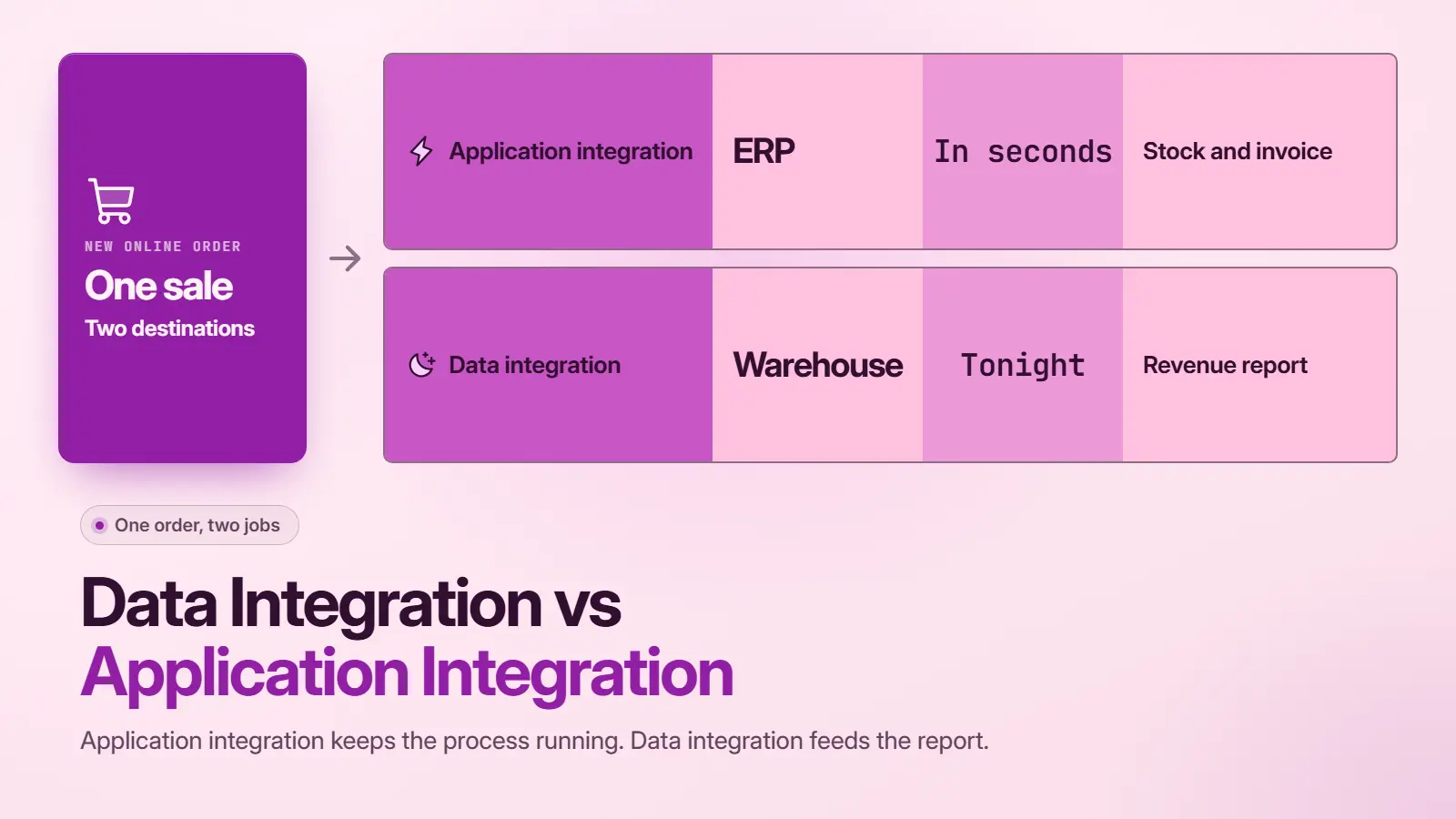
Many growing companies need both, because the same business event matters to operations now and to reporting later. An online order is the clearest case. It has to reach the ERP in seconds, and it has to reach the warehouse for revenue reporting by morning.
Consider a hypothetical retailer selling through Shopify with NetSuite as its ERP. Application integration sends each new order to NetSuite, which reserves stock and creates the invoice. Data integration then loads orders, refunds, and ad spend into a warehouse every night, so finance can report margin by channel.
The two projects share sources but not jobs. One keeps the business running, and the other explains how it’s doing. The integration techniques guide shows which methods suit each side.
The line blurs when warehouse data flows back into apps. Reverse ETL tools push a customer score from the warehouse into a CRM, where sales reps see it.
Where API Integration Fits in Data and Application Integration
API and data integration overlap because APIs are the doors both kinds of integration use to reach modern software. Application integration calls an API to send each event, while data integration calls the same API in bulk to extract records for the warehouse. So API data integration is a method, not a third category.
The difference shows in how each one uses the API. An order sync needs fast, reliable single calls with retries. A warehouse load needs to page through large result sets without hitting rate limits. Custom API integration services cover the first case when no ready-made connector exists.
How to Scope the Right Project
The application integration vs data integration choice starts with the question the business needs answered. If the question is about what happened, it’s a data integration project. If a step takes too long or goes wrong, it’s an application integration project. The table maps common requests to the right type.
|
Request |
Project Type |
Why |
|---|---|---|
|
“We can’t trust the monthly revenue number” |
Data integration |
Needs one reconciled source |
|
“Orders take a day to reach the ERP” |
Application integration |
Needs event-by-event sync |
|
“Sales can’t see support tickets in the CRM” |
Application integration |
Needs live data in a working app |
|
“We want to forecast demand with AI” |
Data integration |
Needs clean history in one store |
|
“Finance wants margin, ops wants faster shipping” |
Both |
Two goals built on the same orders |
When a request needs both, scope it as two projects with a shared list of sources.
Final Verdict on Data Integration vs Application Integration
Everything above assumes the request is clear, and most real requests mix both kinds. A short call with the data integration services team at Data Prism can sort what you’re trying to connect into the right type of project.
Book a Free 30-Minute Meeting
Discover how our services can support your goals — no strings attached. Schedule your free 30-minute consultation today and let's explore the possibilities.
Book a Free Call

