

How to Hire an AI Automation Consultant in Six Stages

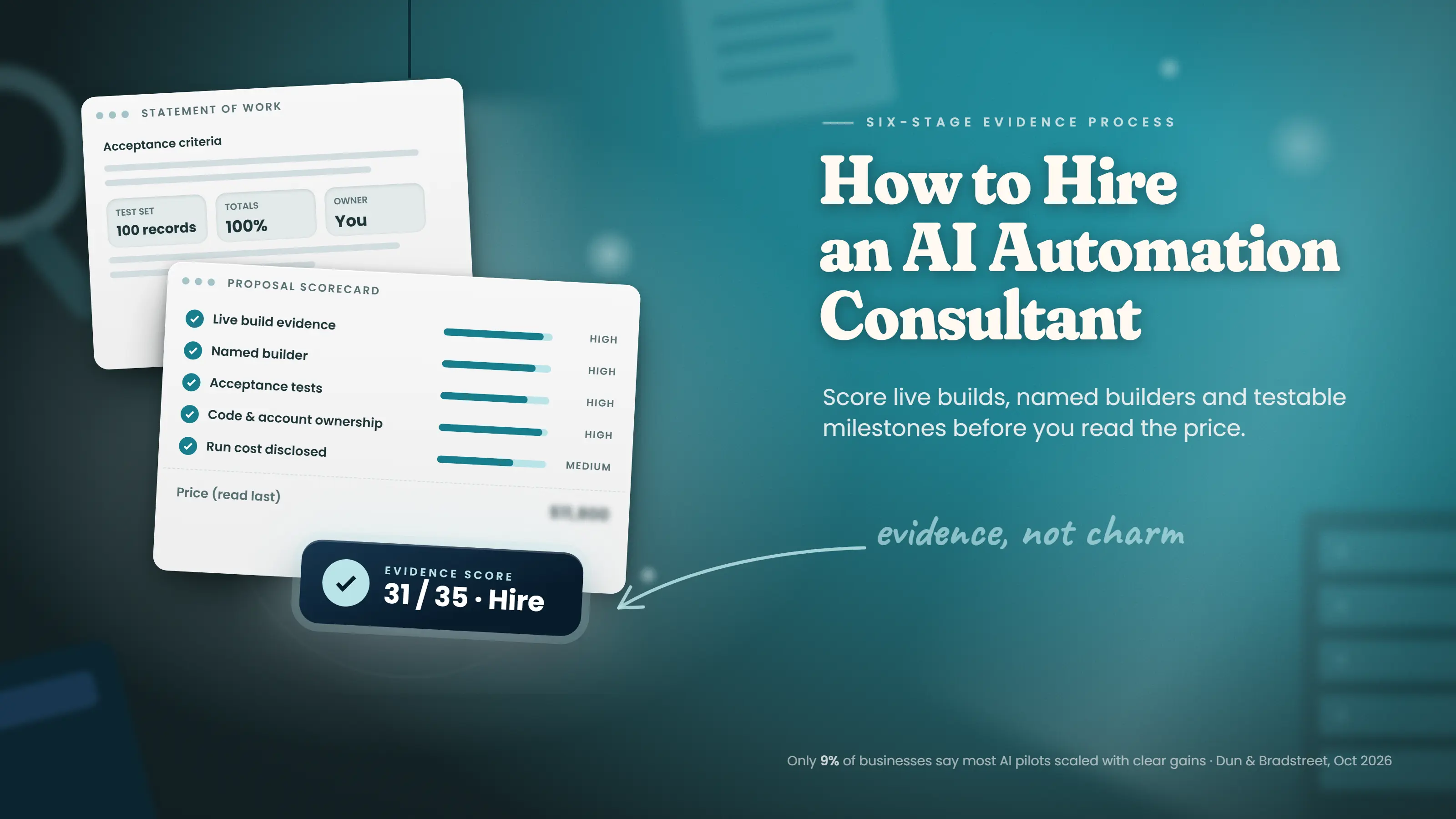
Cover reading How to Hire an AI Automation Consultant beside a proposal scorecard and an evidence score of 31 of 35.
Written byPrincipal Data/AI Architect
Technically reviewed byMuhammad Taha Senior AI Architect
Published
Reading time
21 min

Summarize with AI

Introduction

Dun & Bradstreet published a survey of 10,000 companies on October 28, 2026. Only 9% of the businesses said most of their AI pilots reached production with measurable gains. Yet MIT NANDA's 2025 study found projects with an outside partner succeeded roughly twice as often as internal builds. The real variable is the process you use to choose who builds the automation.

One afternoon, a client showed me a year of internal AI work. The work had zero measurable P&L impact. After this meeting, I replaced one-meeting hiring with staged evidence checks. The checks take more time. But the checks remove unsuitable consultants before they touch a workflow.

I treat hiring an AI automation consultant as six small decisions. The first three are a readiness check, a written scope, and a structured interview. The last three are an access plan, an SOW, and a scorecard. The same discipline applies whether you buy AI automation from a freelancer, a boutique firm, or a large consultancy.

Most buyers make all six decisions in one meeting. One meeting shows how well a consultant presents. One meeting gives no evidence of a working build.

What Is an AI Automation Consultant?

An AI automation consultant maps a business process. The consultant then designs, builds, and hands over software to run the process. The software uses rules and AI models.

To hire one, check one workflow, write a scope, and ask every candidate the same questions. Then write the access rules and the statement of work (SOW). Score each proposal on evidence before price.

Why the Standard Hiring Playbook Fails

The standard playbook fails because nobody brings a workflow map or a baseline. Many buyers hold one discovery call, get a quote, and sign. Then the project continues with no clear goal. Without a workflow map, a consultant can only show what a model can do.

The cost shows up in the pilot-to-production gap. Deloitte's 2026 survey asked 3,235 business and technology leaders about AI pilots. Only 25% had moved 40% or more into production.

The most expensive hire I ever watched was the fastest one. A client signed a consultant after one call and one demo. For three months, the client paid invoices. The project moved from pilot to pilot with no testable milestone and no baseline.

Six cards titled Six stages, six pieces of evidence, from a workflow readiness check to a weighted proposal scorecard.

The six stages below prevent this problem. Each stage produces an artifact, and each artifact either adds evidence or removes a candidate.

Stage 1: Assess Whether Your Workflow Is Ready to Automate

Stage 1 checks whether the workflow is ready to automate before any money moves. Most buyers skip this stage because the check feels like a delay. Skipping the check often produces a broken workflow faster. Most stalled projects trace back to a readiness gap, and the technology is rarely the cause.

Three signals show a workflow is ready. The task repeats daily or weekly. The inputs are structured fields. The rules stay the same for months.

Three signals show a workflow is not ready. The process changes monthly. A person makes judgment calls at several steps. The task runs only a few times a year.

Ready and not-ready workflow signals side by side, above three tiers of rules, AI-assisted steps, and agentic workflows.

Ready to Automate

Not Ready Yet

Repeats weekly or daily

Changes monthly

Structured inputs and outputs

Frequent human judgment calls

Stable rules and decision logic

Runs a few times per year

Rare, documented exceptions

Exceptions are the norm

Data is the readiness check buyers skip most often. The same Dun & Bradstreet survey asked about data. Only 8% of businesses said their data was fully ready for AI at scale. A quick data quality check shows whether the fields the workflow needs are complete, consistent, and reachable through an API.

Start the workflow map with the people who do the task. A manager often describes a simpler version than the real one. Ask for the inputs, hand-offs, repeated decisions, and the cost of a mistake.

Invoice intake and client onboarding show the contrast well. Invoices arrive as structured fields, the matching rules are stable, and volume is daily. Invoice intake is a common first target for process automation. Client onboarding is the opposite case, since every new client brings a unique contract, exception requests, and judgment calls.

Rules, AI Steps, or an Agent: Pick the Lowest Tier Needed

Readiness also decides how much AI the workflow needs. The options fall into three tiers. Cost, testing effort, and risk climb with each tier. Picking the tier before the first sales call stops a consultant from selling more AI than the job needs.

Tier

Role

Typical Tools

Fits When

Rules-Based Automation

Moves data between systems on fixed logic

Zapier, Make, n8n, Power Automate

Every decision can be written as a rule

AI-Assisted Workflow

Adds model steps (extract, classify, summarize) inside a fixed flow

A rules platform plus an LLM API call

Some inputs are PDFs, emails, or free text

Agentic Workflow

A model chooses which tools to call and in what order

Agent frameworks with tool access

The path changes case by case, and a person reviews the outcome

Most invoice, CRM, and reporting workflows sit in the first two tiers. Many no-code rules platforms now include a model step too. An agent for a rules job adds cost and more points of failure. You pay to maintain the agent.

Reserve AI agents for work where the steps change from case to case. Expect stricter testing, tighter permissions, and a human approval step before any agent writes to a production system.

Hidden exceptions can stall even a first-tier job. A billing team once showed me an invoice process with standard fields, daily volume, and stable rules on paper. Then the team admitted a handful of legacy clients needed a manual pricing override on almost every invoice. The workflow became ready only after the override rules went into the decision logic.

If any not-ready signal applies, fix the process before hiring anyone. Simplify the rules, document the exceptions, and reassess.

Stage 2: Scope the Project Before You Talk to Anyone

The workflow is ready. Now put the workflow in writing before any consultant frames the job for you. A buyer who writes the scope first controls the language every proposal must answer.

Pick the workflow with the fastest payback first, not the most annoying one. The first project should be small enough to judge the consultant on. A paid audit or a two-week pilot on one workflow tests a consultant at low cost.

I sent my workflow notes to a consultant. Less than two weeks later, the scope called my invoice approval process a "document review pipeline." My team never used this phrase. The consultant had used a template instead of my process.

Writing the scope yourself is the core of AI strategy work.

Scope in One Sentence: AI Automation Project Template

The scope template is a one-page brief you fill in before the first consultant call. Each row below names one blank and says what to write. Each row also shows an example for a hypothetical invoice workflow. Then check every proposal against the same page.

Filled-in scope sentence for invoice matching from a shared inbox and QuickBooks, with a $10,000 budget ceiling.

Blank

What to Write

Example (Hypothetical Invoice Workflow)

Business Problem

The pain in one sentence

Clerks spend about 133 hours a month keying supplier invoices

Workflow

The task to automate

Match supplier invoices to purchase orders

Systems

Source and destination

Shared inbox and QuickBooks

Output and Owner

Result and recipient

Approved invoice entries for the accounts payable lead

Volume and Frequency

Items per month and run schedule

2,000 invoices a month, processed daily

Current Cost per Item

Time per item × loaded hourly cost

4 minutes × $35 an hour, about $2.33 per invoice

Acceptance Criteria

A pass/fail test a manager can check

Zero errors on 100 past invoices

In and Out of Scope

What the build covers and skips

In: PDF and email invoices. Out: paper invoices and payment runs

Budget Ceiling

Maximum build spend

$10,000

The filled-in example becomes one sentence. Automate invoice matching from the shared inbox and QuickBooks into approved entries. Send the entries to the accounts payable lead daily, with zero errors on 100 past invoices.

Use the current cost line as the baseline. Measure every later promise against this baseline. If a returned scope does not use your own words, send the scope back.

Stage 3: Run the Discovery Call Like an Interview, Not a Demo

The scope document is now your interview script. Every consultant answers against the same written workflow, systems list, and acceptance criteria. A consultant who cannot answer against the document is not listening.

Build the question list and a note-taking structure before the first call. Ask the same questions in the same order, and write down each answer verbatim. By the third pitch, the verbatim record is the only fair comparison.

The 10-Question Interview Table

These are the questions to ask an AI consultant on every call. Each question shows whether the consultant understands your workflow or is running a script. A builder answers with specifics about your process, while a seller answers with a pitch.

#

Question

A Strong Answer Includes

Red Flag

1

Show me one automation you built and still run today.

A live workflow in a comparable business, its users, and what the workflow replaced

Only a sandbox, slides, or "all under NDA"

2

What in my business would you leave manual?

Specific exception-heavy, low-volume, or judgment-heavy work, with reasons

"Anything can be automated"

3

What does this cost me today, and how will I measure the change?

Asks for your baseline and ties one metric to the baseline

A guaranteed percentage before any baseline

4

Who builds the automation, and who owns the system after launch?

Named people, with direct access to the builder

"Our team," or an account manager in between

5

How will I know the workflow failed, and who responds?

Alerts, logs, and an escalation path

"Nothing will break"

6

Whose accounts, repo, and prompts will the automation run on?

Your accounts, your repo, documented prompts

Their platform only, no export, or a mandatory retainer

7

Which systems touch my data, and is any data used for model training?

Each system, storage location, retention, training settings, deletion at exit

"The cloud," or "do not worry"

8

Which steps are fixed rules and which are model calls?

A step-by-step split, starting from your workflow

Leads with a model or agent framework

9

How did you arrive at this price?

Price follows discovery of your systems and data

A fixed package before any questions

10

What will the workflow cost to run each month?

Itemized model API, hosting, and platform fees at a stated volume

Build price only

Question 6 shows who owns the automation. If the code, prompts, and accounts stay on the consultant's platform, the automation stops when payments stop. You do not own the automation.

Check Stack Fluency Against Your Systems List

Ask the consultant to explain how each system will connect: a native connector, the vendor's API, or a custom integration. A credible builder can tell n8n, Make, Zapier, and Power Automate apart and knows which model APIs to call. Ask too whether the job needs retrieval over your documents, which calls for a vector database.

Newer agent builds may connect tools through the Model Context Protocol (MCP) instead of a native connector, the vendor's API, or a custom integration. If a proposal mentions MCP, ask how the consultant limits the permissions of each tool.

A vague answer such as "integration with everything" is a warning sign. The consultant has probably not planned the AI integration work.

The Two Questions to Separate Builders From Sellers

Two questions in the table matter more than the rest. Ask both every time, and write the answers down exactly. Together, the two answers show whether the person on the call builds automations or sells them.

Question 1 asks for a live build. A builder opens a live workflow from a similar business. The builder explains who uses the workflow and what the workflow replaced. A seller shows a sandbox or slides. "Everything is under NDA" gives the same result as a sandbox: no proof.

Question 2 asks what should stay manual. A builder names exception-heavy, low-volume, or judgment-heavy work and explains why. A consultant who cannot name a single refusal has never cleaned up after a bad automation.

Eleven minutes into one pitch, the consultant still had not asked a single question about my workflow. His screen showed confidence scores and a sentiment meter updating in real time. I asked what he would leave manual in my business, and he said the automation could handle anything. I ended the call five minutes later, and I have written every answer down verbatim ever since.

Stage 4: Decide on Data and System Access Before the Fight

Discovery calls tell you who you might trust. Before any build starts, decide what each consultant can access. Access is the decision buyers most often make under time pressure, so settle access early.

The Access Decisions to Make Before a Consultant Asks

Write the access map before any conversation. The map answers five questions. A one-page map lets you decide before the consultant asks.

Which systems hold the data? Which access is read-only, and which is read-write? Where can data go? Who approves access? What happens when the engagement ends?

What Least Privilege Looks Like Technically

Least privilege gives the consultant only the access the build and tests need. Record every credential. In practice, the rule becomes a short list of settings your tech lead can check. A consultant who resists any control should explain why in writing.

Control

What to Set Up

Why the Control Matters

Dedicated Identity

A named service account for the automation, never a staff login

Every action is traceable, and access ends cleanly

Scoped Credentials

API keys or OAuth scopes limited to needed objects and actions, read-only where possible

A leaked key reaches only what the workflow touches

Secrets Storage

Credentials in a secrets manager or platform vault, never in email or chat

Keys rotate and revoke in one place

Test Environment

A sandbox or staging copy with masked data

Production data stays untouched until acceptance

Audit Logging

Logs of every read and write, kept for an agreed period

You can see and prove what was touched

Model Data Settings

Business or API tiers with training on your data turned off, plus retention terms in the data processing agreement

Customer data stays out of vendor training sets

Expiry Dates

An end date on every consultant credential

Access ends with the engagement

The same controls apply to any data engineering work feeding the automation, such as new pipelines or warehouse tables.

The Day-One Full Admin Failure and What to Do Instead

On a spring payroll integration, a new consultant asked for full admin access on day one. The request covered the HR system, the CRM, and the shared drive. A colleague nearly approved the request to keep things moving. I checked, and the build needed only read-only access to two HR tables.

The team granted exactly the two tables, documented the credentials, set a revocation date, and shipped on schedule. Full admin access lets a consultant read, change, and delete any data before you agree on scope. You also cannot see what the consultant changed.

Stage 5: Lock the Scope Into a Statement of Work

Stage 5 turns the access plan into a statement of work. The SOW puts scope, acceptance, ownership, and run costs in writing. A written SOW gives both sides terms you can enforce. Each SOW section below blocks one specific failure.

SOW Section

What the Section Covers

What the Section Protects You From

Business Outcome

The result the work supports

A build with no defined purpose

Scope Boundary

Included work, exclusions, responsibilities

Scope disputes

Data and Access

The access plan, by reference

Unclear permissions

Acceptance Criteria

Testable evidence of done, run against an agreed test set

Subjective sign-off

Milestones and Payment

Deliverables, review points, payment triggers

Paying without progress

IP and Ownership

Ownership of code, prompts, accounts, and any platform limits

Dependence on one builder

Monitoring and Re-Testing

Alerts, logs, and a re-run of the test set after any model, prompt, or connector change

Silent quality drift

Support and Handoff

Documentation, runbook, knowledge transfer, support terms

An abandoned build

How to Test AI Steps Before You Sign Off

Write a test of the AI steps into the SOW, and run the test on real records. Rules-based steps either work or fail, while model steps can return slightly different outputs for the same input. So, "the workflow works" is not an acceptance test.

  1. Build a golden test set. Pull 50 to 200 real records from past work, such as invoices. Before the build starts, write the correct output for each record. Include scanned PDFs, missing fields, and known exceptions.
  2. Set a threshold per field. Totals and account numbers need 100% accuracy. A summary can pass at 95% on a reviewer's checklist. Agree on the numbers before anyone sees results.
  3. Route low-confidence cases to a person. The automation should flag uncertain records for a review queue. The SOW should then cap the queue's share of volume.
  4. Re-run the same set after every change. Providers update and retire model versions, and teams edit prompts. A re-run catches a quality drop before customers do.

Run Costs Belong in Their Own Clause

Run costs are a separate line from build fees. A typical SMB workflow carries $100 to $600 a month in API and tool subscriptions. Maintenance adds roughly 5% to 15% of build cost per year, or a $1,500 to $6,000 monthly retainer. Put the numbers in the SOW before signing.

"Does the SOW say who pays the API bill?" a client once asked during a third scope review. The monthly tool-and-API line needs a clause of its own.

A proposal saying "we build on our own platform" deserves a closer look. On a proprietary platform, no one else can usually export or maintain the automation later. Sometimes a proprietary platform is the right choice. If so, the SOW must state the limit and its price.

Stage 6: Compare Proposals on Evidence, Not Charm

This last stage turns discovery-call notes into a decision. At this stage, buyers often ignore the evidence and choose on preference. A shared scorecard keeps every proposal on the same evidence.

Score every proposal against the same eight criteria before reading any pricing section. Once you see a price like $11,800, vague acceptance criteria start to look "probably fine." Read the price last.

Eight-criterion proposal scorecard with weights, beside a red-flag key where three or more ticks means walk away.

Criterion

Weight

What to Look For

Red Flag

Live Build Evidence

High

A working workflow you can click through

Slides or a promised future demo

Named Builder

High

The builder named in the SOW, with a portfolio

"Our team will handle the work"

Scope Specificity

Medium

Each workflow listed with inputs, outputs, exclusions

"Your core processes" without a list

Acceptance Criteria

High

"Zero errors on 50 test invoices, under 60 seconds each"

"Meets your needs"

Ownership Terms

High

You own code, accounts, and export rights in writing

No export path

Data Handling

Medium

Storage, access, retention, and deletion rules

"Industry standard security"

Pricing Structure

Medium

Fixed milestones tied to acceptance

Uncapped hours, or one lump sum

Run Cost Disclosure

Medium

Itemized API and tool costs plus maintenance

"Negligible," with no numbers

Take two quotes inside the single-workflow band of $5,000 to $12,000, less than $500 apart. Proposal A has clear, testable acceptance criteria and full code ownership. Proposal B has "the workflow works" as the only test and keeps the code on a proprietary platform. The scorecard shows the gap in five minutes, while price alone picks B and a locked-in rebuild.

I once read the pricing pages first while comparing spring proposals. Both consultants quoted just under $12,000. One kept the code on the consultant's platform forever, while the other transferred the code outright. Scoring first would have shown the gap in ten minutes.

Live build evidence and the named builder carry the most weight, because both tie the proposal to a real person. The scorecard also helps earlier, while you are still building a shortlist. Run every name through the same eight rows.

Consultant, Agency, or Freelancer: Who Fits Which Job

Buyers shopping for AI automation services often pick a provider type before defining the job. The job should decide. AI automation consulting services come from three kinds of providers, each suited to a different project size.

Provider Type

Best Fit

Usual Pricing

Watch For

Independent Consultant or Freelancer

One well-scoped workflow on a common platform

Hourly or a fixed project fee

A single point of failure after launch

Boutique Automation Consultancy

Several connected workflows, custom integrations, AI steps

Fixed fee per milestone, plus an optional retainer

A sales lead who is not the builder

Large Consultancy or Systems Integrator

Enterprise programs with governance and change management

Large fixed-fee or time-and-materials contracts

Junior staff building under a senior name

An automation agency can sit in either of the first two rows, depending on size. For any type, check three things: a named builder, direct access to the builder, and evidence of past work.

Some owners first want to know whether an AI consultant for small business work is worth the cost at all. This small business breakdown of costs and trade-offs helps frame the decision.

AI Automation Consultant Cost: Pricing Benchmarks

The scorecard shows trade-offs, and price is one trade-off. Price carries more signal than most buyers expect. Read each quote for what the quote discloses before judging how low the total is.

One proposal showed a $100 to $600 monthly subscription line at the bottom. The font was half the size of the build price. This line affected my decision more than the five-figure build price. Two consultants quoted nearly the same build, but only one disclosed the cost after launch.

As of November 2026, a single production workflow typically costs $5,000 to $12,000. A connected build of three to five workflows costs $15,000 to $35,000. Both figures cover the build only. AI automation agency pricing follows similar bands. This agency pricing guide gives a longer breakdown.

Engagement Type

Typical Range (USD)

Should Include

Single Production Workflow

$5,000 to $12,000

A production workflow with testable acceptance criteria and full ownership

Connected Multi-Workflow Build

$15,000 to $35,000

Three to five integrated workflows with documented handover and failure states

Readiness Assessment Only

$2,000 to $10,000, often free from a builder with similar work

A process audit of systems, exception rate, and data quality

Run-Cost Math: A Worked Example

Next, add the run costs from Stage 5. The build price is only part of the total cost. Model usage is often the smallest part of the bill. A simple token calculation shows why.

Take a hypothetical invoice workflow handling 2,000 invoices a month. Each invoice sends about 3,000 tokens to a model and gets about 500 back. Anthropic's price list showed Claude Sonnet 5.5 at $2 per million input tokens and $10 per million output tokens in November 2026.

Line

Calculation

Monthly Cost

Input Tokens

2,000 × 3,000 = 6 million tokens × $2 per million

$12

Output Tokens

2,000 × 500 = 1 million tokens × $10 per million

$10

Model Total

$12 input plus $10 output

About $22

Platform subscriptions, hosting, document parsing, and monitoring usually cost more than the model. Per-token model costs also shift as providers reprice. An agent can call the model five or ten times per record. The token bill then increases by the same factor.

Payback Math Before You Sign

Run the payback calculation with your own baseline from the scope. The math needs five numbers: volume, time per item, loaded hourly cost, monthly run cost, and build price. A hypothetical example shows the steps.

In the hypothetical invoice scope from Stage 2, the task takes about 133 hours a month. At $35 an hour, the cost is about $4,670. Removing 80% of the time saves about $3,730, and subtracting $400 in run costs leaves about $3,330. A $10,000 build pays back in roughly three months.

If your own payback runs longer than the workflow's expected life, the project is not worth building yet. For the build price, a software cost estimator gives a rough figure before quotes arrive. The cheapest proposal is often the most expensive project.

The Red-Flag Checklist: A Single Page to Keep You Honest

Every stage produced its own red flags. Here the flags become one cumulative score on a single page. Keep the page open beside you through all six stages.

AI Automation Consultant Red-Flag Checklist

Stage 1: Readiness

Stage 2: Scope

Stage 3: Discovery Call

Stage 4: Access

Stage 5: SOW

Stage 6: Comparison

Count ticks: 0 to 1, strong candidate; 2, follow up in writing; 3 or more, walk away.

Final Steps Before You Hire an AI Automation Consultant

Base the hire on evidence, not on presentation. Deloitte found only 25% of companies had moved 40% or more of their AI pilots into production. If a candidate trips three or more red flags, walk away.

Projects stall because nobody defined done, even when the tools work fine. In my last search, I asked each finalist to name the one metric to write into the SOW. Two talked around the question, and one wrote the threshold down. I hired the one who wrote the threshold down.

Assess one workflow this week and write the one-sentence scope. The SOW records scope, acceptance, and run costs. The scorecard keeps the comparison based on evidence. Score the workflow first with the free readiness scorecard. Then print the red-flag checklist for every call.

Book a Free 30-Minute Meeting

Discover how our services can support your goals — no strings attached. Schedule your free 30-minute consultation today and let's explore the possibilities.

Book a Free Call

Frequently Asked Questions

Expect $5,000 to $12,000 for a single workflow and $15,000 to $35,000 for a connected build of three to five. Run costs add $100 to $600 a month.

Match the hire to the scope. Freelancers suit one scoped workflow, boutique firms suit connected builds, and large consultancies suit enterprise programs.

A single workflow typically takes two to six weeks from kickoff. A connected build of three to five workflows takes two to four months.

Bring a one-sentence scope, acceptance criteria, your systems list, volume and time per item, and a note-taking structure.

Your SOW's support model, runbook, monitoring alerts, and escalation path decide the response. After any fix, re-run the golden test set.

The buyer should own the code, prompts, and accounts, with export rights written into the SOW. An automation kept on the consultant's platform stops working when the payments stop.

A consultant should get only the access the build and tests need. Use a named service account with scoped, read-only credentials where possible, and set an end date on every credential.

Build a golden test set of 50 to 200 real past records, and write the correct output for each one before the build starts. Agree on a pass threshold per field, then re-run the same set after every model or prompt change.

Book Consultation