

Introduction
Nike’s $400 million supply chain overhaul included a demand-planning engine from i2 Technologies. In 2000, the engine ordered too many Air Garnett sneakers and too few Air Jordans.
The forecast errors cost Nike more than $100 million in lost sales. By spring 2001, Nike had moved short- and medium-range sneaker planning into SAP, which works from orders and invoices.
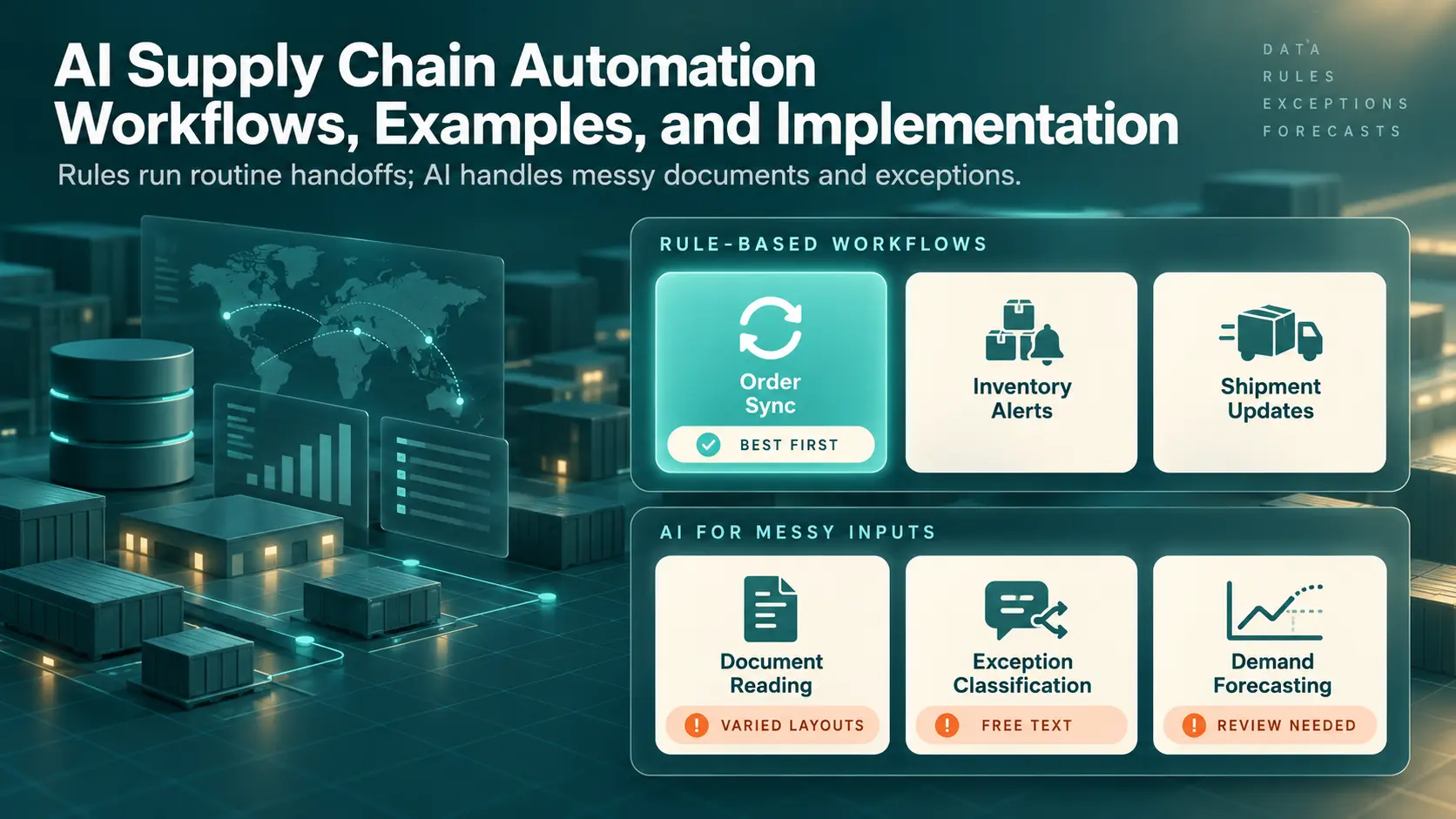
AI supply chain automation works best with the same split. Rules move orders and stock updates between systems, while AI handles forecasts and messy documents. Both run on the same records, so bad data spreads through either one just as fast.
Supply chain automation covers information flows, such as orders and invoices. The term also covers operational tasks like approvals and physical processes like warehouse picking. This article focuses on the digital workflows and where AI fits inside them, leaving physical automation aside.
What Is Supply Chain Automation?
Supply chain automation is the use of software and machines to run supply chain work with fewer manual steps. The term covers information flows, such as orders and invoices, and operational tasks like approvals. Physical processes like warehouse picking count too. Automation differs from digitization, which only stores information electronically.
AI supply chain automation adds one more layer on top of these digital workflows. AI models handle inputs too messy for fixed rules.
Supply chain automation is one branch of intelligent automation, which pairs rule-based workflows with AI for judgment calls.
How Supply Chain Automation Works
Every automated supply chain workflow follows the same basic loop, from a trigger to a result. A rule sits in the middle and decides what happens next. Cases the rule can’t decide go to a person. The table below lists the loop’s five parts, and each can fail alone.
|
Part |
What Happens |
Supply Chain Example |
|---|---|---|
|
Events |
A change in one system starts the workflow |
A customer order is confirmed in Shopify |
|
Data Exchange |
Records move between systems through APIs, EDI, or files |
The order reaches the ERP and warehouse system |
|
Business Rules |
Fixed logic decides the next step |
Low stock triggers a reorder |
|
Actions |
A system creates or updates a record |
The ERP issues a purchase order |
|
Exception Management |
Cases outside the rules go to a queue with an owner |
A supplier rejects the requested delivery date |
Data exchange needs planning before anything else. Each system names products, locations, and units in its own way, so the workflow needs a mapping layer. Solve the mapping problem through data integration work before writing any rules.
Exception management needs the same planning as data exchange. A workflow without an exception queue either stops silently or pushes bad records forward. The exception queue is also the natural entry point for AI, because carrier notes and supplier emails arrive as free text.
Supply Chain Processes You Can Automate
The best candidates for automation are handoffs, the points where one team or system passes work to another. Handoffs repeat often and follow clear rules, but they break whenever someone forgets a step. The table below lists six supply chain automation examples. Most rows use fixed rules, while AI reads incoming documents.
|
Process |
Trigger |
Automated Action |
|---|---|---|
|
Order Synchronization |
New or changed order in a sales channel |
Create or update the order in the ERP and warehouse system |
|
Inventory Alerts |
Stock falls below a reorder point |
Alert the buyer or draft a purchase order |
|
Procurement Routing |
Purchase request submitted |
Route to the right approver by amount and category |
|
Shipment Updates |
Carrier scan or advance ship notice arrives |
Update order status and expected delivery date |
|
Document Handling |
Invoice, bill of lading, or packing list arrives |
AI extracts fields, and a rule matches the purchase order |
|
Supplier Notifications |
Purchase order issued, changed, or overdue |
Request confirmation and chase late replies |
Order synchronization makes a good first project, since plain rules map the fields directly. Smaller teams can start with no-code tools such as Zapier or Make.
Shipment updates run on rules because carriers and suppliers send structured messages. EDI suppliers send the advance ship notice as an X12 856 message before goods arrive. The workflow reads the notice and updates the expected receipt in the warehouse system.
Document handling ends with a payment check called three-way matching. The check compares the purchase order, goods receipt, and supplier invoice. Document AI reads each invoice, and a rule then runs the match. People review only the mismatches. The guide to financial automation follows one invoice through the match and into the ledger.
Supply Chain Automation Example: An Order Fulfillment Workflow
One order shows how order sync, shipment updates, and notifications connect. In the example below, a grocery chain orders 120 cases of bottled water from a B2B distributor. Five of the workflow’s six steps run on plain rules. AI handles only step six, which classifies a free-text exception.
- The order is confirmed. The grocery chain’s purchase order arrives through EDI. The workflow checks the customer account, prices, and delivery address, then creates a sales order in the ERP.
- Availability is checked across two warehouses. Dallas holds 90 cases, while Houston holds 200. A rule assigns the full order to Houston to avoid a split shipment.
- A pick request goes out. The ERP sends the request to the Houston warehouse management system.
- A shipment update arrives. The carrier’s pickup scan returns a tracking number. The workflow adds the tracking number to the sales order and sends the customer an advance ship notice.
- The customer is notified. The grocery chain’s buyer gets an email with the tracking link and expected delivery date.
- An exception is handled. The carrier later sends a free-text note: “consignee dock closed, reattempt Thursday.” An AI model classifies the note as a delivery reattempt and drafts a customer message. A category rule routes the case to customer service. A person approves the message before the customer sees anything.

Step six needs AI because carrier messages arrive in dozens of formats and wordings. A keyword rule would miss too many of them.

Real Supply Chain Automation Examples From Data Prism Projects
Two Data Prism projects show supply chain automation running for real clients. Data Prism, which publishes this article, built both workflows. Neither project uses AI, so both run on plain rules.
Kaemark: Syncing Ecommerce Orders With Manufacturing
Kaemark, a US maker of professional furniture and equipment, kept orders and manufacturing tasks in separate systems. Staff re-entered the same details, and records drifted apart. Data Prism linked four systems with webhooks, scripts, and scheduled syncs. The Kaemark case study reports 50% to 80% less manual data entry and 50% lower operational costs.
Order status changes in WooCommerce now reach ClickUp through PHP webhooks. Google Apps Script creates ClickUp tasks from Google Sheets, and a Node.js job copies operational data into SQL Server for reporting.

Lovey Prints: Order Intake With a Manual Exception Path
Lovey Prints sells custom portraits through a Shopify store. Staff once matched customer photos and finished artwork to orders by hand, so fulfillment took several days. A Python job now checks Shopify every five minutes and names each file by order ID. The Lovey Prints case study reports up to 92% less manual effort.
The workflow sends unmatched files to a Manual Sending folder for human review. Meanwhile, the rest of the batch keeps moving. An AI model could classify the unmatched files later, once enough reviewed cases exist.

Where AI Fits in Supply Chain Automation
AI in supply chain automation is worth using where inputs are unstructured or too complex for fixed rules. Supplier documents, free-text messages, and demand signals fit this description. Order sync, stock thresholds, and approval routing follow fixed logic, so they stay rule-based. The table below shows which approach fits each common task.
|
Task |
Best Approach |
Reason |
|---|---|---|
|
Order Synchronization |
Rules |
Fields map directly between systems |
|
Stock Thresholds |
Rules |
Planners set reorder points as fixed numbers |
|
Approval Routing |
Rules |
Amount and category decide the approver |
|
Document Interpretation |
AI |
Layouts vary by supplier |
|
Exception Classification |
AI |
Messages arrive as free text |
|
Demand Forecasting |
AI with planner review |
Sales history, prices, promotions, and calendar events interact |
Rules and AI share the same supply chain workflow, and rules carry most of the volume.
Document Interpretation
Document interpretation means reading supplier invoices, packing lists, and bills of lading in any layout. Template extraction breaks when a supplier changes a form. A document AI model still finds the invoice number and totals by meaning. Then data extraction software matches the totals against the purchase order and sends mismatches to a person.
Cloud providers sell prebuilt invoice models, including Google Document AI, Azure AI Document Intelligence, and Amazon Textract. Each service returns a confidence score per field, so low-confidence fields can go to a person for review.

Exception Classification
Exception classification sorts carrier messages, supplier emails, and customer complaints into categories such as a short shipment or a delivery reattempt. The workflow then sends each case to the queue and owner for the category. The model can also draft a reply for the owner. People still approve anything involving money or a customer promise.
Forecasting Support
Machine learning models forecast demand by combining sales history with prices, promotions, and calendar events. Accuracy is higher for total sales than for single products. Planners should review the forecast before any order goes out.
AI Agents in Supply Chain Workflows
AI agents are models allowed to take actions inside a workflow, such as emailing a supplier. Production agents run inside narrow permissions and fixed rules. For example, an agent can draft a chase email for an overdue purchase order but can’t change a price. Teams building AI agents for operations should start with read-only access.
Data Requirements and Limitations
AI models need clean, labeled history before going live. An exception classifier needs past cases tagged with the correct category and outcome. A forecasting model needs enough sales history to cover several seasonal cycles. Accuracy checks should run on a regular schedule, because shifts in supplier, carrier, and customer behavior make models drift.
Systems and Data You Need for an Automated Supply Chain
An automated supply chain runs on five system types, which store most supply chain data. Each system needs a reliable connection, because gaps between systems are where orders get lost. The table below shows what each system stores.
|
System |
What the System Stores |
|---|---|
|
ERP |
Orders, items, purchase orders, and invoices |
|
Warehouse Management System |
Stock by location, picks, and receipts |
|
Transportation Management System |
Carrier bookings, rates, and tracking |
|
Ecommerce Platform |
Customer orders and returns |
|
Supplier Systems |
Order confirmations, ship notices, and invoices |
Modern ERPs and ecommerce platforms expose APIs, which make two-way sync practical. A reliable API integration handles field mapping, rate limits, and retries after partial failures.
Some older supplier portals and carrier sites have no API at all. In these cases, software bots can copy data through the screen. Robotic process automation works, but bots break whenever a screen changes. So, every bot needs regular monitoring.
Every system also needs shared master data. Master data means the same item number and unit of measure in every system. Rules and AI models both repeat whatever errors the master data holds.
AI models read the same records as the rules, plus labeled history. Models then write results into the ERP or exception queue. Plan AI integration as a separate workstream with its own testing.
How to Implement AI Supply Chain Automation
Implementing AI supply chain automation starts with mapping how work moves today. A six-step sequence keeps the first pilot rule-based and measurable. AI comes later, on top of a working pilot.
- Map the handoffs. List every point where an order, request, or document passes between teams or systems. Note who touches each handoff and record the wait time.
- Identify data gaps. Check each handoff for the data the next system needs. Missing units of measure and duplicate item numbers are common gaps. For a later AI step, check whether past exceptions carry tags for the correct category and outcome.
- Select a pilot. Pick one handoff with high volume and clear rules. Order sync or invoice matching usually qualifies, while demand forecasting rarely does.
- Define exceptions. Write down what counts as an exception, and assign an owner to each exception type. Document the manual fallback for when the workflow stops.
- Integrate. Build the connections and test them on real historical records. For the first few weeks, run the workflow beside the manual process.
- Monitor. Track failures, exception volume, and processing time from launch day. Review each metric weekly.
Teams without in-house integration staff can bring in a process automation partner for steps four and five.
Step six, monitoring, needs the same care as the build. Workflow logs, error queues, and record counts should land in one place. Ideally, the data pipelines behind operations reporting carry them too.
Once the pilot works, an AI strategy review uses step six’s exception volume to pick the exception types or documents worth a model. Each candidate also needs labeled history, which step two checks for.
Handling Delays and Exceptions
Exceptions decide whether people trust an automated supply chain. The four exception types below each need a named owner and a defined response. Rules can catch the structured ones, such as a missed carrier scan. The AI classifier sorts free-text ones, such as carrier notes, into categories, and each category maps to a queue.
First, missing inventory happens when system records show stock the warehouse can’t find. The workflow holds the order right away. A rule then triggers a cycle count for the location and offers the next available warehouse.
Second, inconsistent records appear when two systems disagree. Document AI reads the invoice price. A tolerance rule approves small gaps against the ERP price and sends larger ones to a buyer.
Third, late shipments show up as missed carrier scans or overdue ship notices. A rule compares the expected date with the latest tracking event and flags orders at risk. Customer service should warn customers about a delay before the delivery date. A rule can send each delay warning automatically, as the customer experience guide shows.
Finally, integration failures are the quietest exception type. An expired API token or a changed file layout can silently stop the order flow. Every connection needs a retry rule and an alert when records stop arriving.
Measuring Supply Chain Automation Results
Automation results only mean something against a pre-launch baseline. Five metrics cover the core of a supply chain automation project. The table below shows what each metric measures.
|
Metric |
What the Metric Shows |
Why the Metric Matters |
|---|---|---|
|
Order Cycle Time |
Time from order confirmation to shipment |
Shows whether handoffs got faster |
|
Inventory Accuracy |
System stock compared with physical counts |
Bad stock data breaks every downstream rule |
|
Manual Touches per Order |
Steps a person performs on a routine order |
Measures how much work automation covers |
|
Exception Resolution Time |
Time from exception creation to closure |
Shows whether AI classification and queue owners work |
|
On-Time Delivery |
Orders delivered by the promised date |
The outcome customers notice |
System timestamps are a better source for the metrics than surveys or estimates. A basic analytics layer can turn the timestamps into weekly trend lines.
Watch manual touches and exception volume together, since pushing work into the exception queue can fake a gain.
Common Supply Chain Automation Mistakes
Many supply chain automation mistakes happen before launch. Trouble starts when a workflow rests on wrong assumptions about data, suppliers, fallback plans, or AI timing. Four mistakes are worth checking for.
The first mistake is automating on inaccurate item data. Target Canada struggled to move products from distribution centers to store shelves while item records were full of errors. Ongoing data management costs less than cleaning up after automated orders go wrong.
The second is assuming every supplier sends data the same way. A large supplier may send clean EDI messages, while a small one emails a PDF. A workflow built to read the large supplier’s EDI format can’t pull fields from the PDF, and the order sits unprocessed until someone enters it by hand. So, map each supplier’s actual channel before building. The PDF suppliers are where document AI helps.
The third is launching without a fallback procedure. When a connection fails during peak season, staff need a written manual process and access to run the process.
The fourth is adding AI too early. Each model needs the same clean records as the rules, so a shaky pilot feeds the model bad inputs. Even with clean data, people should approve model output involving money or customer promises.
Final Verdict: Is AI Supply Chain Automation Worth the Investment?
AI supply chain automation is worth the investment for companies with high order volume and frequent manual handoffs. Rule-based workflows deliver most of the value, as both projects above show. Add AI once the rule-based workflow is running and some inputs still need a person’s judgment to handle. Companies with one system and few daily orders need only basic integrations.
The deciding factor is data quality, because rules and models both multiply whatever the records already say.
Every workflow above needs records clean enough to trust and systems able to exchange data. So, the first step is mapping current handoffs and sizing the exception rate before any build. An AI automation project follows the same order and adds models only where a rule can’t do the job.
Book a Free 30-Minute Meeting
Discover how our services can support your goals — no strings attached. Schedule your free 30-minute consultation today and let's explore the possibilities.
Book a Free Call

