

Introduction
The Claude Features List
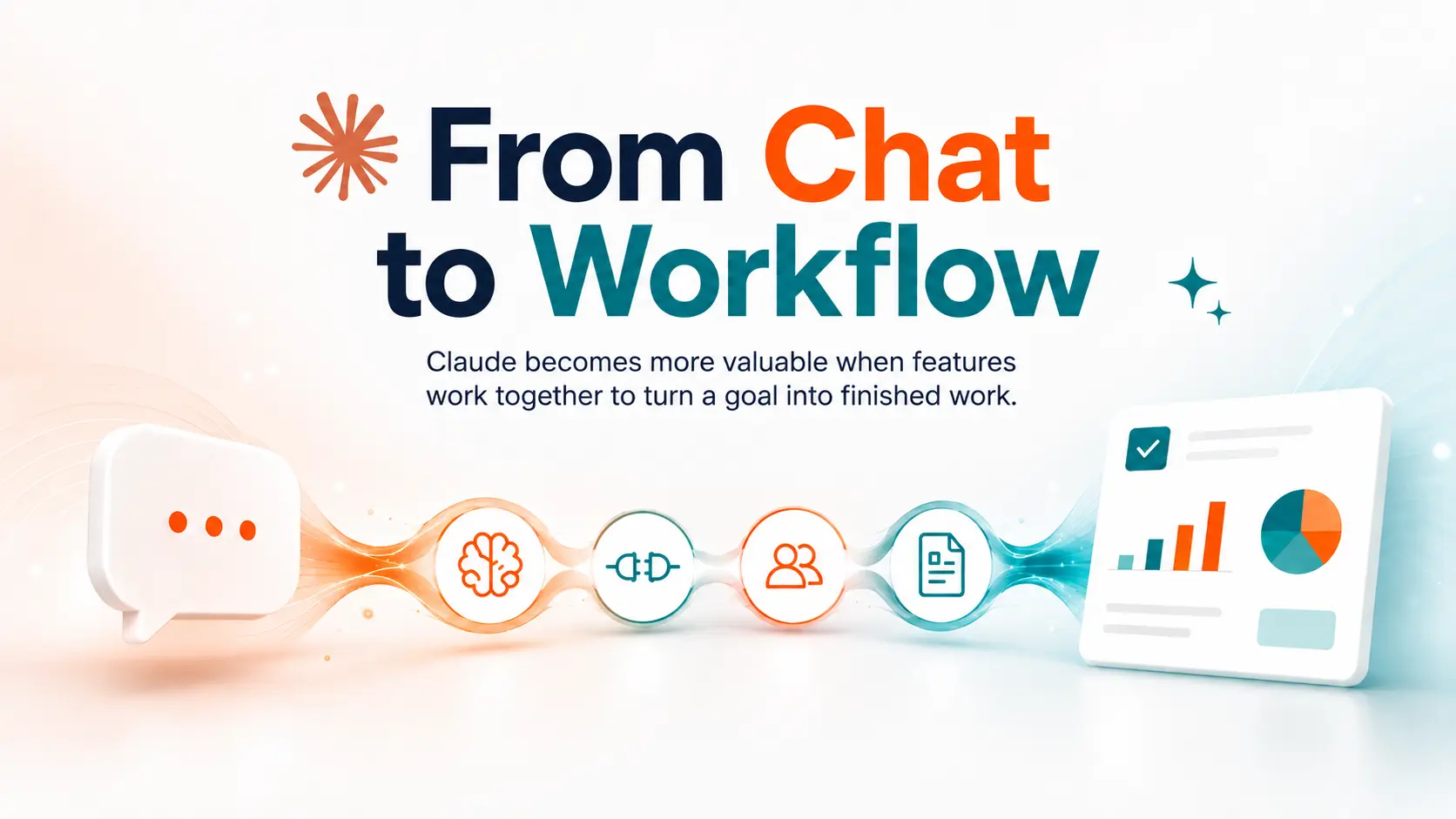
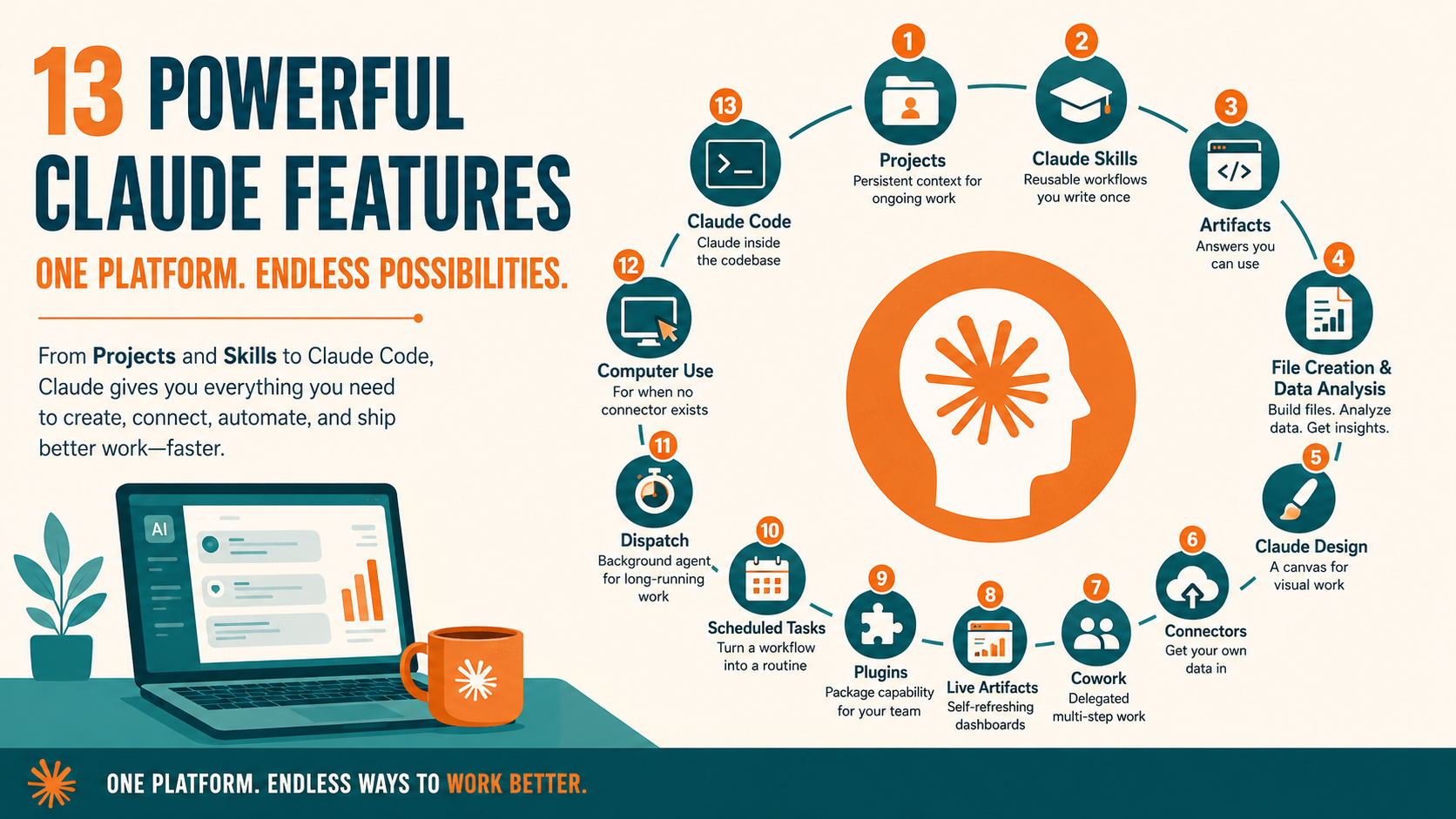
The list runs to 13 features, ordered roughly from the ones most people meet first. Projects and Skills open it, because much of what follows depends on one or the other. Computer use and Claude Code sit near the end, where the audience narrows. Read it as a menu rather than a sequence.
1. Projects: Persistent Context for Ongoing Work
A project is a workspace for related chats. It also carries a knowledge base Claude reads before every conversation inside it. You upload reference files once, then write instructions to set the role, tone, and rules.
The knowledge base has a ceiling. Anthropic's documentation puts it at the context limit. A paid project switches to retrieval-augmented generation once the base gets close. Paid plans open up sharing too, so Team and Enterprise members can hand a project to colleagues. Reach for a project when the same background matters across weeks of work.
2. Claude Skills: Reusable Workflows You Write Once
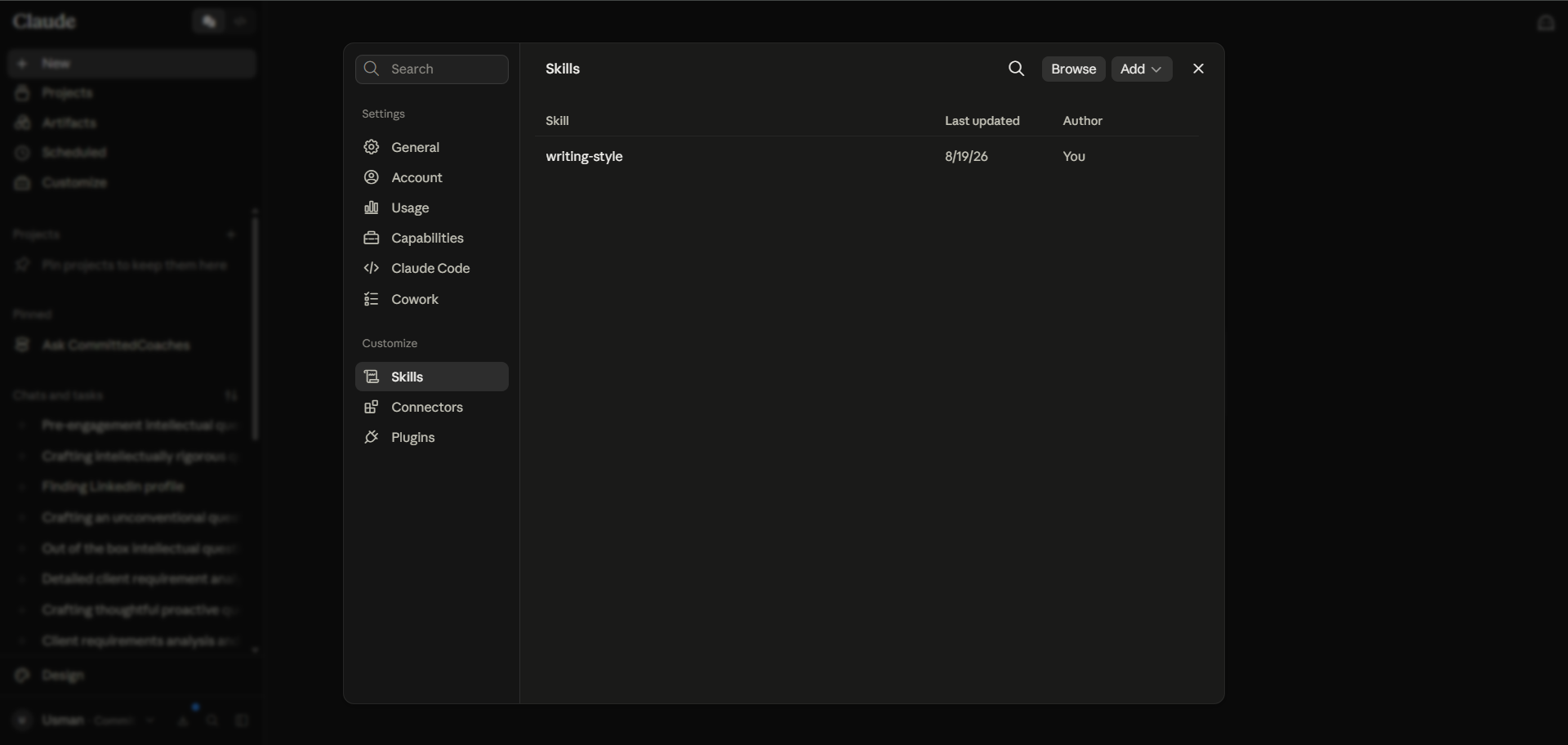
Anthropic defines a skill as a folder of instructions, scripts, and resources. Claude loads the folder when a task matches the description inside it. At startup, Claude reads only names and descriptions, then opens the full file once the task fits.
Skills differ from a good prompt in one respect. They persist. For example, a marketing team can encode its weekly reporting process once, and then run it every Monday without rewriting the brief. The Skills documentation lists availability on Pro, Max, Team, and Enterprise plans. Skills also need the code execution to be switched on.
3. Claude Artifacts: Answers You Can Use
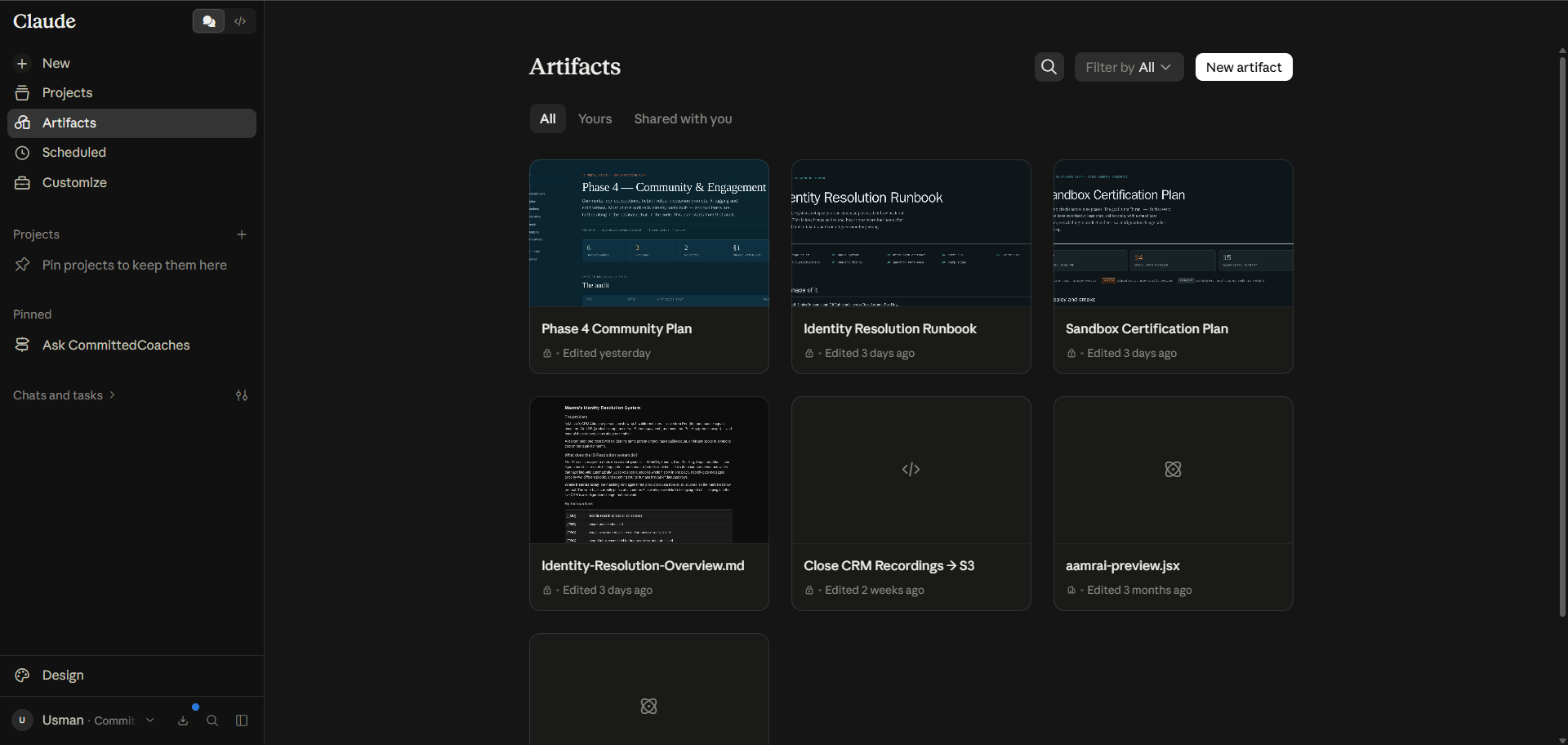
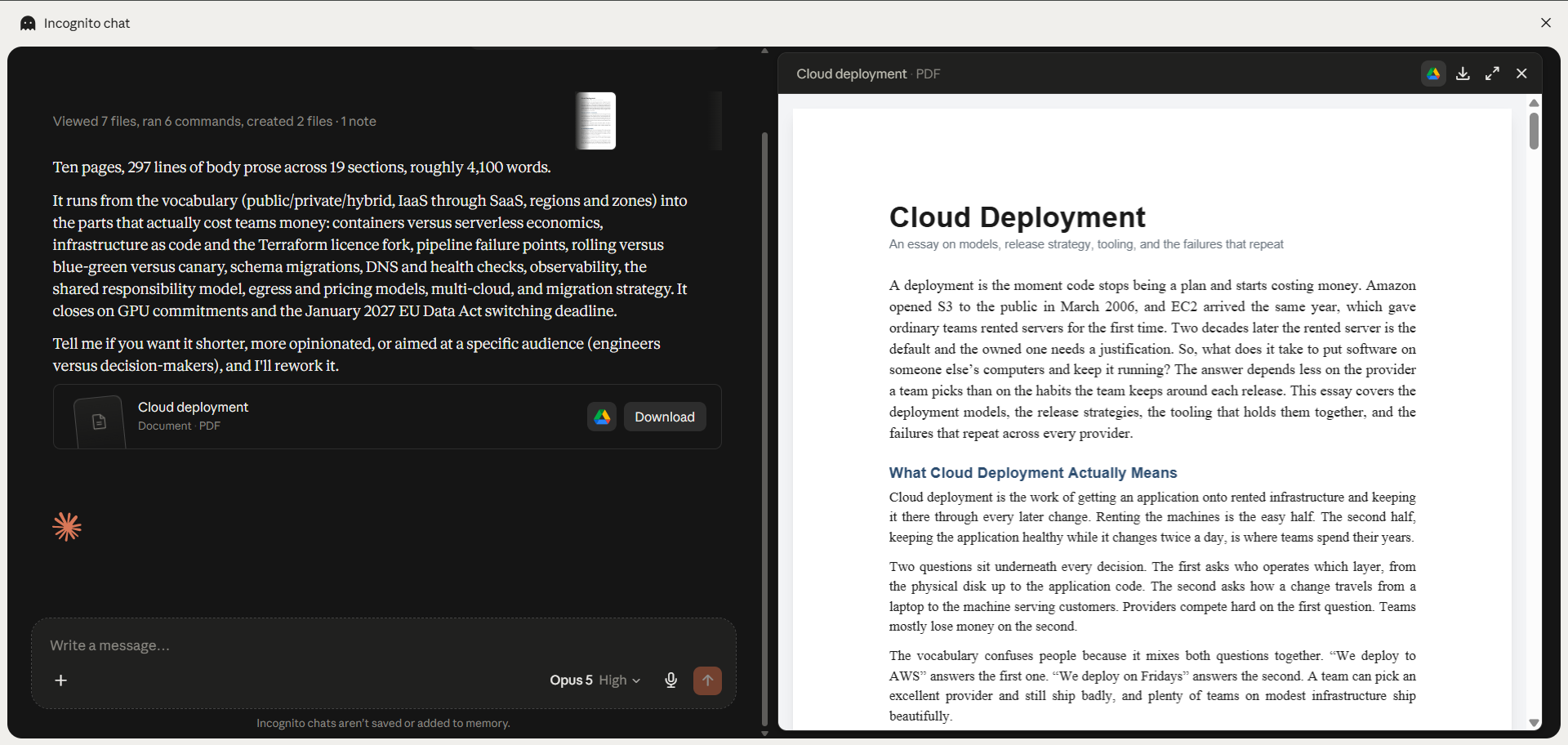
An artifact is a self-contained output Claude renders in its own window beside the chat. Anthropic sets the threshold at about 15 lines of content you would want to edit or reuse later. Documents, code, diagrams, SVGs, and React components all qualify for being an artifact.
Artifacts work on every plan, including Free, provided the code execution and file creation setting is switched on. Published artifacts can call Claude itself, so a shared tool draws on each viewer’s subscription rather than yours. On paid plans, they also reach connectors and keep data between sessions, according to Anthropic's own support documentation.
4. File Creation and Data Analysis
Claude builds Excel, PowerPoint, Word, and PDF files from a plain description. Each file is capped at 30 MB. Data analysis works the same way. So you upload a CSV, and Claude writes Python to clean it and chart the result. The code execution and file creation setting is available on all plans.
NOTE: File work draws harder on your usage allowance than ordinary chat.
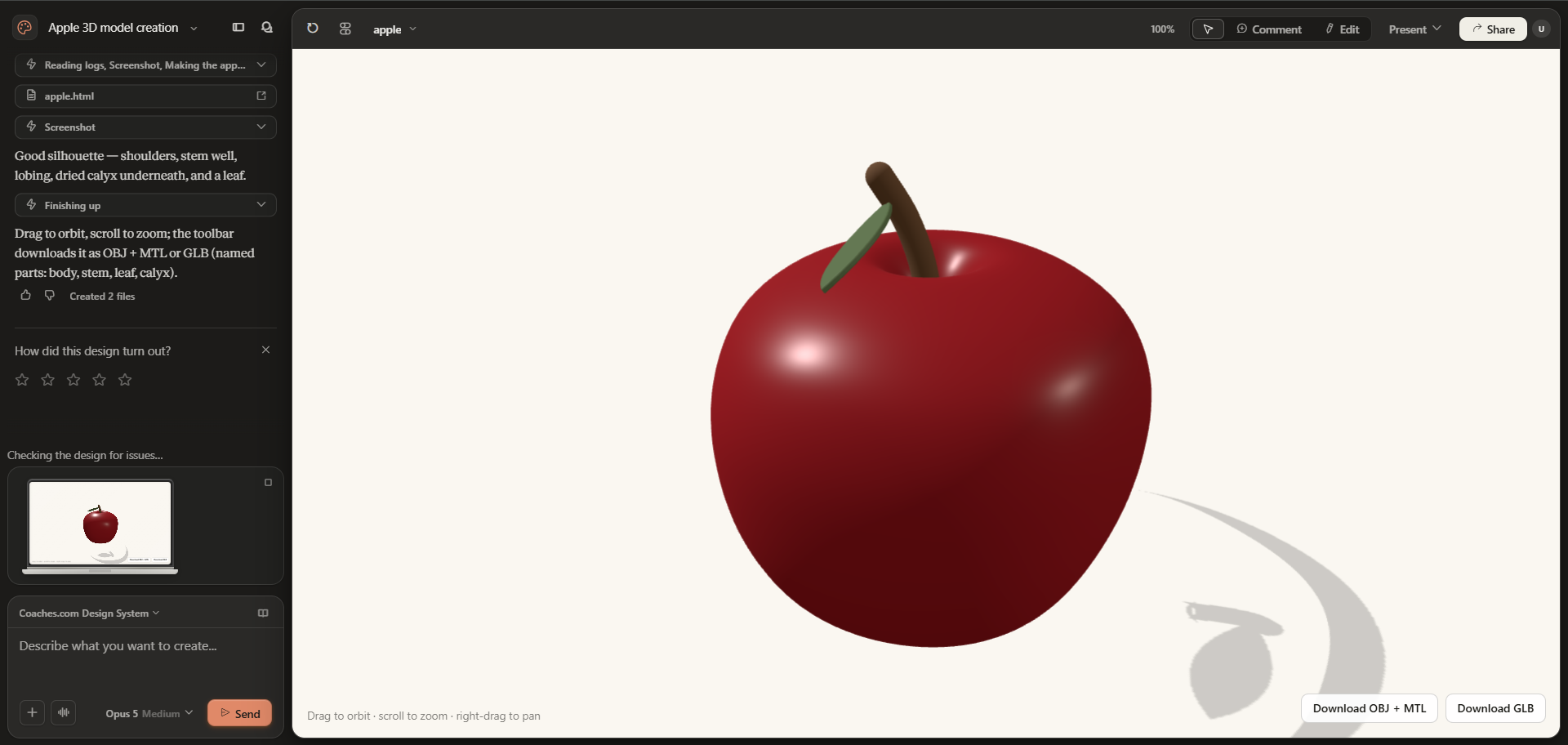
5. Claude Design: A Canvas for Visual Work
Claude Design is an Anthropic Labs product for making prototypes, slides, and one-pagers by talking to Claude. It was launched on April 17, 2026, as a research preview, and now runs in beta on Pro, Max, Team, and Enterprise plans. For Enterprise organizations, it stays off until an admin enables it.
Once it’s on, Claude builds a first version on the canvas. You refine it through conversation, inline comments, or direct edits. You can also import a codebase or brand assets, and Claude extracts a design system. It then checks its own output against the system to ensure design consistency. Exports cover PPTX, PDF, and HTML bundles, and you can also hand the work off to Claude Code.
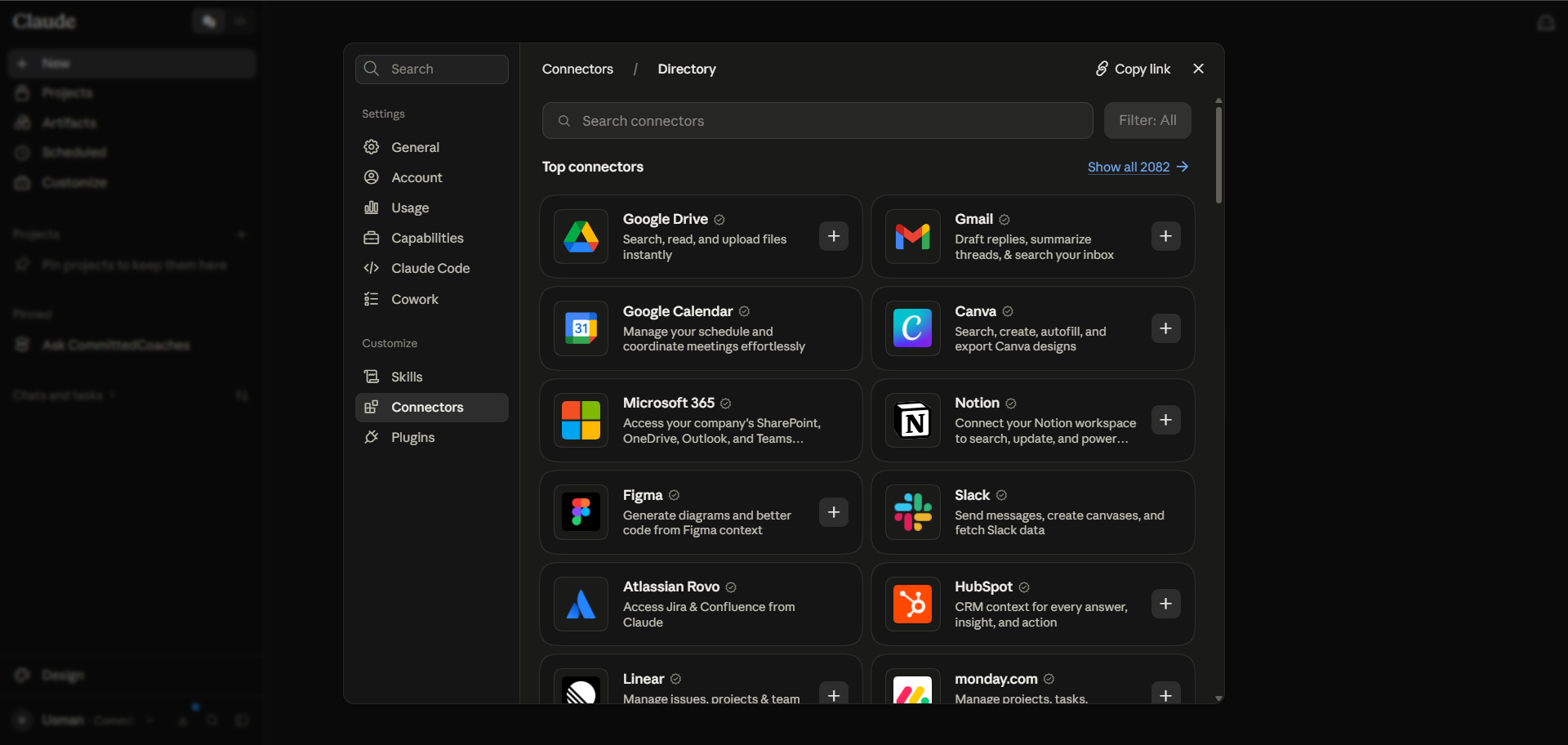
6. Claude Connectors: Getting Your Own Data In
Connectors link Claude to outside tools through the Model Context Protocol, the open standard Anthropic published for the job. First-party integrations cover Google Drive, Gmail, Google Calendar, GitHub, Slack, and Microsoft 365. The Connectors Directory adds verified and community servers. For anything internal, you can build your own remote MCP server. Connect one instead of pasting the same exports into a chat window every time. That's what API integration is for.
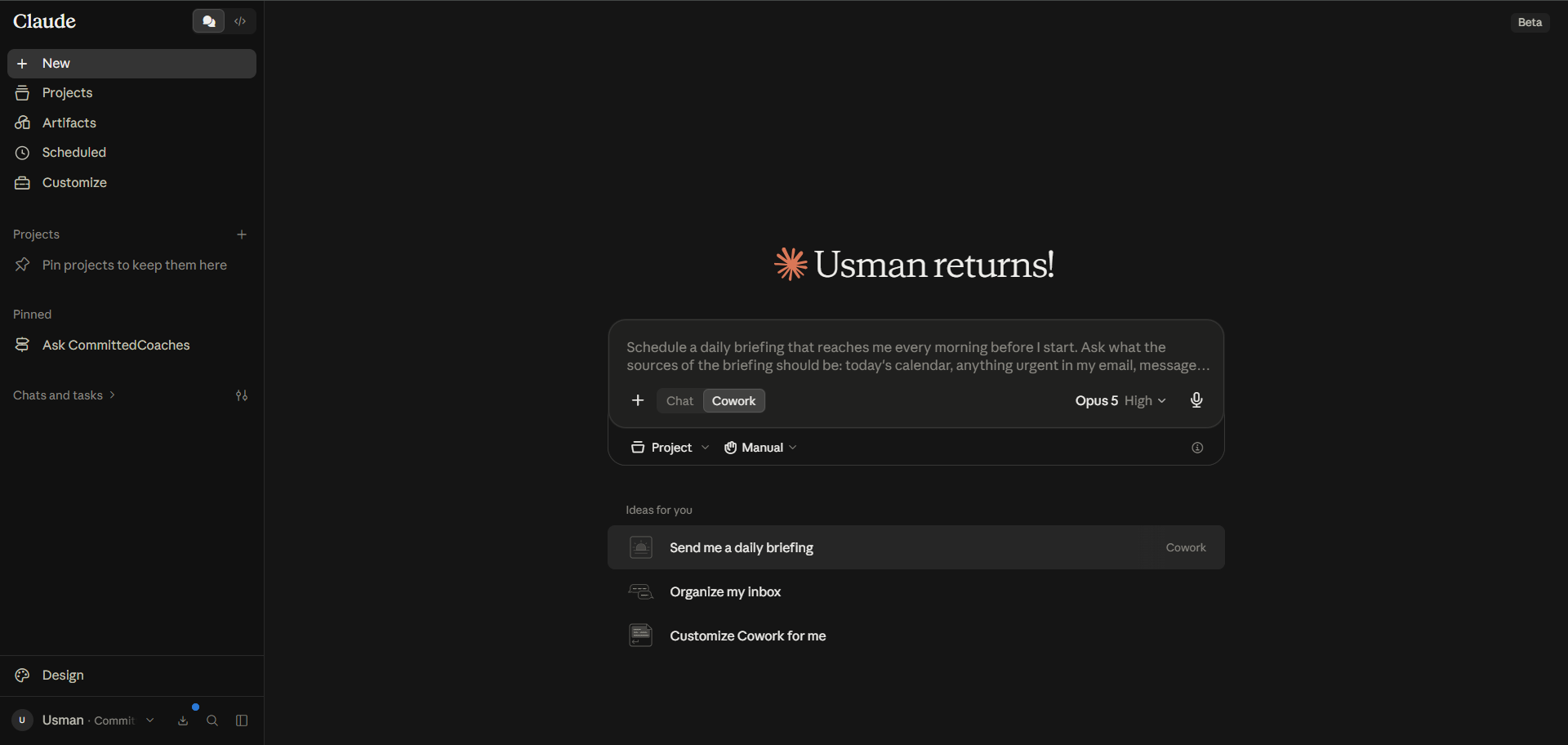
7. Claude Cowork: Delegated Multi-Step Work
Cowork is Anthropic’s agentic workspace. It runs on the same architecture as Claude Code, without the terminal. You describe an outcome instead of a step. Claude then plans the work and runs the code in an isolated environment before returning finished files.
Cowork runs on desktop for all paid plans, and in beta on web and mobile. Sessions now execute in the cloud, so work continues after you shut the laptop. However, local file access and computer use still need the Claude Desktop app open on your own machine.
The difference from chat is scope. Chat answers a question, while Cowork reads the folder of contracts and builds the summary spreadsheet.
8. Live Artifacts: Self-Refreshing Dashboards
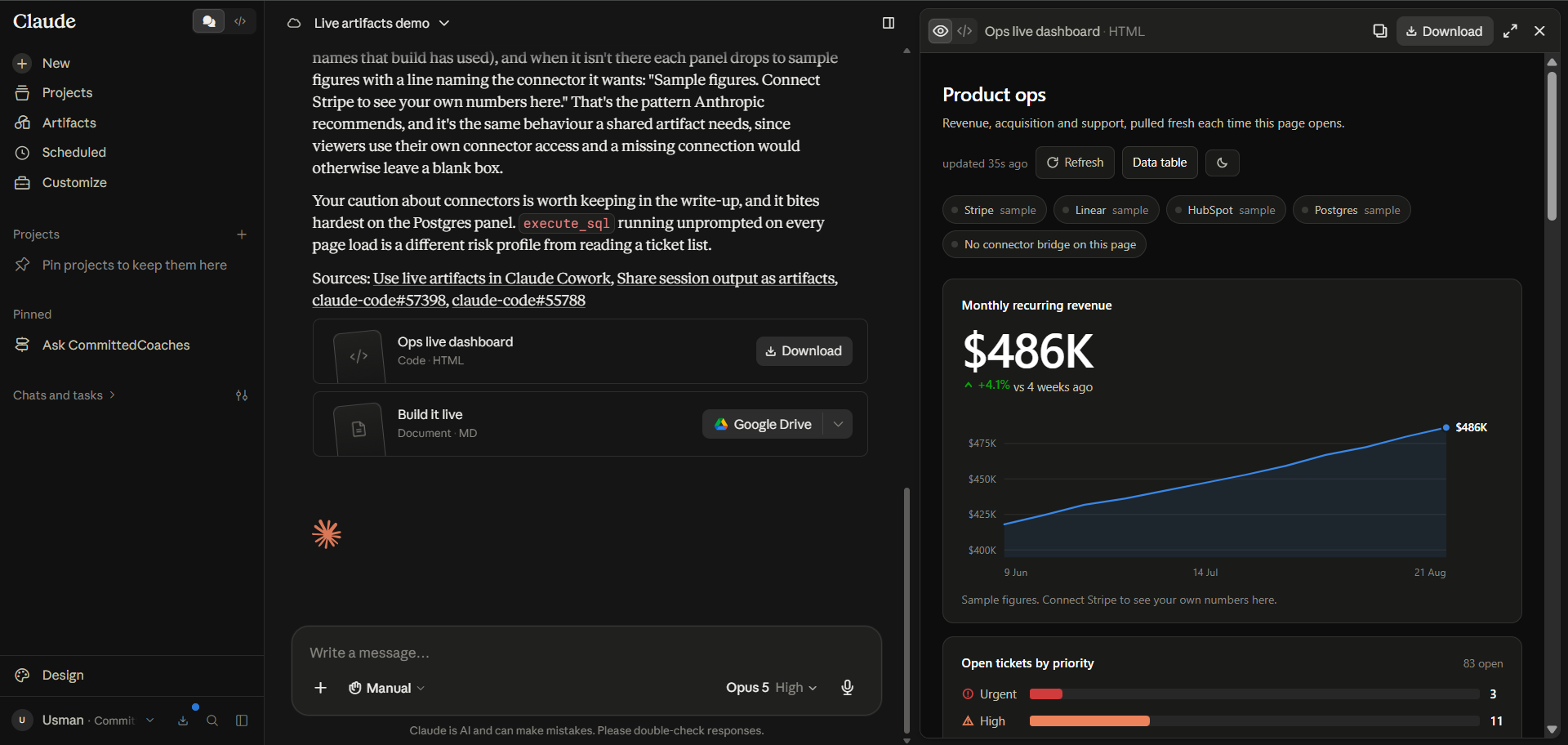
A live artifact is a persistent HTML page Claude builds inside Cowork and saves to the Artifacts view. It differs from a chat artifact because the data is live. The page pulls current numbers from connected apps every time you open it.
Live artifacts are desktop only, and they work across all paid plans. Sharing is narrower, since it needs Team or Enterprise. One caution comes straight from Anthropic; a live artifact uses approved connectors without asking again.
9. Claude Plugins: Packaging Capability for a Team
A plugin bundles skills, connectors, slash commands, and sub-agents into one shareable package. Anthropic has open-sourced 11 plugins it uses internally. The set covers roles from sales and finance through legal and product management. Plugin support is in beta in Cowork, and complete in Claude Code.
A plugin also changes who owns a process. It stops the process living in one person’s head. For example, a sales plugin carries the CRM connector and the qualification checklist. It also carries a research command everyone runs the same way.
10. Scheduled Tasks: Turning a Workflow Into a Routine
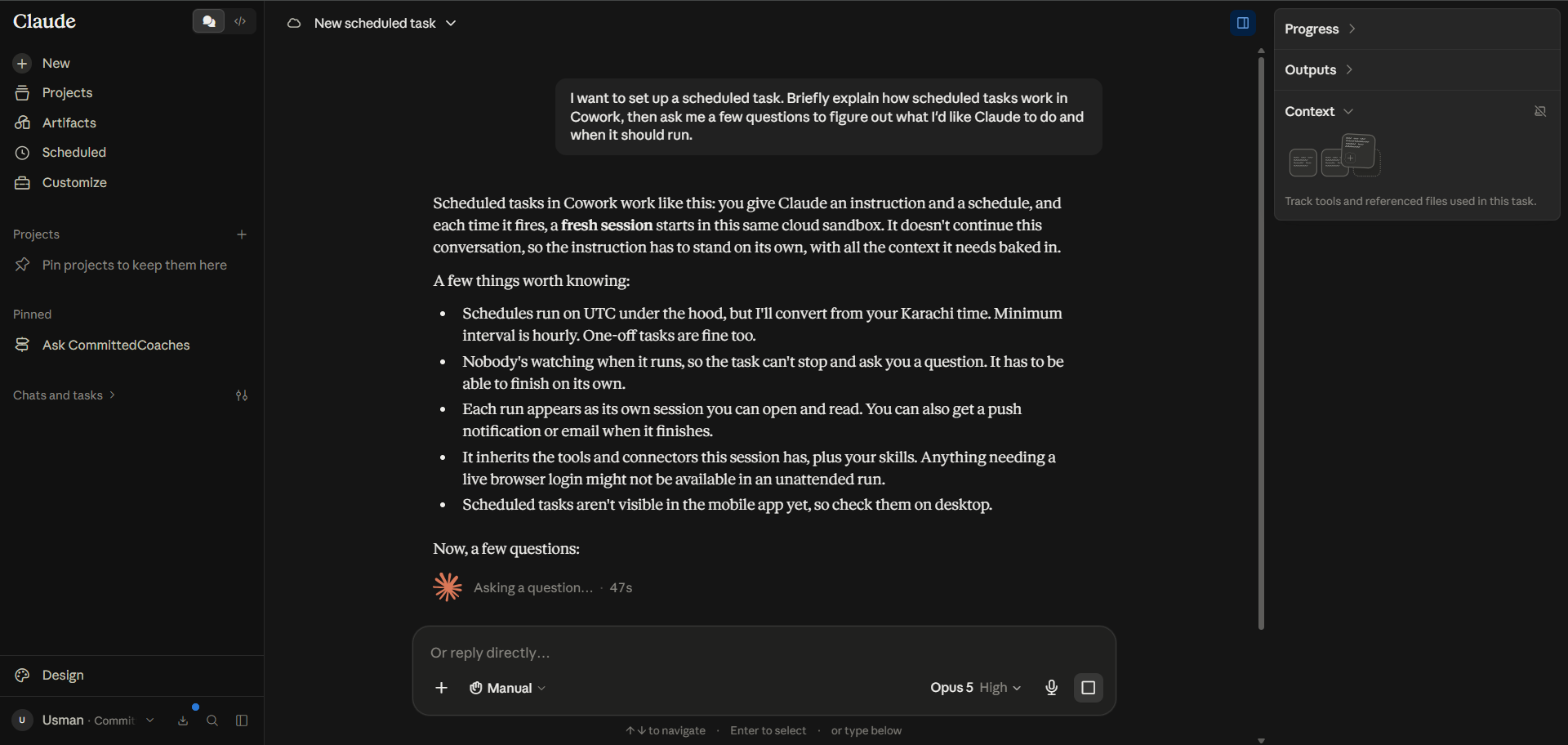
Scheduled tasks run a saved Cowork prompt on a cadence you pick. The options are hourly, daily, weekly, weekdays, or on demand. They are available on every paid plan. Each run opens its own session, and it picks up the connectors and skills you already have. Since the move to cloud execution, they no longer need your computer awake.
Scheduled tasks pay off most in combination. A skill, connectors, and a schedule work best as one chain. The chain is where Claude automation starts to resemble real business process automation.
11. Dispatch and Long-Running Work
Dispatch is a background agent inside Cowork. It takes a high-level brief and breaks it into child tasks. Each task runs as its own Cowork or Code session and reports back in the sidebar.
Dispatch needs a Pro or Max plan and a current desktop app. With Claude Desktop running, you can start a task from your phone and collect the result later. Claude denies an approval request automatically after 10 minutes without an answer. Anyone who builds their own AI agents will recognize the default.
12. Claude Computer Use: For When No Connector Exists
Computer use lets Claude control your screen directly. Claude clicks and types the way you would, and it opens applications. Anthropic states the order of preference plainly. Claude reaches for a connector first, and the screen is the fallback when none exists.
Claude computer use is a research preview for Pro and Max plans, on macOS and Windows. Claude asks permission before opening each application. Anthropic also advises against pointing computer use at healthcare or financial records.
13. Claude Code: Claude Inside the Codebase
Claude Code is Anthropic’s agentic coding tool. It maps a repository and explains how the pieces fit together. It edits across several files in one pass, and it opens pull requests through GitHub or GitLab.
Claude Code runs in the terminal, in VS Code and JetBrains, on the web, on mobile, and in Slack. It is included in Pro and Max plans. None of this means unattended shipping. Claude Code earns its place when a developer reviews the diff.
How Claude Features Work Together?
Claude Features by User Type
What Makes Claude’s Feature Set Different?
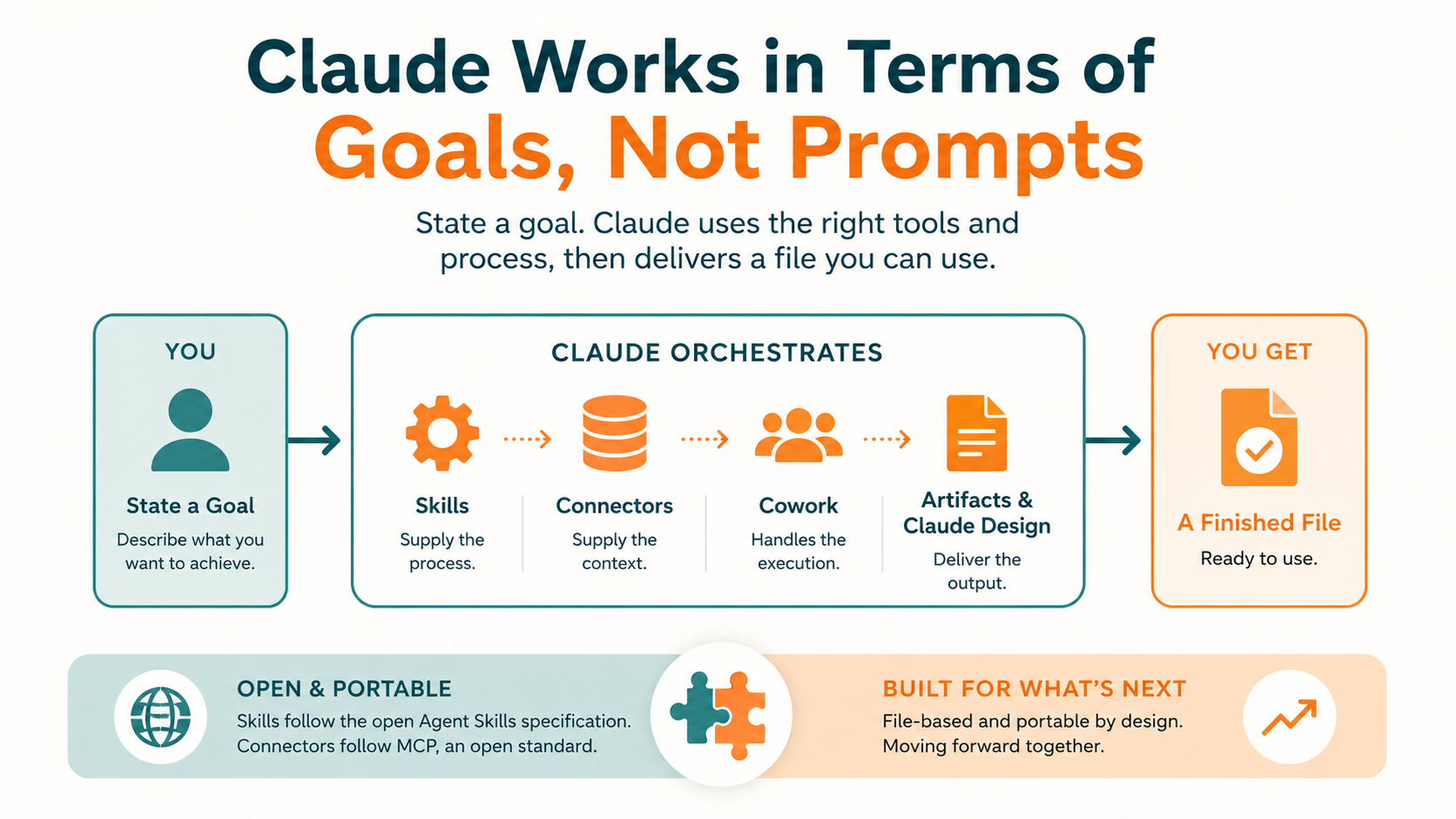
Claude’s feature set differs in one move, from prompt and answer to goal and deliverable. In the older shape, you wrote a prompt and read a response. You did the work yourself. Now you state a goal, and Claude picks the tools and hands back a file at the end.
Each layer has an owner. Skills supply the process, and connectors supply the context. Cowork supplies the execution. Artifacts and Claude Design supply the output.
Competing systems are moving in the same direction, so this is no claim about superiority. The pieces are file-based and portable. Skills follow the open Agent Skills specification, and connectors follow MCP, an open standard.
Which Claude Features Are Worth Learning First?
Limitations and Things to Know
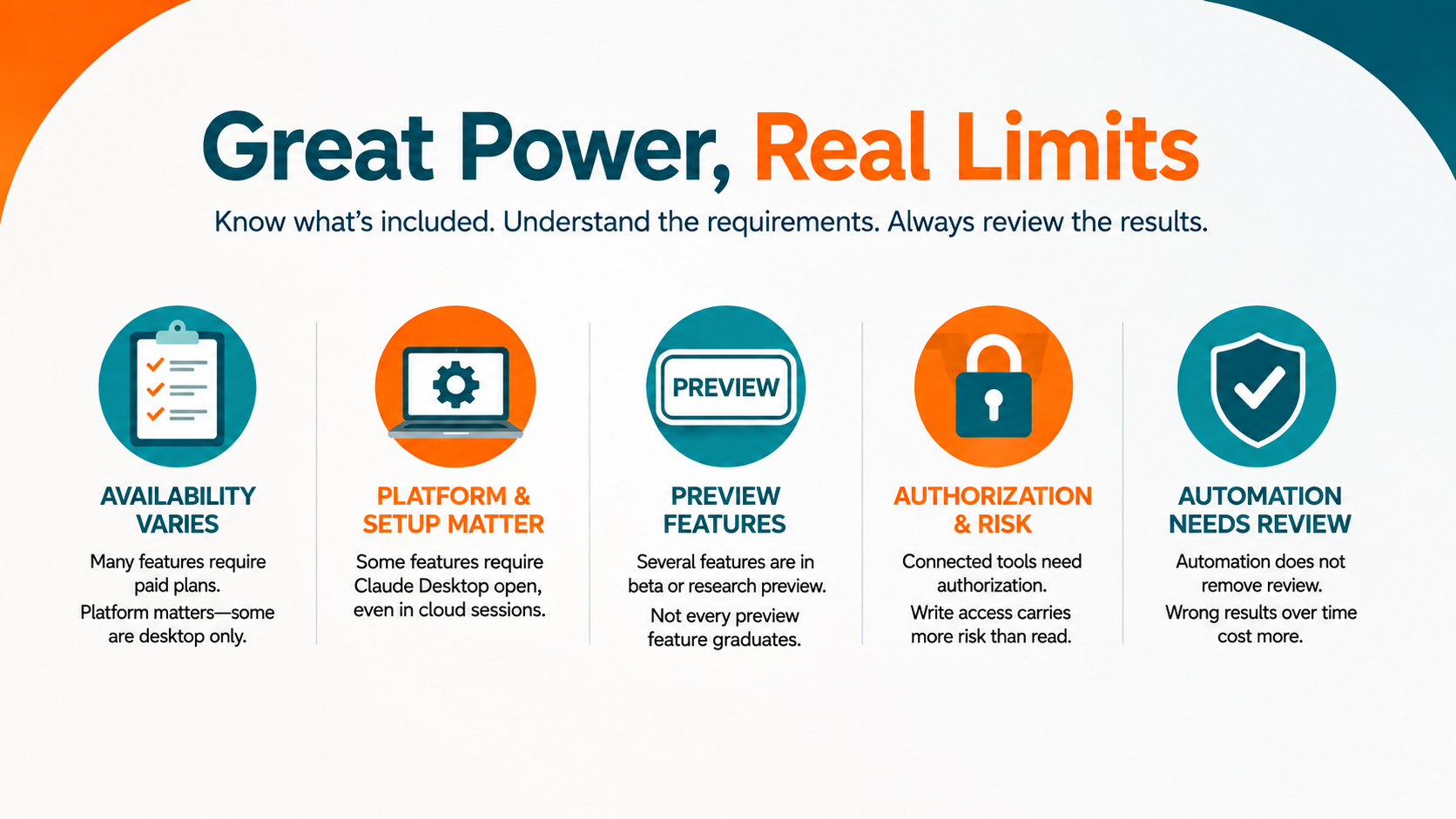
Plan availability varies more than the marketing suggests. Skills need a paid plan, and so does Cowork. Computer use and Dispatch need Pro or Max, and plan tier also decides which model answers by default. This trade-off is what our Opus 5 breakdown covers in full.
You also need to remember that platform matters as well. For example, live artifacts are desktop only. Similarly, Local file access and computer use need Claude Desktop open, even when the session runs in the cloud.
Several features carry a preview label, and computer use is one of them. Anthropic says complex tasks sometimes need a second attempt. Claude Design is in beta, as is Cowork on web and mobile. Not every preview feature graduates, according to Anthropic.
IMPORTANT: Connected tools need authorization, and write access carries more risk than read access. Automation does not remove review. A scheduled task can produce the wrong number for six weeks, which costs more than the manual version did.
Conclusion
Book a Free 30-Minute Meeting
Discover how our services can support your goals — no strings attached. Schedule your free 30-minute consultation today and let's explore the possibilities.
Book a Free Call