

Introduction
What is a Claude Artifact?
A Claude artifact is a finished piece of work, such as a document, dashboard, deck, design, or small interactive tool, built in a panel beside the conversation. Artifacts render as the real output, so a web page loads and a chart draws. You can edit the result, keep versions, and share a link.
The six classic artifact formats are Markdown documents, code snippets, single-page HTML websites, SVG images, diagrams, and interactive React components.
Anthropic has since added Claude Design, Claude Slides, and Claude Docs for designs, decks, and living documents. All three are in beta on paid plans. The Claude Design vs artifacts question comes up often, though the two aren’t rivals. Claude Design is one of the tools able to build artifacts, so a design made there is an artifact too.
When Does Claude Create an Artifact?
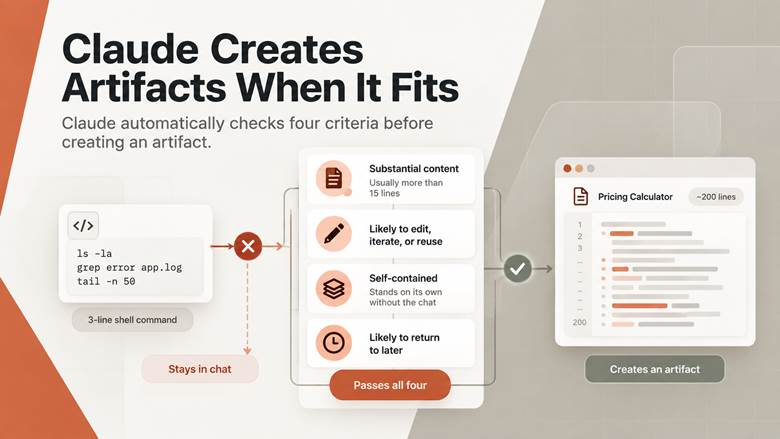
Claude makes the call automatically, using four rough tests. The content has to be substantial and self-contained, usually more than 15 lines. The content should also be something you’ll probably edit, rework, or reuse somewhere else.
The last two tests are about durability. The content has to make sense without the surrounding conversation, and you should expect to come back to the content later.
A three-line shell command fails every test and stays in the chat. A 200-line pricing calculator passes all four. Asking for an artifact by name skips the guesswork.
What Can Claude Artifacts Be Used For?
Claude Artifacts use cases fall into three groups. Teams build small internal tools nobody would fund as a project, such as dashboards, trackers, and calculators. Product and design people build clickable prototypes to settle arguments about a feature. Anyone explaining something builds a visual or a practice quiz, then hands over the link.
Claude Artifacts Uses and Examples
Each artifact type suits a different kind of work. Documents and websites carry words, while React components carry logic and state. Anthropic’s newer tools add decks and designs to the older formats. The Claude artifact examples below match each type to the work the type suits.
|
Artifact Type |
Good For |
|
Markdown Document |
Policies, briefs, and drafts you will edit repeatedly |
|
Single-Page Website |
Landing pages, one-off microsites, internal handbooks |
|
React Component |
Calculators, trackers, dashboards, small internal apps |
|
SVG Image |
Logos, icons, and diagrams you need as clean vectors |
|
Diagram or Flowchart |
Process maps, org charts, architecture sketches |
|
Code Snippet |
Scripts and components heading into a real codebase |
|
Slide Deck |
Briefings you can export to PowerPoint or PDF |
|
Design or Mockup |
App screens, one-pagers, and marketing visuals |
Dashboards and Internal Tools
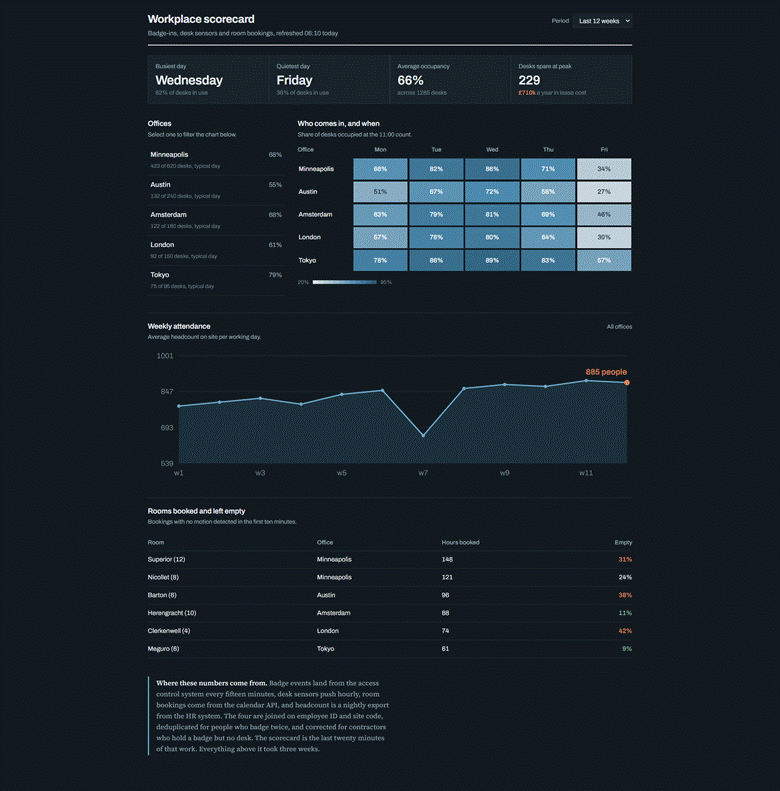
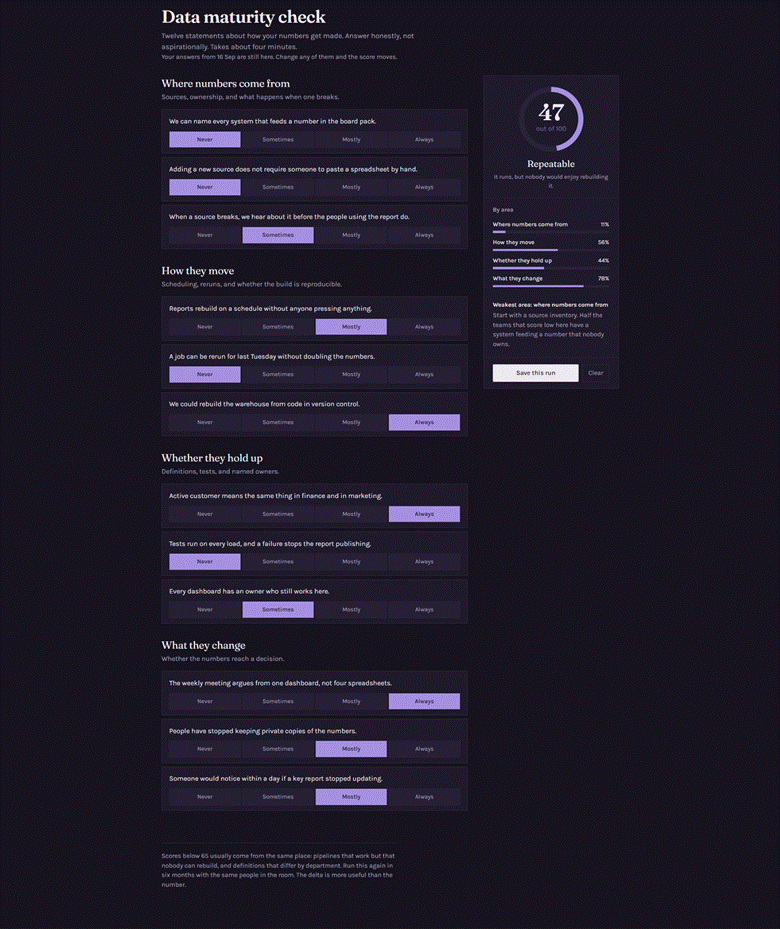
Dashboards are the most common build, and the Jamf scorecard is the clearest version. Someone needs a view across several systems. The view is worth a few hours, nowhere near a few weeks. No engineering queue will ever clear for a request of this size.
Jamf gives a second example. The company’s Facilities Director used Claude Cowork to build a dashboard showing office patterns at each location, with no technical help. Both builds stop at the presentation layer, where artifacts are strong.
The harder work stays in the data engineering feeding the numbers. A quick dashboard still rests on pipelines somebody owns.
The page on top follows the same dashboard design rules as any reporting layer.
Prototypes for Product and Engineering
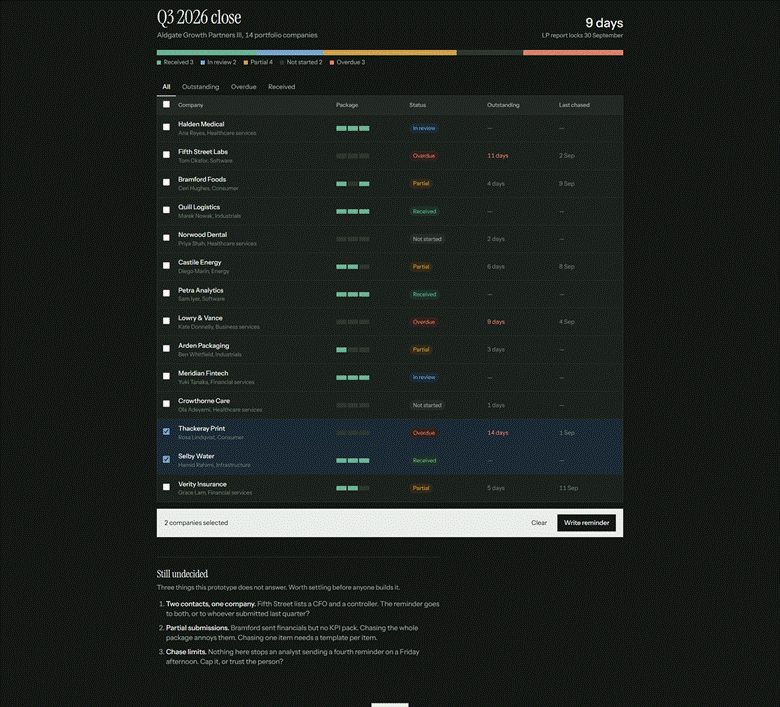
A written spec describes a feature, while a prototype shows the feature working. People argue about the right things once they can click. Chronograph uses artifacts for this handoff.
Michael Bridge, co-founder and CTO of Chronograph, credits artifact prototypes with carrying new feature ideas from product to engineering. Product managers turn requirements docs into something a reviewer can open and try.
The prototypes are throwaway by design. An artifact feeds a build and stays out of production. Serious AI app projects split the work the same way.
Teaching, Training, and Client Work
Consultants and trainers get the clearest win. A concept in a chat reply is easy to forget. The same concept as an interactive model is something a client will open twice.
Onboarding checklists, scoring models, and self-marking quizzes all work. Each link keeps working after the conversation is archived.
How to Create Claude Artifacts?
Learning how to create Claude Artifacts takes about five minutes, because most of the work is automatic. The one setting to check is a capability toggle, since artifacts no longer run without the toggle. The rest is a conversation, and the steps below cover a first build on the web or desktop app.
- Open Settings, choose Capabilities, and turn on Code execution and file creation. On Team and Enterprise plans, an owner turns on the same toggle under Organization settings.
- Describe what you want in plain language. Name the output, the audience, and any data the page should use, or pick a design, deck, or doc from the Output menu.
- Wait for the panel. Claude checks whether the request clears the bar for an artifact, then builds the result in a window to the right.
- Iterate by asking for changes in the chat. In a Markdown document, mark a passage and click Edit with Claude to change only the marked text.
- Find the result later in the Artifacts tab. The new Claude experience saves every artifact there automatically, while the previous chat experience files an artifact only after you publish.
Complex builds sometimes break on the first try. A Try fixing with Claude button appears near the error and copies the details into a new message, though success isn’t guaranteed.
One conversation can also carry several artifacts at once. Chat controls let you switch between them and pick which one Claude should update.
How to Share Claude Artifacts?
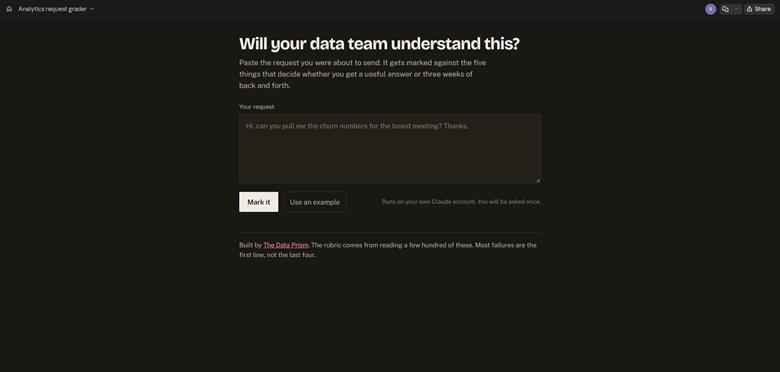
How you share Claude Artifacts depends on your plan and where the artifact was made. Anthropic runs two sharing flows during a rollout. Chat artifacts on the previous experience use a Publish or Share & copy link button. Everything from the new experience, Claude Design, Slides, Docs, or Claude Code uses a Share dialog.
On Free, Pro, and Max plans, publishing a chat artifact creates a public link anyone can open. Team and Enterprise plans use Share & copy link instead, which keeps the page inside the organization unless an owner turns on External sharing.
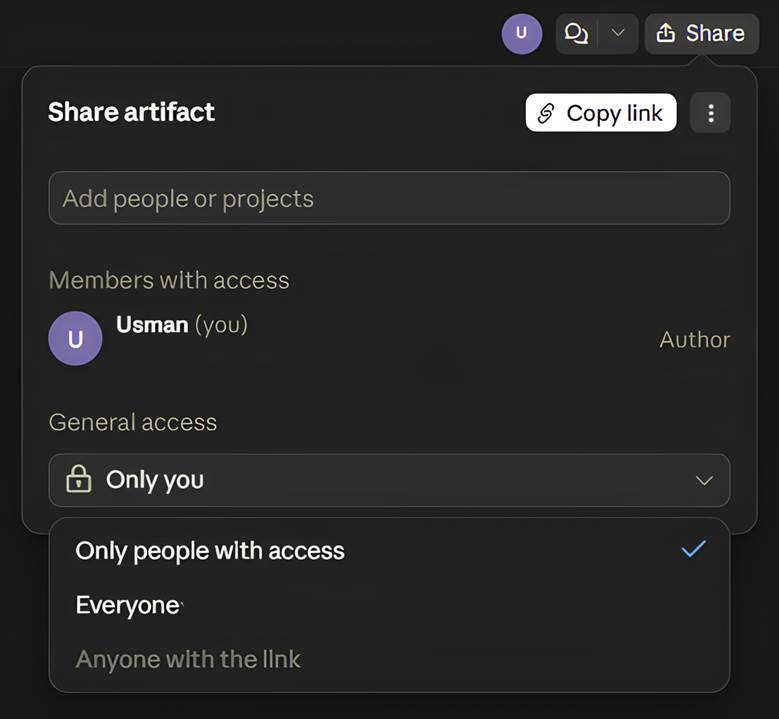
The Share dialog starts every artifact as private. Pro and Max users keep the page private or open the page to anyone with the link. Team and Enterprise users can also add named people or open the page to the whole organization. Every viewer needs a Claude account either way.
Chat artifacts shared on Team and Enterprise plans carry one surprise. Viewers also get access to the attachments and files in the source conversation. A build from a folder of contracts carries the contracts along.
How to Remix Claude Artifacts?
Remixing a Claude artifact now means copying the code into a new chat. Older tutorials show a Remix button, but Anthropic’s help pages now describe copying and pasting. The copy becomes a fresh artifact in your chat, and the original stays untouched. The route covers artifacts published from chat on Free, Pro, and Max.
Anthropic pairs the instruction with a warning. Pasting someone else’s code into a conversation carries the same risk as opening a file from an unknown sender.
What Does Building an Artifact Look Like?
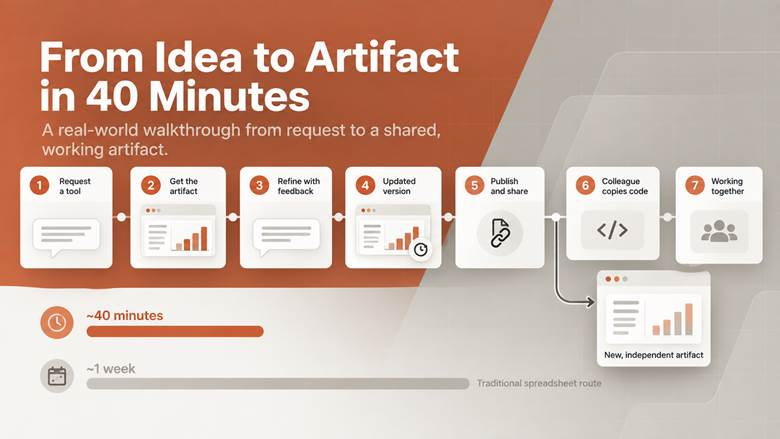
The build below is hypothetical, with invented numbers, and shows how the loop runs in practice. A single request rarely produces the final page. Most of the value comes from quick feedback rounds. Seven steps take the calculator from request to shared tool.
- A revenue lead asks for a churn calculator covering 4,000 accounts across three pricing tiers.
- Claude returns a React artifact with input fields, a chart, and a summary line.
- The chart plots monthly figures, but the lead needs quarterly ones, so the next message asks for the change.
- Claude updates the artifact and saves a new version, while the earlier version stays available.
- The lead publishes the artifact and sends the link to four colleagues.
- A colleague copies the code into her own chat and adds a second churn scenario.
- Total elapsed time is about 40 minutes, against a week of waiting for a spreadsheet.
Things to Note About Claude Artifacts
Three capabilities separate artifacts from static output. Pages can call Claude, keep data between visits, and connect to other apps. Each capability carries a limit worth knowing. Publishing then decides who gets to use the result.
Claude Artifacts API Integration
Claude Artifacts API integration lets a page call Claude while someone is using the page. The call runs through a text-based API built into the artifact. A published calculator can then explain a result or grade an answer. Anthropic hosts the app, so no API key is involved.
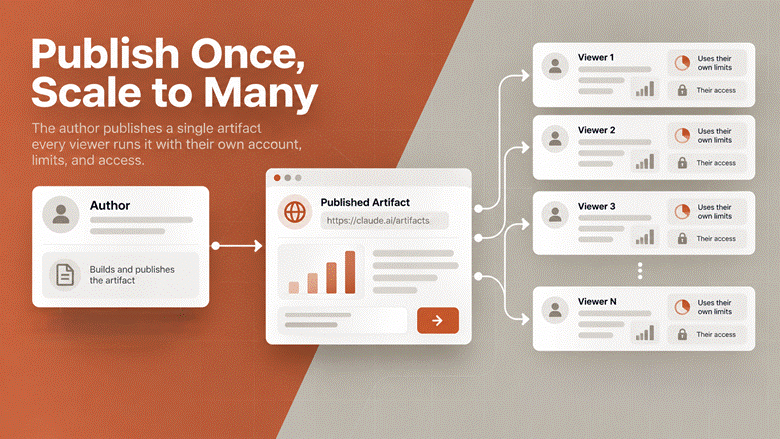
The economics of sharing are unusual too. Viewers sign in with their own Claude accounts, and usage counts against each viewer’s own limits.
Anthropic’s help page puts the author’s cost at zero whether 10 people use the page or 10,000. The pattern suits client tools and training exercises, which behave like a small generative AI product with no hosting bill.
What is Claude Artifact Storage?
Claude artifact storage keeps text data across sessions, so a published page can work as a persistent AI workspace. Personal storage keeps each user’s data private. Shared storage shows everyone the same records. One suits a private journal, and the other suits a team leaderboard.
Storage caps at 20 MB per artifact and accepts text only. Storage also works only after publishing, and unpublishing deletes the data permanently.
Cowork had an earlier version of persistent pages, called Claude live artifacts. Anthropic stopped new live artifacts on August 19, 2026, and new Cowork builds now use the updated artifact system. Existing live artifacts still open but no longer accept edits, so owners republish one as a new artifact to keep working.
Connecting Artifacts to Other Apps
Artifacts can reach outside Claude through the Model Context Protocol, or MCP, on Pro, Max, Team, and Enterprise plans. A connected page can read from and write to tools like Asana, Google Calendar, and Slack. Any custom connector your organization has set up works too. Both routes run on the web and desktop apps.
Access always follows the viewer. Each person approves the connection on first use and sees data through their own permissions. A viewer without access to a source sees an error in place of the author’s data.
Admins can switch artifact connections off across an organization, though they can’t pick which servers are allowed.
A connector inside an artifact shows what an integration could do. Production workloads still want proper data integration work behind them.
Pages acting on several tools at once are a different job again. The acting part usually belongs to an AI agent with its own logging and approval steps.
What Does Publish Artifact Mean in Claude?
Publishing an artifact makes one version available at its own public link. The option covers chat artifacts on Free, Pro, and Max plans in the previous Claude experience. People without a Claude account can open the page and use the basic functions. AI-powered features still ask viewers to sign in.
Three actions sound alike. A Claude publish artifact link goes public, while sharing keeps every viewer signed in. Remixing, the third, now means copying the code.
The table compares the two routes.
|
Question |
Publish From Chat |
Share Dialog |
|
Where the Artifact Came From |
Chat, on the previous experience |
New experience, Design, Slides, Docs, or Code |
|
Plans |
Free, Pro, Max |
Pro, Max, Team, Enterprise |
|
Who Can Open |
Anyone with the link |
Chosen people, an organization, or anyone with the link |
|
Claude Account Needed |
No, for basic use |
Yes, for every viewer |
|
Embed Code |
Offered after publishing |
Not offered |
|
Copying the Code |
Open to viewers |
Not offered |
The two flows rarely compete, because the plan and the Claude experience decide which one appears.
Limits Worth Knowing Before You Publish
Unpublishing is a one-way door. An unpublished artifact cannot be published again, so a replacement has to be built from scratch. Any stored data disappears with the old version, so check both before clicking Unpublish.
Embedding is narrower than the word suggests. Embed codes exist only for artifacts published from chat, and the Allowed domains field decides which sites can host the page.
Richer pages also lose a sharing option. On Team and Enterprise plans, artifacts using connected apps or asking Claude questions can’t go to anyone with the link.
The biggest limit is the missing back end. Artifacts run when someone opens them, and storage takes text only. Anything needing its own user accounts or scheduled jobs belongs behind real data architecture instead.
Where to Get Claude Artifacts?
Claude Artifacts come from inside Claude, as part of the wider feature set, with no separate product to buy. You build one by asking Claude, or you open one somebody sends you. The app runs at claude.ai, and the Artifacts tab sits in the left sidebar.
The iOS and Android apps can request a design, deck, or doc and show the result in the Artifacts tab. Editing, templates, and sharing settings still need the web or desktop app.
Is There a Claude Artifacts Marketplace?
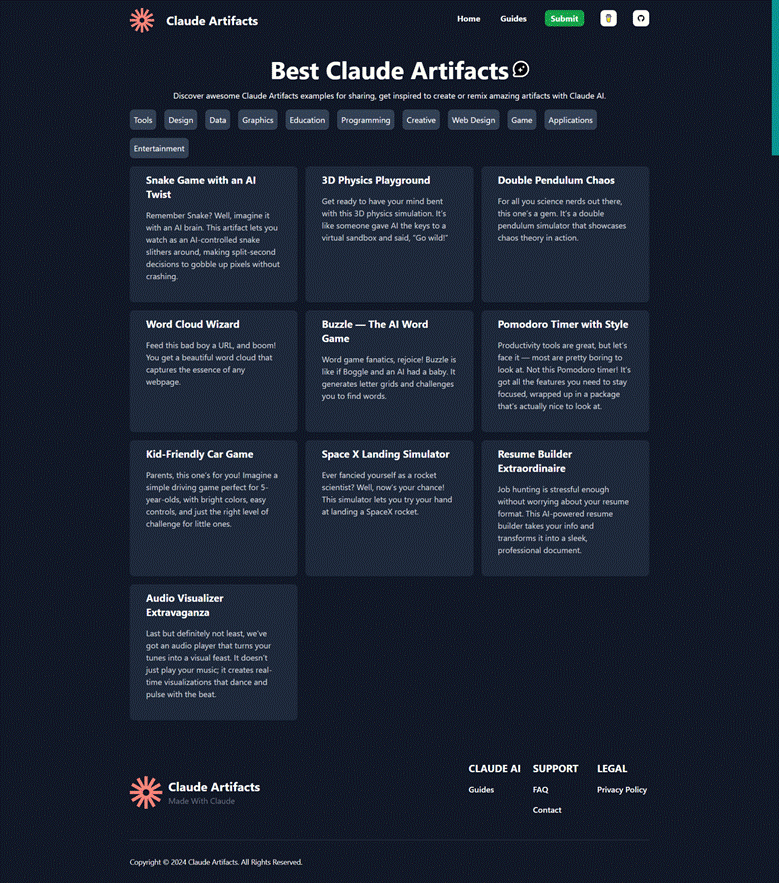
No marketplace sells artifacts, and no official directory lists everything people have published. The Artifacts tab offers templates to start from, alongside your own creations. Beyond the templates, public artifacts travel by link. Community lists on GitHub, such as awesome-claude-artifacts, collect a few, though nothing adds up to a full catalog.
The Claude Marketplace on claude.com is a different product. The marketplace lets organizations spend an existing Anthropic commitment on Claude-powered partner tools, such as GitLab, Harvey, and Replit. Artifacts appear nowhere in the catalog.
Three Ways a Published Artifact Reaches You
A link is the usual route. Public links from chat-published artifacts open for anyone. Links from the Share dialog need a Claude sign-in, and organization-only links need a seat in the same organization.
An embed is the second route. A published chat artifact can run inside any website the author has approved, and readers use the page without visiting Claude.
Copying the code is the third. Open a published page, copy the code, and paste the code into a new chat. Claude treats the paste as a fresh artifact you own outright.
Claude Artifacts Availability by Product
Availability differs by product, and the gaps matter when choosing a team plan. Chat artifacts reach every plan, including Free. The newer tools and Claude Code need a paid seat. The table lists each product with its plans.
|
Product |
Plans With Artifacts |
|
Claude and Claude Desktop |
Free, Pro, Max, Team, Enterprise |
|
Claude Cowork |
Pro, Max, Team, Enterprise |
|
Claude Code |
Every plan with Claude Code access |
|
Design, Slides, and Docs |
Paid plans, in beta |
|
Persistent Storage |
Pro, Max, Team, Enterprise |
|
App Connections |
Pro, Max, Team, Enterprise on web and desktop |
Free accounts still get AI-powered artifacts. Storage and app connections start at Pro, which makes Pro the practical floor for anything a team will rely on.
Who Should Use Claude Artifacts, and Who Should Not?
Are Claude Artifacts Worth Using?
Book a Free 30-Minute Meeting
Discover how our services can support your goals — no strings attached. Schedule your free 30-minute consultation today and let's explore the possibilities.
Book a Free Call