Introduction
If you are self-hosting OpenClaw, the fastest way to secure it is this: update to the latest stable release, turn on authentication, audit every installed skill, and run the whole thing in a sandbox on a machine that holds nothing you care about. The rest of this guide explains each step and why it matters.
OpenClaw is a self-hosted AI agent that reads your email, manages your chats, browses the web, and runs commands on your behalf. That is the appeal. It is also the entire problem. The agent acts with your permissions, so anyone who compromises it inherits your access. Since the public launch in late 2025, that risk has stopped being theoretical.
Why OpenClaw carries more risk than a normal self-hosted tool
OpenClaw's biggest risk isn't a bug you can patch. By design, the agent runs with all your permissions. It touches local files, messaging apps, APIs, and the command line with your full rights. A compromised agent has the same reach as a compromised you.
|
1. Gateway |
2. Skill Distribution |
3. Trust model |
|---|---|---|
|
FIXABLE BY PATCHING |
STRUCTURAL |
FUNDAMENTAL |
|
Software bugs in the gateway can let attackers take control or run commands. Updating openclaw fixes these bugs. |
Anyone can publish a skill, and it runs with the agent's full rights. Updates help, but users still need to be careful about what they install. |
OpenClaw can access your files, accounts, and other data. If it is compromised, that access can be abused. It can only be reduced by limiting what the agent can access. |
The second problem is exposure. In February 2026, SecurityScorecard found 40,214 internet-exposed OpenClaw instances on the internet, with 35.4% marked as vulnerable. It also found that about one-third of this infrastructure matched known threat-actor activity.
|
The OpenClaw exposure picture (early 2026) |
Figure |
|---|---|
|
Exposed instances on the public internet |
500,000+ |
|
Running with no authentication |
63% |
|
Malicious skills found on ClawHub |
1,400+ |
Most exposed instances were not breached by clever exploits. They simply had authentication turned off. Sources: ARMO and SecurityScorecard, 2026.
The OpenClaw vulnerabilities behind the headlines
A formal security audit on 25 January 2026 uncovered 512 vulnerabilities in OpenClaw, including seven critical issues. The audit found sensitive login credentials stored in plain text and security checks disabled by default. Below are the most important OpenClaw security issues, including two that were disclosed this month.
Here’s a case from one of our cleanups:
One of our clients had warehouse and API keys (Snowflake, BigQuery, the usual) sitting in openclaw.json, and a config backup got synced to a shared drive where the whole team could see it. We had to move secrets to environment variables and a secrets manager, then rotated everything.
|
What it does |
Severity |
Fixed in |
|
One-click remote code execution. The Control UI trusts a URL parameter and connects to it, leaking your auth token. Actively exploited in the wild. |
High |
v2026.1.29 |
|
Privilege escalation. A token rotation race condition turns any paired device into a full admin with RCE through a single API call. |
Critical |
v2026.3.11 |
|
Admin control without valid credentials. |
Critical |
v2026.3.28 |
|
Command injection. Approved command arguments get rebuilt after the allowlist check, so unapproved commands run. Published 12 June 2026. |
High |
v2026.5.18 |
|
Authorization bypass. An authenticated sender runs owner-only commands. Published 12 June 2026. |
High |
v2026.5.6 |
OpenClaw security best practices: A seven-step hardening walkthrough
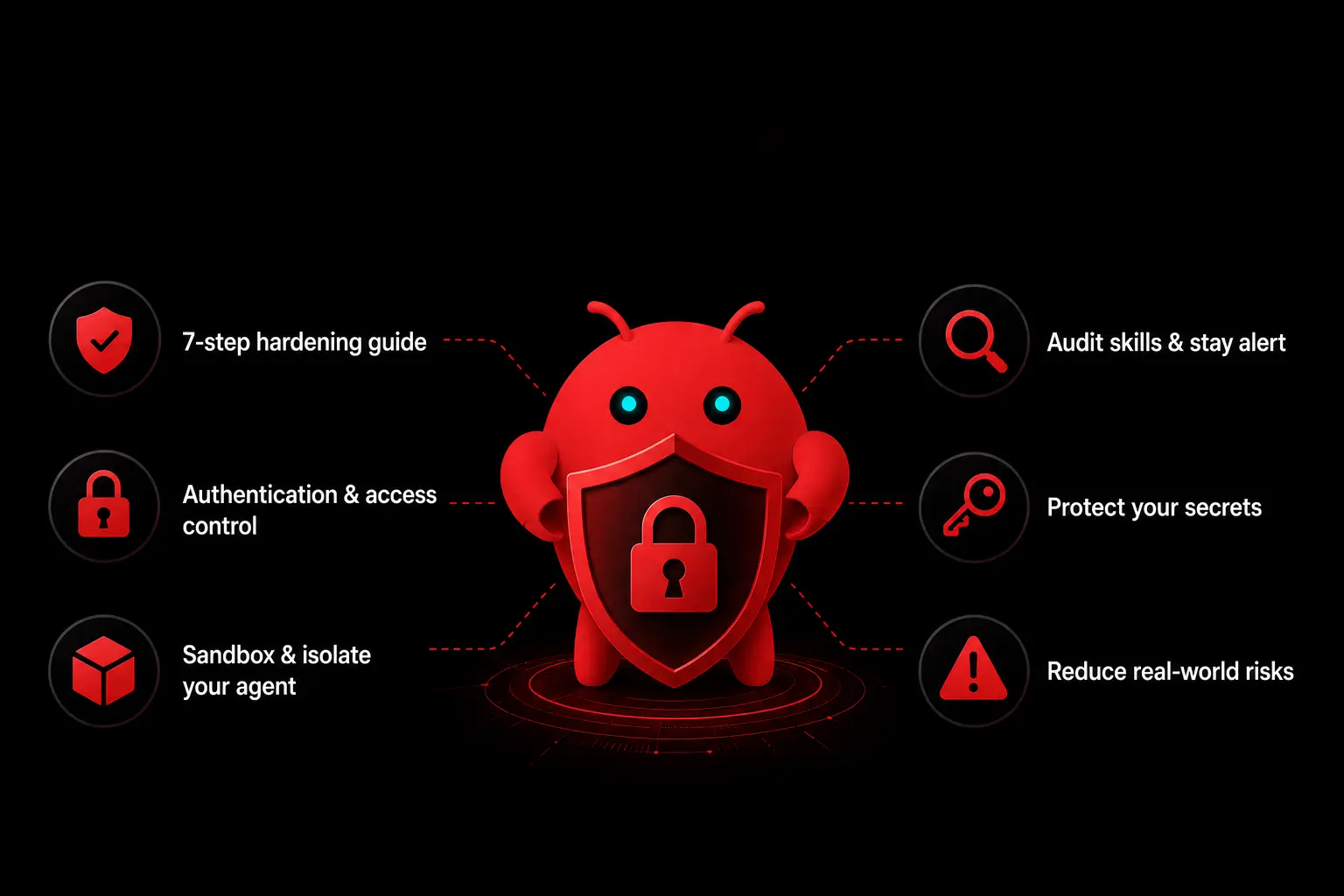
These seven steps help close the main security gaps and reduce the remaining risk to a manageable level. These seven steps close the main gaps.
Step 1. Update to the latest stable release
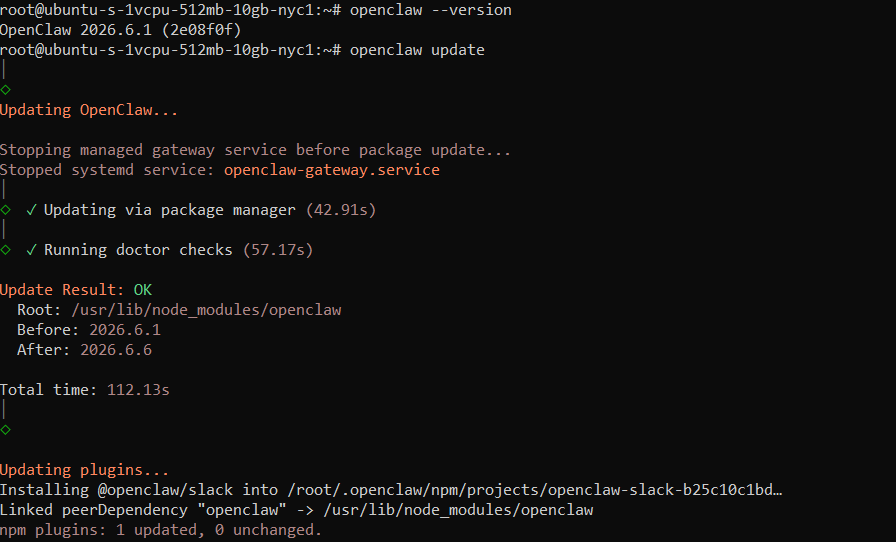
Most exposed instances are not running the current version. Check yours, then update. As of June 2026 the latest stable release is v2026.6.6. Treat 2026.5.18 as your absolute floor, since anything older is open to this month's command injection flaw.
openclaw --version
openclaw update
Step 2. Run the built-in security audit
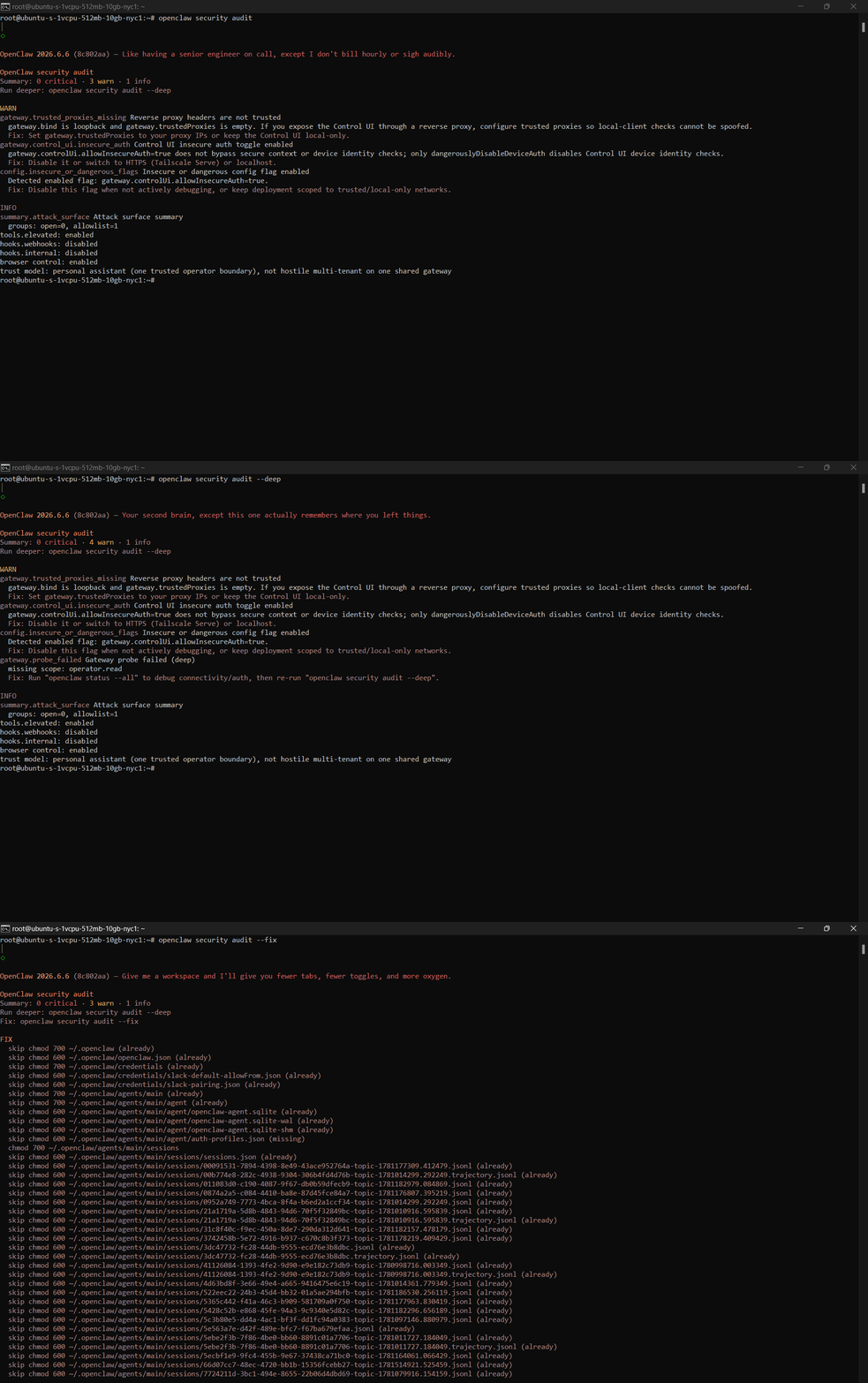
OpenClaw ships a security audit that flags common misconfigurations. Independent analysis found the built-in tooling catches roughly 60% of known threats. The other 40% includes malicious skill behavior and credential exposure that need a human eye.
openclaw security audit
openclaw security audit --deep
openclaw security audit --fix
Step 3. Enable Gateway Authentication
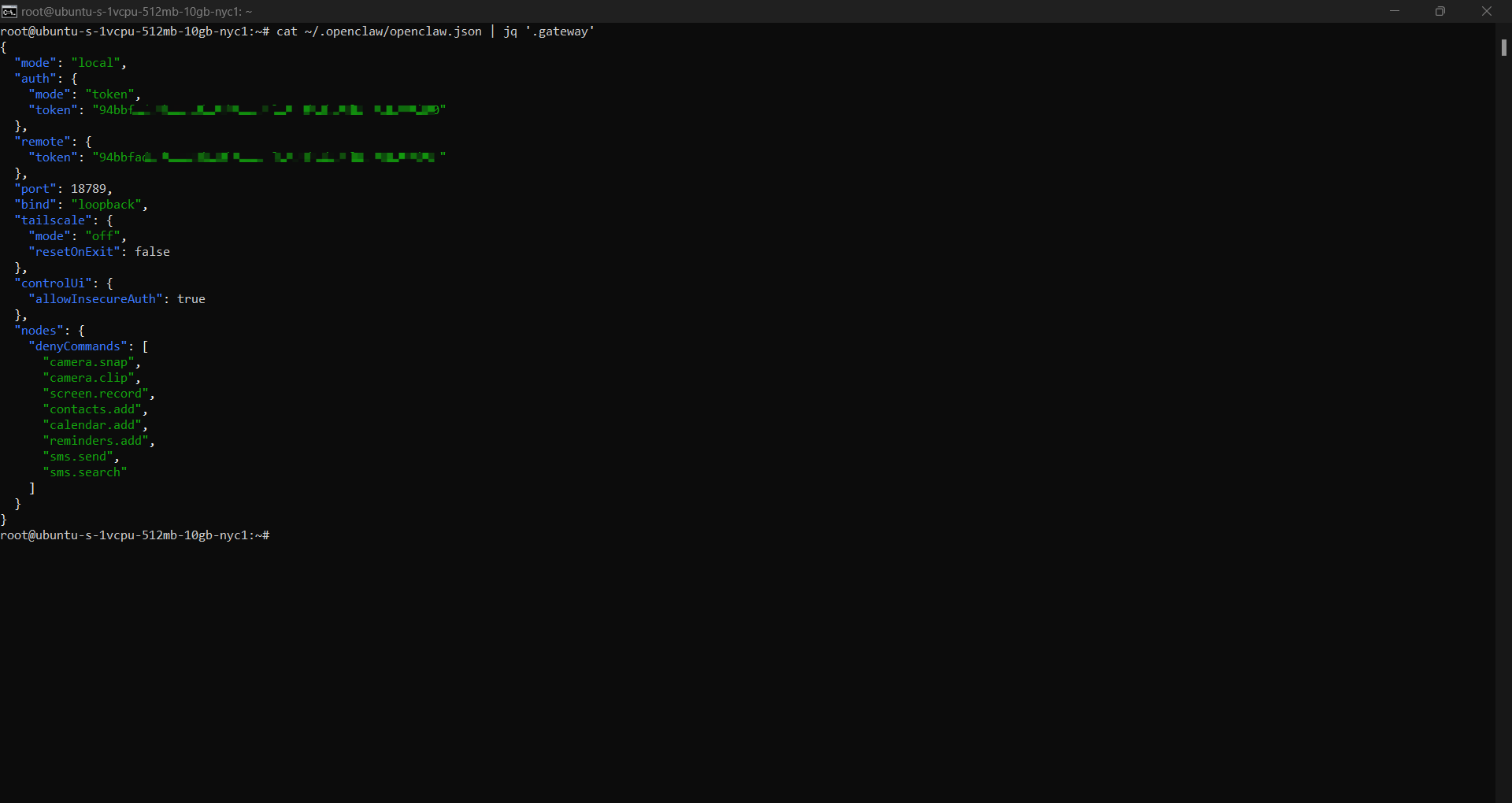
OpenClaw protects gateway access with a security token. Make sure authentication is enabled and use a strong, unique token. Never store the token in source control or share it in chat messages. OpenClaw requires gateway authentication by default, but it is worth verifying that your configuration has not been changed.
{
"gateway": {
"auth": {
"mode": "token",
"token": "${OPENCLAW_GATEWAY_TOKEN}"
}
}
}The docs say gateway auth is required by default, and shared-secret setups can use gateway.auth.token or OPENCLAW_GATEWAY_TOKEN.
Step 4. Lock down device pairing and access control
The privilege escalation CVEs hinge on the pairing system. Limit which devices can pair, review the paired-device list regularly, and remove anything you do not recognize. Restrict who can issue owner-level commands, since the June authorization bypass abused exactly that path.
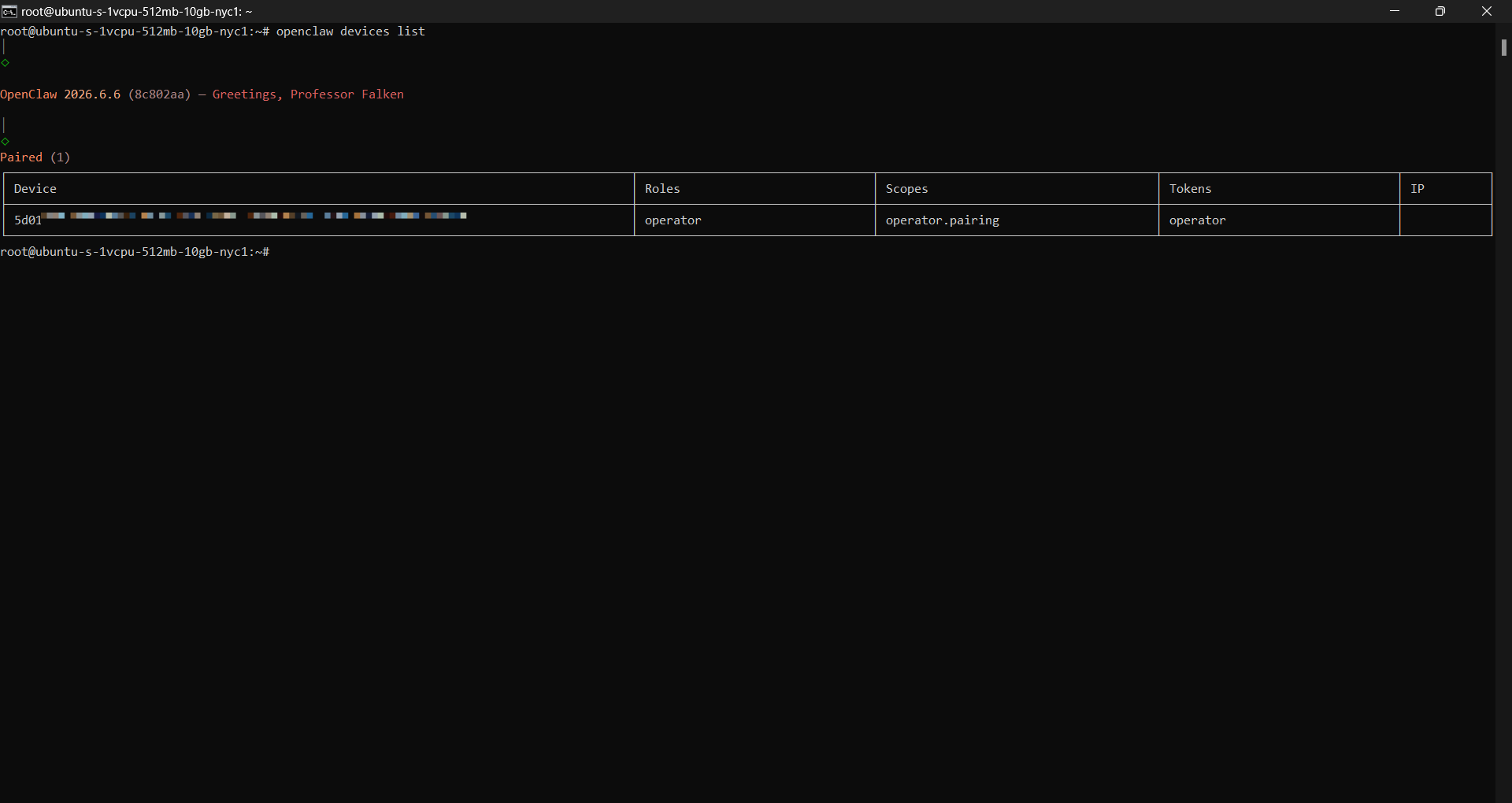
openclaw devices list
openclaw devices approve <requestId>
openclaw devices remove <deviceId>
openclaw devices revoke <deviceId>
openclaw devices rotate <deviceId>
openclaw pairing list
openclaw pairing approve <code>
openclaw nodes pending
openclaw nodes approve <requestId>
openclaw nodes reject <requestId>Step 5. Sandbox execution with Docker
Run the agent in a container to reduce the damage a malicious skill could do. Keep it read-only, give it only the access it needs, and never mount the Docker socket.
docker run \
--read-only \
--cap-drop=ALL \
--security-opt=no-new-privileges \
--tmpfs /tmp \
openclaw:latestStep 6. Get secrets off disk
Attackers increasingly target OpenClaw because it often stores API keys, passwords, and other credentials in files and logs. Do not store secrets directly in configuration files. Instead, load them from environment variables or a dedicated secrets manager. Assume that any password or key stored in plain text could eventually be exposed.
Step 7. Keep it off your main machine and isolate the browser
Do not run OpenClaw on the same computer you use for everyday work. Use a dedicated device, virtual machine, container, or VPS instead. Also open the OpenClaw Control UI in a separate browser profile that you use only for OpenClaw.
Why Third-Party Skills Are a Security Problem
Third-party skills are a structural problem, not a bug. Anyone can publish a skill on ClawHub, and it runs with the agent's full rights. Unlike a typical vulnerability, this is not something that can be fully fixed with a patch because it is built into how the platform works. By April 2026, researchers had identified more than 1,400 malicious skills on ClawHub, and about 12% of the skills were flagged as harmful. One campaign, known as ClawHavoc, disguised malware as helpful integrations for Gmail, Notion, Slack, and GitHub.
- Install only skills you have personally reviewed or that come from a maintainer you trust.
- Uninstall any skills that are unfamiliar.
- Read what a skill actually does before granting it. A “Slack notifier” has no reason to read your SSH keys.
- Re-check your skill list after every update, since a skill can change behavior between versions.
What to do if your instance was already exposed
If OpenClaw was exposed, assume someone may have gotten in. Change all passwords and access keys it used, remove any devices or skills you do not recognize, check the logs for anything strange, and rebuild the computer if it handled sensitive information.
OpenClaw security best practices checklist
Keep this in your runbook. If every item is true, you have closed the gateway and skill distribution and contained the trust model.
- Running the latest stable release.
- Built-in security audit run and findings resolved.
- Gateway bound to 127.0.0.1, not 0.0.0.0.
- Authentication enabled with a strong, unique token.
- Device pairing list reviewed, owner-command access restricted.
- Agent running in a locked-down Docker container.
- Secrets out of plaintext, scoped to least privilege, on a rotation schedule.
- Hosted on a dedicated machine or VPS, not your daily driver.
- Control UI opened only in an isolated browser profile.
- Every installed skill is reviewed and accounted for.
Get the setup checked before it becomes a problem
That client got lucky. The exposed keys only reached an internal shared drive thankfully not the open internet. If you would rather not find out where your luck runs out, we can secure your openclaw setup or build it right from the start. Talk to us about OpenClaw security.
Book a Free 30-Minute Meeting
Discover how our services can support your goals — no strings attached. Schedule your free 30-minute consultation today and let's explore the possibilities.
Book a Free Call