

Introduction
Businesses have automated structured tasks for decades. Order forms, approvals, and data transfers work well with fixed rules. But software can struggle when a process involves an email, scanned invoice, exception, or decision that rules did not anticipate.
That is where AI can help. It can understand language and documents, interpret what is happening, and decide what action should come next.
Bank of America’s virtual assistant, Erica, shows how this works at scale. Since launching in 2018, Erica has handled more than 3 billion client interactions, helping customers with common banking requests.
AI is expanding what businesses can automate, but it should not replace every rule or human decision. This article explains how AI business process automation works, where it fits with traditional automation and RPA, how to add it to existing workflows, and when to avoid using it.
What is AI Business Process Automation?
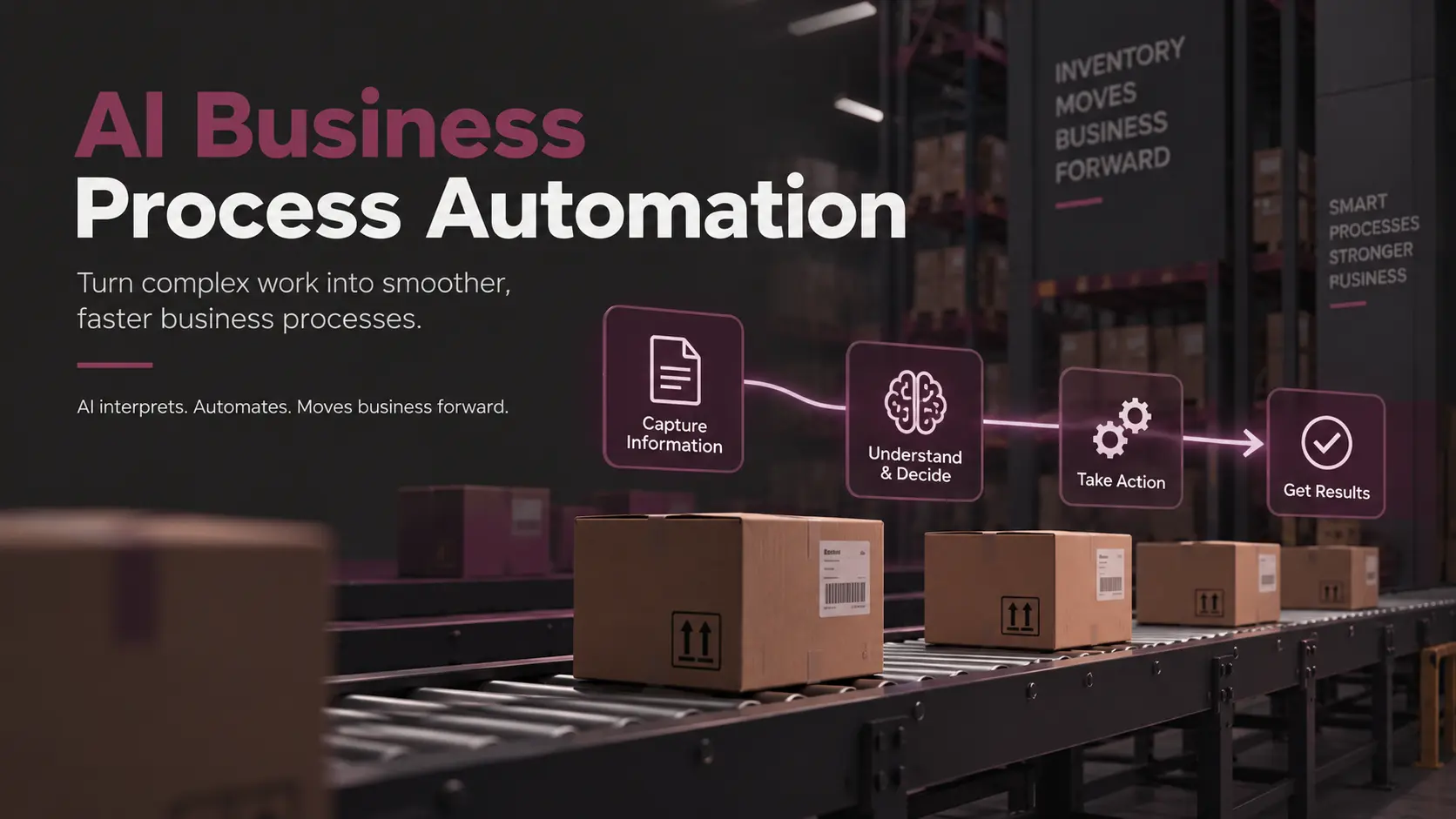
AI business process automation is the use of artificial intelligence inside a business workflow to interpret information, support or make decisions, generate outputs, and coordinate actions that fixed rules alone can’t handle.
A business process is a repeatable sequence of steps that produces a result, like onboarding an employee or approving an invoice. Business process automation removes manual work from that sequence using workflow tools, APIs, scripts, and robotic process automation (RPA).
Artificial intelligence is the layer of models that classify, generate, retrieve, and predict. AI-powered process automation combines the two. AI handles the steps that involve language, documents, or judgment, and conventional automation handles everything else.
How AI Business Process Automation Works
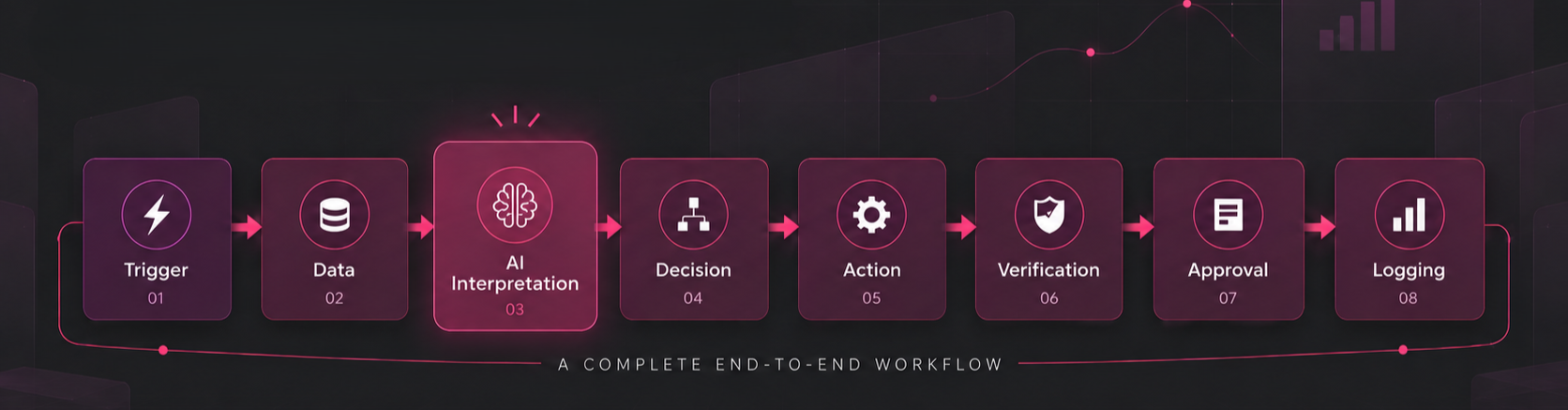
A typical AI-driven workflow follows the same eight-step sequence in almost every industry:
- A trigger
- Data collection
- AI interpretation
- A decision
- A tool or API action
- Verification
- Human approval where required
- Logging
In practice, workflow engines and APIs still move the data and trigger each step. Large language models interpret language and documents, while vector search and retrieval systems supply the record a model needs before answering. AI agents then plan across several of these steps instead of making one call.
Enterprise applications, databases, and human approval systems sit at the edges. None of that retrieval works without solid data infrastructure underneath.
NOTE: AI is just a component in that stack, and not the whole system.
AI Business Process Automation vs Traditional Automation
Traditional automation follows the same rule every time. AI-powered automation interprets the input first, then decides what to do with it.
|
Factor |
Traditional Automation |
AI-Powered Automation |
|
Inputs |
Structured fields |
Structured and unstructured |
|
Logic |
Fixed rules |
Model-based, probabilistic |
|
Language Handling |
Limited to keyword matching |
Interprets meaning and intent |
|
Document Handling |
Template-dependent |
Flexible across formats |
|
Exceptions |
Escalated to a person |
Some are interpreted directly |
|
Predictability |
High |
Variable |
|
Governance Load |
Moderate |
Higher |
|
Best Use |
Repeatable, deterministic steps |
Interpretation-heavy steps |
Takeaway: AI can’t replace rules, workflows, or scripts, and the strongest systems combine both worlds. They route each step to whichever layer handles the work more reliably.
AI Business Process Automation vs RPA
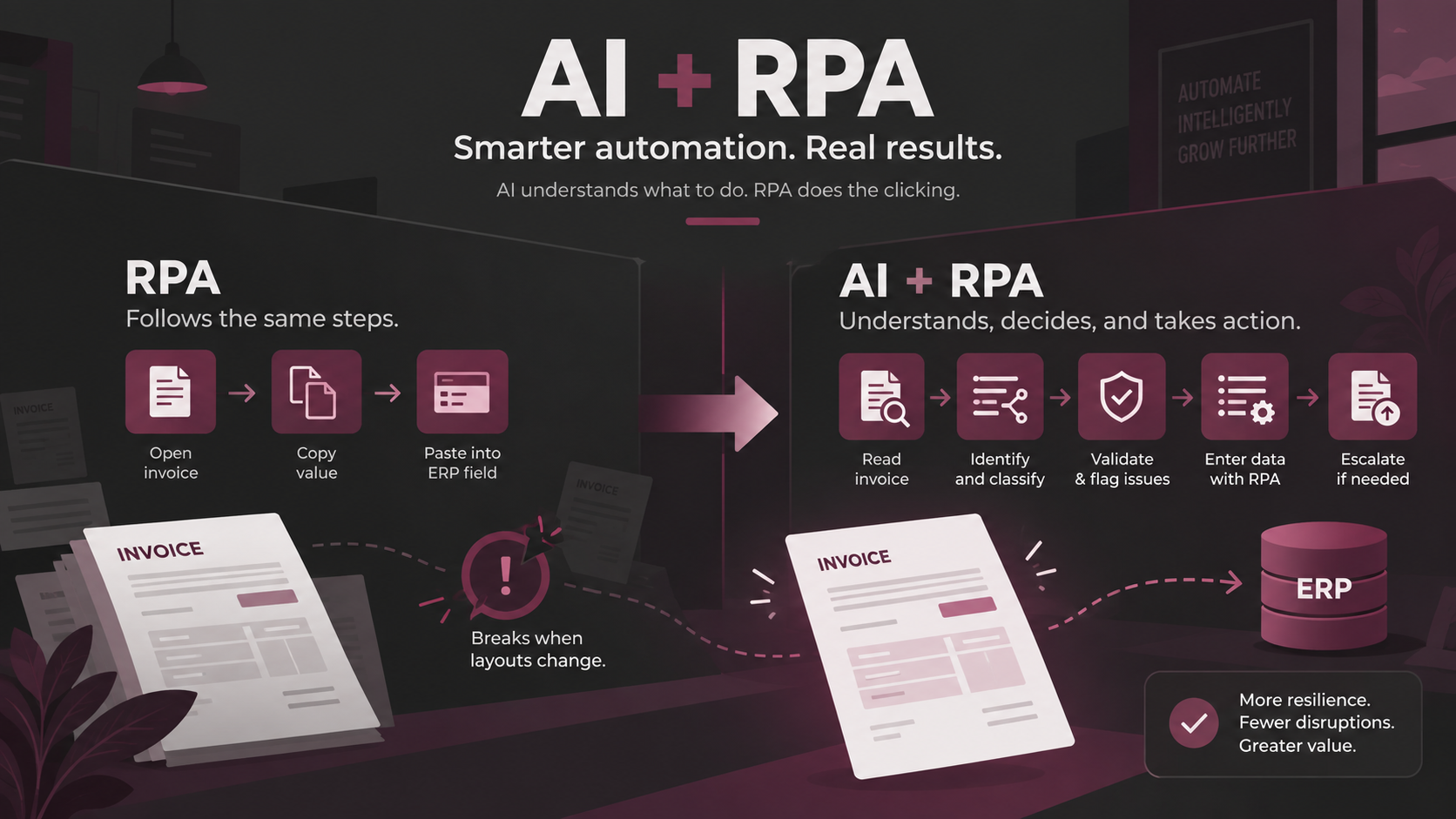
Robotic process automation clicks through an interface the same way every time. For example, it’s ideal for the following flow:
Open the invoice, copy the value, and paste the value into the ERP field.
RPA breaks the moment a vendor changes a layout or a field moves. This is where AI comes into the picture. It adds the reading and judgment RPA lacks. It can read natural language, understand a document regardless of layout, categorize a request, generate a response, and pick which action to take next.
A traditional RPA flow reads: open invoice, copy value, enter ERP field. An AI-enhanced version reads: read invoice, identify supplier and line items, flag anomalies, classify the expense, enter validated data, and escalate an exception if one appears.
In practice, RPA and AI aren’t competitors. AI decides what a step needs, and RPA still does the clicking once that decision is made.
Where AI Adds the Most Value in Business Process Automation?
AI earns its place at the steps a rules engine can’t parse. Unstructured documents, like contracts, applications, and reports, need a model that reads meaning, not fields. Natural language in emails, tickets, and feedback needs the same interpretation before a rule can act on the language.
Classification and routing decide where a request goes next, often faster and more consistently than a person skimming a queue. Knowledge retrieval pulls the right policy or record out of thousands of pages in seconds. Content generation drafts summaries, responses, and proposals that a person still edits and approves.
This is also the core capability behind most generative AI deployments in production today. Prediction flags an anomaly or a risk score before it turns into a loss. Reasoning through an exception is where AI adds the most and rules add the least.
AI Business Process Automation Use Cases by Function
- Customer Service: ticket classification, response drafting, knowledge retrieval, and escalation to a person when confidence is low.
- Finance: invoice processing, expense categorization, reconciliation support, and financial document analysis.
- Sales: lead qualification, CRM record updates, call summarization, and proposal drafting.
- HR: request routing, document processing, onboarding workflows, and internal policy lookup.
- Procurement: supplier document analysis, purchase-request routing, and contract review support.
- Operations: exception detection, workflow coordination, reporting, and incident management.
- IT: service desk automation, troubleshooting support, access request workflows, and incident summarization.
NOTE: Across all seven industries, full autonomy remains rare. A person still signs off on the transactions that carry real financial, legal, or customer risk.
AI Agents for Business Process Automation
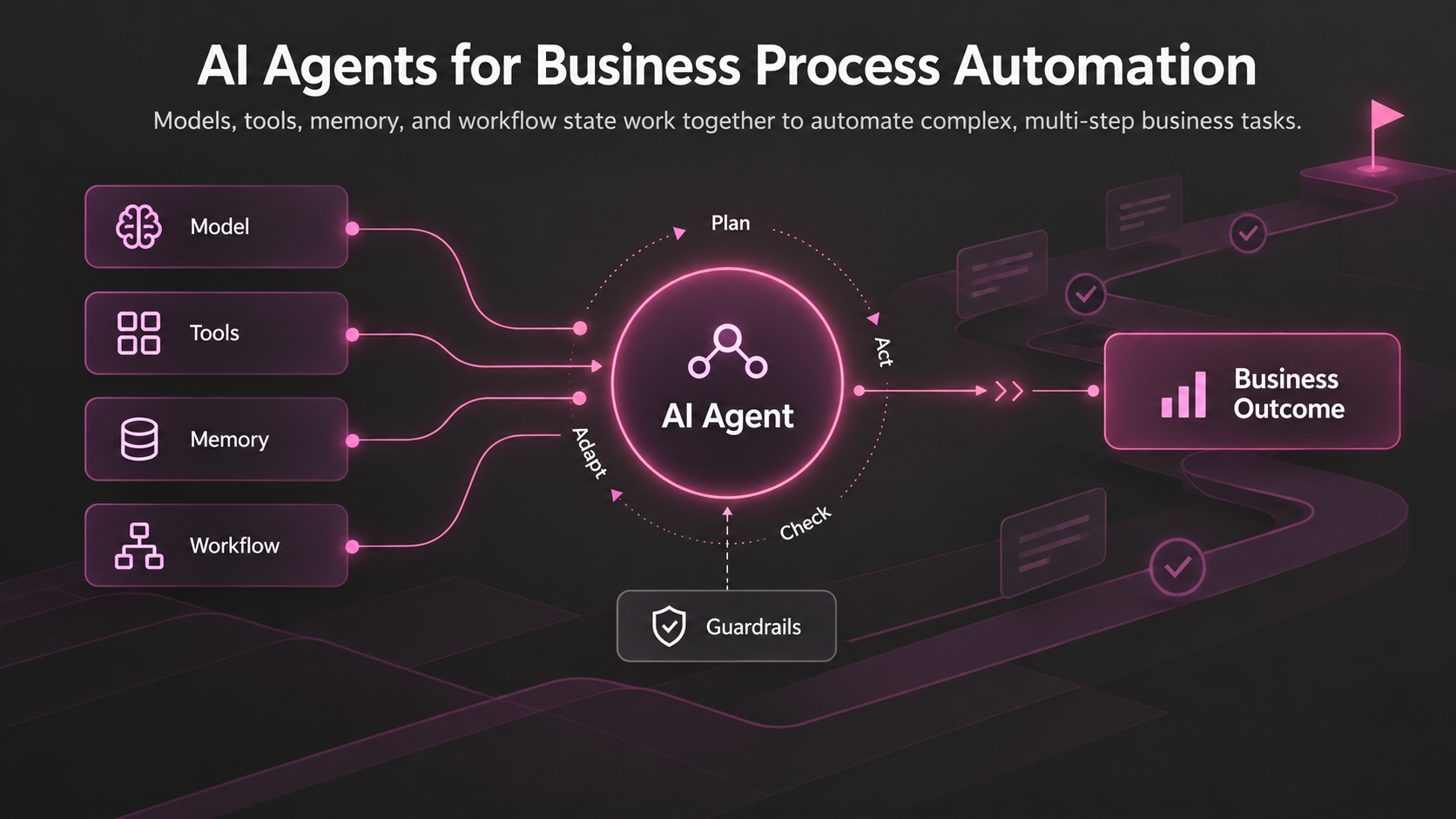
An AI agent combines a model with tools, memory, and workflow state to pursue a goal across multiple steps. Unlike a single model call, an agent can plan, retrieve information, use tools, act, check results, and adjust its approach.
Building an agent starts with defining how it should plan and what tools and systems it can access. It also requires clear permissions, memory, and human approval for higher-risk actions. Because reliable agents require significant engineering, teams often use specialized AI agent development support.
Agents are most useful when a process requires dynamic decisions rather than a fixed sequence of steps. As an agent gains more autonomy, it also needs stronger controls. Its permissions should reflect the risk of the actions it can take.
How Specialized AI Models Improve Business Process Automation
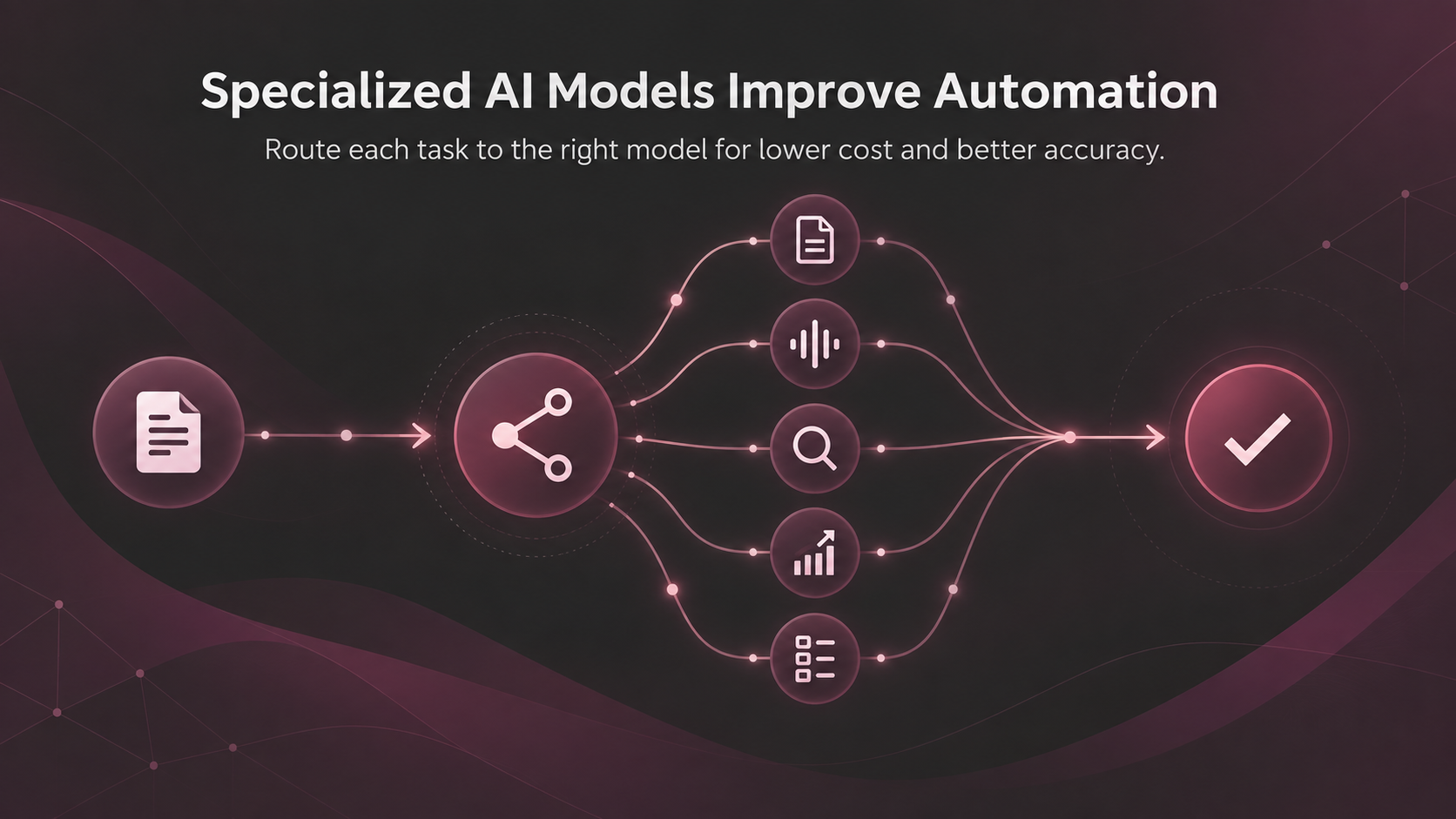
Different tasks inside one workflow call for different models. Language models handle reasoning and drafting. Vision and document models, including Google Cloud’s Document AI, extract structured data from scanned files and images. Speech models transcribe calls, embedding models power retrieval, predictive models handle forecasting and risk scoring, and classification models handle routing.
Sending every task to the largest general-purpose model available is expensive and often unnecessary. A workflow can route a simple decision to a small classifier and a customer email to a larger reasoning model. The mix spends less per transaction than running everything through one heavyweight model, and it doesn’t lose accuracy where accuracy actually matters.
This routing choice is usually the product of dedicated AI application development work, not a default setting in any single platform.
Integrating AI Into Existing Business Processes
AI belongs inside a process that’s already understood, not bolted onto one that has never been mapped. Most business process automation AI purchases start with one narrow workflow rather than an enterprise-wide rollout. The sequence below follows that same approach. Teams without spare engineering capacity often bring in dedicated AI integration support once the workflow itself is mapped. A practical integration sequence looks like this:
- Map the Process First: document every step, decision point, and handoff as the process runs today, not as it was designed to run.
- Separate Deterministic Steps from Judgment Calls: rules stay rules, and only the interpretation-heavy steps become candidates for AI.
- Identify the Systems and Data Involved: confirm what the AI component needs to read and write, and where that data actually lives.
- Select the Right AI Capability per Step: match classification, extraction, generation, or prediction to the specific task, not the other way around.
- Define Validation Rules and Approval Points: decide in advance what a low-confidence result triggers and who reviews the result.
- Integrate Through APIs, Workflow Tools, or RPA: connect the AI component to the existing stack rather than replacing it.
- Test Against Real Exceptions, Then Monitor Production: the edge cases a rulebook never listed are the real test of whether the integration works.
Benefits of AI Business Process Automation
The gains are operational, not magical. They include less manual processing, faster cycle times, better handling of documents and language that used to stall a workflow, and more consistent output across similar cases.
Exception handling also improves because a model can interpret more of the edge cases a rulebook would otherwise escalate. This allows employees to get more of their time back for work that actually needs judgment.
Even then, none of this is guaranteed just by adding a model. The outcome depends on picking the right steps and building in the oversight the next few sections describe.
Common Challenges in AI Business Process Automation
- Poor Process Definition: a workflow that was never mapped clearly can’t be automated clearly either. Map the process first.
- Low-Quality or Inconsistent Data: a model trained or prompted on messy inputs produces messy outputs. Clean the source before automating.
- Hallucinated or Incorrect Output: Every AI-generated result needs a validation step before it reaches a system of record, especially for financial or legal content.
- Integration Complexity with Legacy Systems: Older systems without modern APIs need a middleware layer, which adds cost and time to the rollout.
- Security, Privacy, and Access Control Gaps: AI components need the same least-privilege access rules as any other system touching sensitive data.
- Weak Evaluation Criteria: a team that never defines what “working well” means can’t tell whether the deployment is actually succeeding.
- Employee Adoption and Trust: a tool that quietly overrides staff judgment breeds resistance; one that visibly supports that judgment gets used.
Human Oversight in AI Business Process Automation
Human review still belongs in the loop for high-value transactions, legal decisions, financial approvals, and sensitive HR actions. The same holds for security changes, customer commitments, and any result the model itself flags as low confidence.
In practice, four patterns cover most of these cases. Picking the right pattern for each step matters more than picking the same pattern for all of them.
- AI recommends; a person approves.
- AI acts below a set threshold; a person reviews higher-risk cases.
- AI drafts; a person sends.
- AI handles routine cases; exceptions go to a person.
Security and Governance for AI Business Process Automation
An AI component touching business data needs the same governance any database or API would get. A few requirements are specific to models. For example, least-privilege access, audit logs, authentication, defined data retention, and clear policies from the model provider on how it handles prompts and outputs.
Once an agent can act rather than just answer, prompt injection defenses, restricted tool permissions, and output verification start to matter. Microsoft’s Foundry Agent Service documentation reflects the same principle in the access and safety controls it describes for its own agents.
The NIST AI Risk Management Framework gives a vendor-neutral structure for mapping these risks before deployment rather than after an incident. Treat governance as part of the design, not a step added after launch.
Choosing the Right Process for AI Automation
Strong candidates share a few signals:
- Real manual effort behind the current process.
- High enough frequency that automating the process actually matters.
- Digital inputs a model can read without heavy preprocessing.
- A measurable outcome the business already tracks.
- Exceptions with a defined path to a person.
Weak candidates tend to show the opposite pattern:
- Very low volume, with too few cases to justify the build.
- No clear process owner to sign off on the design.
- A process that changes every quarter instead of holding still.
- No usable digital data for a model to read.
- Regulatory risk high enough that a human decision-maker is legally required anyway.
Takeaway: Screening a candidate process against both lists, often as part of a structured AI readiness assessment, saves months of rework later.
End-to-End AI Business Process Automation Examples
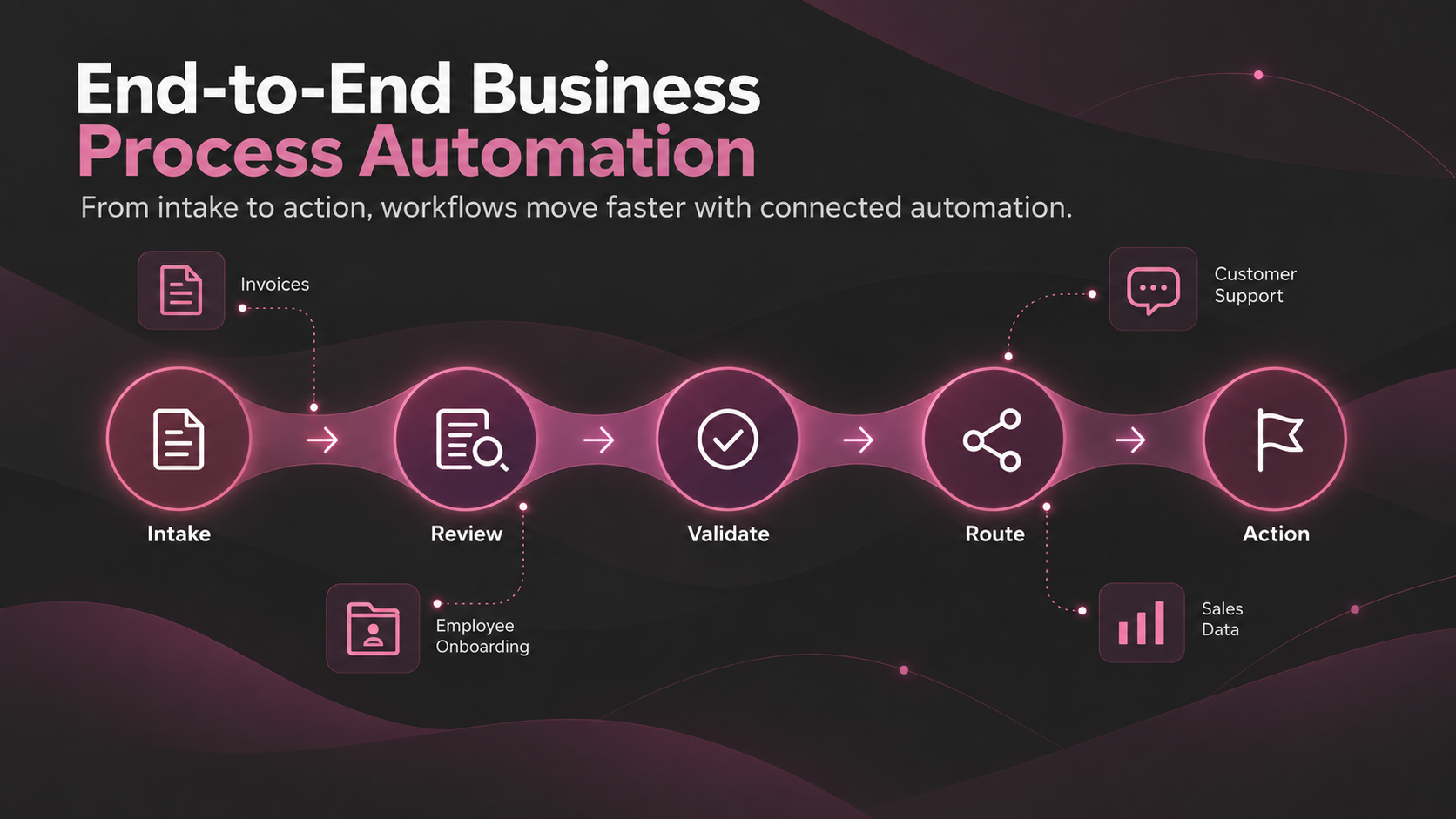
- Invoice Processing: an invoice arrives, AI extracts the data, the system checks it against the ERP record, flags anomalies, routes it for approval, and releases payment.
- Customer Support: a ticket arrives, AI classifies the issue, retrieves the customer’s history, drafts a response, and either resolves the simple case or escalates the case to a person.
- Employee Onboarding: a new hire is confirmed, documents are processed, account requests are generated, tasks are assigned, and any exception goes straight to HR.
- Sales Operations: a call ends, the transcript is summarized, the CRM record updates, a follow-up is drafted, and new opportunities are flagged for the rep.
NOTE: These are illustrative sequences, not measured results from a named deployment. Any business adapting them should validate the numbers against its own data before publishing a projection.
When Traditional Automation Beats AI
AI is unnecessary for fixed calculations, moving structured data between two systems, simple API integrations, deterministic approval rules, scheduled jobs, and high-volume steps a rules engine already handles at near-perfect accuracy.
Adding AI just because the technology exists, when a step doesn’t actually need interpretation or judgment, adds cost and risk without adding value. Reach for AI where probabilistic reasoning solves a real problem rules can’t, and leave the rest on the faster, cheaper, more predictable rail.
Conclusion
AI earns its place in business processes wherever language, documents, judgment, variable inputs, or multi-step decisions defeat fixed rules. Traditional automation remains the better choice for predictable, deterministic work.
The strongest approach combines APIs, workflow tools, conventional automation, AI, and human oversight. Use the simplest technology that can handle each step reliably, and add AI where it solves a problem rules cannot.
Ready to identify where AI can improve your business processes? Explore AI and automation services to find the right approach for your processes.
Book a Free 30-Minute Meeting
Discover how our services can support your goals — no strings attached. Schedule your free 30-minute consultation today and let's explore the possibilities.
Book a Free Call