

Introduction
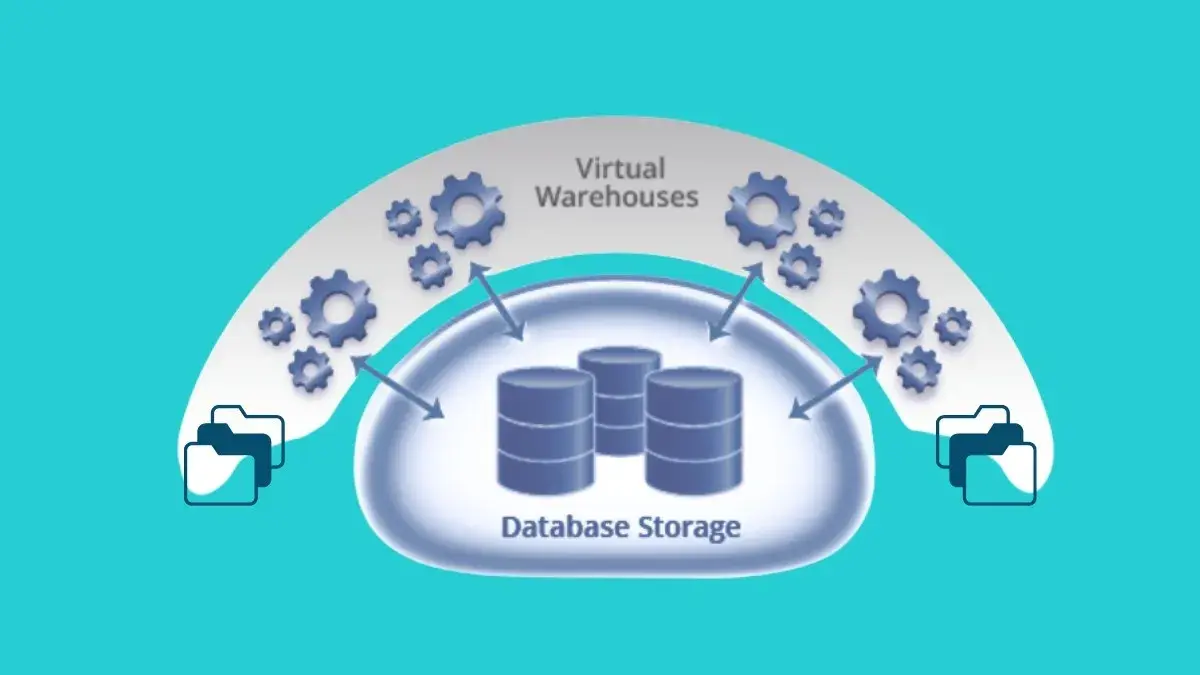
Snowflake’s virtual warehouses are the engine behind all compute operations whether it’s
querying, loading data, or running transformations. But without a proper strategy for managing them, costs can balloon and performance may lag. In this blog, we’ll explore best practices for managing Snowflake virtual warehouses, so you can maintain speed,
scalability, and cost-efficiency across your workloads
Choose the Right Warehouse Size for Your Workload
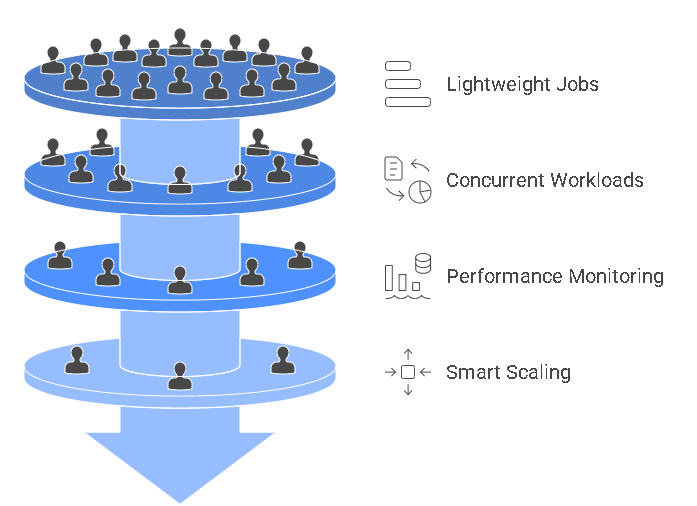
Snowflake allows you to choose from various sizes (X-Small to 6X-Large) for your virtual
warehouse. Choosing the right size isn't just about power, it's about efficiency.
● Use X-Small or Small warehouses for lightweight ELT jobs or API integrations (like
those in our API Integration services).
● Use Medium to Large for concurrent analytical workloads or complex joins.
● Don’t overprovision "just in case"—scale smartly based on historical patterns.
Pro Tip: Always monitor query performance via the Query Profile tool. If queries frequently
queue up, consider resizing or increasing concurrency.
Leverage Auto-Suspend and Auto-Resume Settings
One of Snowflake’s biggest cost-saving features is auto-suspend, which pauses the
warehouse after a period of inactivity. Combined with auto-resume, it ensures that computer resources only run when needed.
Best Practice:
● Set auto-suspend to 1–5 minutes for dev/test environments.
● For production, use slightly higher values only if you need faster response times.
● Pair with Transient Tables for short-term data to further reduce cost
Use Multi-Cluster Warehouses for High Concurrency
Managing workloads with multiple users or apps? A single cluster may lead to query queuing. Use multi-cluster warehouses to automatically scale out under high demand and scale back when demand drops.
Best Practice:
● Use multi-cluster auto-scaling for BI dashboards, real-time analytics, or app-based workloads.
● Set a min and max cluster range that aligns with expected peak usage to prevent runaway costs
Separate Warehouses by Workload Type
A common mistake is running all tasks—ETL, analytics, and ad-hoc queries—on a single
warehouse. This can lead to performance bottlenecks. Segment your workloads:
● One warehouse for ETL processes.● Another for BI and dashboard queries.
● A smaller one for ad-hoc or exploratory queries.
This segmentation also makes it easier to track costs and troubleshoot issues.
Monitor and Optimize with Query History & Resource Usage
Efficient warehouse management depends on visibility. Use Snowflake’s Account Usage
schema and Query History dashboard to identify inefficient queries, long runtimes, and
underutilized resources. Actionable Steps:
● Monitor warehouse credit consumption regularly.
● Identify "heavy" users or dashboards and consider isolating them to dedicated
warehouses.
● Use tagging for internal chargebacks or team-based cost control.
Schedule Warehouses Intelligently
Not all workloads run 24/7. You can schedule warehouses to start and stop based on job
schedules or user activity. Use orchestration tools like Apache Airflow, dbt, or Snowflake Tasks to:
● Start warehouses before scheduled jobs.
● Suspend them automatically after completion.
This approach helps especially with dev/test environments or batch processing
windows.
Use Zero-Copy Cloning for Testing Without Overhead
Want to test performance or query plans without affecting your main workloads? Combine
virtual warehouse isolation with Snowflake’s Zero-Copy Cloning to create test environments that don’t duplicate storage. It’s ideal for benchmarking warehouse settings before production rollout. Managing Snowflake virtual warehouses isn’t just about picking the right size—it’s about optimizing for usage patterns, scalability, and cost control. By applying these best practices, teams can ensure their compute resources are always aligned with performance needs and budget goals. Ready to optimize your Snowflake environment? Contact Data Prism to get expert help with warehouse tuning, architecture audits, and performanceengineering.
Book a Free 30-Minute Meeting
Discover how our services can support your goals — no strings attached. Schedule your free 30-minute consultation today and let's explore the possibilities.
Book a Free Call