Claude Skills Explained: How They Work and How to Use Them

Usman AshrafSep 25, 2026
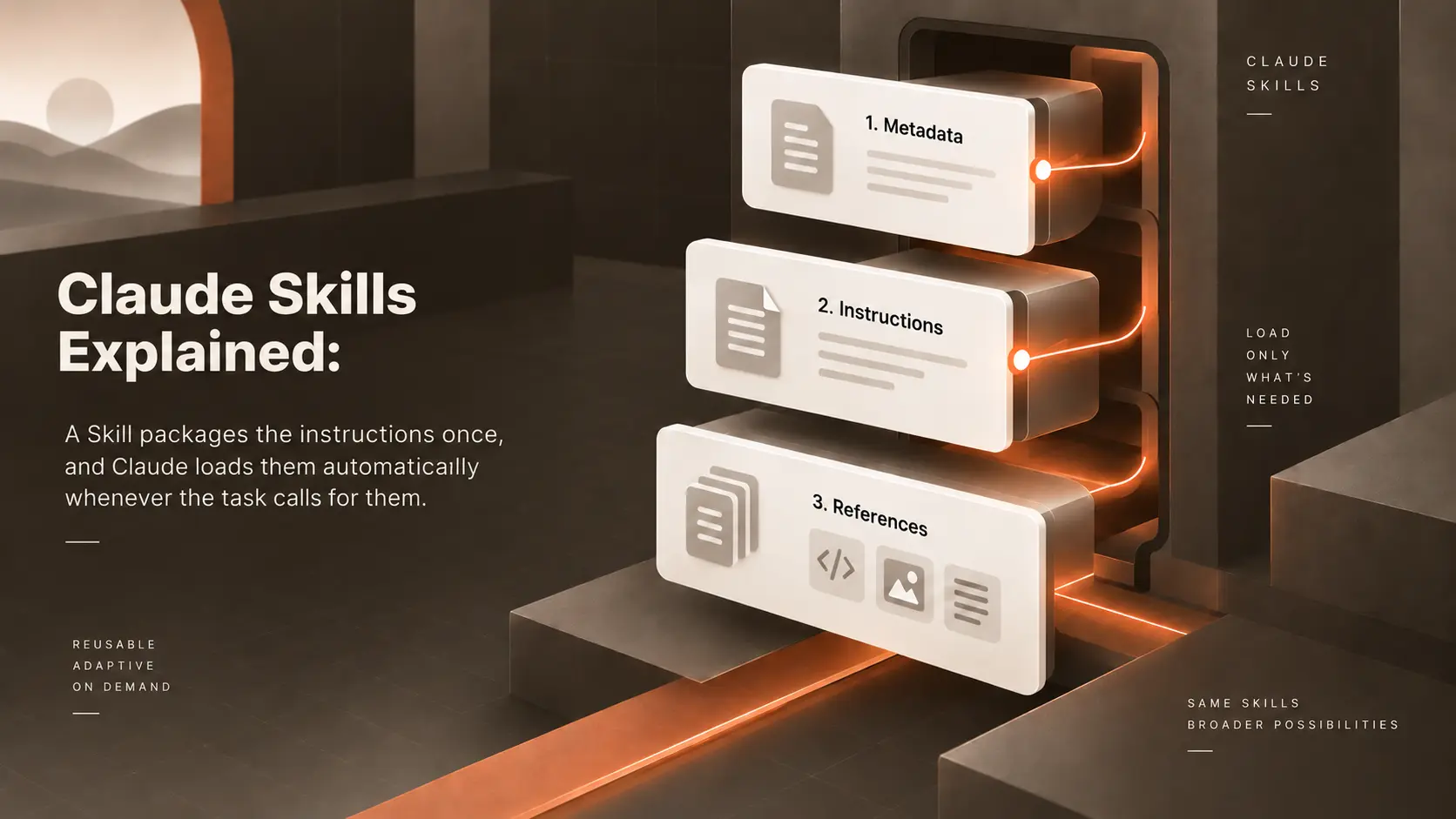
Claude Skills diagram showing three layers: metadata, instructions, and references loaded on demand.

Summarize with AI

Introduction

Datadog runs one of the most widely used open-source monitoring agents in the industry, and its engineers use Claude Code on the same codebase every day. Instead of re-explaining its review and ticket-triage steps in every session, the team built a `.claude/skills/` directory directly into the datadog-agent repository. Each recurring job gets its own Skill, and any engineer, or any Claude Code session, follows the same instructions the next time the job comes up.

This is the exact problem Claude Skills was made to solve. The problem shows up everywhere Claude handles a repeated process, not just in engineering. A research team retypes the same methodology at the start of every investigation. A content team pastes the same style guide into every draft. Each fix works once, then gets forgotten in the next conversation.

A Skill packages the instructions once, and Claude loads them automatically whenever the task calls for them. This still leaves an open question: what does a Skill actually add once you already have prompts, project instructions, tools, and MCP connections? This guide will answer it for you and explain what Claude Skills are, how to build one, and how they compare to prompts, Claude Code Skills, and MCP.

What Are Claude Skills?

Claude Skills are folders, and each one of them gives Claude procedural knowledge for a specific kind of task. Anthropic calls them Agent Skills in its own documentation. Each folder holds a SKILL.md file, and some optional supporting resources, like reference documents, templates, and scripts. Claude reads the content automatically once a request matches the description, without anyone invoking the Skill by name.

Anthropic ships pre-built Skills for PowerPoint, Excel, Word, and PDF work. In addition to this, anyone can write a custom Skill for their own workflow. Both work the same way. 

Once a Skill is available in your environment, Claude reads and applies the Skill without you asking by name. You can write a Skill in Claude Code, upload one through the Claude API, or add one in claude.ai settings, depending on where you work.

The format solves a narrow problem. A prompt tells Claude what to do for one conversation. A Skill tells Claude how to handle a category of task every time the category comes up. Nobody has to retype the instructions.
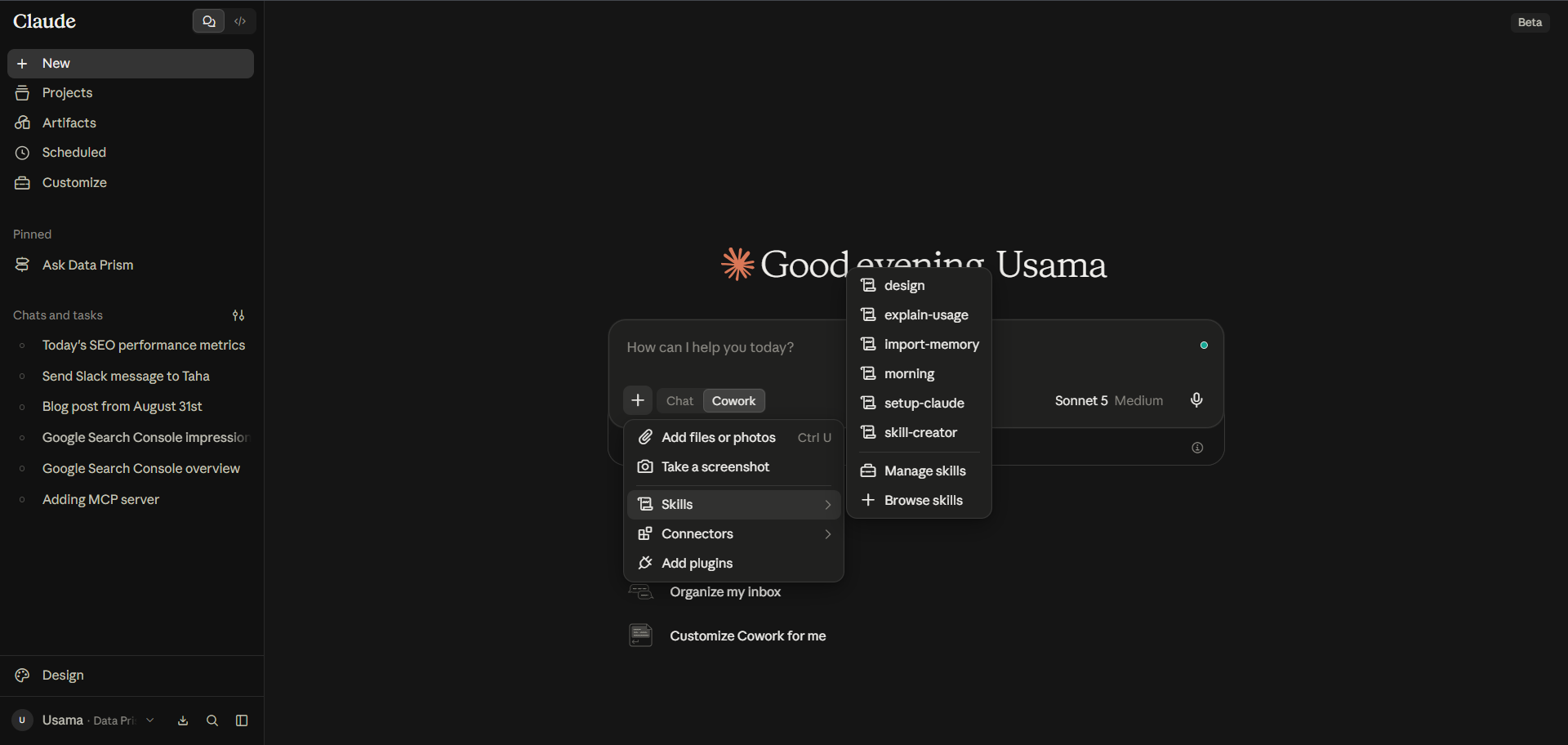
Claude interface with the Connect menu open, showing options to add files, integrations, skills, connectors, and plugins.

Why Do Claude Skills Matter?

Without a reusable format, the same problem shows up in every team putting Claude to work on a repeated process. Someone pastes a 2,000-word style guide into every draft. A support team retypes its escalation policy in every ticket. A finance team explains its reconciliation steps from scratch in the first message of every session. All of this happens only because nothing is carried over from the last chat.

This repetition costs more than typing time. Instructions drift as people copy, paste, and lightly edit the same block in different chats. This means that two team members end up giving Claude two versions of the same policy. A step gets dropped when someone pastes from memory, instead of from the source document. 

None of this is a prompting problem. This is a maintenance problem, and prompts have no natural home for maintained knowledge. A Skill gives this knowledge a home. 

Write the review checklist once, and every developer's Claude Code session can load the checklist the same way. Update the reconciliation policy once, and the update reaches every conversation touching the policy next. Good prompting still matters, but the format removes the need to retype the same procedure inside every prompt.

How Claude Skills Work?

Claude Skills run through a mechanism called progressive disclosure. This mechanism exists to solve a context problem. An agent with dozens of Skills installed should not have to load every one of them to answer a single question.

At startup, Claude loads only the name and description from each installed Skill's frontmatter. It costs about 100 tokens per Skill. This is the first level. Only this metadata sits in context until a request actually matches one. 

When a message matches a Skill's description, Claude reads the full SKILL.md body using a bash command. This second level keeps procedural instructions under 5,000 tokens by design.

The instructions might point to a separate reference file or a script. Claude opens the file, or runs the script, only when a step actually requires one of them. This is the third level, and a Skill can bundle a large reference library without any part of the library costing tokens until a task needs a page from the library.

This filesystem-based design also lets Skills execute code, not just read instructions. A bundled Python script runs through bash, and only its output enters the context window. Generating equivalent code from scratch every time would be less reliable. This design also keeps deterministic operations, like validating a form field or sorting a list, out of the model's hands entirely.

Multiple Skills can also combine on a single request. Anthropic lists this composability as a core benefit. A content request might trigger a house-style Skill and a document-formatting Skill in the same turn, each contributing its own strength. Claude decides which ones apply from their descriptions, so nobody has to manually chain them together.
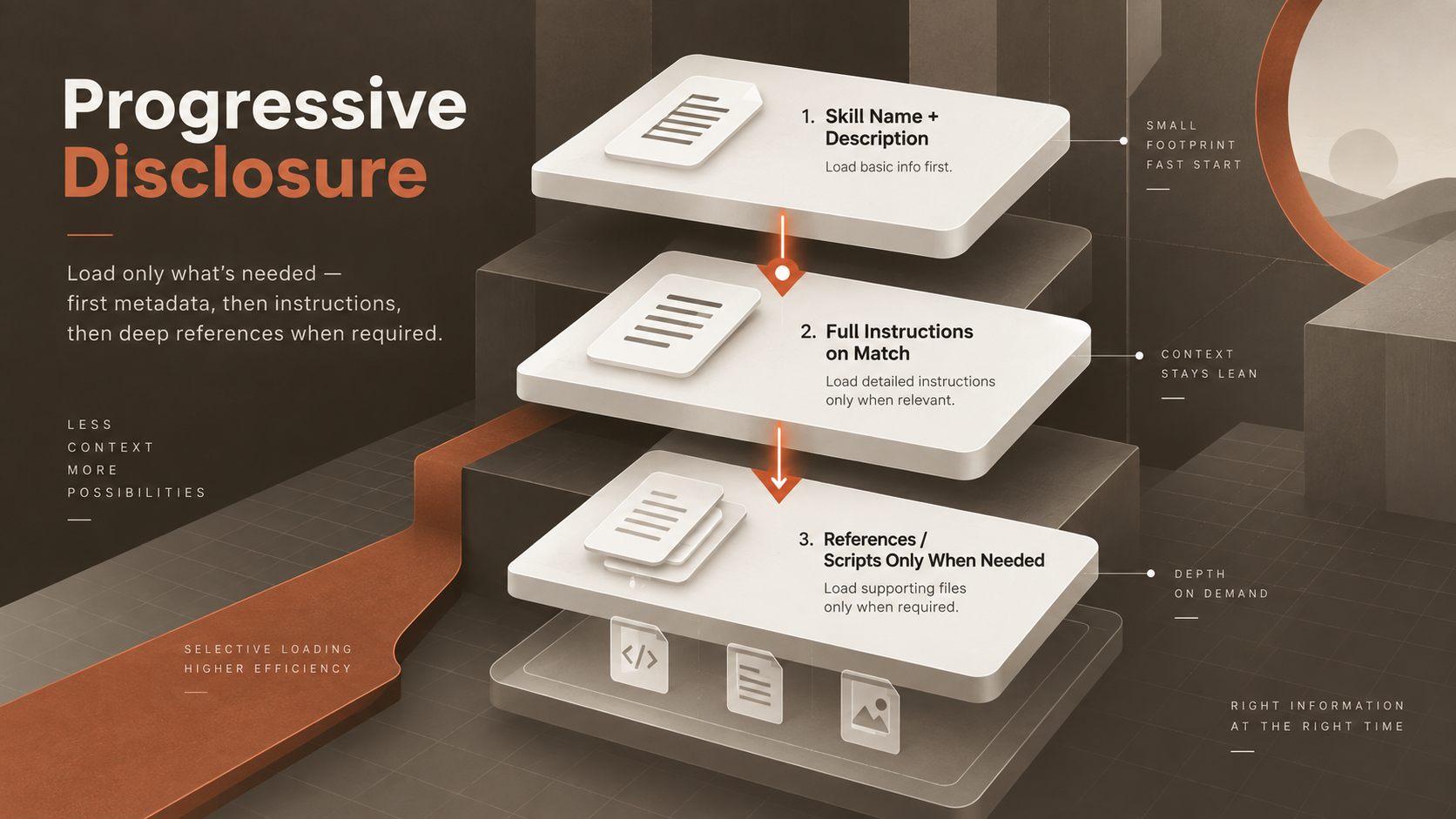
Progressive disclosure diagram showing skills loaded in stages, from metadata to instructions and references only when needed.

The Core Components of a Claude Skill

Every Skill starts with a SKILL.md file, and the file has two required fields in its YAML frontmatter: name and description. The name field can run up to 64 characters, using only lowercase letters, numbers, and hyphens, with no room for the words "anthropic" or "claude." 

The description field carries the real weight. Claude compares the description against every incoming request to decide whether the Skill applies. The text has to state both what the Skill does and when to use the Skill.

Below the frontmatter sits the instruction body, the procedures, workflows, and conventions. Claude follows all these constraints once the Skill triggers. Anthropic recommends keeping this under 500 lines and moving anything longer into a separate reference file the SKILL.md links to.

A Skill folder can also hold supporting resources. For example, additional markdown files for detailed guidance, templates for consistent output, and scripts for operations better handled outside token generation. None of this is required, and a Skill can be as simple as a SKILL.md file with one paragraph of instructions. The same folder can also bundle a full reference library alongside working code.
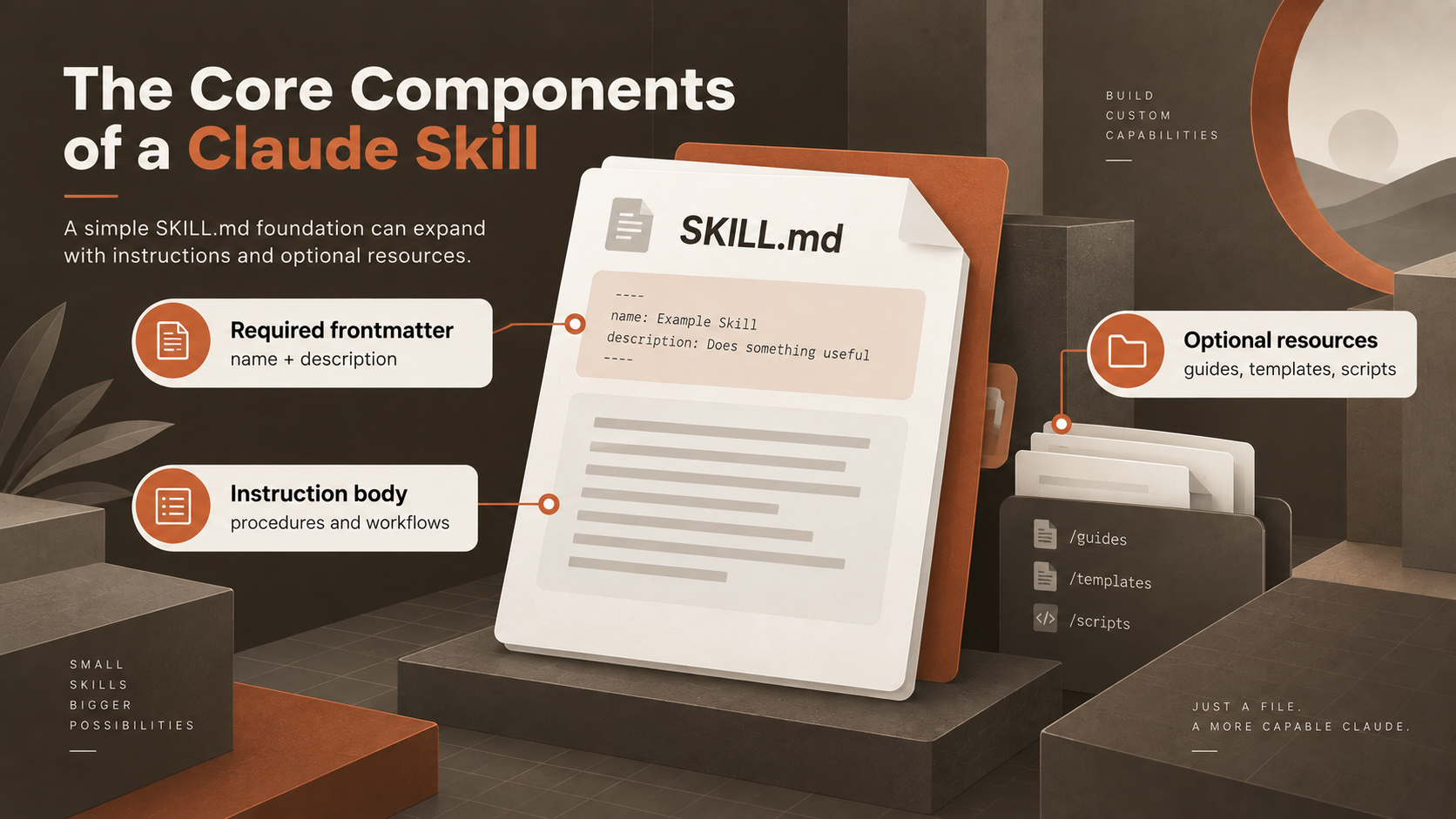
Diagram showing the core components of a Claude Skill: required frontmatter, instruction body, and optional supporting resources.

How to Create a Claude Skill?

Start with a task you already ask Claude to do the same way more than once. Writing a Skill for a one-off request just adds a file nobody will reuse.

Write the frontmatter first. A short name and a description stating both what the Skill does and when Claude should use the Skill. This description is the only thing Claude checks against every new request. It is the reason why vague wording is the most common reason a Skill never gets triggered. 

After the frontmatter, we need to write the instructions as a procedure, not a wish list. What to check, in what order, and what the finished output should look like. A minimal but working SKILL.md looks like this:

Markdown
---
name: pr-review-checklist
description: Reviews a pull request against this repo's coding standards, security checks, and test coverage requirements. Use when a user asks for a code review or mentions a pull request.
---
 
# PR Review Checklist
 
## Instructions
1. Check whether new functions have unit tests.
2. Flag any hardcoded credentials or API keys.
3. Confirm naming follows the repo's existing conventions.
4. Note any function longer than 50 lines as a candidate for splitting.
 
## Output format
List findings by severity: blocking, suggested, and optional.

Save the Skill to a Skills folder in Claude Code, upload through the Skills API, or add in claude.ai settings. Test the Skill against a handful of realistic requests before relying on the results, and confirm the Skill stays quiet on requests outside its scope. 

If Claude misses the trigger, or fires on the wrong requests, tighten the description before touching anything else. From there, treat the Skill like any other piece of team documentation. Give the Skill an owner, and update when the underlying process changes.
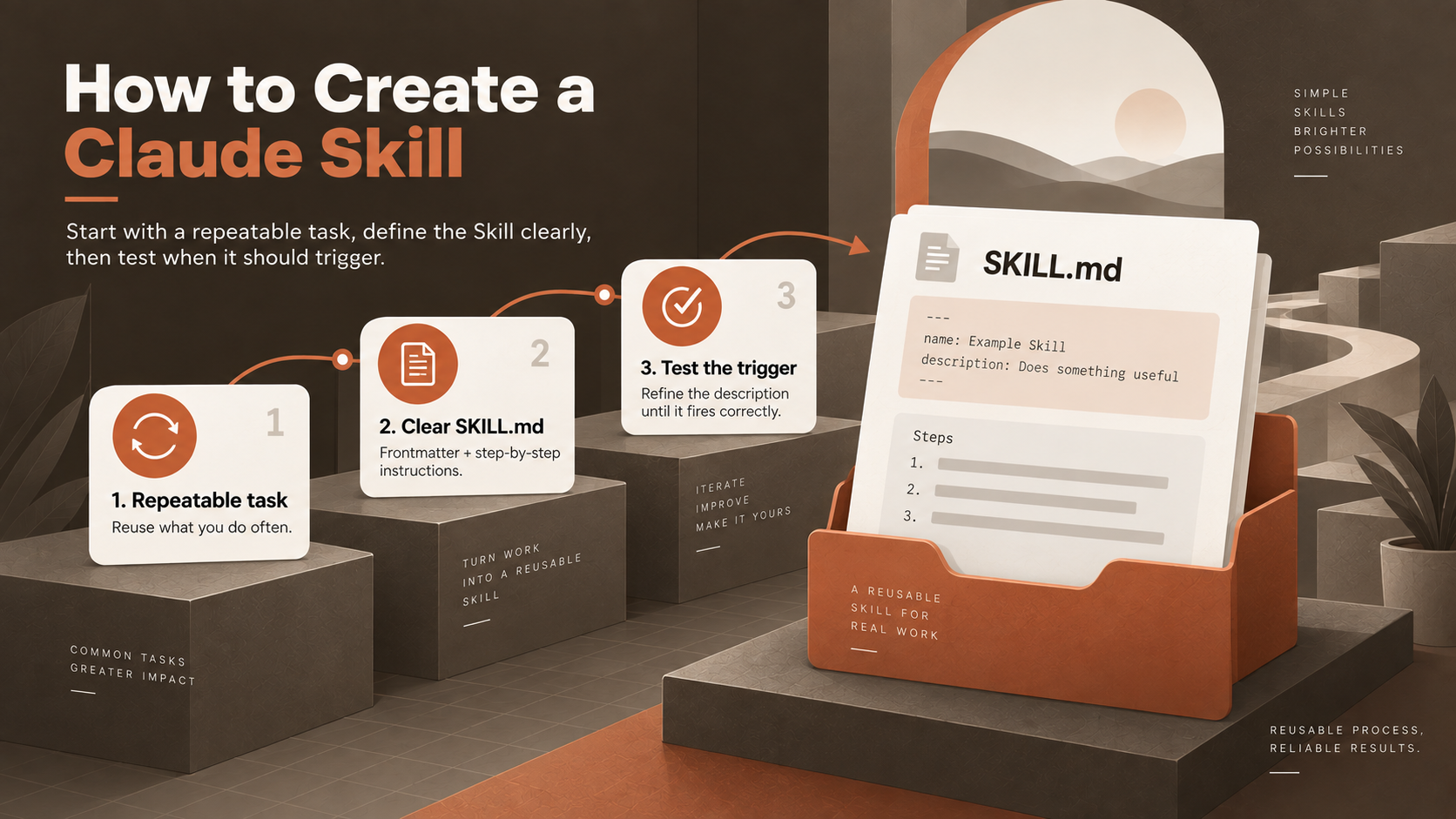
Step-by-step diagram for creating a Claude Skill by identifying a repeatable task, writing SKILL.md, and testing the trigger.

Claude Skills vs Prompts and Project Instructions

A prompt and a Skill solve different problems, even though both end up as text Claude reads.

Factor

Prompt or Project Instructions

Claude Skill

Primary Goal

Tell Claude what to do in this conversation

Package repeatable guidance for a recurring task

Reuse

Retyped or pasted for each new conversation

Loads automatically once installed

Maintenance

Copies drift as people edit their own version

One file, one update, reaching every use

Context Cost

Counts against the context window immediately

Roughly 100 tokens until triggered

Supporting Files

Not possible inside a prompt

Scripts, templates, and references load on demand

Neither one replaces the other. A one-off request still gets a plain prompt, because writing a Skill for something you'll only ask once is wasted effort. A recurring, well-defined procedure is what makes a Skill worth building. Once the Skill exists, ordinary prompting still decides which specific task to run the procedure against.

Claude Skills vs Claude Code Skills

Claude Code is the agentic coding product, not a synonym for Skills. The product is a command-line, desktop, and IDE tool, running Claude against a real filesystem and shell. Claude Code is also one of several surfaces where Skills can run.

Claude Code Skills are the same Agent Skills format, used specifically inside the product. Both follow the open Agent Skills standard published at agentskills.io. A Skill written for Claude Code will generally work in another compatible tool without changes, including OpenAI's Codex, Cursor, and GitHub Copilot.

Claude Code layers a few extensions on top of the shared format. For example, the disable-model-invocation field restricts a Skill to manual use only. The context: fork setting runs a Skill inside its own subagent. Inline shell commands can inject live data (like a git diff) straight into the Skill's instructions before Claude ever reads them. None of these three features exist in the base standard used on claude.ai or the API.

Factor

Claude Skills (General)

Claude Code Skills

Where They Run

claude.ai, the API, AWS, Microsoft Foundry, Claude Code

Claude Code specifically

Format

Agent Skills open standard

Same standard, plus Claude Code extensions

Pre-Built Document Skills

Available (pptx, xlsx, docx, pdf)

Not available, though the open-source Claude API skill ships instead

Invocation

Automatic, based on the description

Automatic, or manual via /skill-name

Distribution

Per-surface upload, no automatic sync

Personal folder, project folder, or a plugin

Claude Skills vs MCP and Tools

MCP, the Model Context Protocol, is Anthropic's open standard for connecting Claude to external systems. An MCP server exposes a set of tools, and once connected, Claude can call them the way any program calls a function.

Skills and MCP solve different problems, even though they often show up in the same workflow. A tool gives Claude an invocable capability, like creating a GitHub issue or querying a database. A Skill gives Claude the reasoning for how to use the capability well, on top of what the tool alone provides. MCP hands Claude a phone line to another system, whereas a Skill is the script for what to say once the call connects.

There's a practical reason to keep the two separate rather than solving everything with more MCP servers. Anthropic's own engineering team has documented how connecting many tools loads every tool definition into context upfront. This overhead grows with each server added, before Claude has done any actual work. A Skill's metadata costs a fraction of this because only the name and description sit in context until a request actually triggers the full instructions.

A GitHub MCP connection lets Claude open pull requests and read issues. A Skill can then explain how this specific team triages the issues. It can also tell which labels matter, which channel gets notified, and what counts as a blocker or a nice-to-have. 

The MCP server supplies the action while the Skill supplies the judgment. Anthropic has said the company wants Skills to complement MCP servers, teaching agents more complex workflows involving external tools. The two aren't competitors.

Factor

MCP and Tools

Claude Skills

What Each Provides

A connection to an external system or a callable function

Procedural knowledge for how to approach a task

Typical Content

An API wrapper, a database connector, a search integration

Instructions, checklists, templates, and optional scripts

Without One

Claude cannot reach the external system at all

Claude can reach the system but has to guess at your process

Relationship

Supplies the capability

Supplies the guidance for using the capability

Claude Skills Marketplace and Skill Libraries

Searching for a "Claude Skills marketplace" mostly runs into confusion because Anthropic operates two different things with overlapping names. A wider set of unofficial listings also play their role in increasing the ambiguity.
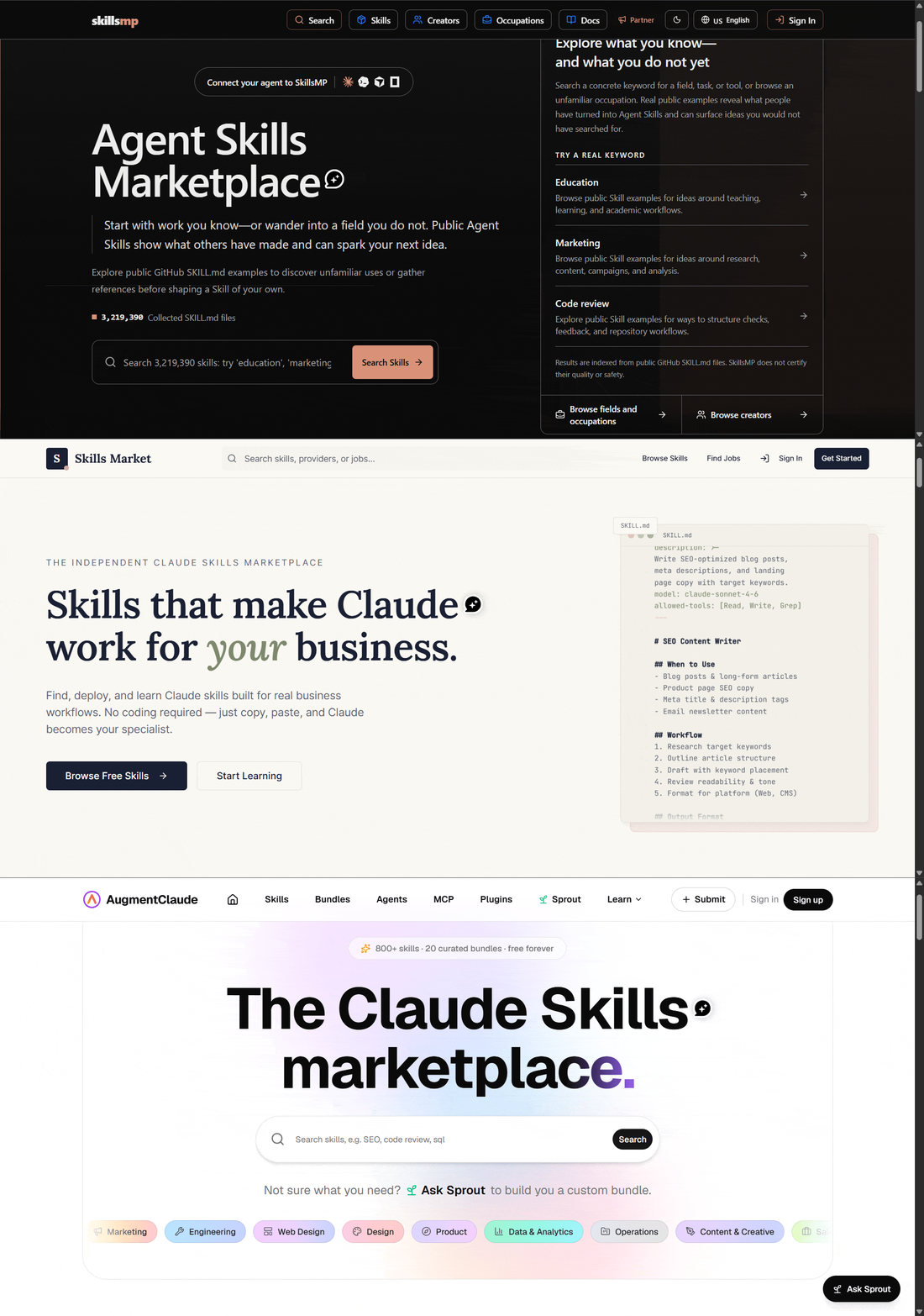
SkillsMP Agent Skills Marketplace page for browsing public SKILL.md examples by keyword, occupation, or creator.

The first is the anthropics/skills repository on GitHub, which hosts Anthropic's pre-built document Skills and a set of open-source examples. Claude Code can register the repository directly as a plugin source. Installing from the repository, with a command /plugin install document-skills@anthropic-agent-skills, is currently the closest thing to an official Skills catalog. 

Alongside the repository sits claude-plugins-official, Anthropic's curated directory of Claude Code plugins. Some of these plugins bundle Skills, agents, and MCP servers together, and each one goes through a quality and security review before publication.

The second is the Claude Marketplace, a separate enterprise offering for buying whole Claude-powered products from partners like Cursor, GitLab, and Snowflake. The Marketplace has nothing to do with Skills, despite the name overlap, so a search for a SKILL.md file won't find one there.

Beyond these two, several independent projects catalog community Skills, including GitHub lists such as ComposioHQ’s awesome-claude-skills and sites like ClaudeSkills.org and SkillsLLM. Some vendors also maintain official Skills for their own products. Pulumi is one of them, and it publishes an agent-skills repository covering its infrastructure-as-code conventions.

Community installers can pull Skills directly from GitHub with commands like npx skills add <repo> --skill <name>, without using a plugin marketplace. These third-party sources are not Anthropic products and do not carry Anthropic’s review or endorsement. For this reason, it’s important to be careful and treat unfamiliar Skills like any other third-party software.
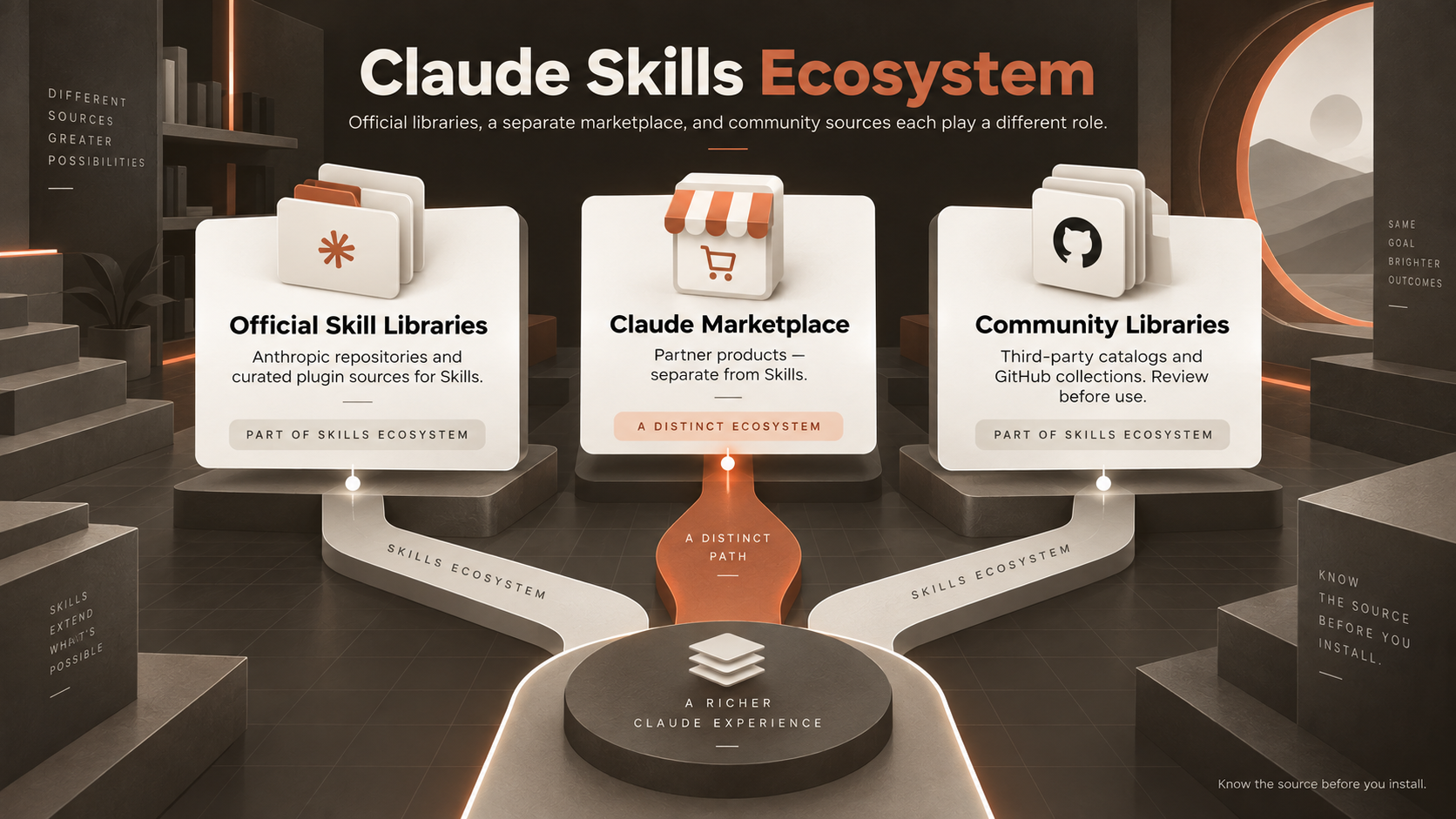
Claude Skills ecosystem diagram showing official skill libraries, Claude Marketplace, and community libraries.

How to Evaluate a Claude Skill Before Using One?

Popularity is a weak signal on its own. A Skill with a lot of GitHub stars can still be abandoned, badly scoped, or built around assumptions mismatched with your setup.

Evaluation Area

Question to Ask

Source

Who wrote and maintains this Skill?

Scripts

Does the Skill bundle executable code you've actually read?

Network Access

Does the Skill fetch data from external URLs?

Permissions

What tools or files can the Skill expose Claude to?

Maintenance

Has the Skill been updated since its underlying format last changed?

Fit

Does the Skill match how your team actually works, or someone else's process?

Governance

Can your organization review or restrict the Skill centrally?

Anthropic's own guidance on this is blunt. Use Skills only from trusted sources, and audit anything untrusted before running the code. A Skill's instructions and bundled code can direct Claude to use tools in ways its stated purpose never mentioned.

Claude Skills for Coding and Claude Code

Coding is where Skills show up most. Engineering work is full of procedures needing to be followed exactly, every time, across a team bigger than one person's memory.

A Claude Code Skill can hold a repository's conventions for naming, error handling, and test structure. Refactors and new features then come out consistent, no matter which session wrote them. A separate Skill can define what a thorough code review checks, from security patterns to test coverage. Claude then applies the same checklist to every pull request, instead of a different one each time. 

None of this makes the Skill itself an autonomous coding agent. Claude Code still does the reading, writing, and running of code. The Skill just tells Claude Code which procedure to follow while doing the work.

The distinction matters because overstatement is easy here. A Skill doesn't write better code on its own. A Skill can't fix a codebase with no tests, or a deployment process nobody agrees on. The format only stops the same procedure from getting reinvented, slightly differently, in every session.
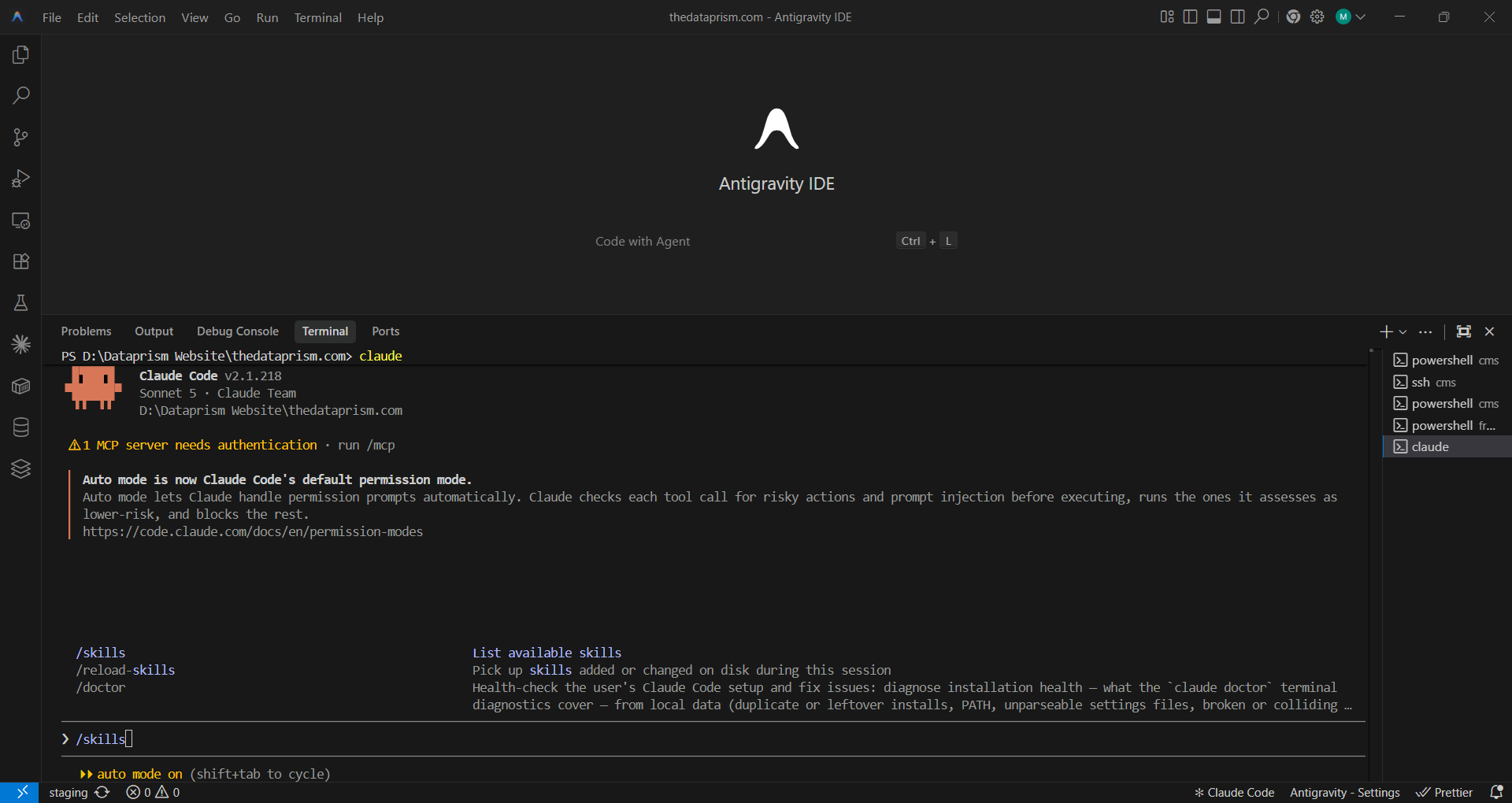
Antigravity IDE terminal running Claude Code with commands for listing, reloading, and diagnosing installed skills.

Claude Skills Best Practices

Building reliable Claude Skills requires clear scope, careful testing, and ongoing ownership. 

Keep the Description Specific: Claude matches your request against the description text, so a vague one either never triggers or triggers on the wrong requests. Name the task and the trigger phrases someone would actually type.

Keep the Skill Focused: One Skill, one job. A Skill trying to cover five loosely related tasks is harder to trust than five small ones, each built for a single job.

Move Detail Out of the Main File: Anthropic recommends keeping SKILL.md under 500 lines. Long reference material belongs in a separate file that the SKILL. md points to. This file only loads when a task actually needs the material.

Test the Negative Case: Confirm the Skill stays quiet on requests the Skill shouldn't touch. Firing correctly on the requests the Skill should handle isn't enough on its own.

Review Before You Trust: Read every file a Skill bundles, scripts included, before installing anything from outside Anthropic or your own team.

Assign an Owner: An unowned Skill goes stale the first time the underlying process changes. Apply version control to the Skill like any other shared file, and update when the real workflow does.

Conclusion

If your team keeps giving Claude the same instructions, reviewing the same steps, or relying on knowledge stored in one person's head, that workflow may be ready to become a Skill.

We help teams identify repeatable processes worth standardizing, then turn them into reliable Claude workflows through AI agent development and automation. The goal is not to create a Skill for every prompt, but to capture the procedures your team uses often enough that consistency, reuse, and maintainability matter.

Not sure which workflows are worth turning into Skills? Talk to our AI consulting and strategy team to map your recurring Claude workflows and identify the best opportunities to standardize and automate them.

Book a Free 30-Minute Meeting

Discover how our services can support your goals — no strings attached. Schedule your free 30-minute consultation today and let's explore the possibilities.

Book a Free Call

Frequently Asked Questions

Personal Skills live in ~/.claude/skills/ and project Skills live in .claude/skills/ at the repo root. On claude.ai, you upload the folder in settings, and Anthropic stores it.

The description is usually too vague. Claude matches it against every request, so name the task and the words someone would actually type. Then check the folder path and the YAML frontmatter.

Copy the Skill's folder into ~/.claude/skills/ or .claude/skills/. There's no build step. Read the SKILL.md and any bundled scripts first, because the code runs with your permissions.

CLAUDE.md loads in every session and stays in context throughout. A Skill loads only when a request matches its description. Repo facts belong in CLAUDE.md, occasional procedures in a Skill.

No. A Skill is text Claude reads at runtime, so the model itself never changes. Delete the folder and the behavior disappears on the next request.

Book Consultation