

What is Data Migration? Strategy, Best Practices, and Tools

Usman AshrafJul 1, 2026
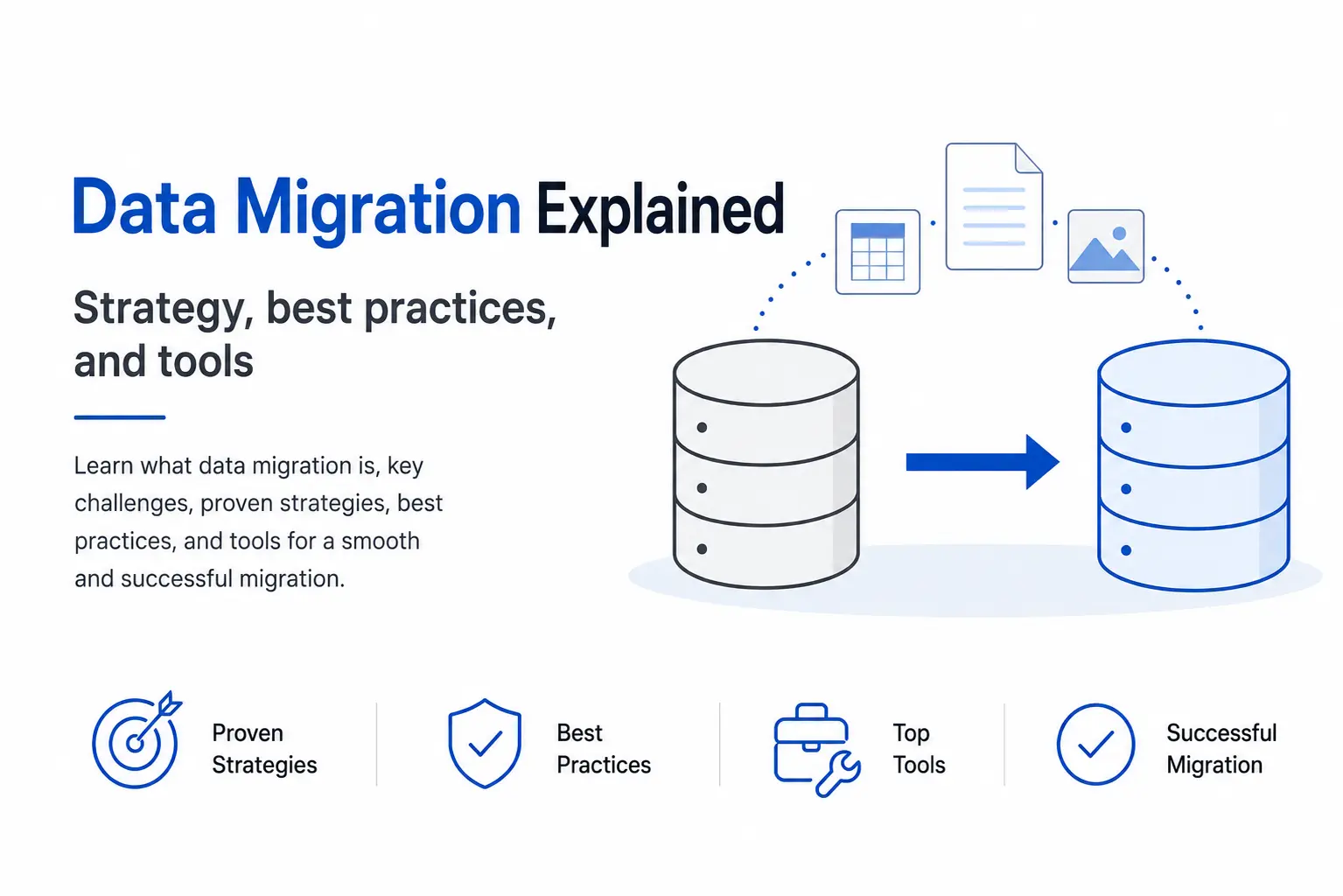
Data migration illustration showing data moving between databases with strategy, best practices, and tools.

Introduction

Most data migrations go wrong because moving data between systems sounds simple, but the process often catches people off guard due to overlooked complexities. Many think you just need to pull records out of the old database and load them into a new one.


Reality is messier than that. The source data is dirty, and the business rules sit buried in undocumented scripts. A field that meant one thing in 2014 means something else today. This guide covers what a data migration involves, why so many slip, and how to run a migration using the best strategy, practices, and tools.

What Is Data Migration?

Data migration is the process of moving data from one storage system, format, or application to another. Data migration usually happens when:

  • An old system has been retired.
  • Moving infrastructure to the cloud.
  • A merger that forces two databases into one.

Every project runs through the same core job. Get the records across without losing or corrupting them. Migration sounds easy until you count the records. A mid-sized company can hold tens of millions of rows across dozens of tables, each with its own quirks.

Most migrations follow three steps. 

  • Extract the data from the source. 
  • Transform it to fit the target system’s structure and rules 
  • Load it into the target. 

Engineers know this pattern as ETL. However, migration adds one thing ETL pipelines often skip. The source system gets switched off at the end of migration, so there is no fallback if something goes wrong.

Why Do So Many Data Migrations Fail?

Research by Experian found that 48% of organizations in the Asia Pacific region experience migration delays because of data quality issues. These issues include duplicate records, missing fields, and inconsistent data formats. Fixing these problems early makes the migration process easier to manage and reduces the risk of failure. This highlights the important role of data managers in maintaining data quality and ensuring a smoother migration.

The second mistake is approaching migration as merely a file transfer rather than a business challenge. Teams often skip the discovery phase and underestimate the amount of work needed, only to find that records in the old and new systems do not match.


Additionally, hidden business logic can create complications. Years of one-off fixes stored in procedures, macros, or rules may not transfer with the data unless they are identified and extracted. Migrating essential calculations, such as discounts, taxes, and commission rules, is vital to keep operations running smoothly. All these things reinforce the importance of treating migration as a core business process.

The third mistake is insufficient planning. Experian found that 29 percent of organizations identified a weak data strategy or lack of appropriate technology as their primary bottleneck. When budgets and timelines are established before the data is profiled, estimates are typically inaccurate. Careful planning helps prevent failures and makes the migration process smoother, giving project managers more confidence to execute it successfully.
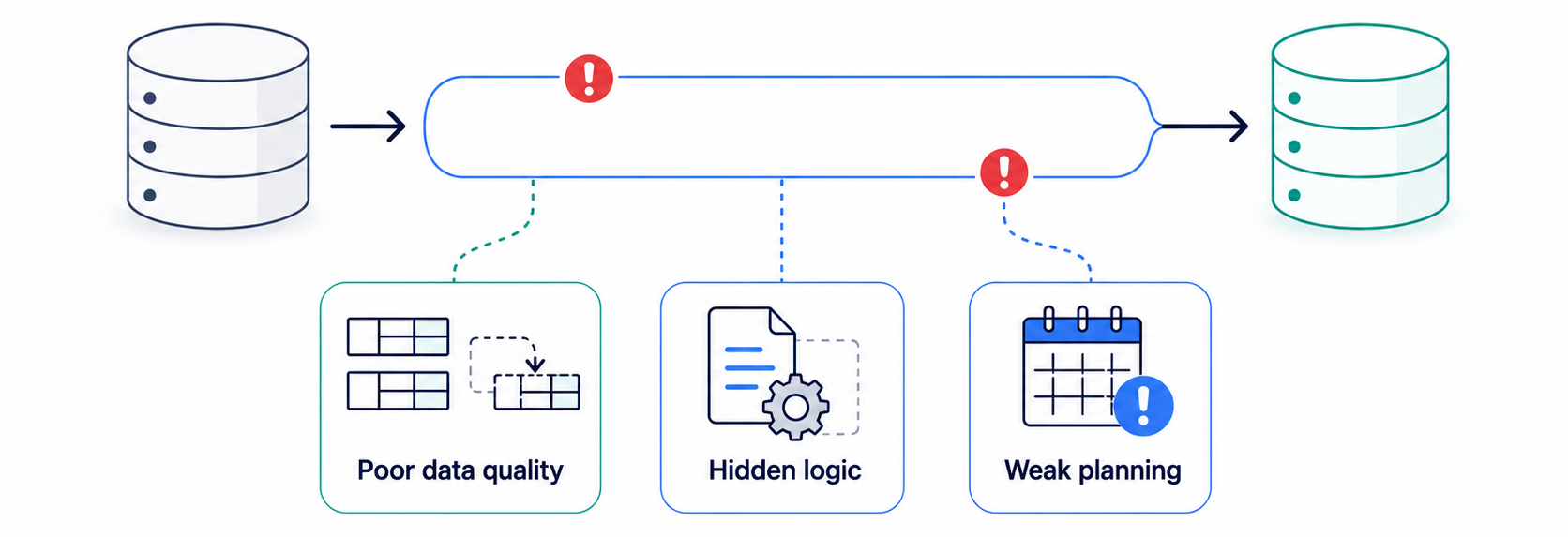
Diagram showing a data migration pipeline disrupted by poor data quality, hidden logic, and weak planning.

The Five Main Types of Data Migration

Migrations come in five forms, and most projects mix a few. Choosing the right tools depends on what you're migrating, such as storage, databases, applications, cloud resources, or business processes. Using the right tools for each type of migration helps reduce risks and makes the migration process more efficient.

Storage migration moves data from one storage medium to another, say from spinning disks to flash, or from on-premise arrays to a cloud bucket. The data itself does not change. The plumbing underneath it does, which usually makes this the lowest-risk type of the five.

Database migration moves data between database engines or versions, for example, from an aging MySQL instance to PostgreSQL. It gets tricky when source and target store data types differently, or when stored procedures and triggers need rewriting to work in the new engine.

Application migration moves data when a company swaps software, such as replacing a legacy ERP with a cloud platform. The data models on either side rarely line up, so transformation work tends to dominate the effort and the timeline.

Cloud migration moves data and workloads from on-premise infrastructure to a cloud provider, or between clouds. It now drives much of the market. Rehosting (lift-and-shift approach) held a 35.4 percent share of cloud migration work in 2025 because it is the fastest first step.

Business process migration moves data tied to a change in how the business runs, often after a merger or a reorganization. It tends to pull in several of the other types at once, which is what makes it the most demanding to scope.

How Does the Data Migration Process Work?

A solid migration runs in stages, and skipping the early ones is where most projects lose the plot. To maximize the chances of a successful migration, follow the sequence below in the right order.

This is the same process we follow when managing migration projects for our clients.

  1. Assess. Profile the source data before touching anything. Count the records, find the duplicates, flag the empty fields, and figure out which tables are actually used. 
  2. Plan. Set scope, owners, success criteria, and a realistic timeline built on the assessment rather than a hunch. Decide what moves, what gets archived, and what gets dropped before it ever reaches the new system.
  3. Design. Map every source field to its target field and write the transformation rules. Define how you will handle records that do not map cleanly, because there will be plenty of them.
  4. Cleanse. Fix quality problems at the source where you can. Deduplicate, standardize formats, and either fill or flag the gaps. Clean data moving into a clean target usually beats trying to repair it after the load.
  5. Migrate. Run the extract, transform, and load. For large datasets, move in batches so a single failure does not take down the whole run and force you to start over.
  6. Validate. Check the migrated data against the source. Reconcile row counts, spot-check values, and confirm the target application behaves correctly. Teams rush this step, and it is the one that causes silent corruption.
  7. Decommission. Once validation passes and the new system runs stably, retire the old one. Keep a backup for a defined window, then shut it down for good.
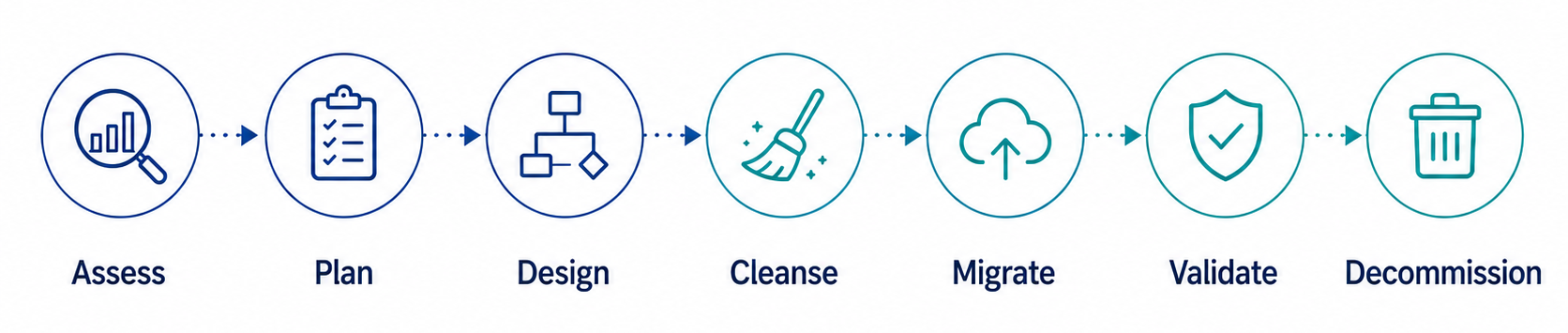
Seven-step data migration process from assessment and planning through validation and system decommissioning.

Big Bang or Phased: Choosing a Migration Strategy

Choosing the right approach based on your downtime tolerance and business needs can influence your project's success. A big bang migration moves everything in one window, usually over a weekend. A phased migration, also called trickle migration, moves data in stages while both systems run side by side. Your decision is vital to ensure a smooth transition.

Factor

Big bang

Phased (trickle)

Downtime

One outage window, little to no downtime

Minimal downtime, migration happens in stages

Risk

Higher, concentrated risk

Lower, spread out over time

Complexity

Simpler to plan

More complex; two systems must stay in sync

Best for

Small datasets

Large or critical data

A big bang move is cheaper to run and easier to schedule, but it carries real exposure. If something breaks during the downtime window, the business feels it right away. It suits small datasets and teams that can absorb a short outage without much pain.

A phased move keeps both systems live, which lowers risk and lets you catch problems early. The cost you pay for this is complexity. You have to keep the two systems synchronized through the transition, which adds engineering work and stretches the timeline. For large or mission-critical datasets, that extra effort usually pays for itself.
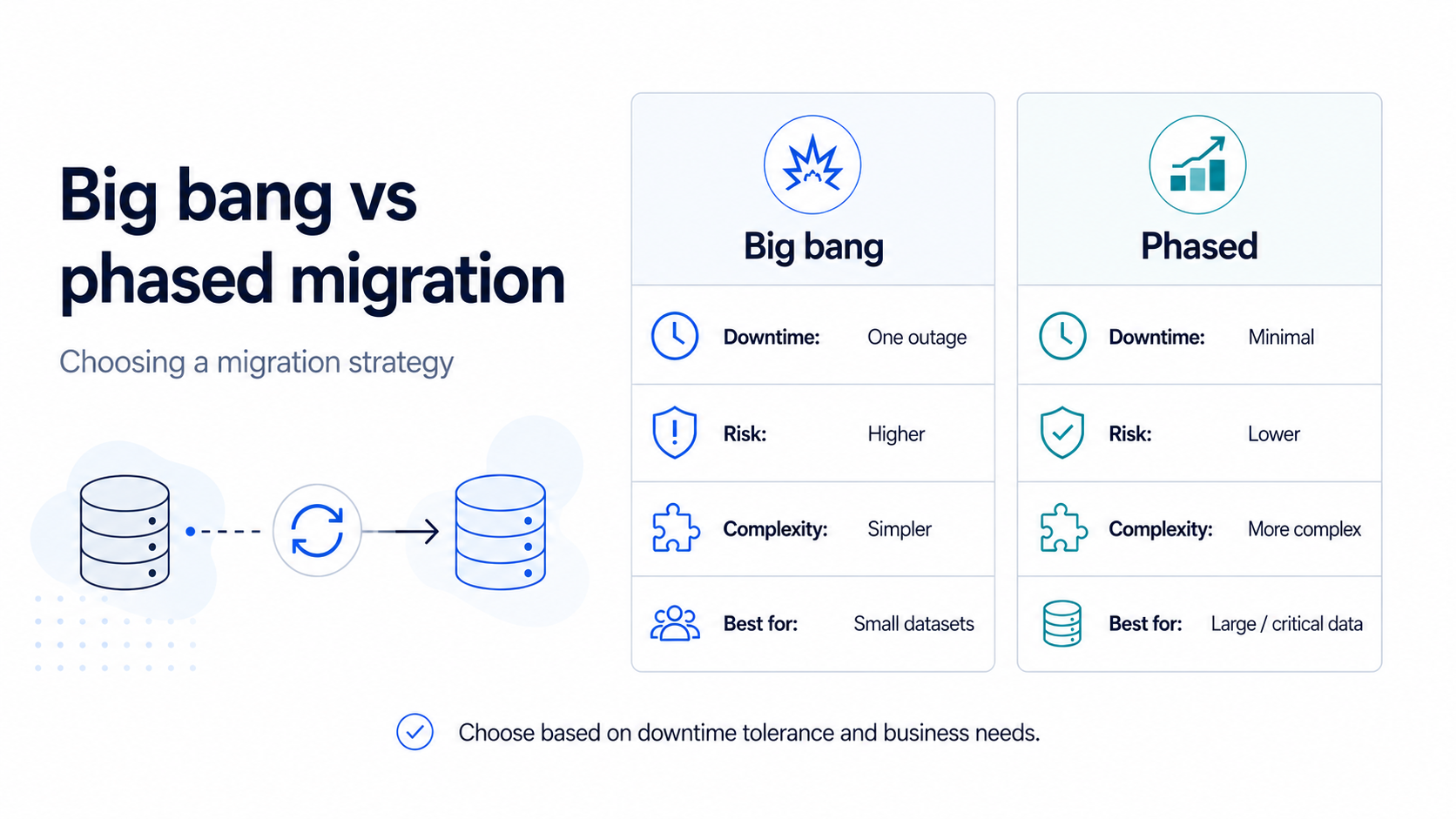
Comparison of big bang and phased data migration strategies by downtime, risk, complexity, and suitable data size.

How Do You Know a Migration Is Heading for Trouble?

Recognizing warning signs early can empower stakeholders to take control and prevent costly issues before the migration goes live. 

The first warning sign is setting a budget and timeline before analyzing the source data, which often leads to overly optimistic assumptions and potential project delays. 

The second sign is when the team is unable to confirm the exact number of records it has. In such cases, most people provide an estimated figure (which can only be true by chance). This discrepancy can lead to budget overruns as the project progresses. 

Validation should continue throughout the migration process. Checking data only at the end can allow errors to go unnoticed and create problems after migration.

Finally, the absence of a rollback plan constitutes a serious red flag.

Data Migration Best Practices

Good migrations share a short list of habits. After running these across dozens of projects, a handful stand out as the ones that separate a clean cutover from a 3 AM scramble.

  • Profile the data first. You cannot plan around problems you have not found. Run a full data quality assessment before you commit to a budget or a go-live date.
  • Migrate in batches. Moving everything at once means a single failure can sink the entire run. Smaller batches give you checkpoints and a clean way to retry just the part that broke.
  • Build validation from the start. Reconciliation should run automatically after every batch, comparing counts and key values against the source. Manual spot-checks miss the records that quietly drop.
  • Keep a tested rollback plan. Know exactly how you would revert if the new system misbehaves on day one. A verified backup and a documented rollback path turn a disaster into an inconvenience.
  • Bring the business in early. The people who use the data know what correct looks like. Pull them into validation from the start, because a passing technical check still fails if the numbers look wrong to the team that depends on them.

Data Migration Tools

The tool you pick depends on the type of migration and where the data lives. The market itself has grown fast, from around 10.8 billion dollars in 2025 towards a projected 31 billion by 2034 as cloud adoption pulls more projects into scope.

For cloud moves, the major providers ship their own services. AWS has Database Migration Service and a wider Migration Hub. Microsoft offers Azure Database Migration Service. Google Cloud has its Database Migration Service and Storage Transfer Service. These work best when you are moving into that provider’s ecosystem.

For database and integration work, platforms like Informatica, Talend, and Fivetran handle extraction, transformation, and loading across many sources. DBT has become a common choice for the transformation layer, especially on warehouses like Snowflake and BigQuery.

For custom or messy migrations, Many teams build their own data pipelines using Python or SQL. This gives them complete control over the migration process and data transformation logic. A custom approach is especially useful when business rules are too specific for off-the-shelf tools to handle. The trade-off is build time and ongoing maintenance.
No single tool fits every job. Most real migrations pair a provider service for the heavy lifting with custom scripts for the parts that refuse to fit a template.


Suggestion: Let the tool handle the bulk movement, and reserve your engineering time for the transformation logic that encodes how your business works. That is the part no vendor can guess for you.

Where to Start

If you are staring down a data migration, start by understanding your data before choosing any tools. Spend the first week profiling your data to identify quality issues, inconsistencies, and dependencies. This early step lays the foundation for a smoother migration and helps reduce the risk of delays and failures. Everything else gets easier once you know the shape of your data.

Book a Free 30-Minute Meeting

Discover how our services can support your goals — no strings attached. Schedule your free 30-minute consultation today and let's explore the possibilities.

Book a Free Call

Frequently Asked Questions

Data migration is a one-time transfer from a source to a target, after which the source is typically retired. In contrast, Data integration is an ongoing process that keeps data synchronized between live systems. Migration ends, while integration continues.

Timelines vary based on data volume, quality, and complexity, ranging from weeks to over a year. Larger, messier datasets can take 12 months or more, with the assessment phase providing the most accurate timeline.

Poor data quality and weak planning are the main reasons behind the 83% failure and overrun rate, rather than the migration technology. Profiling data before budgeting helps mitigate risk.

Most datasets contain stale, duplicate, or unused records that increase cost and risk without adding value. A good migration archives or removes this data, transferring only what the new system requires.

Cost depends on volume, complexity, and data cleanliness. For Snowflake projects, you can use our Snowflake cost calculator for estimates. Budget overruns often reach 30% on delayed projects, making a discovery phase that provides a solid estimate worthwhile.

Book Consultation