

Introduction
What Is Cloud Data Migration?
Cloud data migration is the process of moving data from on-premises servers, legacy databases, or cloud platforms to another cloud platform, such as AWS, Azure, Google Cloud, or Snowflake. Goldman Sachs estimates only 30% of enterprise workloads have migrated so far, leaving the bulk of the migration work still to come.
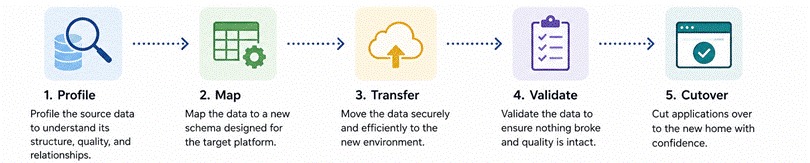
The term covers far more than a file copy. A real data migration involves several steps. First, you examine the existing data. Then, you map it to the new system, transfer it, check that everything moved correctly, and switch your applications to use the new system. 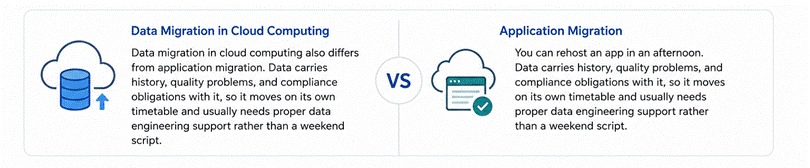 Data migration in cloud computing also differs from application migration. You can rehost an app in an afternoon but that’s not the case with data migration. This is because data carries history, quality problems, and compliance obligations with it. Hence, it moves on its own timetable and usually needs proper data engineering support.
Why Are Businesses Moving Data to the Cloud?
What Are the Main Types of Data Migration in Cloud Computing?
How Do You Build a Cloud Data Migration Strategy?
Start with an honest readiness check. Organizations that run a formal assessment before migrating are 2.4 times more likely to succeed. Yet only 65% of migrations finish on time and within budget, and 38% overrun by an average of 23%.
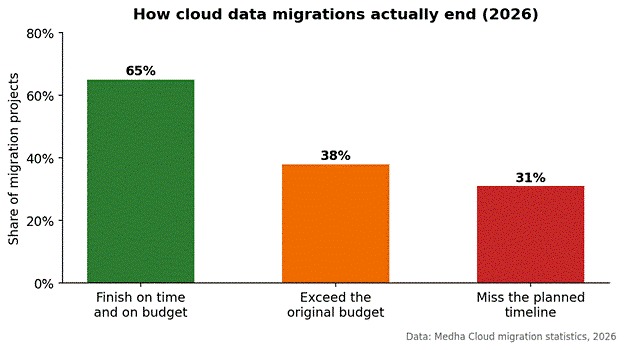
Figure 1: Migration project outcomes in 2026. Around one in three projects misses its budget or timeline.
A successful cloud data migration strategy usually follows six key steps:

1. Inventory and Assess Your Data
Identify every data source, its size, owner, and any data quality issues. Decide what to migrate and what to leave behind. Archive old data and remove duplicate or invalid records before the move. Cleaning data first reduces migration costs and avoids carrying unnecessary data into the new environment.
2. Map Dependencies
Identify every application, report, API, and scheduled task that uses your data. Missing even one dependency can delay the migration or cause problems after cutover, and missed dependencies are among the most common causes of migration failure. Talk to both technical teams and business users to make sure nothing is overlooked.
3. Choose the Right Migration Approach
Select the best method for each workload. Rehost systems which work well, replatform which need small improvements, and refactor only when the business value justifies the extra effort. Different workloads often need different approaches.
4. Run a Pilot Migration
Start with a small, low-risk dataset that represents your larger environment. A pilot helps uncover issues with permissions, performance, and validation before the full migration begins. It also lets your team rehearse the migration process.
5. Validate the Migrated Data
Before switching to the new system, it’s advised to confirm the data matches the source. Compare row counts, checksums, and reconciliation reports, and agree on success criteria before the migration starts. Assign someone to review and approve the results before cutover.
6. Prepare a rollback plan
Keep the original system available until the new environment has completed a full business cycle, such as month-end reporting or peak business activity. Test the rollback plan in advance so you can run it quickly if something goes wrong.
Rehost, Replatform, or Refactor: Which Approach Fits?
The migration approach you choose has a major impact on cost. Refactoring applications is often the most expensive part of a cloud migration. If you refactor every workload, project costs climb before any data moves.
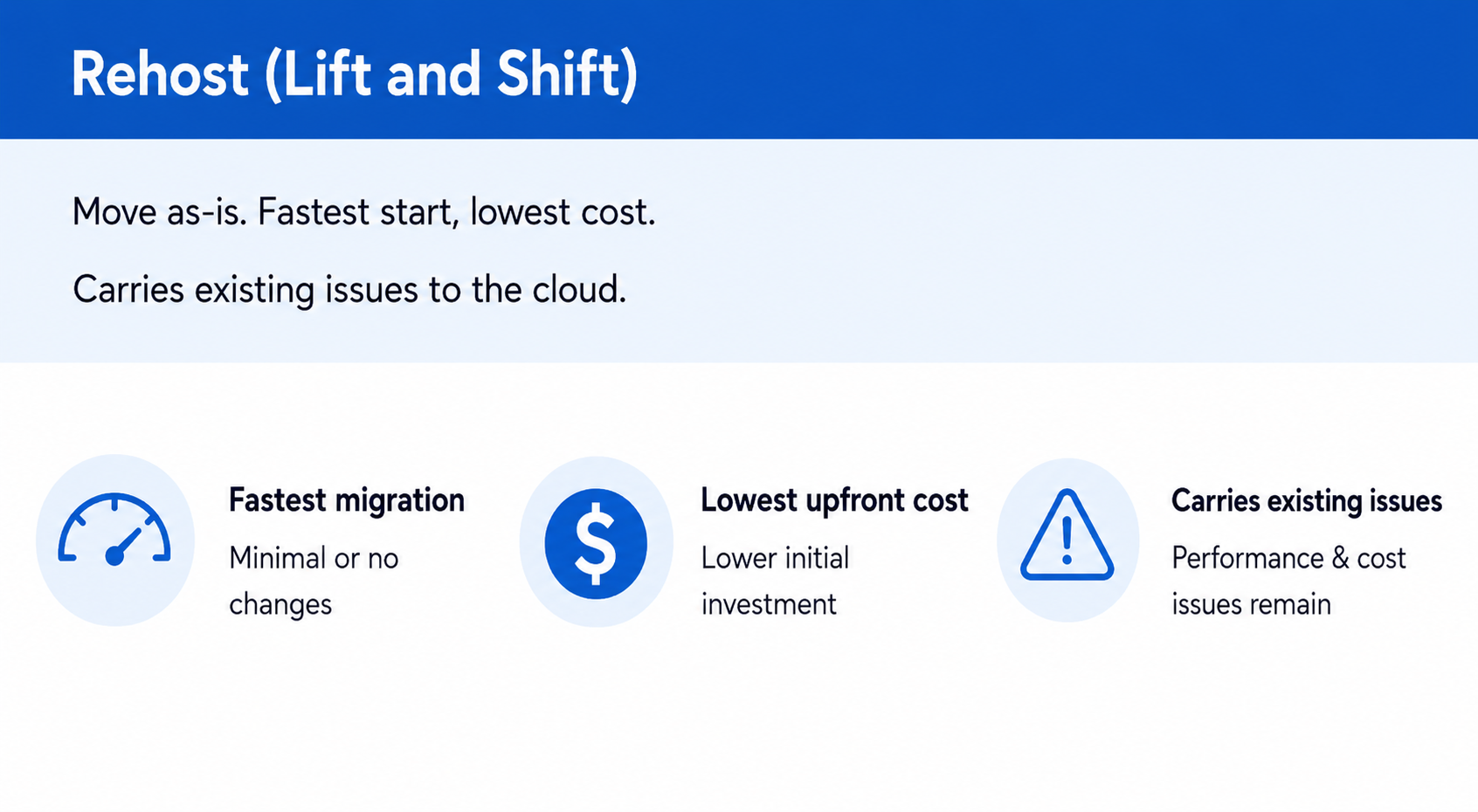
Rehost (lift and shift)
Rehosting moves applications and data to the cloud with little or no change. It is the fastest and lowest-cost option at the start, which is why many organizations choose it. However, it can also carry existing performance and cost issues into the cloud.
Replatform
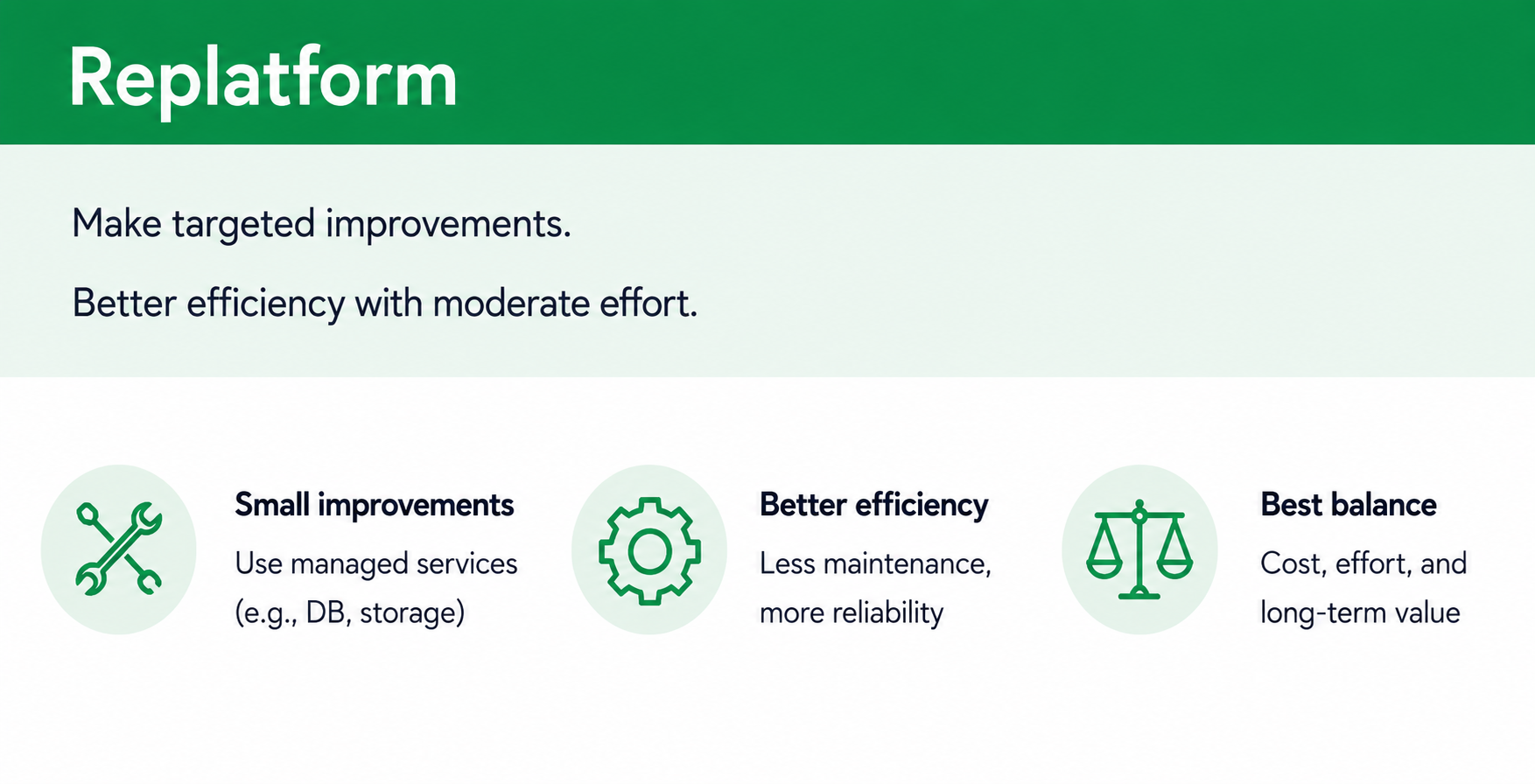
Replatforming makes small improvements during the migration. For example, you might replace a self-managed database with a managed cloud database or move files to object storage. This approach keeps most of the existing application while reducing maintenance and improving efficiency. For many data migration projects, it offers the best balance of cost, effort, and long-term value.
Refactor
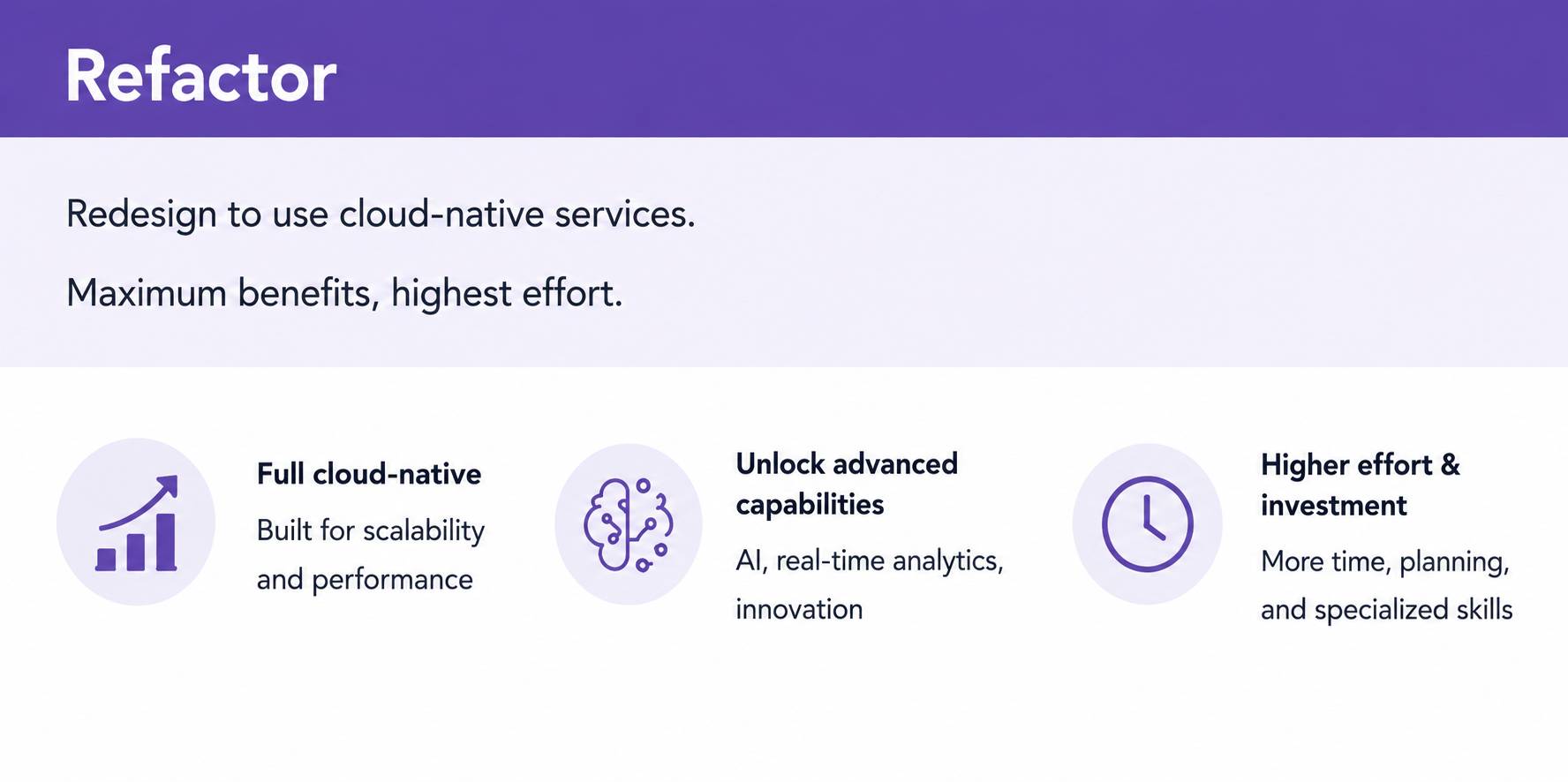
Refactoring redesigns an application to take full advantage of cloud services. It can improve scalability, lower long-term costs, and support advanced capabilities, such as AI and real-time analytics. However, it requires more time, planning, and specialized skills, so it is best reserved for systems where the business benefits justify the investment.
How Do You Choose the Right Approach?
How Do You Budget for a Cloud Data Migration?
Which Cloud Data Migration Tools Should You Use?
Why Do Cloud Data Migrations Fail?
When Should You Use Cloud Data Migration Services?
The talent math favors outside help more than most teams expect. 76% of organizations report a shortage of skilled cloud professionals. CACI's research found 38% of migrations are delayed by more than a quarter, with dependency mapping problems and skills gaps as the leading causes. Learning on production data is the expensive way to close this gap.
Bring in a migration partner when any of these is true.
- You have more than three source systems.
- You carry compliance exposure
- Your team has never run a migration at this scale, or the deadline is fixed by a contract or an acquisition.
The track record backs this up. 78% of successful enterprise migrations involved at least one certified cloud architect (internal or external), and 84% of organizations that used a migration partner said they would use one again on their next project. People rarely repeat purchases they regret.
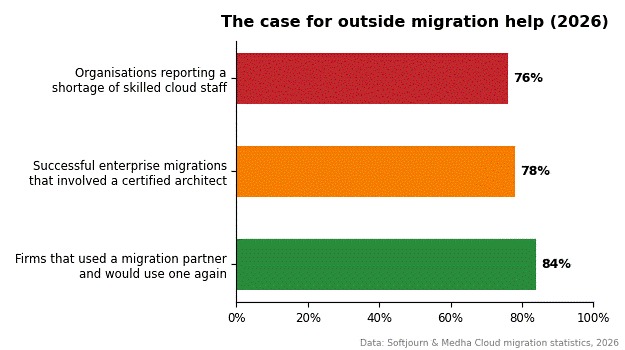
Figure 2: What the data says about migration expertise. Sources: Softjourn and Medha Cloud, 2026.
Choose the Right Engagement Model
Engagement models vary, and you don't have to hand over the whole project. Common options include:
- Audit-only: Reviews your migration strategy, architecture, and execution plan before implementation, helping you identify risks and gaps early.
- Co-delivery: Combines a partner's migration specialists with your internal engineering team, enabling knowledge transfer alongside the migration work.
- Full delivery: Hands end-to-end responsibility to the migration partner, making it a good fit when deadlines are fixed or internal resources are limited.
No matter which migration approach you choose, a good partner handles the important details. They identify everything connected to your data, make sure the migration works correctly, prepare a rollback plan in case something goes wrong, and estimate the full cost, including data transfer fees.
Cloud data migration services cover all of that, and a specialist pays for itself fastest on the steps you'd otherwise redo. If Snowflake is the target, Snowflake consulting steers you away from the cost and design choices you won't notice until the first bill.
Either way: whoever runs the migration, your team owns the inventory and the validation criteria. Outsource the labor, never the accountability.
Get Your Plan Checked Before You Move a Single Table
Book a Free 30-Minute Meeting
Discover how our services can support your goals — no strings attached. Schedule your free 30-minute consultation today and let's explore the possibilities.
Book a Free Call